
About AI Image Upscale
AI Image Upscale is a small, focused macOS app for one job: making your images bigger without turning them to mush. Add one photo or a whole batch, pick a scale factor of 2×, 3×, or 4×, and compare the result against the original side by side before you export anything.
The Enhanced method layers Lanczos resampling with edge sharpening, luminance detail recovery, and optional denoise — each with its own slider so you can dial in exactly how crisp or how smooth the result looks. Prefer a plain resize? Switch to Standard and skip the extra processing entirely.
One-time purchase. No ads, no analytics, no third-party trackers, and crucially no server uploads. Every image is upscaled locally using your Mac’s CPU and GPU, and never leaves your device.
Add your images, choose a scale factor and method, fine-tune sharpening and denoise, and export. Pay once, $7.99. Done.
Features
2×, 3× & 4× Scale
Upscale any image to double, triple, or quadruple its original dimensions with a single click.
Standard & Enhanced Methods
Enhanced combines Lanczos resampling with sharpening, detail recovery, and denoise. Standard keeps it a straightforward, fast resize.
Fine-Tune Every Pass
Edge Sharpen, Sharpen Radius, Detail Recovery, and Denoise each have their own slider, so you control exactly how the final image looks.
Batch “Upscale All”
Queue up multiple images and process them all in one pass, using every core your Mac has available.
Original / Upscaled / Side-by-Side
Switch between views or drag the divider in Side by Side mode, and zoom in to inspect detail before you export.
Wide Format Support
Import JPEG, PNG, TIFF, HEIC, WebP, BMP, or GIF, and export to your choice of output format with a custom filename suffix.
Auto-Save Folder
Set a save location once and every export lands there automatically — or use Export / Save As to choose per image.
100% On-Device
No accounts, no analytics, no ads, no third-party trackers, and no server uploads. Your photos never leave your Mac.
Scale Factor & Upscale Method
Pick a scale factor and the app shows the exact output dimensions before you process anything — a 1,024 × 1,024 image at 4× becomes 4,096 × 4,096.
Standard vs. Enhanced
Standard applies a clean Lanczos resample only. Enhanced adds an unsharp mask along edges, luminance sharpening to recover fine texture detail, and noise reduction — each exposed as its own slider (Edge Sharpen, Sharpen Radius, Detail Recovery, Denoise) so you can push the result exactly as far as you want.
Compare before you export
Use the Original, Upscaled, and Side by Side view modes to check your settings at any zoom level, then export as PNG, JPEG, TIFF, HEIC, or another supported format with a configurable filename suffix.
Screenshots
One window. Add your images, dial in the scale and sharpening, and export exactly the result you need.
macOS 26.1+
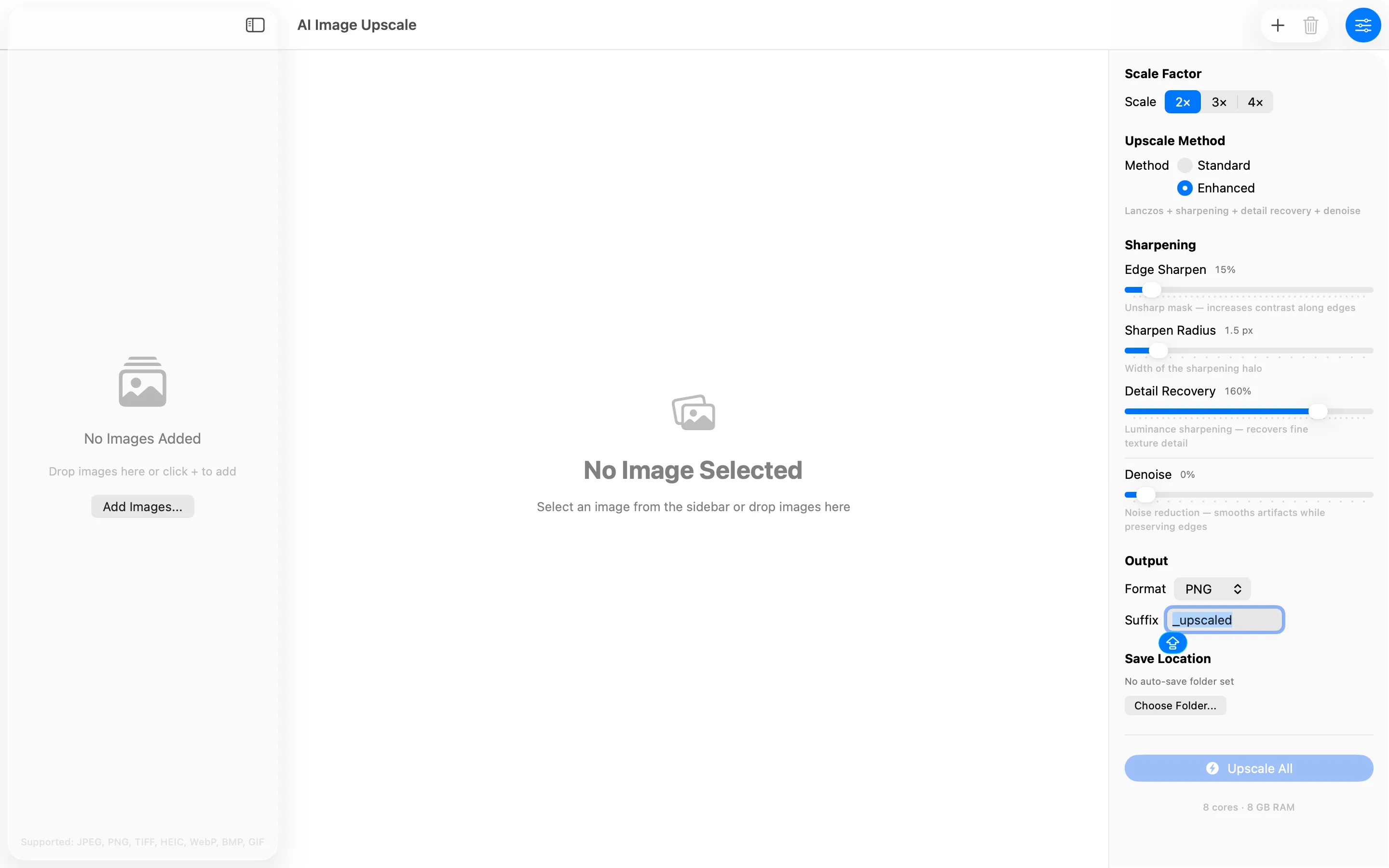
Add images and dial in scale, method, and sharpening
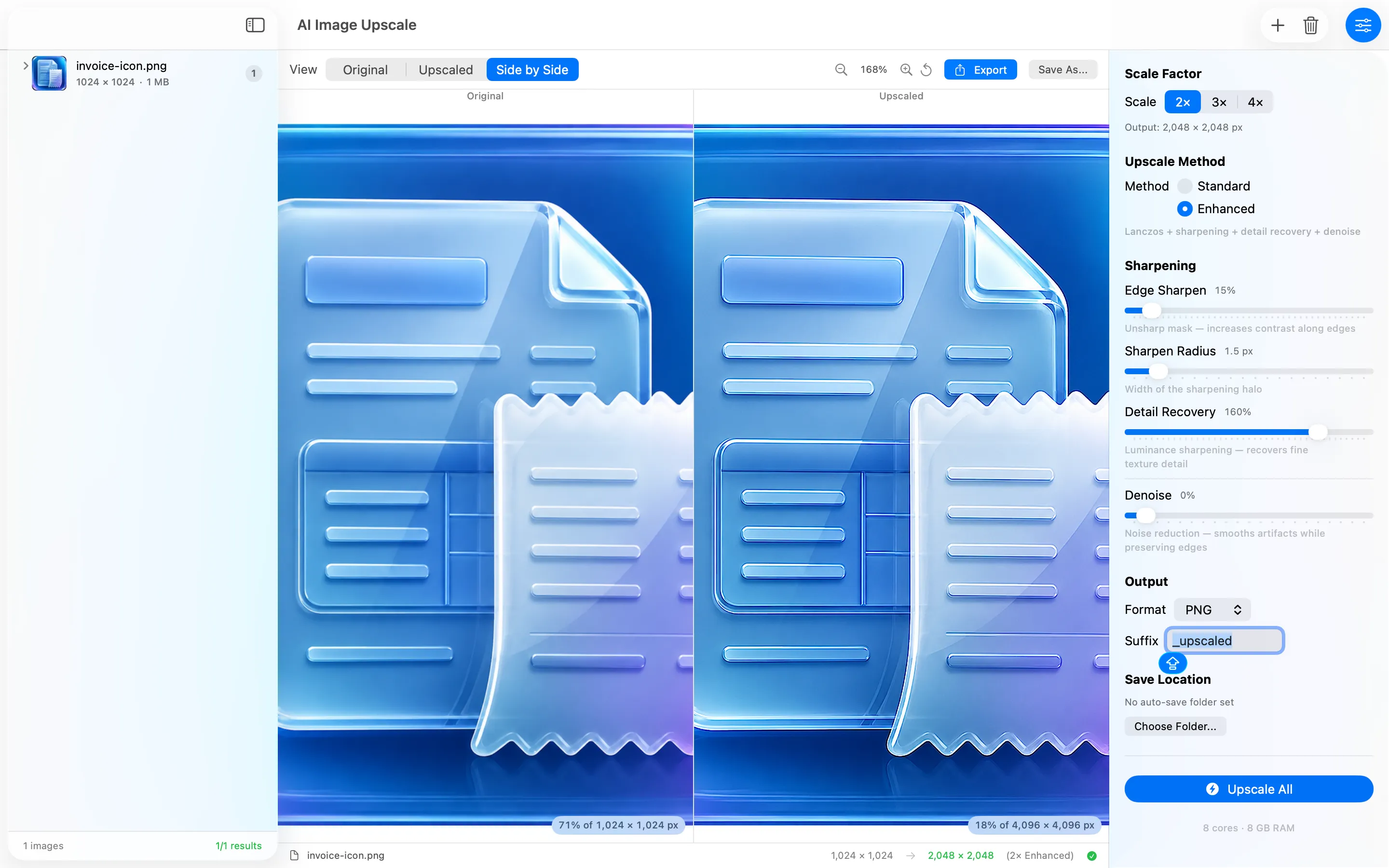
Side-by-side compare at 2× Enhanced
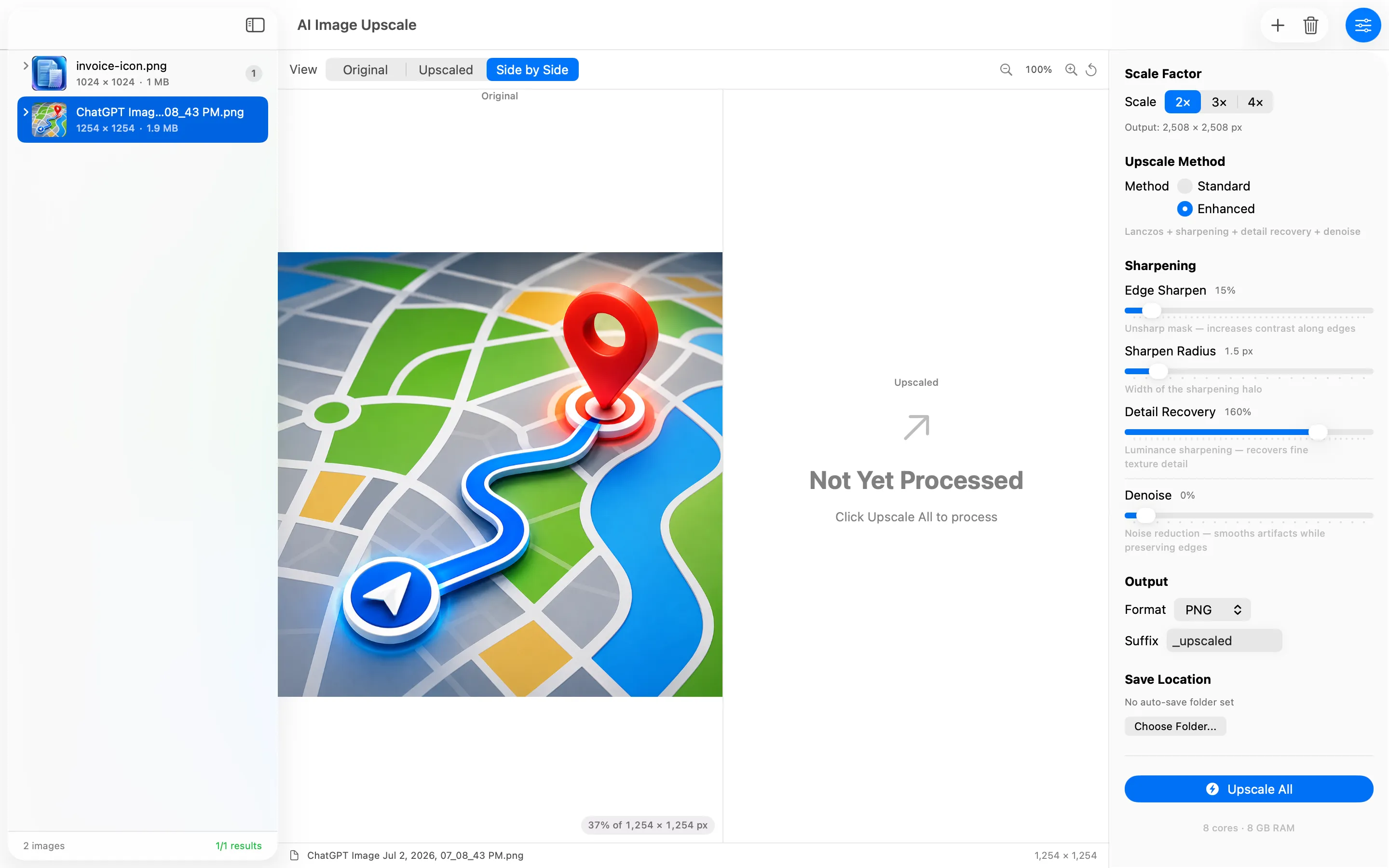
Queue multiple images and Upscale All at once
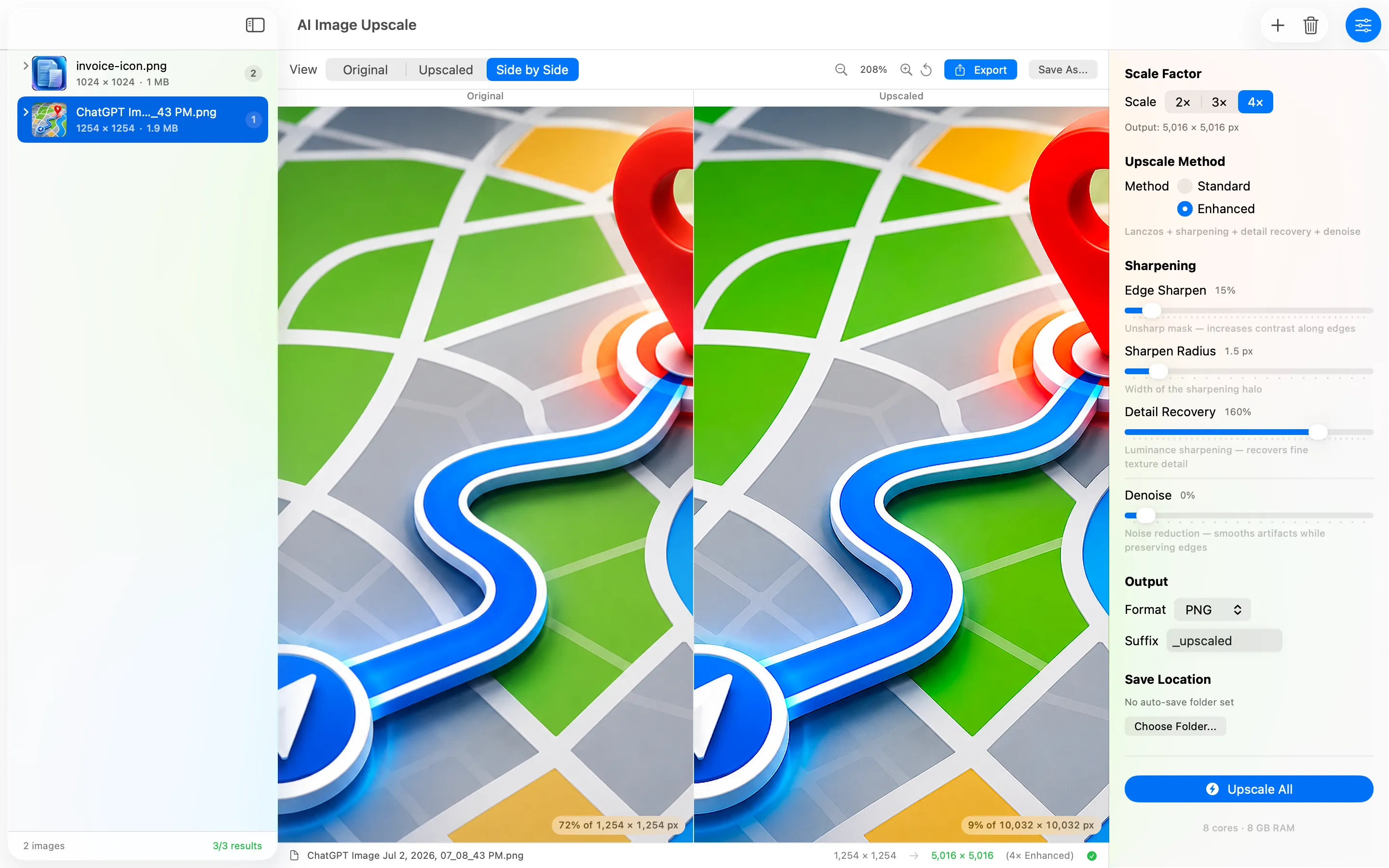
Zoom in to inspect detail at 4× Enhanced
Privacy Policy
Last updated: July 2026
1. Introduction
This Privacy Policy describes how AI Image Upscale ("the App," "we," "our," or "us") handles information. The App is a macOS utility that upscales image files you choose and saves the results to locations you pick.
We respect your privacy. This policy explains exactly what the App does and does not do with information on your device.
2. Information We Collect
We do not collect any personally identifiable information. AI Image Upscale does not require an account, does not ask for your name or email, and does not transmit any data to servers operated by us — we don’t run any.
- No sign-in, account, or registration.
- No analytics or crash reporting SDKs.
- No advertising SDKs of any kind.
- No tracking, no fingerprinting, no third-party SDKs at all.
- No location, contacts, microphone, or camera access.
- Images you add are processed in memory and written only to the export locations you explicitly choose.
3. Your Images Stay on Your Mac
All upscaling happens locally on your device using Core Image and your Mac’s CPU/GPU. The App makes no network requests, performs no server uploads, and contacts no third-party services. There is no telemetry and no auto-update beacon. Your original and upscaled images never leave your Mac unless you move them yourself.
4. File Access
The App reads the image files you add and writes upscaled files only to the folders and files you select through the standard macOS open and save dialogs, or the auto-save folder you configure. It does not browse, scan, or index your disk in the background.
5. App Store Purchase
AI Image Upscale is a paid app sold through the Mac App Store. The purchase is processed entirely by Apple. We do not see your payment details. There are no in-app purchases, no subscriptions, and no recurring charges.
6. Data Sharing
We do not sell, rent, or share user data — we don’t have any to share. There are no third-party SDKs in AI Image Upscale.
7. Children’s Privacy
The App is suitable for users of all ages and is not directed at children under 13. We do not knowingly collect personal information from children.
8. Changes to This Privacy Policy
We may update this Privacy Policy periodically. Any updates will be reflected on this page with a new "Last Updated" date.
9. Contact Us
If you have any questions or concerns about this Privacy Policy, please contact:
Terms of Use
AI Image Upscale is provided as an image processing utility for personal and professional use. The App upscales images you provide; it does not analyse, scan, or transmit your images. By installing the App you agree to Apple’s standard Licensed Application End User License Agreement, which governs all App Store apps.
AI Image Upscale is a one-time paid app sold through the Mac App Store and tied to your Apple ID. There are no subscriptions and no in-app purchases. Refund requests are handled by Apple under their standard refund policy.
Support
Questions, bug reports, or feature requests? Drop us a line.