About Snow on my tabs
Snow on my tabs is a small Safari Web Extension for Mac that brings a little winter to your browsing. Turn it on and every page you visit gets a soft, drifting snowfall — hundreds of tiny flakes sway down on a gentle breeze, and every so often a big crystalline snowflake tumbles past.
The clever part is that the snow settles. Snow on my tabs quietly looks at where the page’s headlines, paragraphs, pictures and buttons sit, then lets flakes pile up along their top edges in the lower part of the window — like snow gathering on a window ledge. A soft drift builds along the bottom of the page, too.
It never gets in your way. The snow lives on an invisible, click-through sheet of glass laid over the page, so clicks, scrolling, text selection and video all keep working exactly as before. Click any snowflake and it bursts in a little puff of icy sparkles before melting away. Everything happens on your Mac — no accounts, no ads, no analytics, no servers.
Enable the extension once, then browse as normal — snow falls on every page you open. Pay once, $1.99. Done.
Features
A sky full of snow
Hundreds of tiny flakes drift down every page, swaying on a gentle breeze — and every so often a big crystalline snowflake tumbles past.
Snow that settles
Flakes pile up along the top edges of headlines, paragraphs, pictures and buttons in the lower part of the window — like snow on a window ledge. A soft drift builds along the bottom too.
Pop a snowflake
Click any snowflake and it bursts in a little puff of icy sparkles before melting away — the big tumbling flakes make the biggest pop.
The page still works
The snow layer never touches the page itself. Clicks, scrolling, text selection and video keep working exactly as before — turn Snow on my tabs off and it’s as if it never snowed.
One switch, every tab
Click the snowflake button in the toolbar and flip the snow on or off — it applies to every open tab instantly.
Flurry to blizzard
Slide the snow amount from a light, quiet flurry all the way up to a proper blizzard — as much or as little winter as you feel like.
Shake the snow off
Choose whether flakes settle on words and pictures, and press “Shake the snow off” any time to clear every ledge instantly.
Light as a snowflake
Snow pauses in hidden tabs, respects Reduce Motion, and draws on your Mac’s graphics hardware, so browsing stays fast and smooth.
100% on-device
No accounts, no analytics, no ads, no third-party trackers. Snow on my tabs never reads what a page says or which sites you visit — only your snow settings are stored, locally.
How It Works
Enable the extension in Safari
- Open Safari and choose Safari → Settings… → Extensions.
- Tick “Snow on my tabs Extension” and allow it on the sites you want it to snow on.
- That’s it — snow starts falling on every page you visit.
Your snow, your way
- Click the snowflake button in the toolbar to open the controls.
- Turn the snow on or off with one switch — it applies to every tab instantly.
- Slide the snow amount from a light flurry to a full blizzard.
- Choose whether flakes settle on words and pictures, and press “Shake the snow off” any time to clear the ledges.
- Click any falling snowflake to pop it in a puff of sparkles.
- Everything is stored on your Mac. Nothing about the pages you visit is ever sent anywhere.
Screenshots
Snow drifting down a page, settling on the headings and pictures, all controlled from a tidy little panel in the toolbar.
macOS 11+

Gentle snow drifts down every page you open

The toolbar panel — toggle, dial the amount, shake it off

Flakes pile up on ledges, just like a window sill
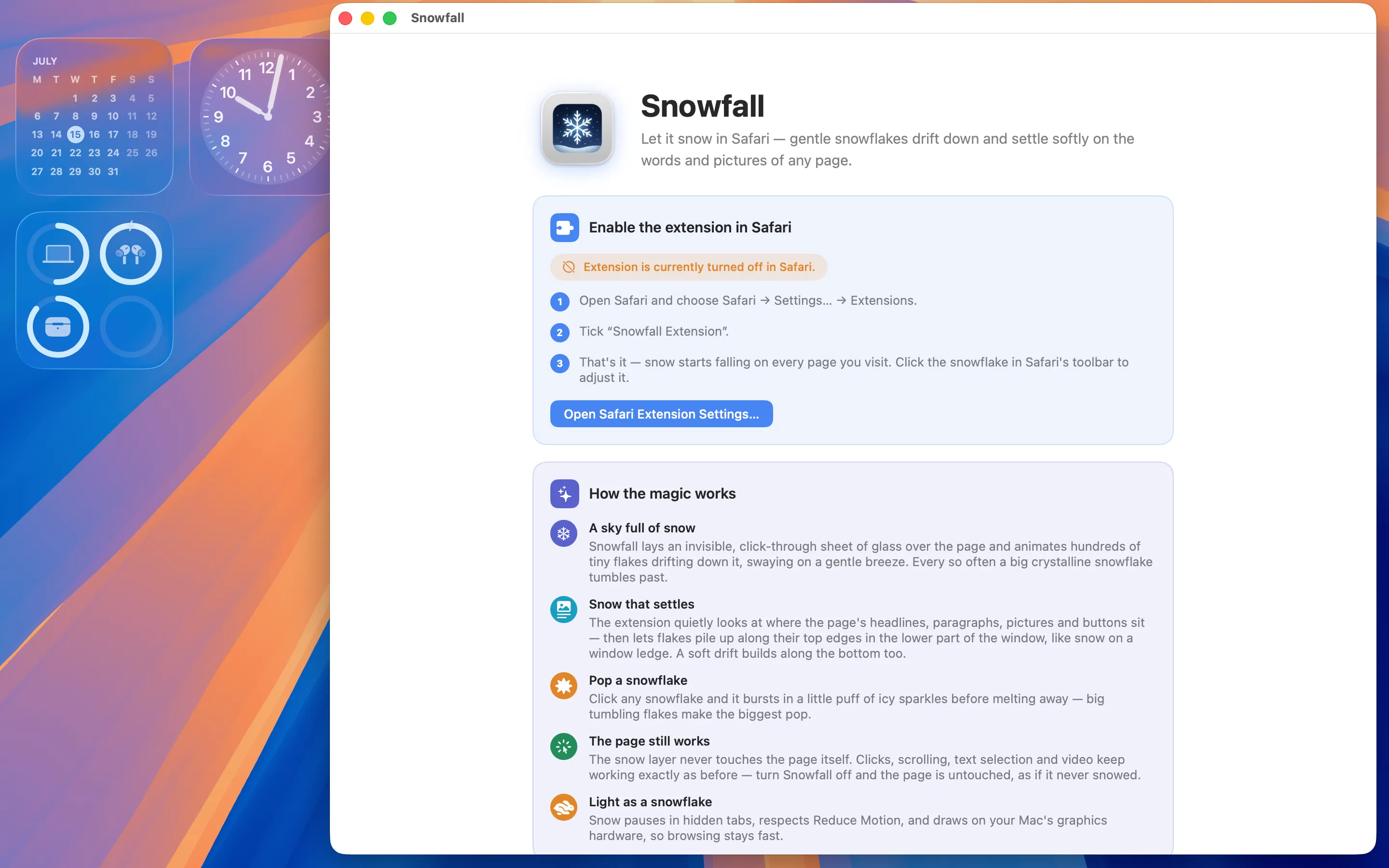
The app walks you through enabling the extension
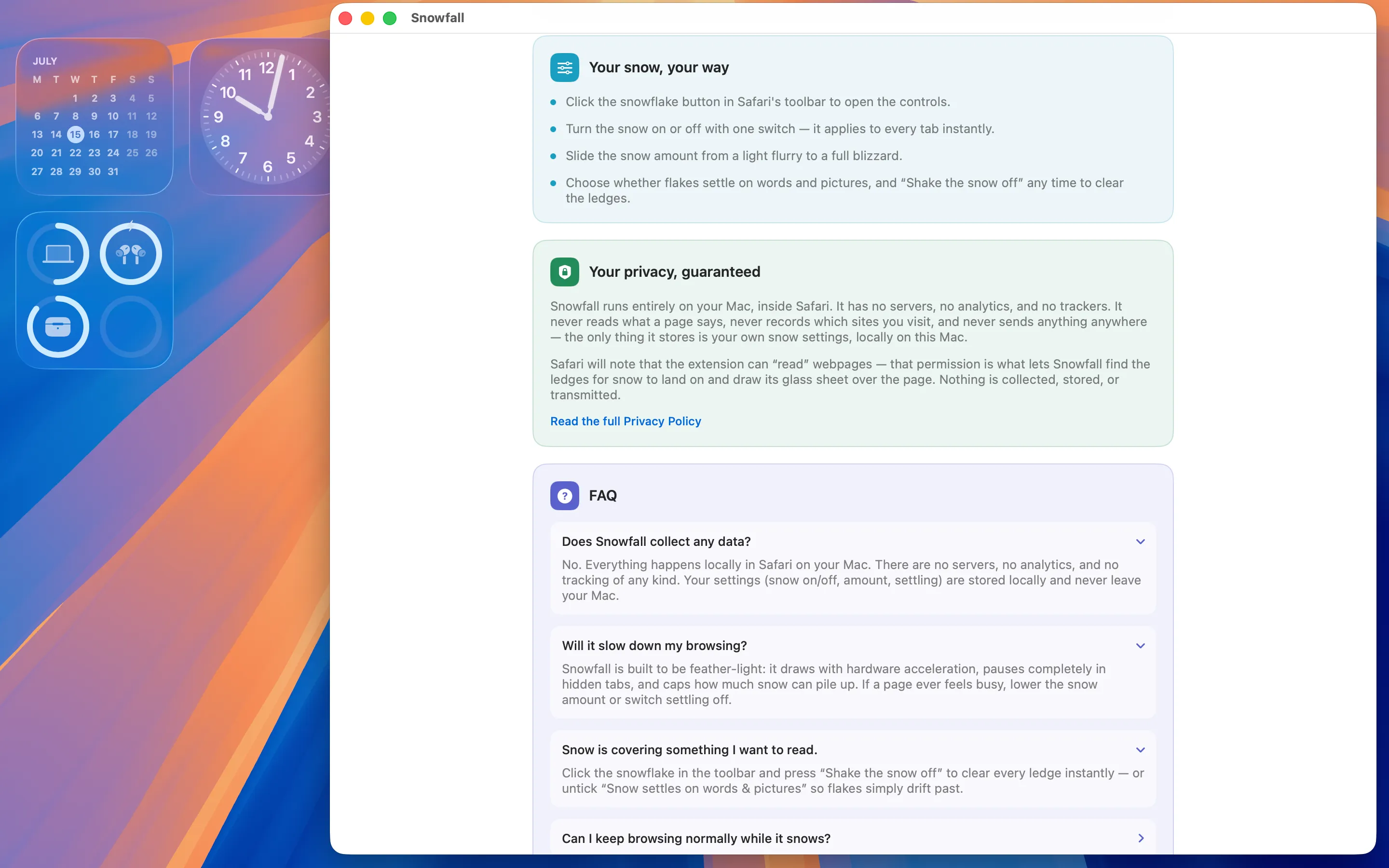
Controls, privacy, and FAQ built into the app
Why Snow on the Web?
Because it’s lovely. The web can feel flat and busy, and a quiet snowfall is a small, cheerful thing to have drifting behind whatever you’re reading. It’s the cosy feeling of watching snow out of a window — brought to every tab, and especially the sort of thing you want in December.
Snow on my tabs is built to be a delight, not a distraction. It never covers the words you’re reading — the flakes only gather on the top edges of things — and the moment you want to focus, one tap on “Shake the snow off” clears the ledges, or a single switch turns it off entirely. It draws with your Mac’s graphics hardware and pauses in tabs you can’t see, so it stays light. A little winter, whenever you want it.
FAQ
Does Snow on my tabs collect any data?
No. Everything happens locally in Safari on your Mac. There are no servers, no analytics, and no tracking of any kind. Your settings (snow on/off, amount, settling) are stored locally and never leave your Mac.
Will it slow down my browsing?
Snow on my tabs is built to be feather-light: it draws with hardware acceleration, pauses completely in hidden tabs, and caps how much snow can pile up. If a page ever feels busy, lower the snow amount or switch settling off.
Snow is covering something I want to read.
Click the snowflake in the toolbar and press “Shake the snow off” to clear every ledge instantly — or untick “Snow settles on words & pictures” so flakes simply drift past without gathering.
Can I keep browsing normally while it snows?
Yes. The snow sits on an invisible, click-through layer over the page, so clicks, scrolling, text selection, forms and video all work exactly as before. The page underneath is never modified.
Why does Safari say the extension can read webpages?
That permission is what lets Snow on my tabs find the ledges for snow to land on and draw its glass sheet over the page. Nothing is collected, stored, or transmitted — it never records what a page says or which sites you visit.
How do I pop a snowflake?
Just click one as it falls. It bursts in a puff of icy sparkles and melts away — the big tumbling flakes make the biggest pop.
Does it respect Reduce Motion?
Yes. If you’ve turned on Reduce Motion in your accessibility settings, Snow on my tabs keeps things calm and gentle rather than lively.
The toolbar icon is missing — where is it?
Open Safari → Settings… → Extensions and make sure “Snow on my tabs Extension” is ticked. If the snowflake still isn’t visible, right-click Safari’s toolbar, choose Customize Toolbar, and drag the snowflake in.
Privacy Policy
Last updated: July 2026
1. Introduction
This Privacy Policy describes how Snow on my tabs ("the App," "we," "our," or "us") handles information. The App is a macOS container for a Safari Web Extension that animates decorative snow over the webpages you visit.
We respect your privacy. This policy explains exactly what the App does and does not do with information on your device.
2. Information We Collect
We do not collect any personally identifiable information. Snow on my tabs does not require an account, does not ask for your name or email, and does not transmit any data to servers operated by us — we don’t run any.
- No sign-in, account, or registration.
- No analytics or crash reporting SDKs.
- No advertising SDKs of any kind.
- No tracking, no fingerprinting, no third-party SDKs at all.
- No location, contacts, microphone, or camera access.
- Your snow settings — whether snow is on, how much, and whether it settles — are stored locally on your Mac so they can be applied the next time you browse.
3. Your Browsing Stays on Your Mac
Everything Snow on my tabs does happens on your Mac, inside Safari. The App makes no network requests, performs no server uploads, and contacts no third-party services. There is no telemetry and no auto-update beacon. It never reads what a page says and never records which sites you visit. Your settings never leave your Mac.
4. Extension Permissions
The Safari extension requests permission to access webpage contents solely so it can measure where the page’s elements sit — the ledges for snow to land on — and draw its click-through glass layer of snow on top. This measurement happens momentarily on your device and is never stored or transmitted. The extension does not read your browsing history, and it does not record, collect, or transmit the contents of the pages you visit.
5. App Store Purchase
Snow on my tabs is a paid app sold through the Mac App Store. The purchase is processed entirely by Apple. We do not see your payment details. There are no in-app purchases, no subscriptions, and no recurring charges.
6. Data Sharing
We do not sell, rent, or share user data — we don’t have any to share. There are no third-party SDKs in Snow on my tabs.
7. Children’s Privacy
The App is suitable for users of all ages and is not directed at children under 13. We do not knowingly collect personal information from children.
8. Changes to This Privacy Policy
We may update this Privacy Policy periodically. Any updates will be reflected on this page with a new "Last Updated" date.
9. Contact Us
If you have any questions or concerns about this Privacy Policy, please contact:
Terms of Use
Snow on my tabs is provided as a decorative utility that animates snow over the webpages you view in Safari. The App draws its snow on a click-through layer above the page; it does not analyse, scan, collect, or transmit the page’s contents. By installing the App you agree to Apple’s standard Licensed Application End User License Agreement, which governs all App Store apps.
Snow on my tabs is a one-time paid app sold through the Mac App Store and tied to your Apple ID. There are no subscriptions and no in-app purchases. Refund requests are handled by Apple under their standard refund policy.
Support
Questions, bug reports, or feature requests? Drop us a line.