The Maths Behind the Till
Children learn to add coins long before they can hand back change. The gap between the two is where most money worksheets quietly give up — and it is exactly where this game starts.
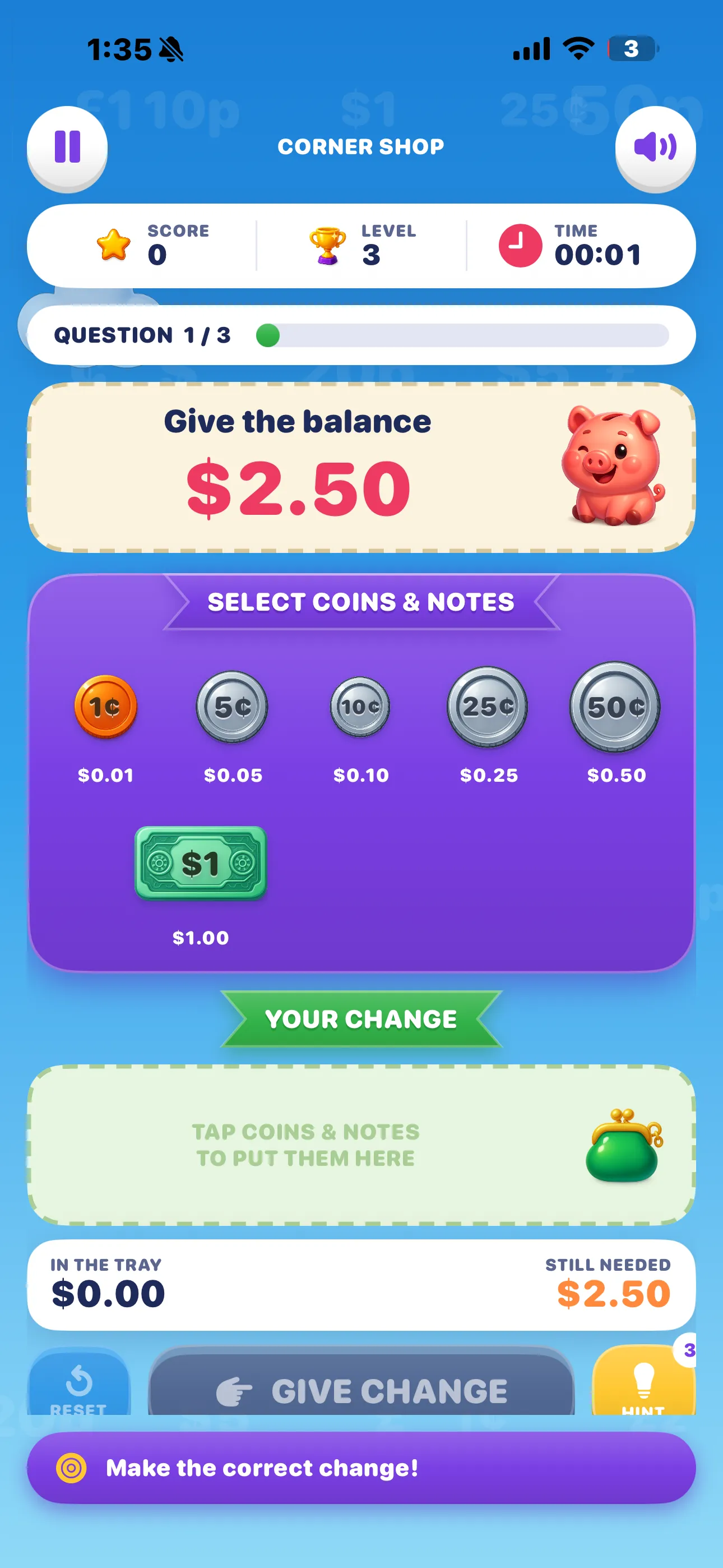
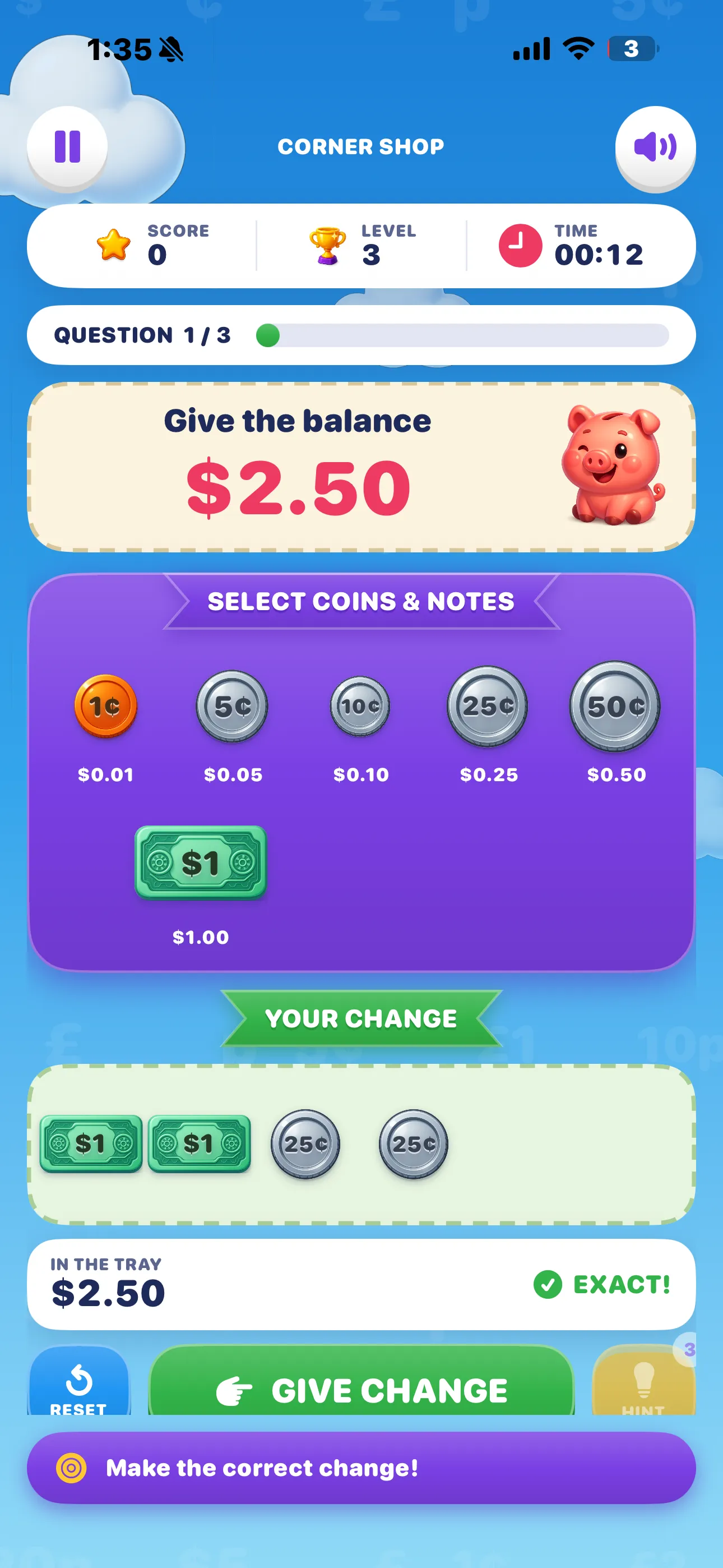
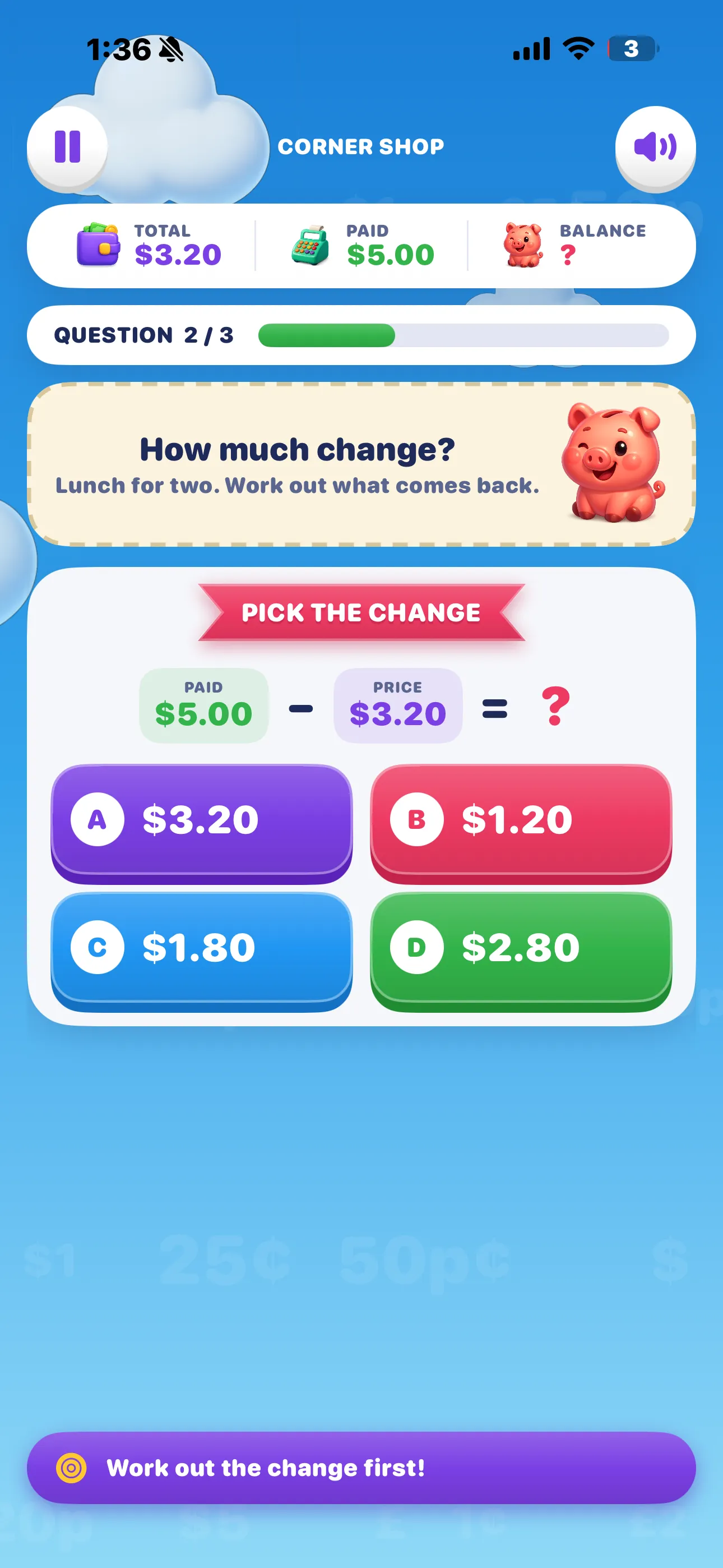
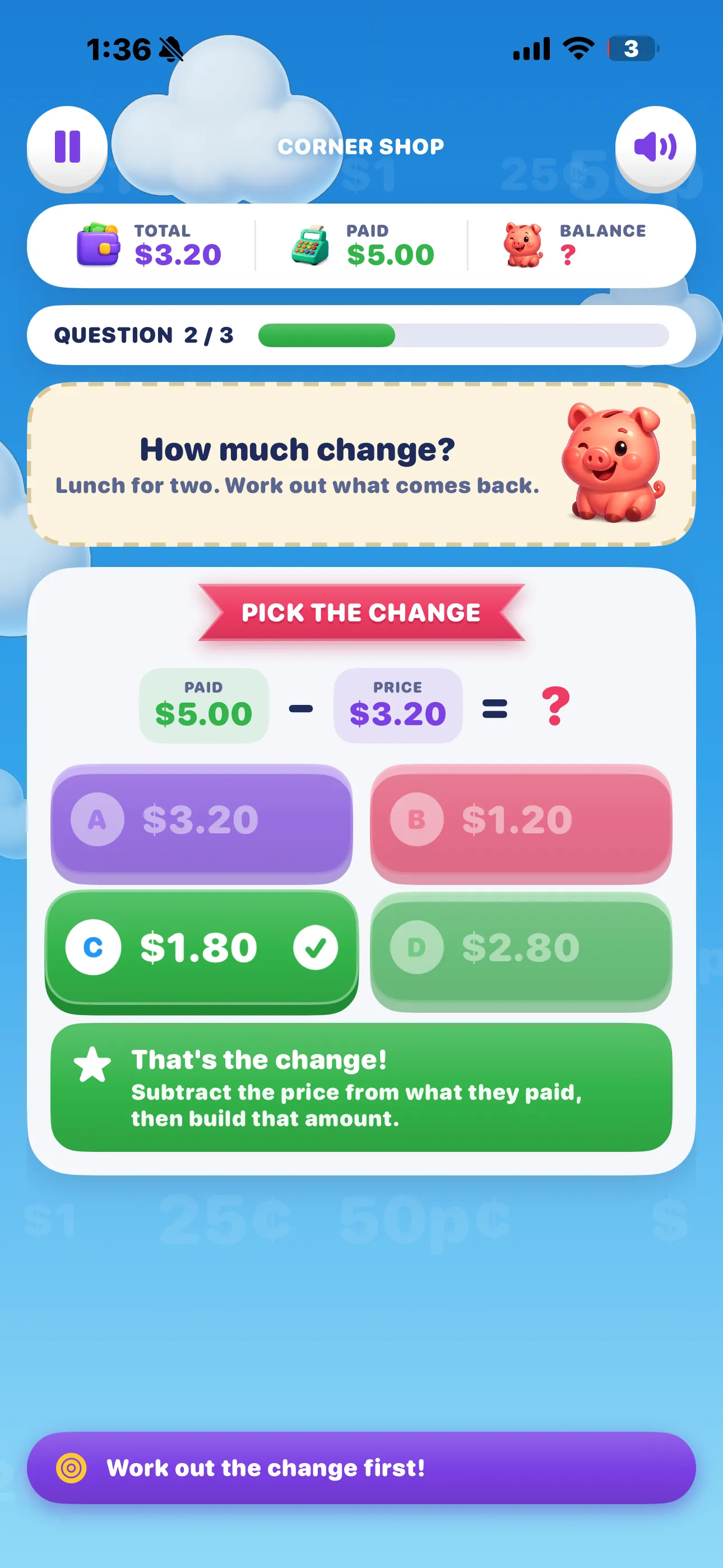
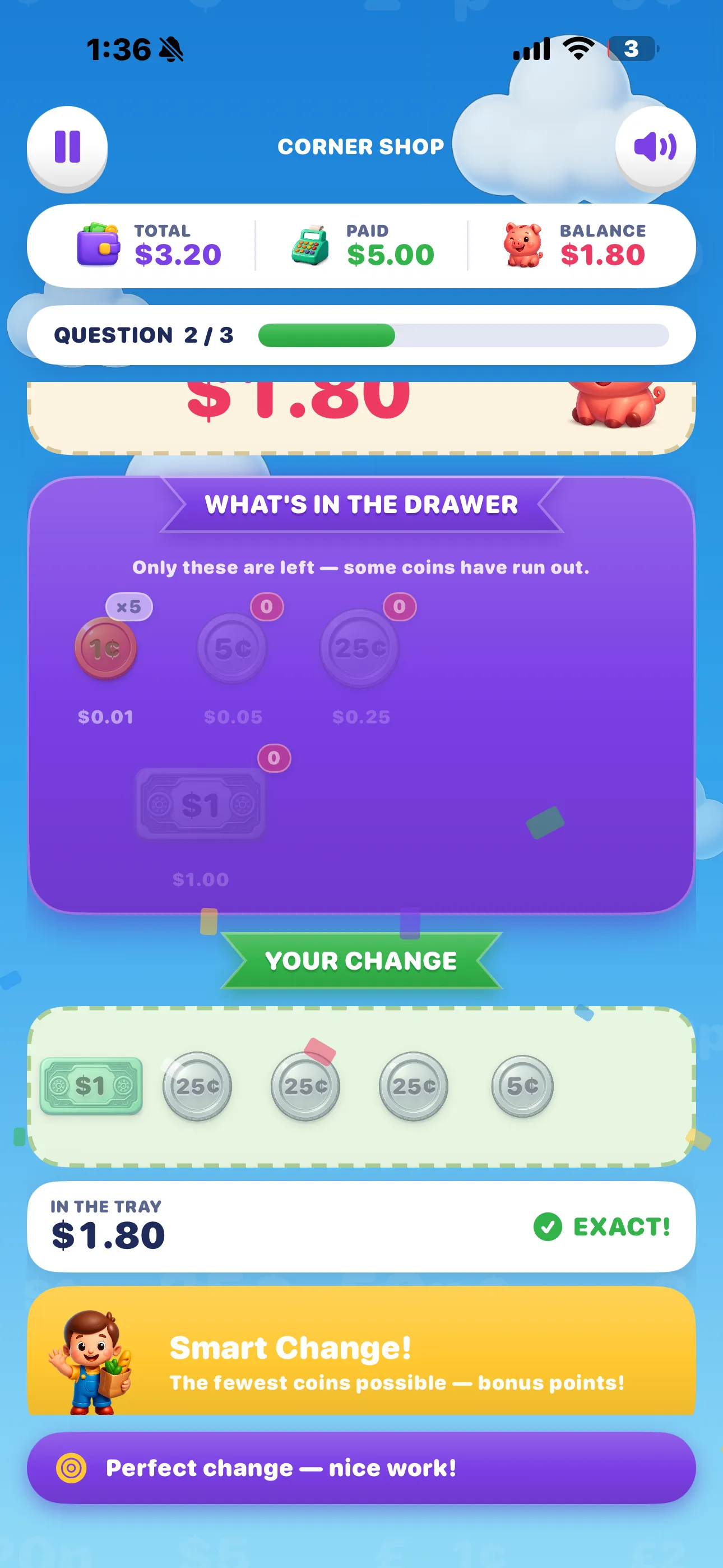
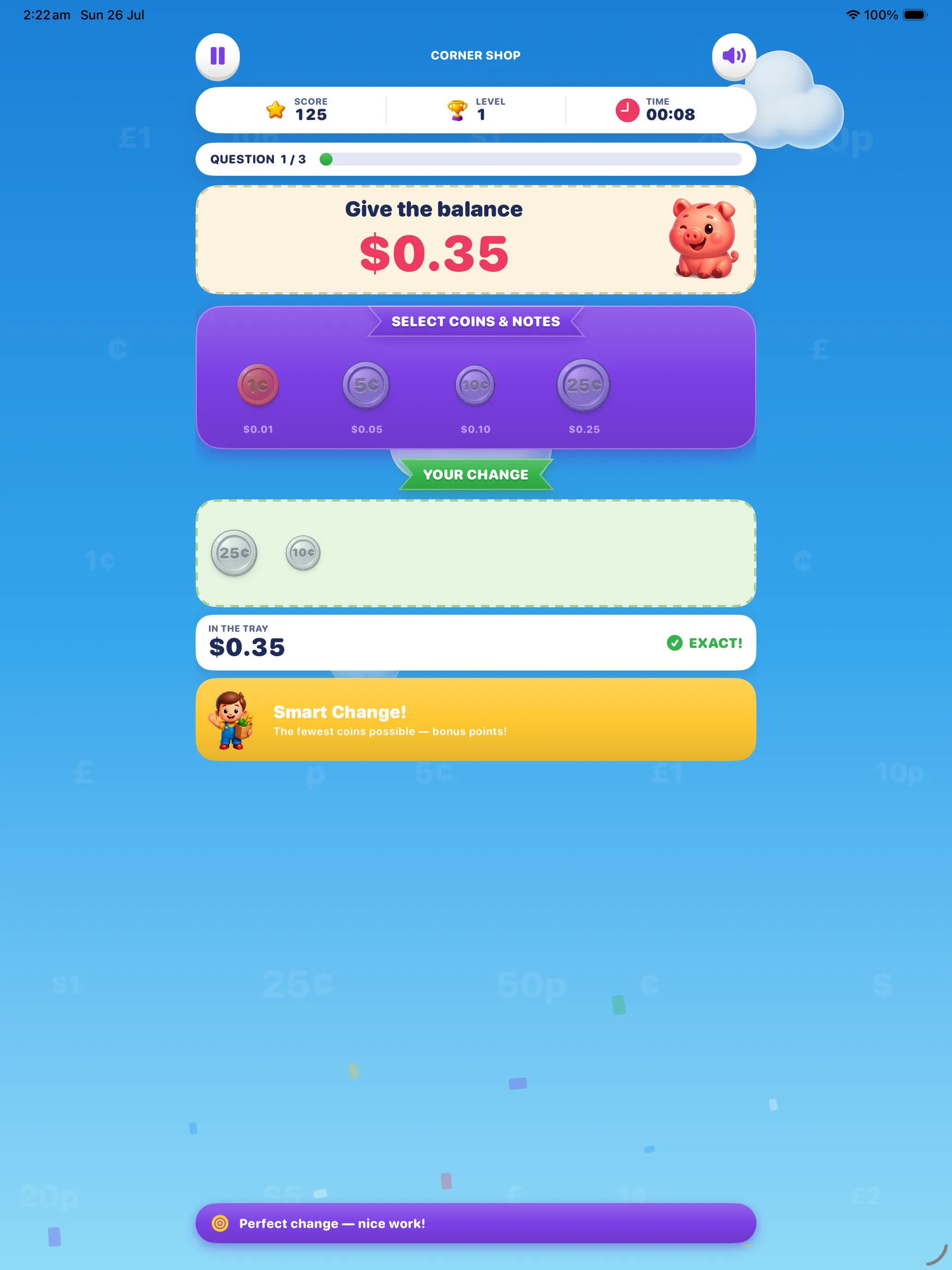
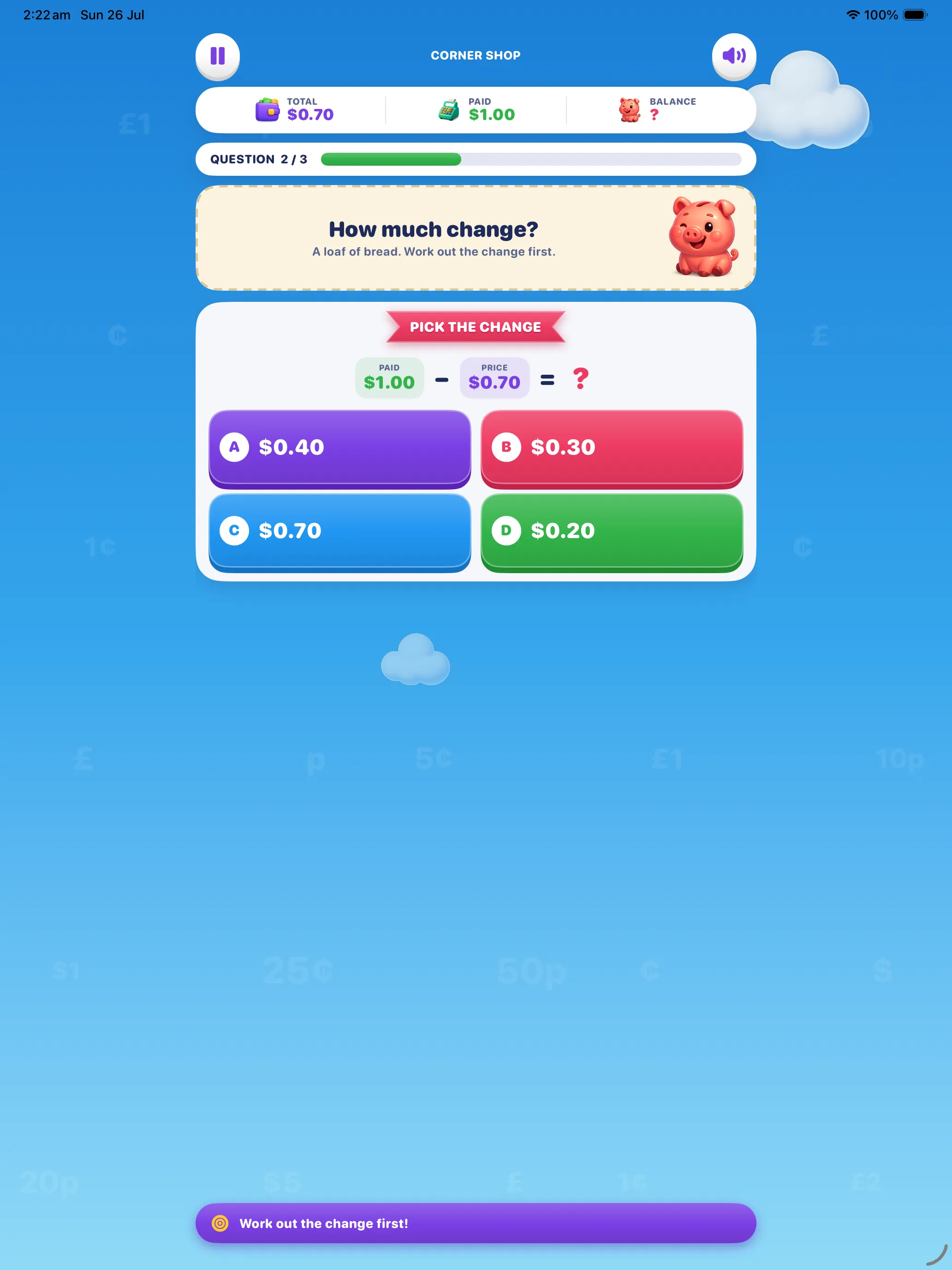
Coin Change — Give the Balance puts a shop counter in front of you. A customer buys something for $3.20 and pays with $5.00. First you work out what comes back: $1.80. Then — and this is the part a worksheet can't do — you build that $1.80 by tapping real coins and notes into the change tray, with a running total telling you how close you are.
Do that a few hundred times and something clicks. Money stops being a column of digits and becomes a handful of things with values, which is how it works at every checkout for the rest of your life.
🐷 A very patient piggy
Get it wrong and nobody fails you. The piggy explains what happened, and the same question comes straight back to try again.
🪙 Real coins, tapped by hand
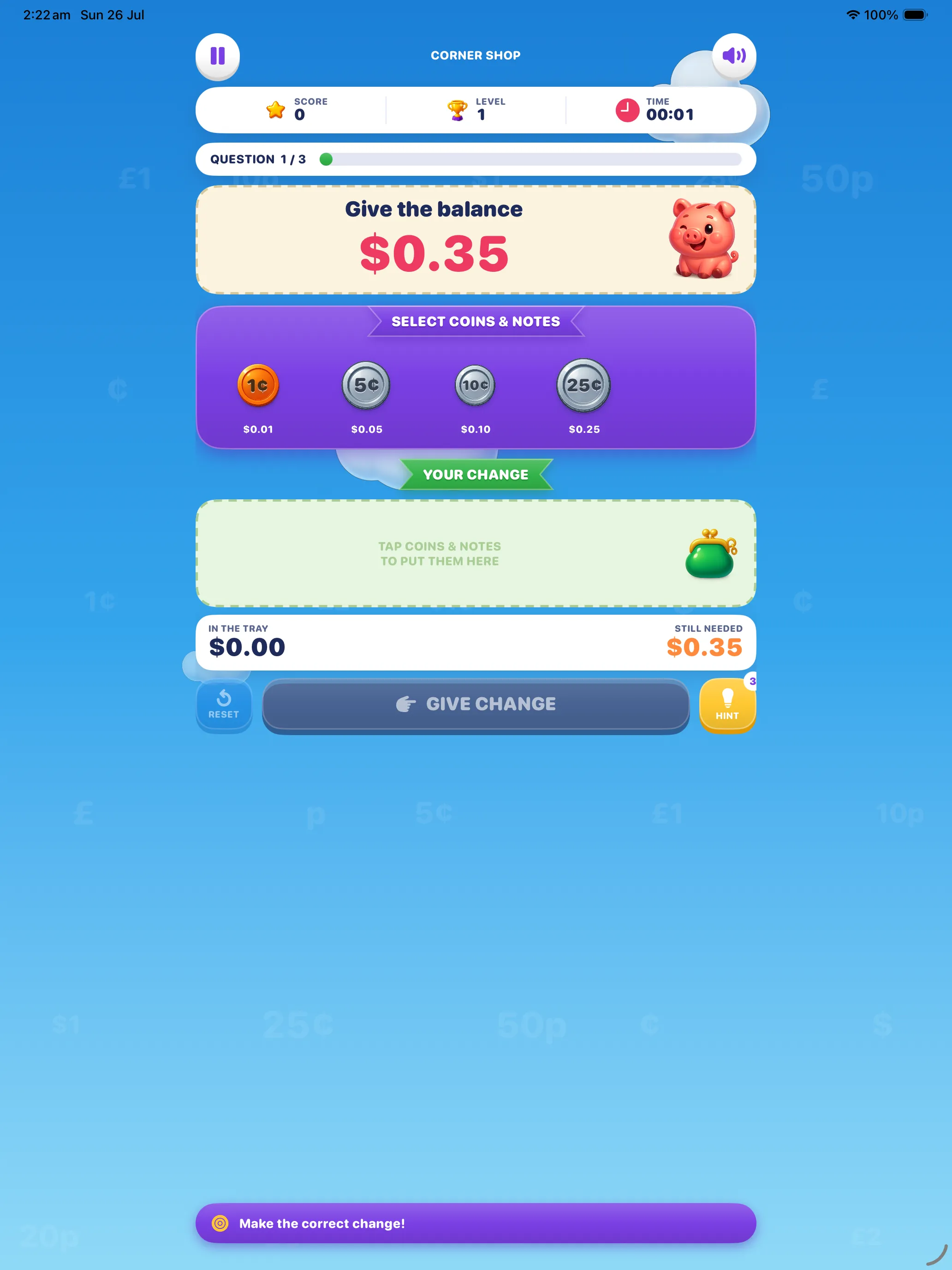
Every answer is built, not typed. Tap a coin to add it, tap it in the tray to put it back, and watch the total climb as you go.
🎯 Three questions a level
Levels are deliberately short. Progress is constant, and nothing ever feels like homework.
📵 No accounts, no chat
Nothing to sign up for, nobody to talk to, no links out. Progress lives on the device and nowhere else.
How a Level Works
Every level is three questions in the same shop, and every question follows the same rhythm, so there is never a moment of "what am I supposed to do here?"
Read the shop card
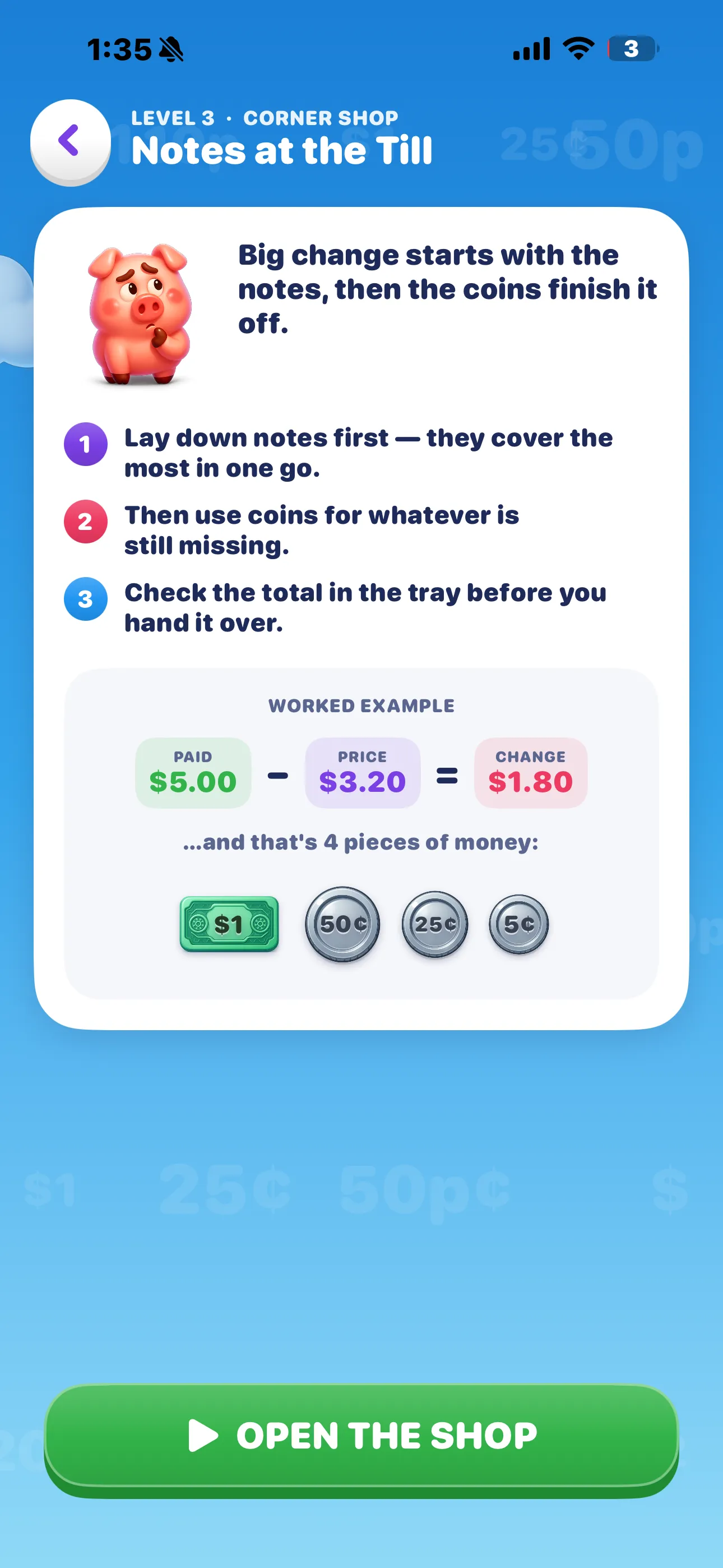
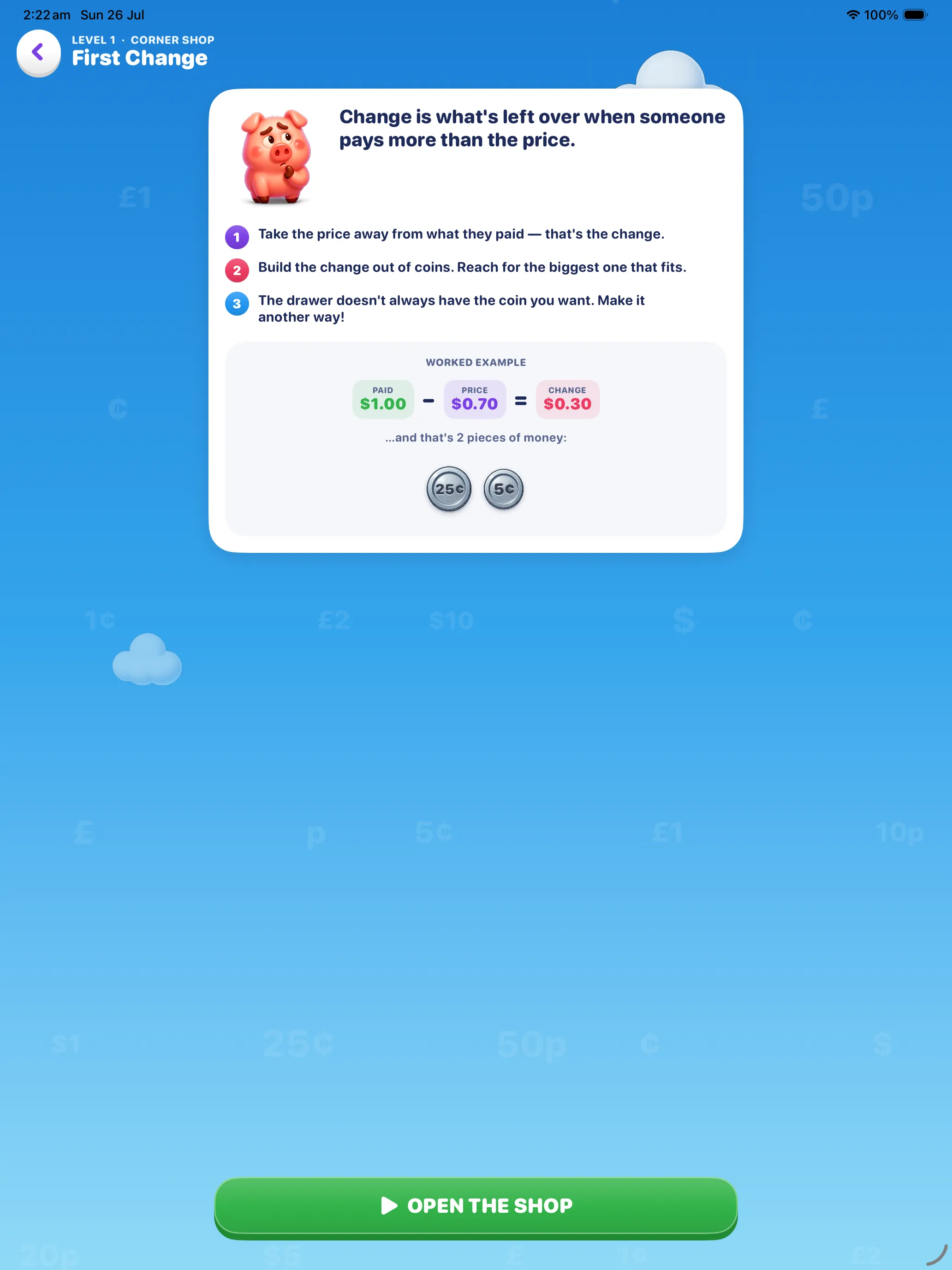
Three short rules, a worked example, and the exact coins that make up the answer. Then tap Open the Shop.
Work out the change
Paid minus price. Pick from four amounts — the wrong ones are the slips children actually make, and each one explains itself.
Build it from the drawer
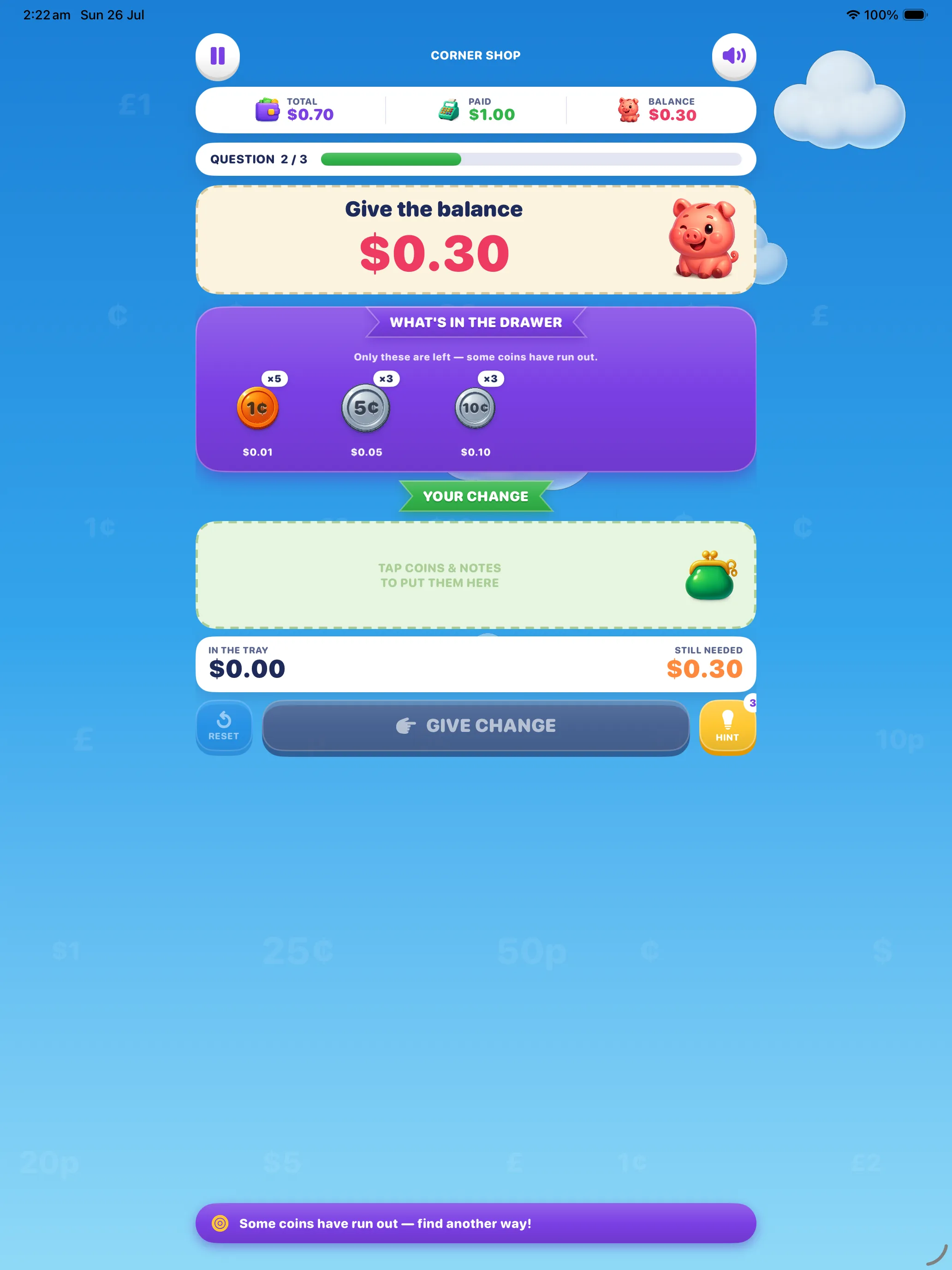
Tap coins and notes into the tray until In the tray matches. The counter shows what's still needed as you go.
Give change & collect stars
Hand it over. Any exact combination is accepted — and the fewest pieces the drawer allowed earns a Smart Change bonus.
…and that's 4 pieces of money. Now count them into the tray.
Stars are earned, not given
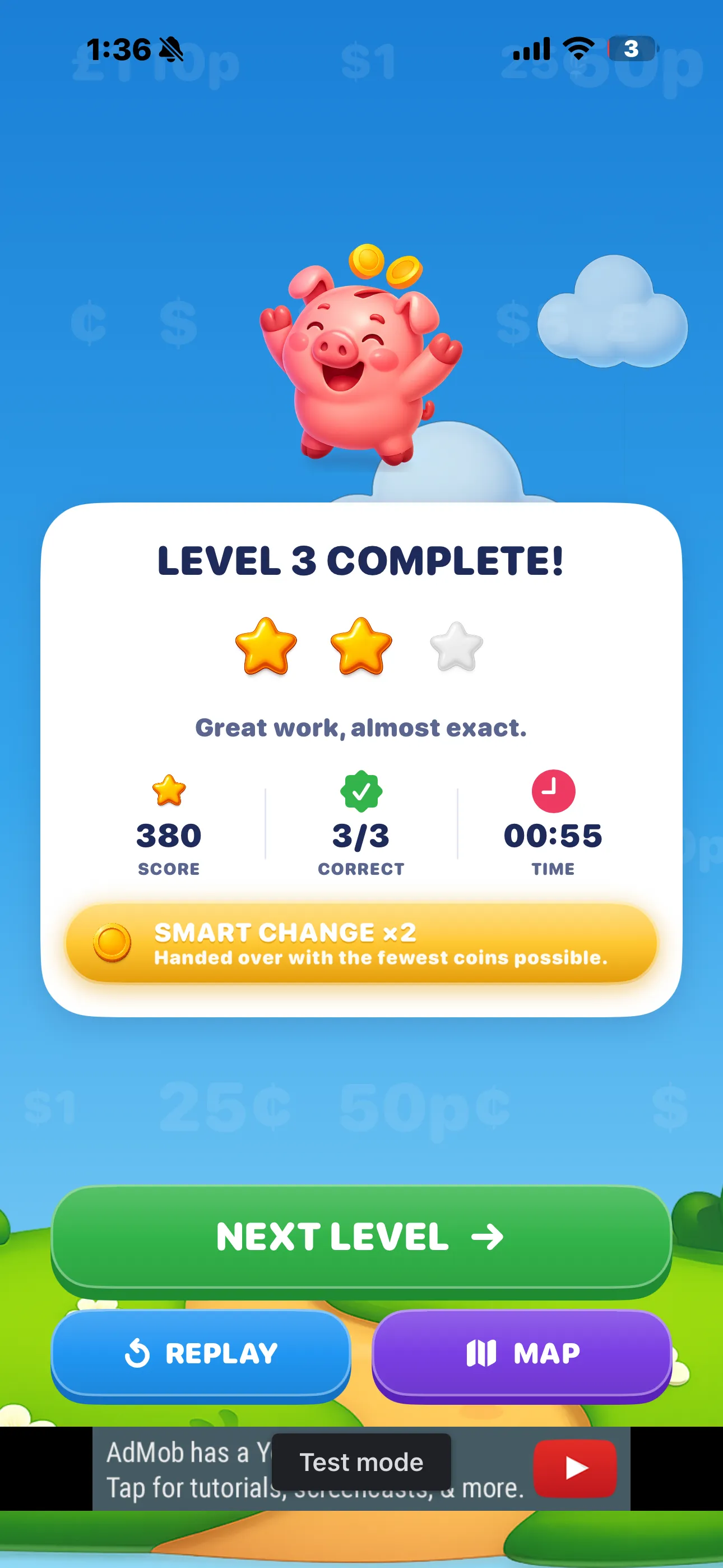
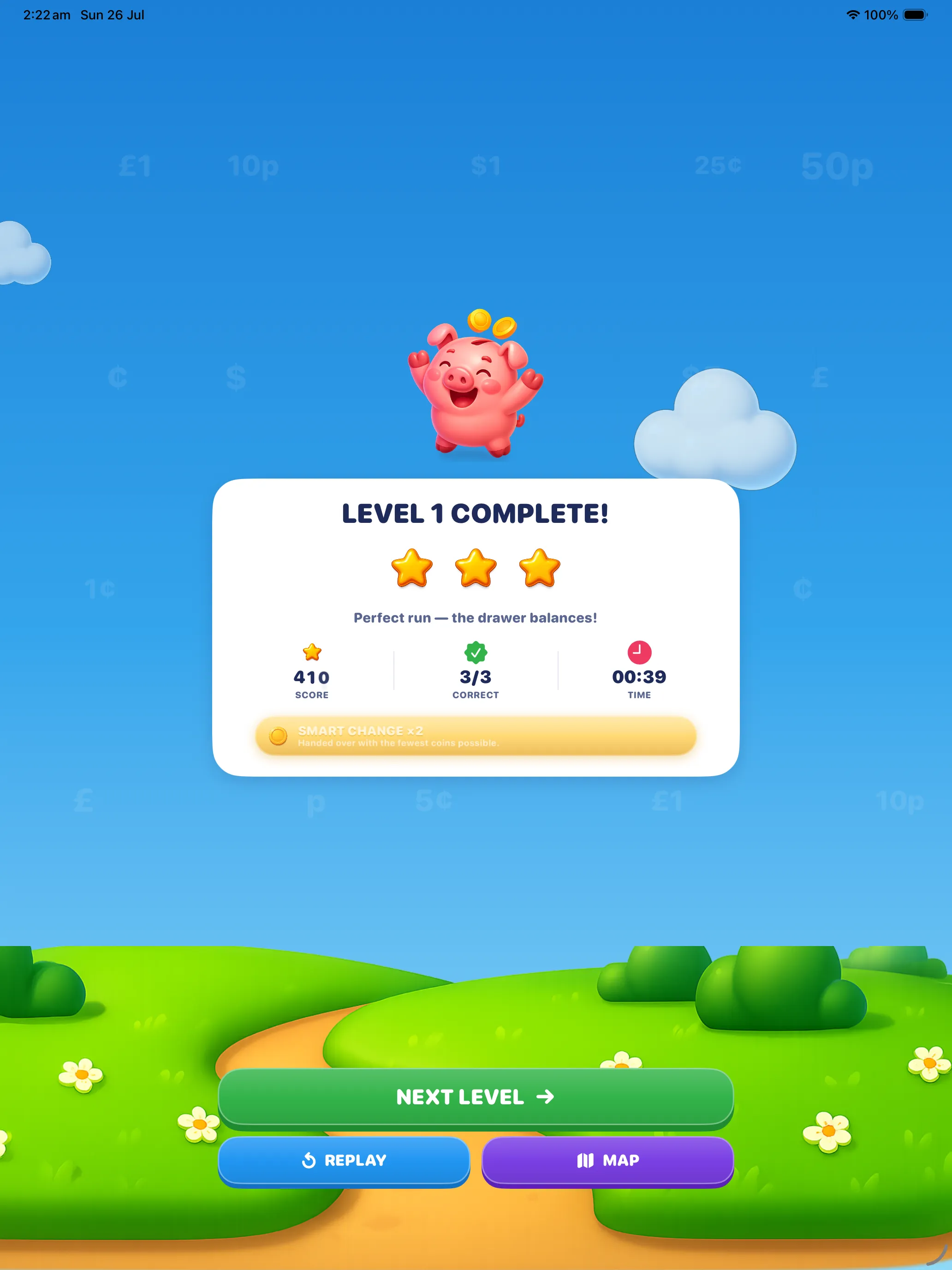
Stars depend only on accuracy, so guessing never pays. A quick finish adds a small time bonus to the score, capped low enough that speed can never beat getting it right.
A wrong answer never ends a run. There are no lives, no countdowns and no game-over screen. And if you spend a coin you needed, so that the amount can no longer be made from what's left, the game notices, says so, and offers you the reset button. The worst thing that happens is you lose a star and learn something — which is rather the point.
The Drawer Is the Whole Game
Ask a child for 30¢ and they will reach for a quarter and a nickel. That is the right answer, and it is also the only answer they will ever practise — the "biggest coin that fits" rule works so reliably that it never gets tested.
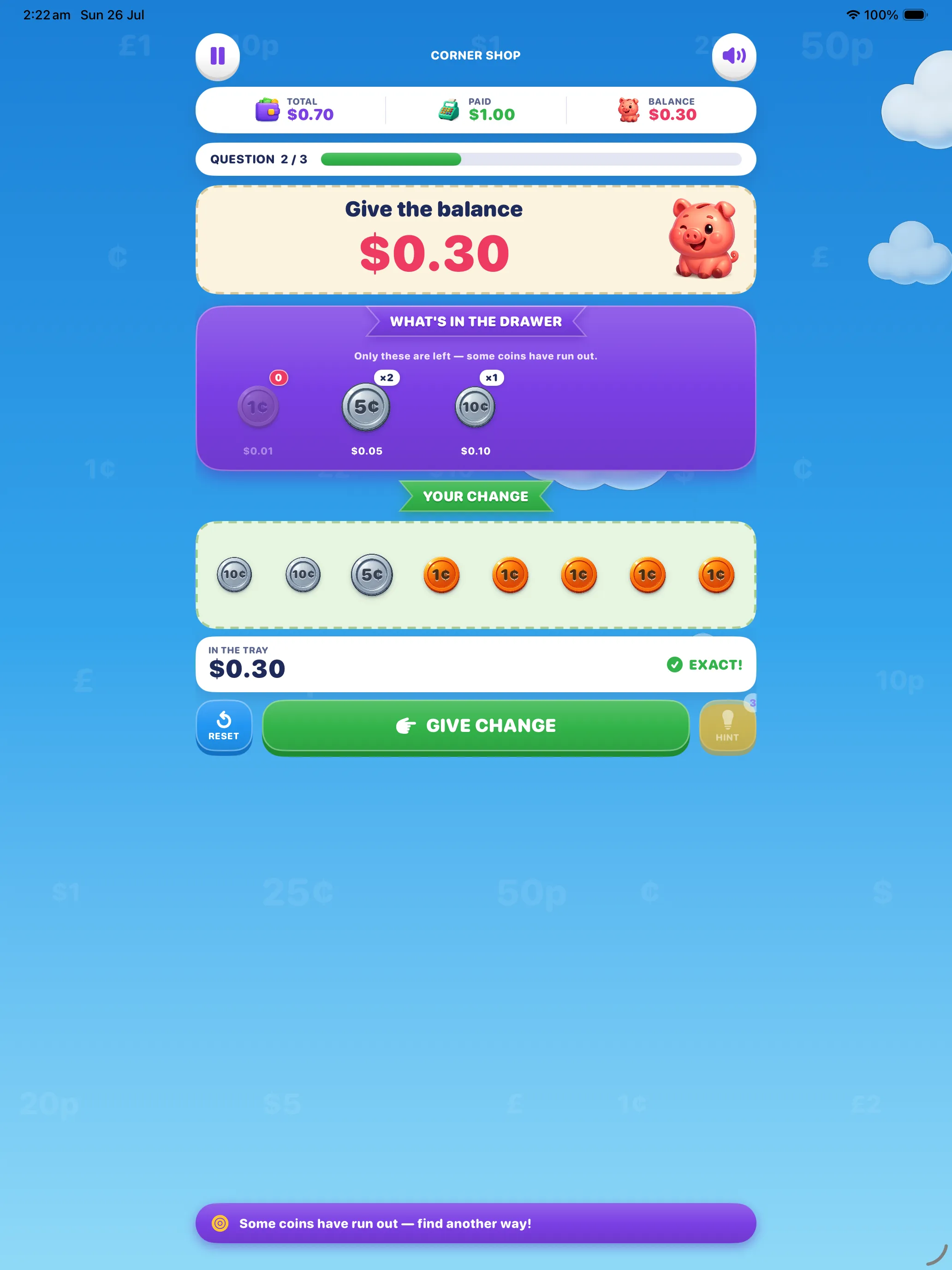
So Coin Change takes the quarter away. From the second question of every level the drawer shows exactly what is left, and the coin you wanted has run out. The amount is still perfectly makeable — just not the easy way.
Reach for the quarter… and there isn't one.
Three dimes. Same 30¢, and now you had to know why.
That single constraint turns a lookup into arithmetic. To pay 30¢ without a quarter you have to hold "30" in your head, try 10 + 10 + 10, check it and commit — which is decomposition, place value and mental subtraction all doing real work at once.
Every drawer is machine-checked. All 200 limited trays — in both currencies — are generated and then independently audited to guarantee two things at once: the amount can be made from what's in the drawer, and the reach-for-the-biggest-coin answer can't. Building that many trays by eye simply doesn't work; on the first three levels alone, half the hand-built drawers still let the easy answer through.
Smart Change
Any exact combination is accepted — thirty pennies is a perfectly good 30¢, and the game will take it. But hand the change over in the fewest pieces the drawer allowed and you earn a Smart Change bonus on top of your score. It's the difference between correct and neat, and children chase it hard.
Dollars or Pounds — Your Choice
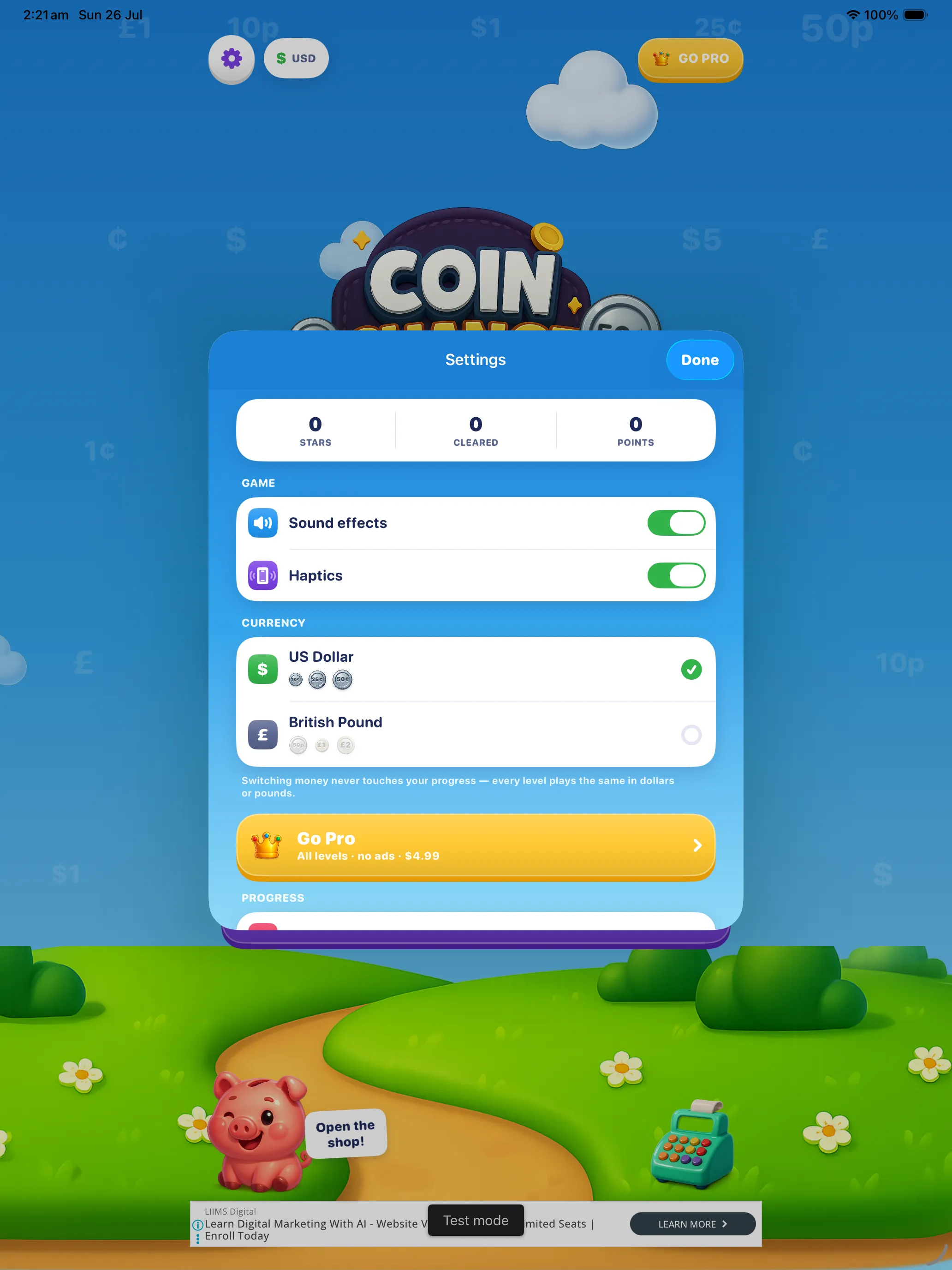
Money is only useful if it's your money. Coin Change ships with two complete currencies, and switching between them takes one tap in Settings. The app picks a sensible one for your region on first launch; you can change it at any time and it never touches your progress.
💵 US Dollar
💷 British Pound
The two are not cosmetic skins of each other. A pound drawer has a 2p and a 20p that a dollar drawer doesn't, and no 25¢ at all — so the same target amount genuinely decomposes differently, and every level was checked to work in both. Coins are drawn at their relative real sizes too, which is why a dime really is smaller than a nickel.
Switching currency mid-course is a good exercise in itself: an amount you can now make in your sleep suddenly needs rebuilding out of unfamiliar pieces. Stars, scores and unlocked levels all stay exactly where they were.
Eight Shops, One Hundred Levels
The course runs in a straight line from counting your first pile of coins to handing back change from a twenty. Each shop drills one skill until it's automatic, then the next shop builds on it. Levels unlock in order, and the map keeps score with stars.
Corner Shop
Meet the coins and count them up.
The Bakery
Build any amount you're asked for.
Toy Store
Work out the change, then hand it over.
The Café
Notes join the party.
Supermarket
Change from a big note.
Book Shop
The drawer is running low.
Market Stall
Big baskets, bigger change.
Grand Bazaar
Everything, all at once.
300 questions, every one checked twice. The shop stories, the prices and the wrong answers are written by hand. The arithmetic — the change amount, and the drawer that forces you to decompose it — is computed and then re-derived independently: every change equals paid minus price, every target is reachable in both currencies, and every wrong option is genuinely wrong, distinct and plausible.
What's in the Game
🗺️ Level map
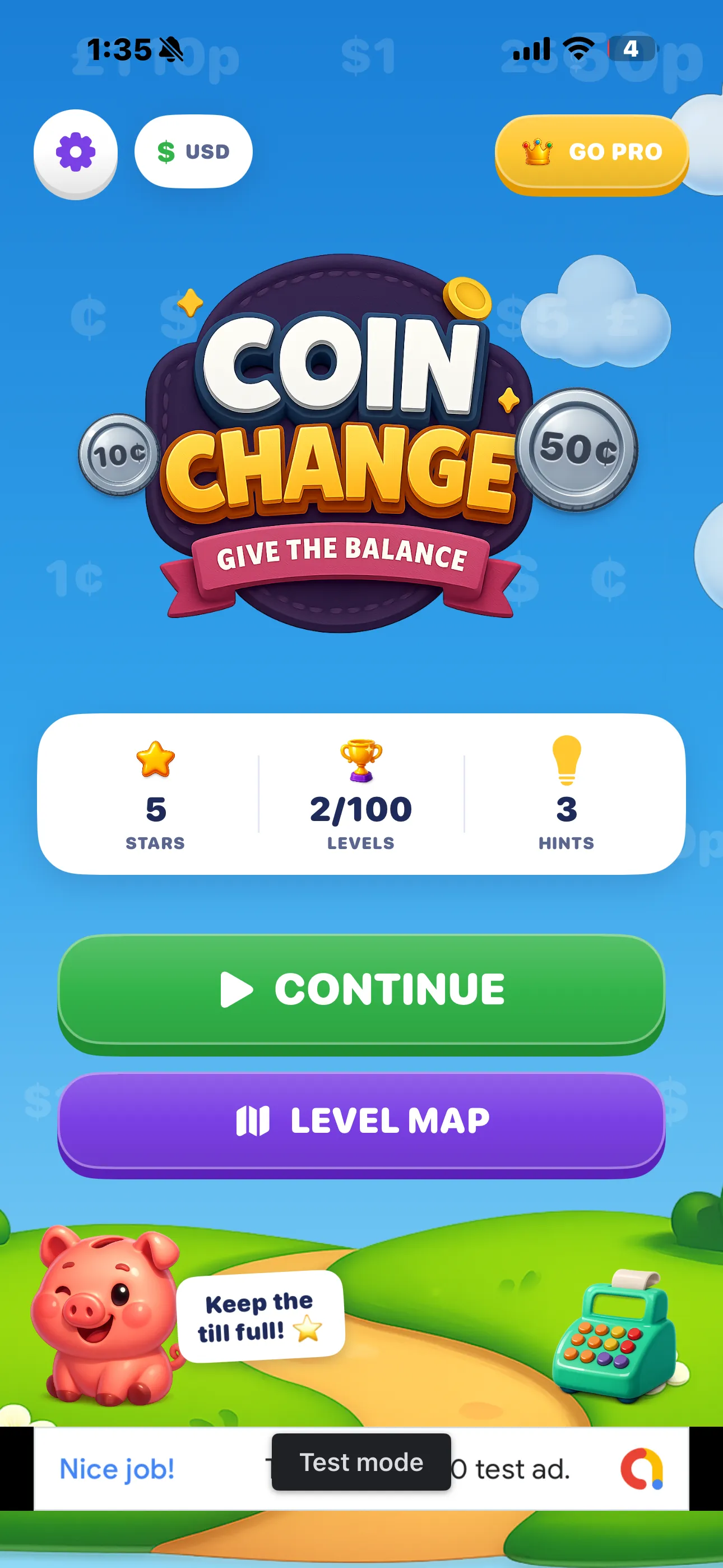
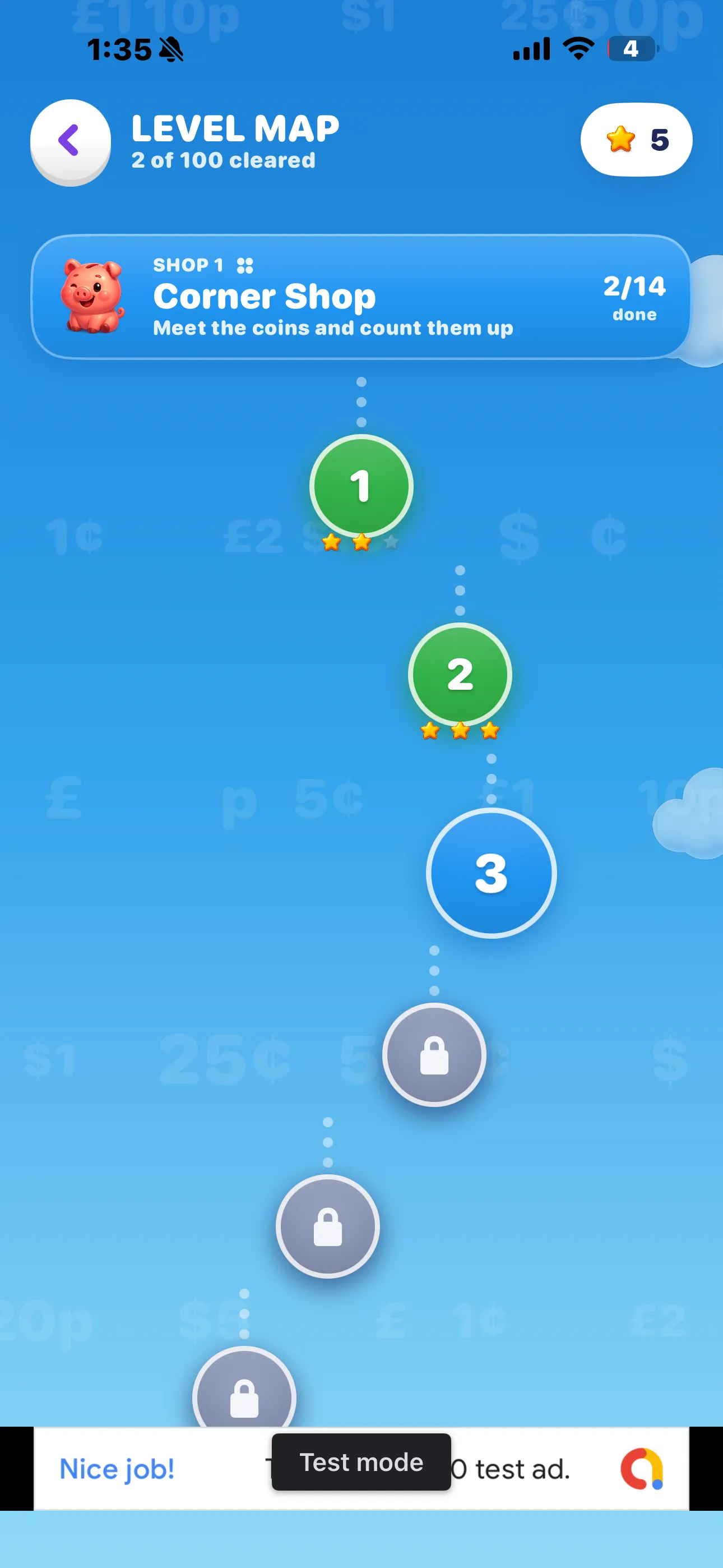
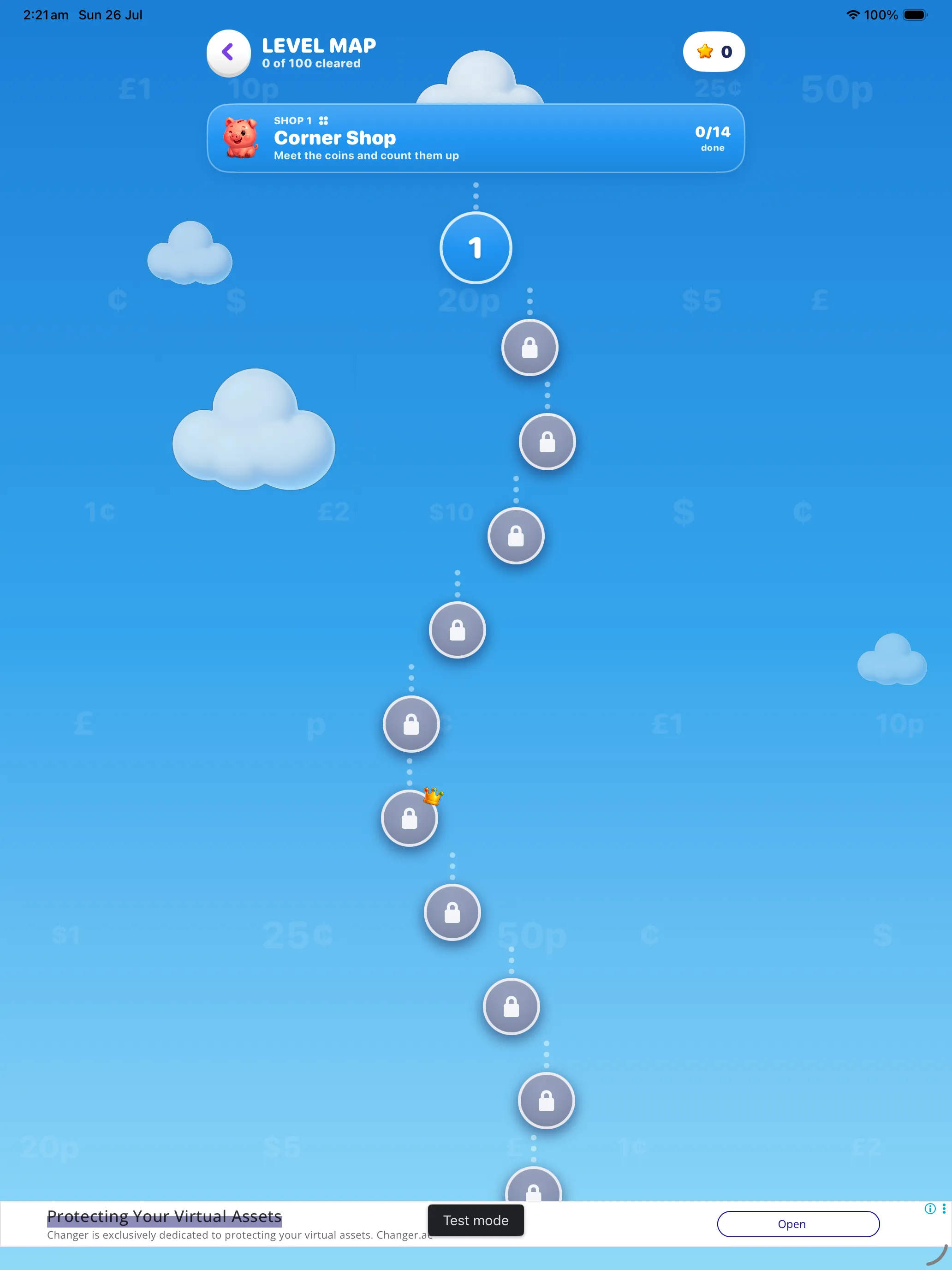
A winding path through the clouds, shop by shop. Cleared levels show their stars, the next one glows, and the rest wait behind a lock.
📖 A lesson before every level
Three rules, one worked example, and the coins that make up the answer. Read it or go straight to the counter — it's there whenever you need it.
💡 Hints
A one-line nudge for the question in front of you — which piece to reach for first, not the whole answer. You begin with three.
🧮 A live running total
In the tray and still needed update on every tap, and the tray says Exact! the moment it matches.
🏅 Smart Change bonus
Bonus points for handing over the fewest pieces the drawer allowed — correct is good, neat is better.
↩️ Reset & stuck detection
Put a coin back with a tap. Spend one you needed and the game spots that the amount can no longer be made, and offers a fresh tray.
🔊 Sound & haptics
Coins clink into the tray, the drawer slides open, the register goes cha-ching. Both sound and haptics toggle off in Settings.
📱 iPhone & iPad
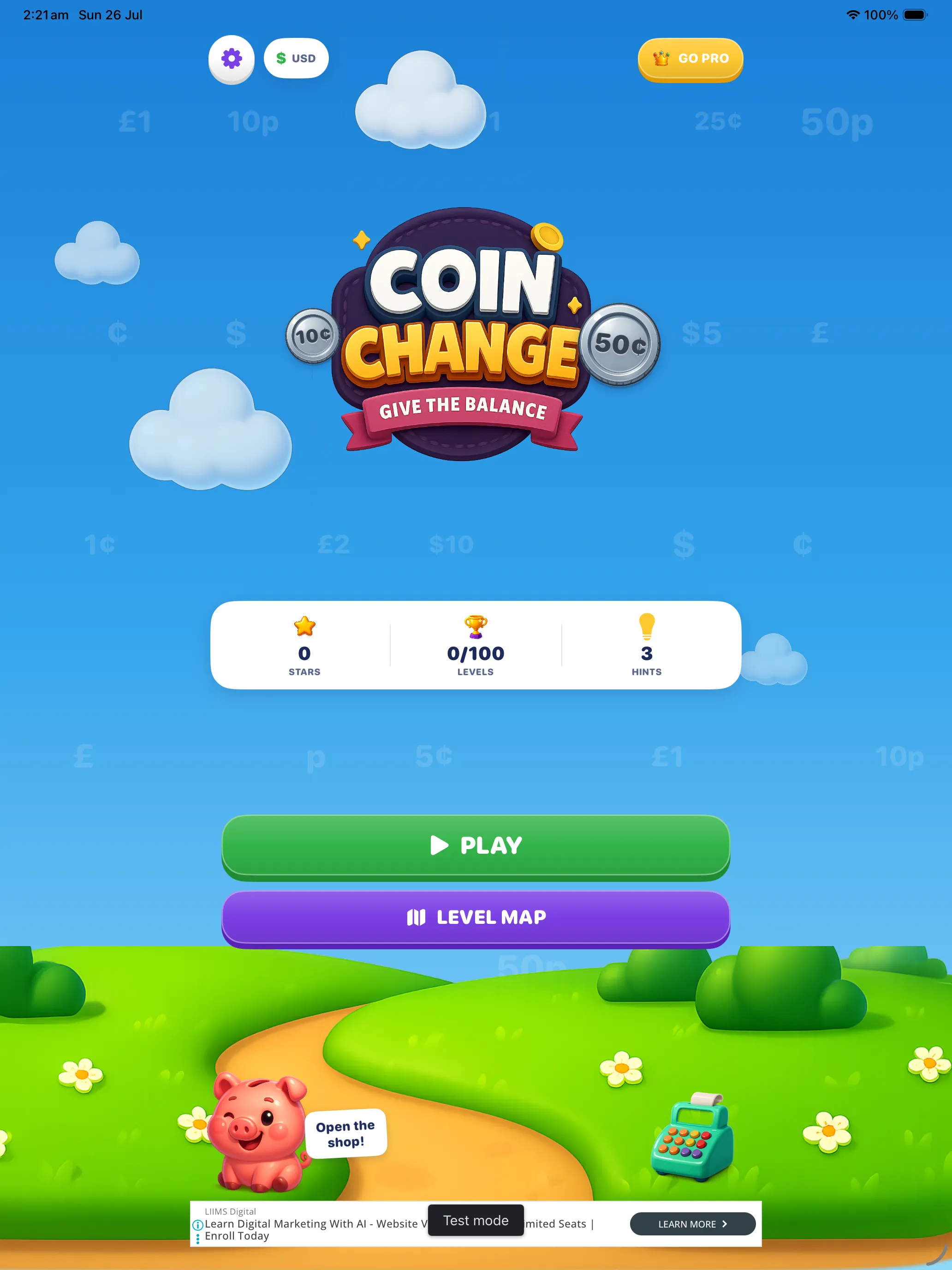
One purchase, both devices. The counter stretches to fill an iPad without turning the coins into dinner plates.
✈️ Works offline
All 100 levels ship inside the app. No connection needed to play — only to load an ad, and Pro removes those entirely.
Hints — and How to Get More
A hint is deliberately small. It doesn't hand over the answer; it tells you where to start. On a short drawer it might point out which coin has run out, or which piece to lay down first. The counting is still yours to do.
- You start with three hints.
- Using one costs a few points on that question — but never a star, and never the level.
- Run out and the game offers you a rewarded video ad. Watch it and you get three more hints.
- The hint you were trying to use opens automatically once the ad finishes.
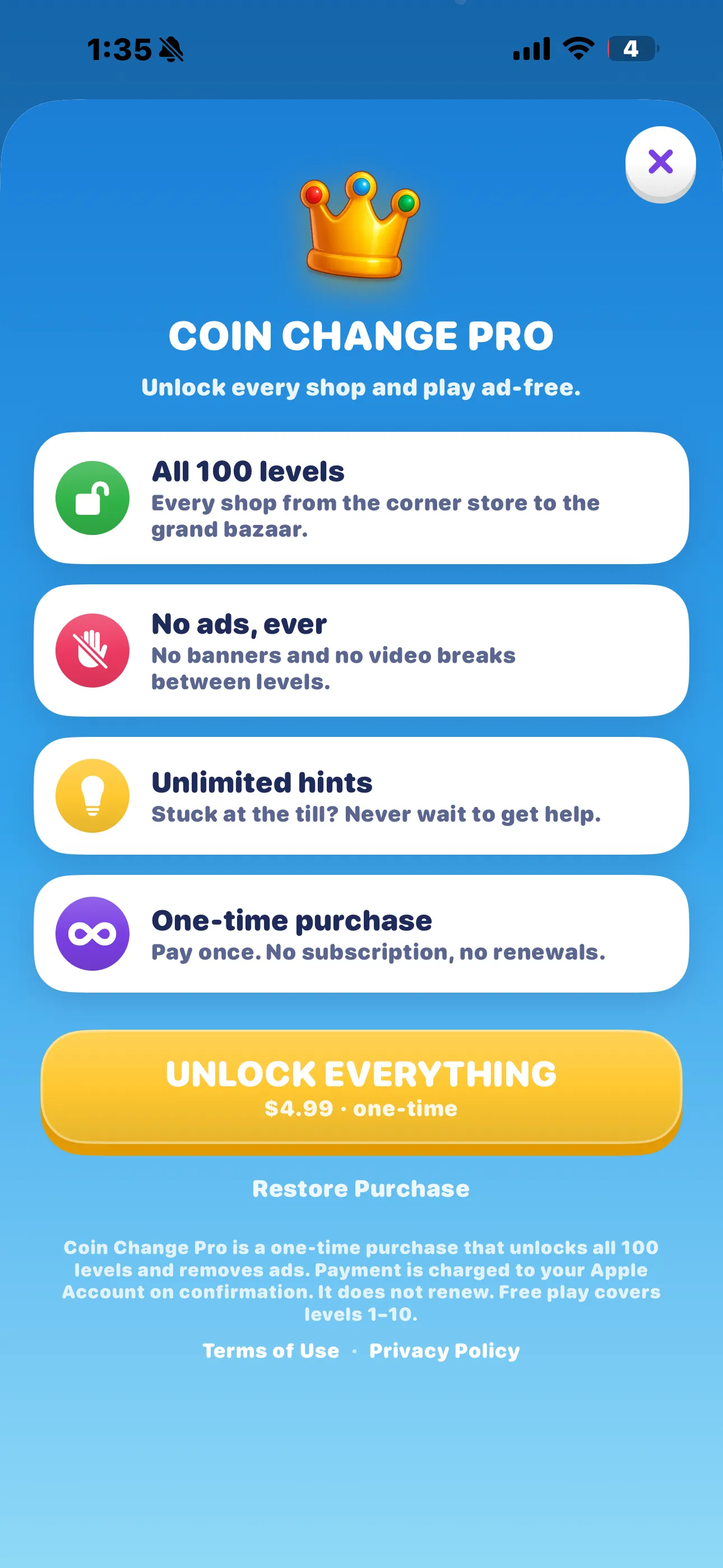
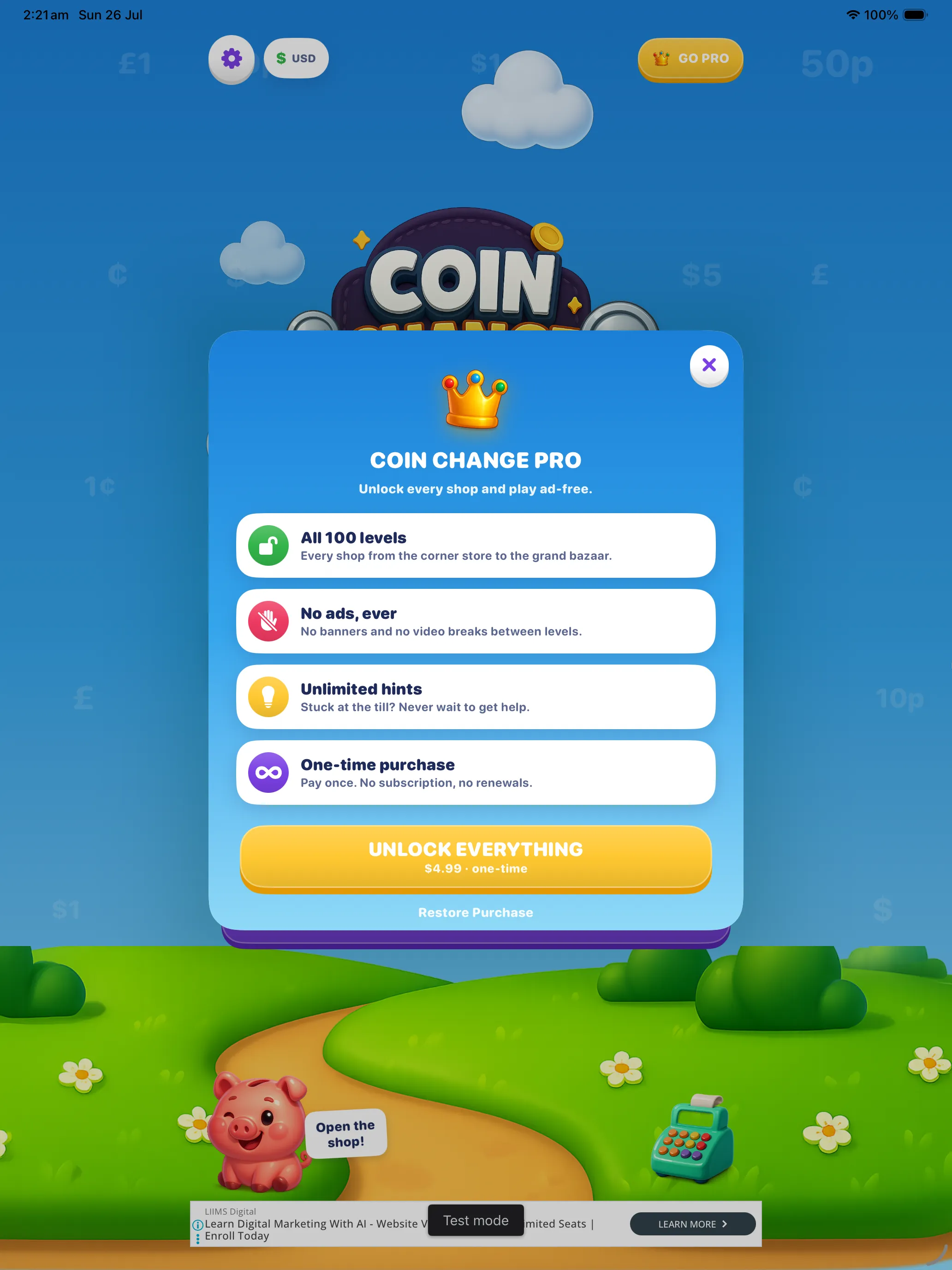
- Coin Change Pro gives unlimited hints with no ad at all.
Rewarded ads only ever play because you chose to watch one. If you'd rather not, close the offer and keep working the change out at the counter — that route is always open, and it's free.
Free to Learn. Pro to Finish.
Coin Change is free to download and free to play. Levels 1 to 10 — most of the Corner Shop — are yours with no purchase, no trial timer and no sign-up. That's enough to know whether the game clicks for your learner before anyone spends anything.
- Levels 1–10, in full
- Both currencies — dollars and pounds
- Every lesson card and explanation
- The full coin tray, Smart Change and stars
- 3 hints to start, plus 3 more per rewarded video
- Shows banner and between-level ads
- All 100 levels, all 8 shops
- No ads, ever — no banners, no video breaks
- Unlimited hints, no ad to watch
- Works on your iPhone and iPad
- Pay once. It does not renew.
No subscription, no coin packs, no energy timers. One optional purchase, and the game is finished for good. Restoring it on another device is a single tap on Restore Purchase in the Pro screen.
About the Ads
The free version is paid for by advertising through Google AdMob. Here is exactly where the ads appear, so there are no surprises:
- Banner ads — a small strip on the home screen, the level map and the level-complete screen. Never over the counter, and never over the change tray.
- Between-level video ads — a full-screen ad after roughly every second completed level. Never in the middle of a level, and never between the three questions inside one.
- Rewarded videos for hints — offered only when you've run out of hints and asked for another. Watch one, get three hints. Decline and nothing happens.
Coin Change Pro removes all three. Buying Pro is the only thing that changes what the app shows you — it never gates the lessons, the explanations or the coin tray behind a payment.
Before any tracking happens, iOS asks for your permission through App Tracking Transparency. Decline and the game still works exactly the same — you simply see non-personalised ads. See the Privacy Policy for the detail.
For Parents & Teachers
Money sits in the primary curriculum on both sides of the Atlantic — UK Key Stage 1 and 2 (recognise coins, make amounts, give change from a whole pound), and US grades 2 to 4 (count mixed coins, solve word problems in dollars and cents). Coin Change follows that sequence in order, and the decimal notation on screen doubles as early decimal practice.
📚 Ordered, not random
Counting, then making amounts, then change, then notes, then change from a big note, then short supply, then large baskets, then mixed mastery.
🧠 Mistakes are the lesson
The wrong options aren't random numbers — each is a classic slip, like handing back the price instead of the change. Choosing one shows exactly which slip it was.
🔁 Beyond the greedy rule
Short drawers force genuine decomposition instead of "biggest coin first". It's the same reasoning that later becomes partitioning and mental subtraction.
🌍 Two real currencies
Practise in the money your child actually holds, or switch to the other for a genuinely different set of decompositions.
🔒 No data leaves the device
Stars, scores, hints and settings are stored locally. There is no account, no leaderboard, no cloud profile and no messaging.
🧾 One honest purchase
A single $4.99 unlock behind the standard App Store purchase confirmation. No coin packs, no consumables, no pestering pop-ups mid-question.
Progress can be wiped at any time from Settings → Reset all progress, which clears every star, score and unlocked level on that device.
Screenshots
Tap any image to view it full screen.
On iPhone
On iPad
Frequently Asked Questions
What age is it for?
Roughly ages 5 and up. The first shop is pure coin recognition and counting, which suits the youngest players; the later shops involve change from a $20 note and half-empty drawers, which challenge children of 9 or 10 — and a fair few adults. There's no reading-heavy text and no timer pressure, so slower readers aren't penalised.
Can we play in pounds instead of dollars?
Yes. Both currencies are complete and included free, with their real coin and note sets. Open Settings and tap British Pound or US Dollar — every level plays the same way, and your progress carries straight across.
How much is free?
Levels 1 to 10, complete with their lessons, hints, explanations and stars, in either currency. Levels 11 to 100 need the one-time Coin Change Pro unlock.
Is Pro a subscription?
No. It's a single $4.99 purchase that never renews. It unlocks all 100 levels, removes every ad and makes hints unlimited, on both your iPhone and your iPad.
Does the game only accept one "right" combination?
No — any exact combination is accepted. Thirty pennies for 30¢ is fine. Handing it over in the fewest pieces the drawer allowed simply earns an extra Smart Change bonus on your score.
What if I run out of coins and get stuck?
The game watches for it. If you spend a piece you needed and the amount left can no longer be made from what's in the drawer, it tells you and offers the reset button, which empties the tray and refills the drawer for that question.
Can I lose a level or run out of lives?
No. There are no lives, no energy meters and no fail state. A wrong answer costs points and stars, explains itself, and lets you try again immediately.
Do I need the internet?
Only for ads. All 100 levels are stored inside the app, so the game plays perfectly on a plane or in the car. Pro players never need a connection at all.
Does it sync between devices?
Progress is stored on each device separately — there's no account and no cloud profile. A Pro purchase, however, follows your Apple Account: tap Restore Purchase on a second device and everything unlocks there too.
Are the ads suitable for children?
Ads are served by Google AdMob and filtered to match the app's App Store age rating. If you'd rather have none at all, Pro removes every ad permanently.
How do I start over?
Open Settings inside the game and tap Reset all progress. It clears every star, score and unlocked level on that device, and asks you to confirm first. A Pro unlock is not affected.
Privacy Policy
Last updated: July 2026
1. Introduction
This Privacy Policy describes how Coin Change — Give the Balance ("the App," "we," "our," or "us") handles information. The App is an educational money game for iPhone and iPad.
We respect your privacy and are committed to protecting it, and we have kept the App's own data collection at zero.
2. Information We Collect
We do not collect personal information. The App has no accounts, no sign-up, no login and no user profiles. Everything the game remembers — your unlocked levels, stars, scores, hint count, chosen currency and sound and haptics settings — is stored locally on your own device and is never transmitted to us.
- We operate no servers of our own and receive no data from the App.
- The App does not ask for your name, email address, age or any other personal detail.
- The App does not access your photos, contacts, location, microphone or camera.
- The App contains no chat, no messaging, no user-generated content and no social features.
- We do not operate our own analytics.
- Some limited data is processed by our third-party advertising provider, as described in section 3.
3. Advertising (Google AdMob)
The free version of the App displays advertisements supplied by Google AdMob. These take three forms: a banner on the home, level map and level-complete screens; a full-screen video ad after approximately every second completed level; and an optional rewarded video that you may choose to watch in exchange for three hints.
To serve and measure these ads, Google may collect and process certain information, such as a device advertising identifier, general device and network information, coarse location inferred from an IP address, and app interaction data. This is used to deliver, cap, measure and (where permitted) personalise advertising. Ad requests are filtered to match the App's App Store age rating.
Your progress data is never shared with the advertising provider. Ads are supplied by Google's network; we do not select individual advertisers and do not receive information about you from them.
You can read how Google uses information from apps that use its services at policies.google.com/technologies/partner-sites.
App Tracking Transparency. On iOS, the App uses Apple's App Tracking Transparency framework to ask for your permission before any tracking across other companies' apps and websites takes place. If you decline, the App still works exactly as before and you will still see ads — they will simply be non-personalised. You can change this choice at any time in Settings → Privacy & Security → Tracking.
Purchasing Coin Change Pro removes all advertising from the App, and with it the ad-related data processing described above.
4. Children's Privacy
The App is designed for learners, including young children, and is built accordingly: no accounts, no personal data collection, no chat, no user-generated content and no links out to social networks. We do not knowingly collect personal information from children.
We are committed to complying with the Children's Online Privacy Protection Act (COPPA), the UK Age Appropriate Design Code, the GDPR and similar regulations. Advertising is handled in line with the App's App Store age rating and the consent mechanisms described in section 3. Parents who would prefer their child to see no advertising at all can remove it permanently with the one-time Pro purchase.
If you believe a child has provided us with personal information, please contact us using the details in section 8 — although, because the App collects none, there is normally nothing for us to hold or delete.
5. Purchases
The App is free to download. An optional non-consumable in-app purchase, Coin Change Pro ($4.99, one-time), unlocks all 100 levels, removes all advertising and makes hints unlimited. All purchases are processed securely by Apple through the App Store. We do not receive or store your payment information — we are told only whether the unlock is active on your device.
6. Data Sharing and Retention
We do not sell, rent or trade data, because we do not hold any. The only third party that processes information through the App is our advertising provider (Google AdMob), solely to serve and measure ads in the free version. Locally stored progress remains on your device until you reset it in Settings or delete the App.
7. Changes to This Privacy Policy
We may update this Privacy Policy periodically. Any updates will be reflected on this page with a new "Last updated" date.
8. Contact Us
If you have any questions or concerns about this Privacy Policy, please contact:
Terms of Use
Last updated: July 2026
1. The App
Coin Change — Give the Balance is an educational game provided for personal, non-commercial use. It is free to download and supported by advertising in its free tier.
2. In-App Purchase
Coin Change Pro is a non-consumable in-app purchase priced at $4.99 (or the equivalent in your local currency). It unlocks all 100 levels, removes all advertising and grants unlimited hints.
Payment is charged to your Apple Account at confirmation of purchase. It is a one-time purchase and does not renew. Because it is non-consumable, it can be restored free of charge on any device signed in to the same Apple Account using the Restore Purchase button on the Pro screen.
3. Refunds
Refund requests are handled by Apple in accordance with the App Store refund policy. To request one, visit reportaproblem.apple.com.
4. Advertising
The free tier displays banner ads, full-screen ads between levels, and optional rewarded video ads that grant hints. Rewarded ads play only when you choose to watch one. Purchasing Pro removes all advertising.
5. Your Progress
Stars, scores and unlocked levels are stored on your device only. We hold no copy and therefore cannot recover progress lost by resetting it, deleting the App or replacing your device. A Pro unlock, being tied to your Apple Account, can always be restored.
6. Educational Content
The money maths in the App has been computed and independently verified for correctness — every change amount, every drawer and every wrong option — and follows the real coin and note sets of the two currencies offered. It is intended to support learning, not to replace a curriculum or a teacher. If you believe a question or explanation is wrong, please tell us — we will check it and correct it.
7. Contact
For questions about these terms, contact: contactscienceaplus@gmail.com
Open the Shop
Ten levels, no purchase, no account — just a counter, a drawer full of coins and a piggy who is very pleased when the till balances. Coin Change — Give the Balance is free on iPhone and iPad, and Coin Change Pro opens all 100 levels and removes every ad for a one-time $4.99.
Need help, or spotted a question that looks wrong?
Email contactscienceaplus@gmail.com and we'll get back to you.