About Color Notes
Color Notes is a beautifully simple notes app built around one idea: every note gets a color, and every color can mean something to you. Jot down a thought, tap a color, and your notes organise themselves into a bright, scannable grid you can read at a glance.
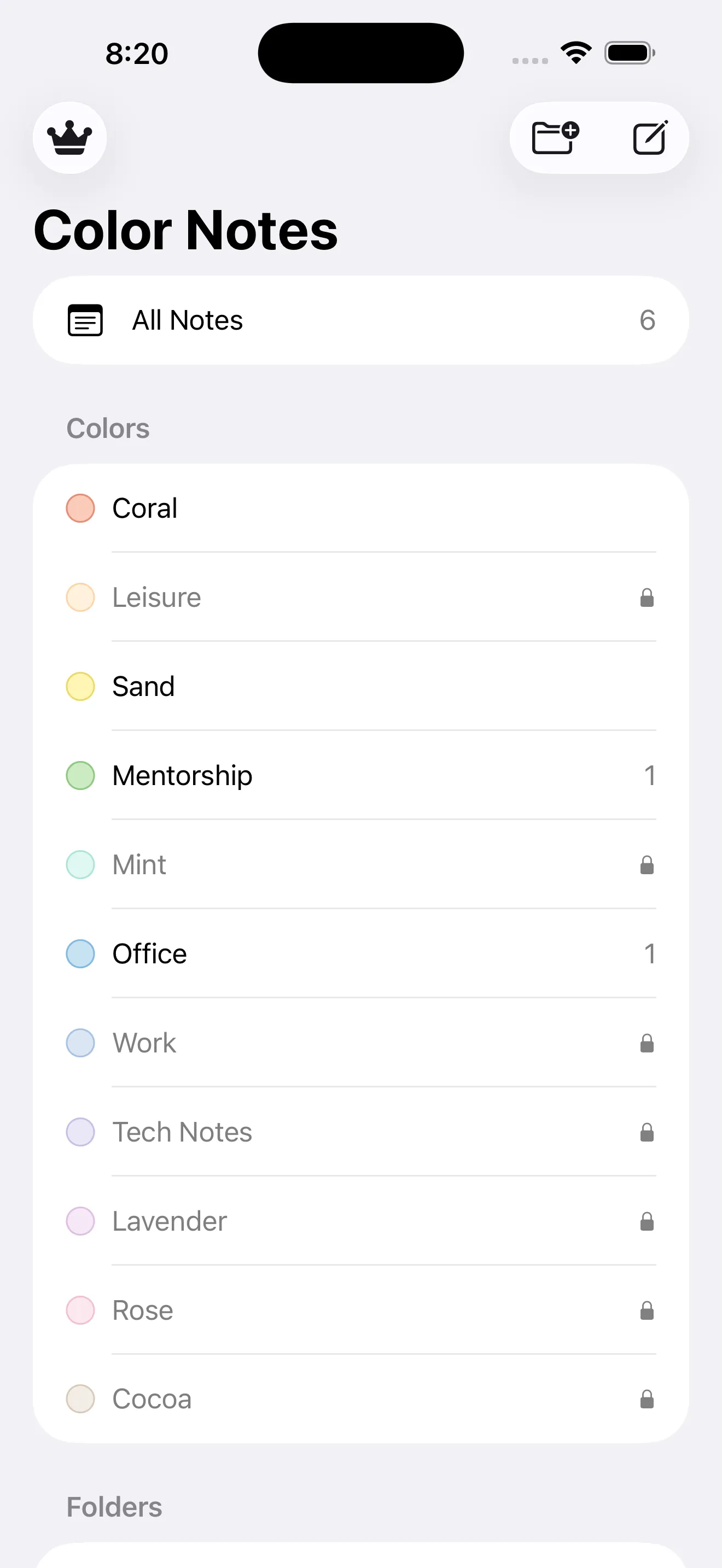
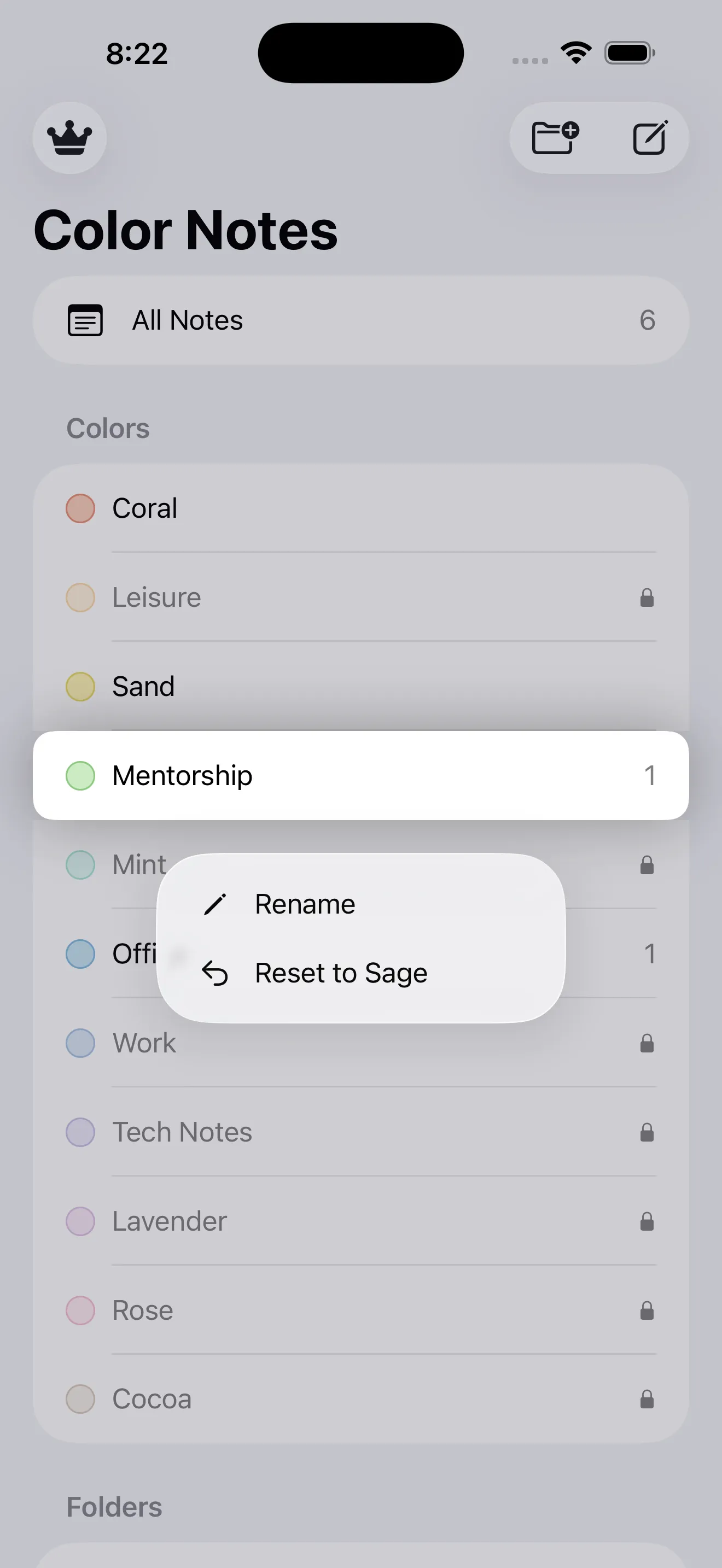
The magic is in renaming. A soft green called Sage can become Mentorship. A calm blue called Storm can become Work. A warm Peach can become Leisure. Your palette turns into your own personal categories — and tapping a color in the sidebar instantly filters your notes down to just that group.
🎨 12 soft pastel colors, your labels: Choose from a dozen gentle, easy-on-the-eyes colors, rename any of them to whatever you like, and let color do the organising. Your notes stay private, stored on your device.
Add folders for bigger projects, pin the notes you reach for most, and search across everything in a tap. Color Notes is free to use with ads, and a single one-time Pro purchase unlocks all 12 colors, removes the note limit and clears away the ads for good.
How It Works
From a blank note to a color-coded system that's entirely yours:
Write a Note
Tap the compose button, give your note a title and type away — checklists, plans, quick references, anything on your mind.
Give It a Color
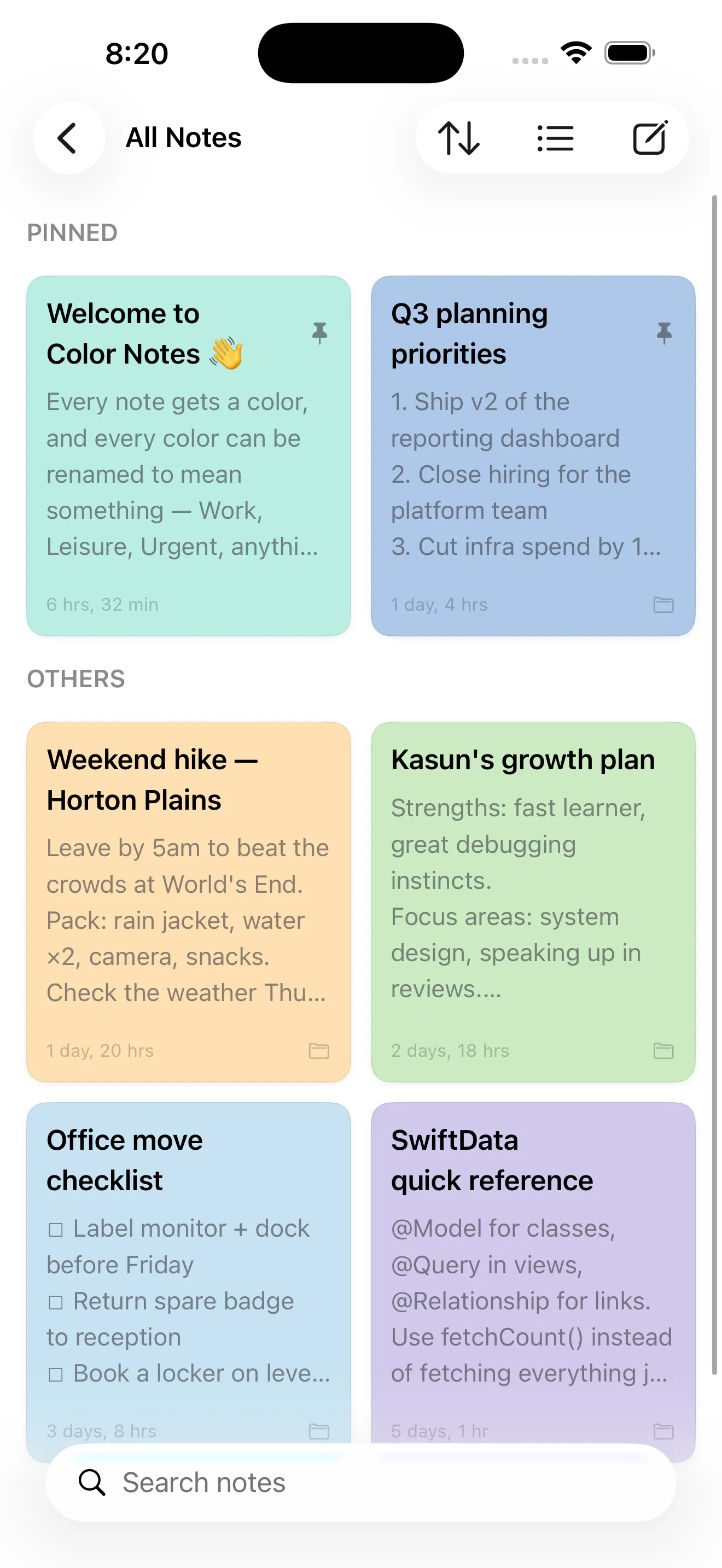
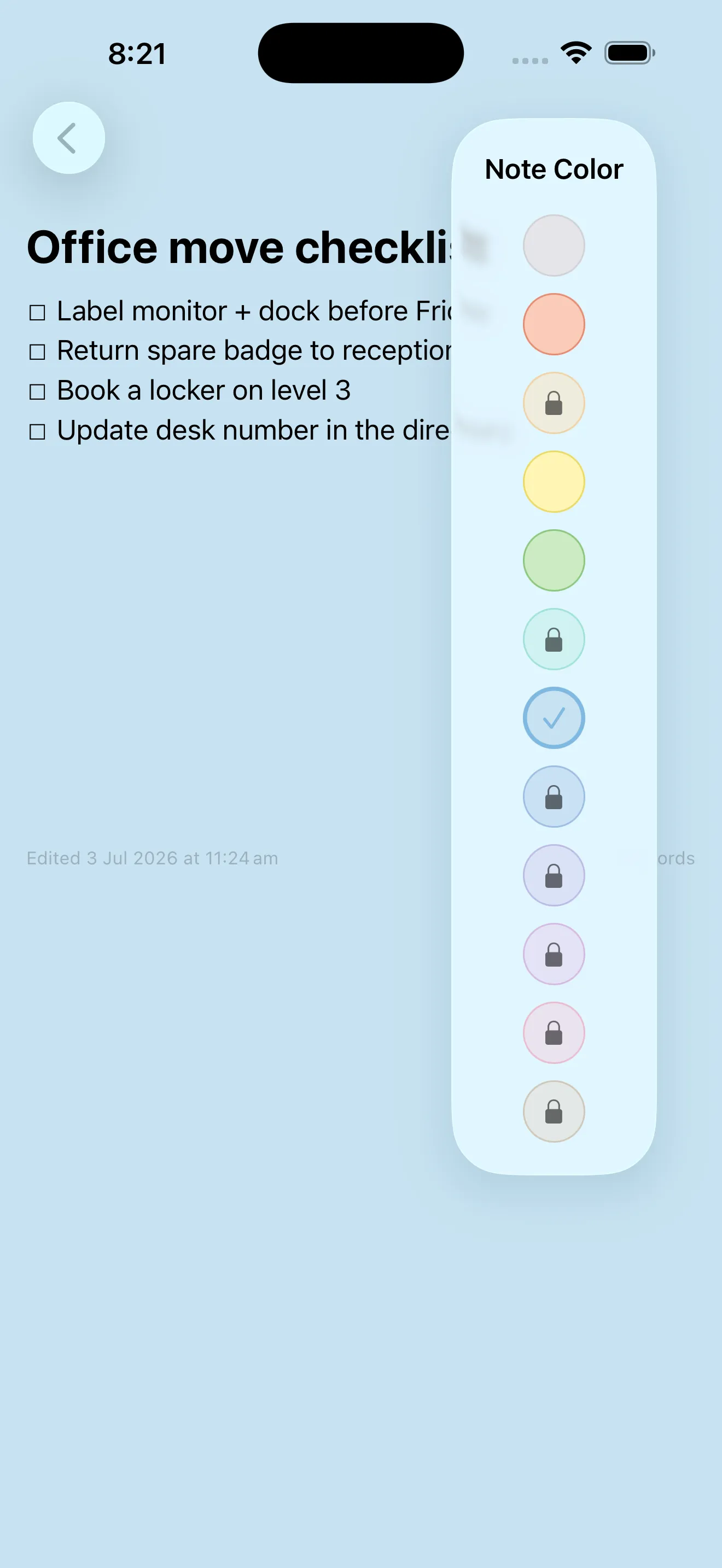
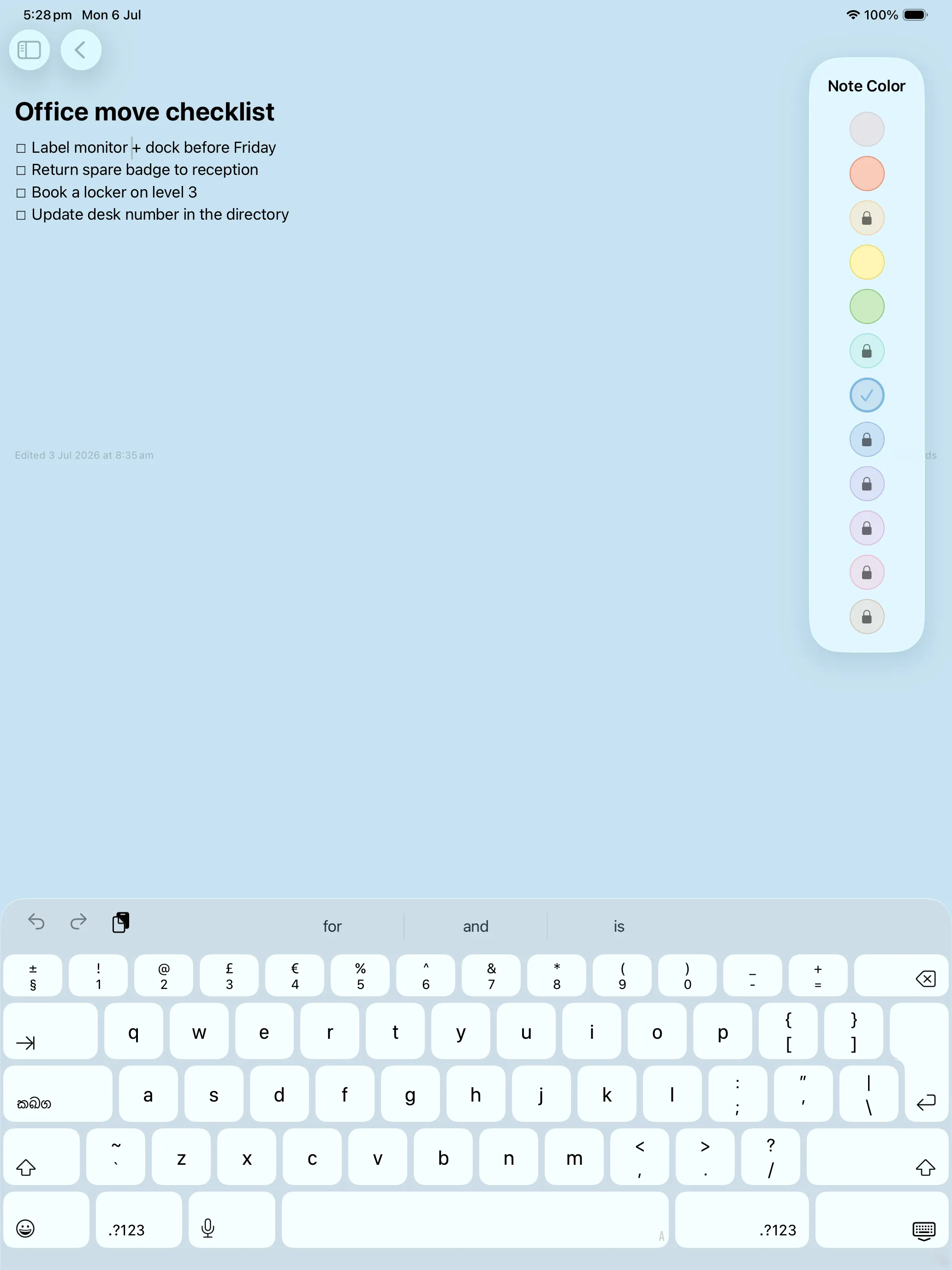
Open the Note Color picker and choose from 12 soft pastels. The whole note takes on that color so it's instantly recognisable in your grid.
Rename Colors into Categories
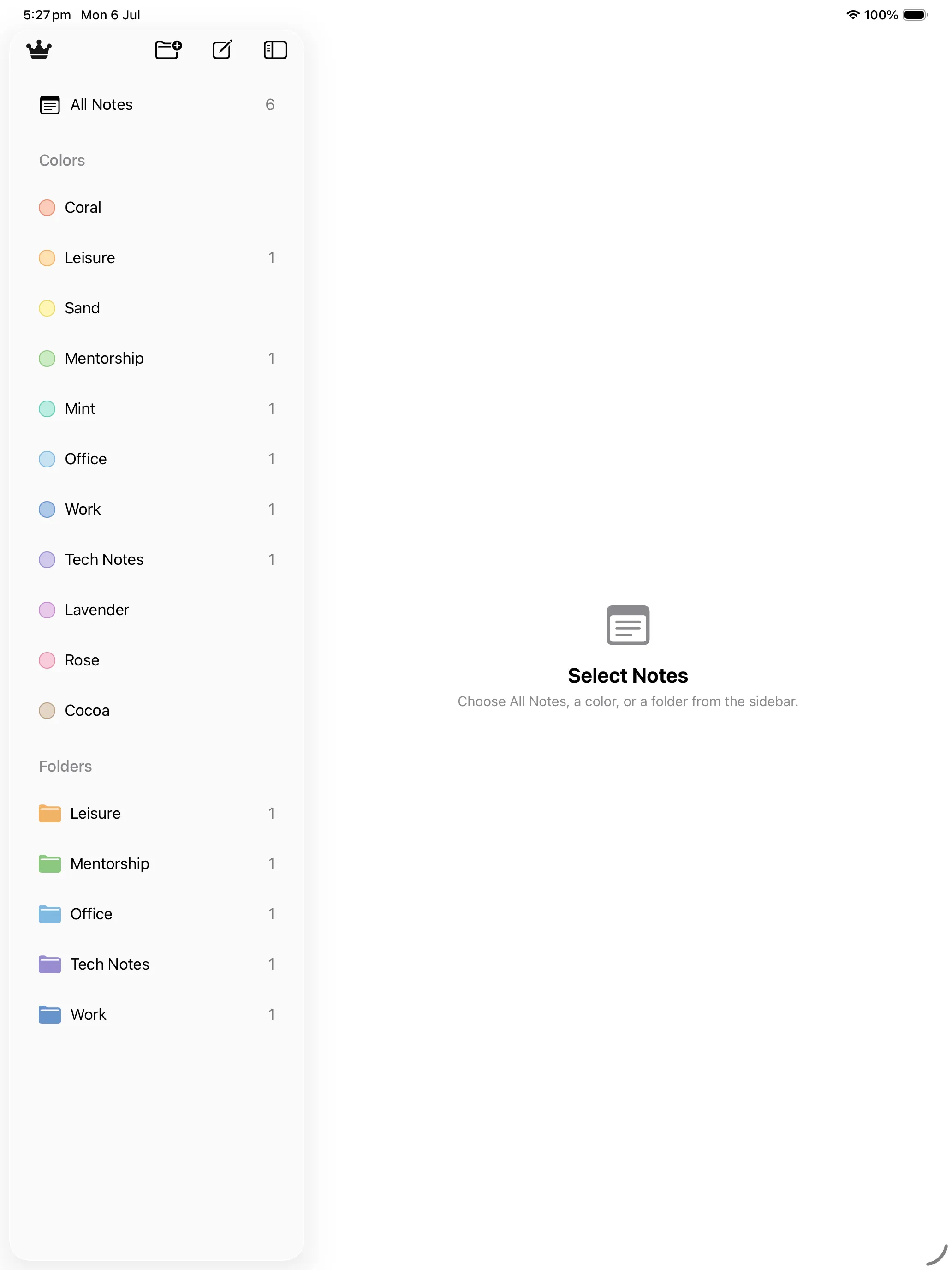
Long-press a color in the sidebar and rename it — Sage → Mentorship, Storm → Work. Your colors become the categories that make sense to you.
Organise, Pin & Find
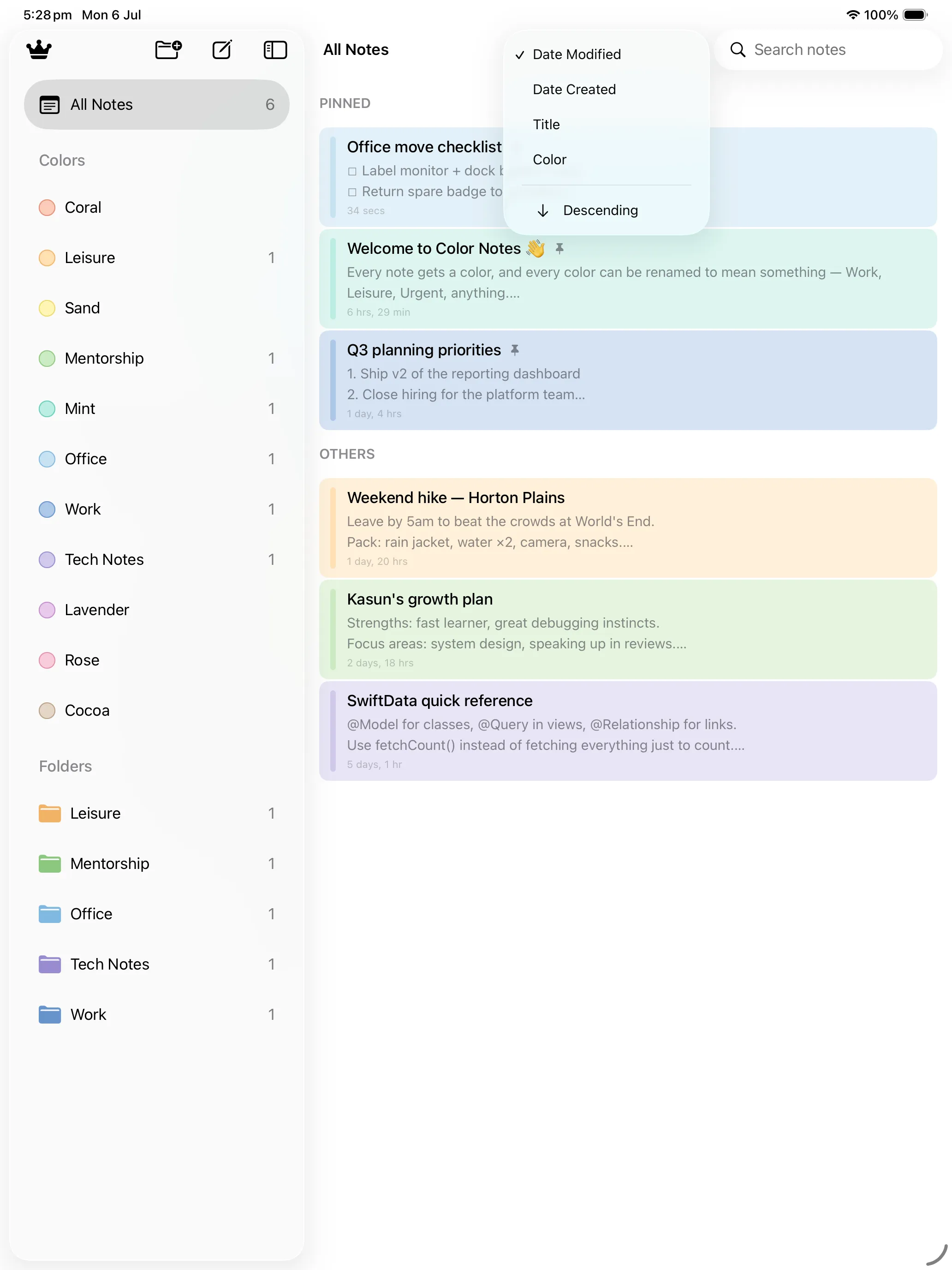
Group notes into folders, pin the important ones to the top, tap a color to filter, or search across everything to jump straight to what you need.
Features
🎨 Color-Coded Notes
Every note takes on a soft pastel color so your whole library is scannable and bright, not a wall of grey text.
🏷️ Colors Become Categories
Rename any color — Sage becomes Mentorship, Storm becomes Work — turning the palette into labels that mean something to you.
🔎 Tap a Color to Filter
Pick a color in the sidebar and your notes narrow down to just that group in an instant. Search finds anything by keyword.
📁 Folders
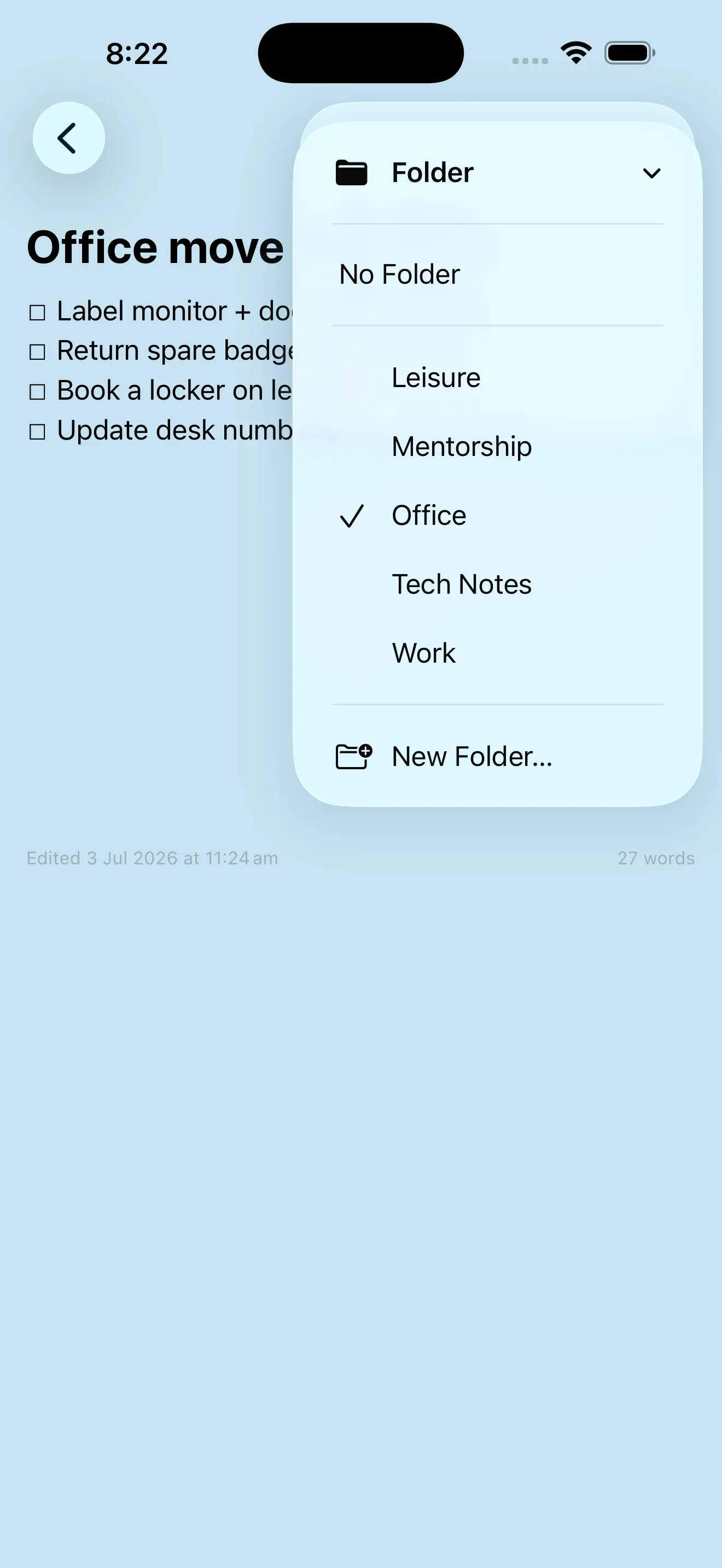
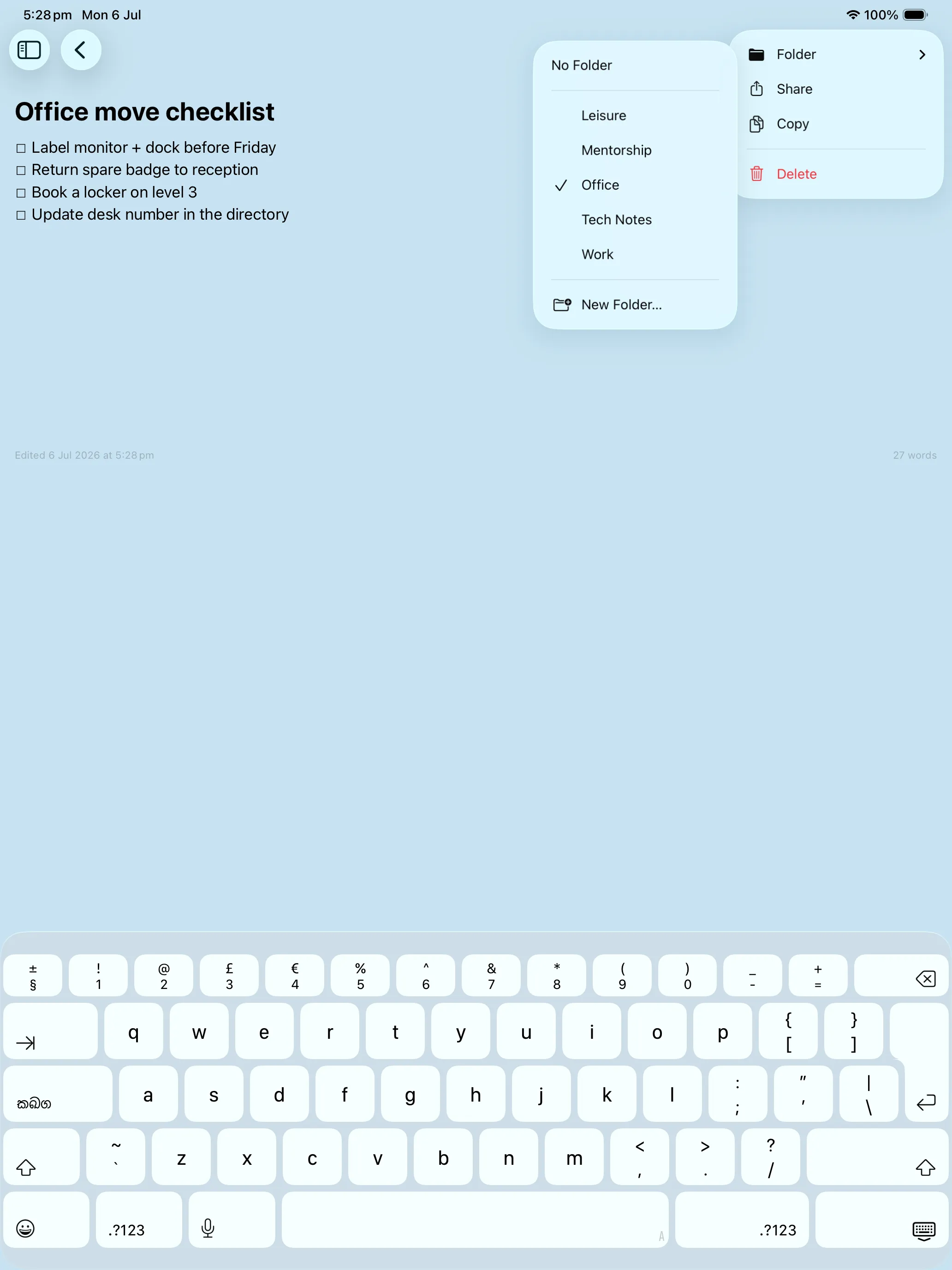
Gather related notes into folders like Office, Work or Tech Notes, and move any note between them in a couple of taps.
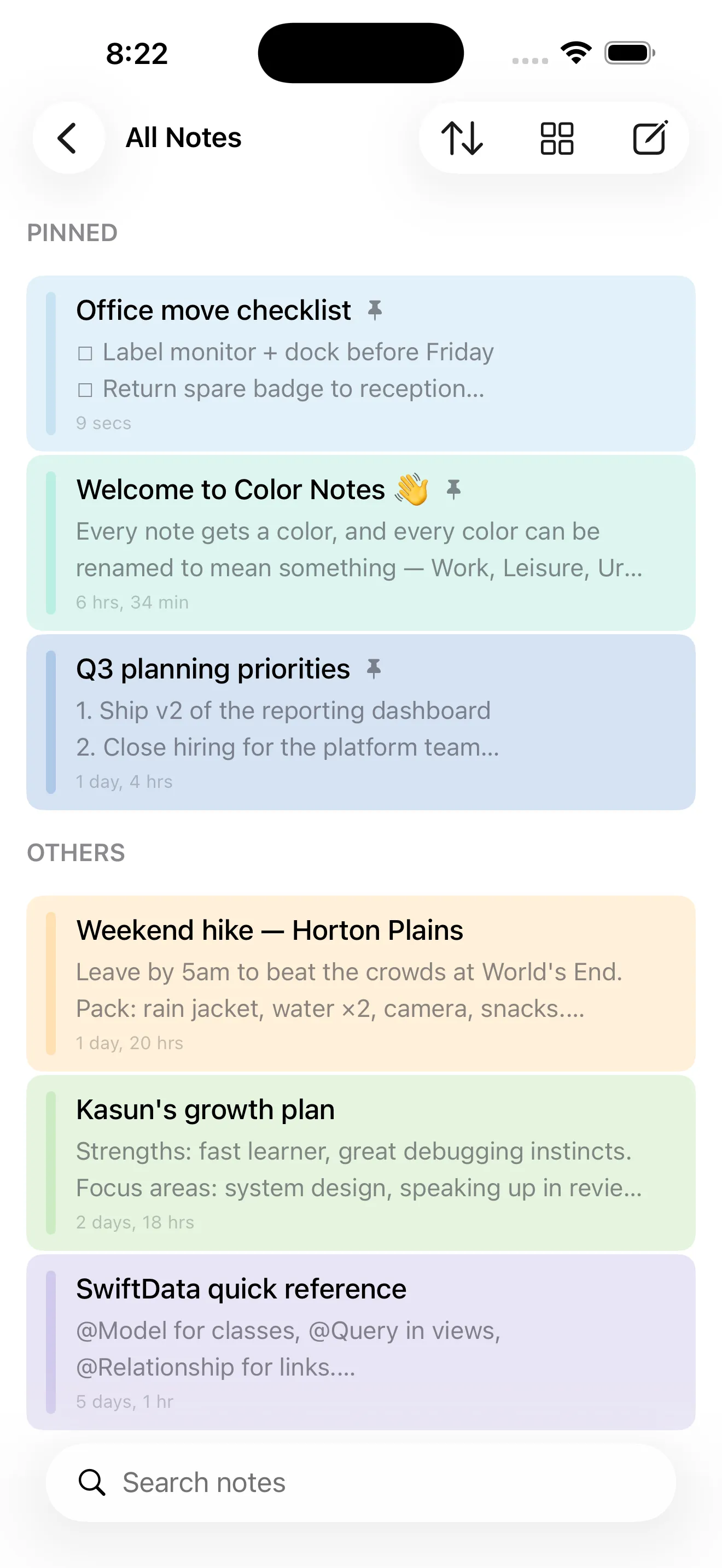
📌 Pin What Matters
Keep your most-used notes at the top with a Pinned section, so the essentials are always the first thing you see.
🔀 Grid or List, Your Way
Switch between a colorful grid and a compact list, and sort your notes by date or title to browse however you like.
🔒 Private & On-Device
Your notes are stored locally on your device — no account required and nothing uploaded to a server.
📱 iPhone & iPad
A clean, focused design that feels right at home on both iPhone and iPad, in light and dark appearance.
The 12 Colors
Twelve soft, easy-on-the-eyes pastels — each one renameable into a category of your own:
Perfect For
- Planners & List-Makers — color-code checklists, priorities and to-dos so the right list jumps out.
- Students & Learners — one color per subject or topic, renamed to exactly match your courses.
- Work & Side Projects — separate Work, Leisure and personal notes with a glance, backed by folders.
- Anyone Who Loves Order — a calm, colorful home for every stray thought, kept private on your device.
Screenshots
Take a tour of Color Notes — tap any screenshot to view it full size:
On iPad
On iPad, Color Notes opens into a two-column layout — your colors and folders in the sidebar, your notes beside them:
Color Notes Pro
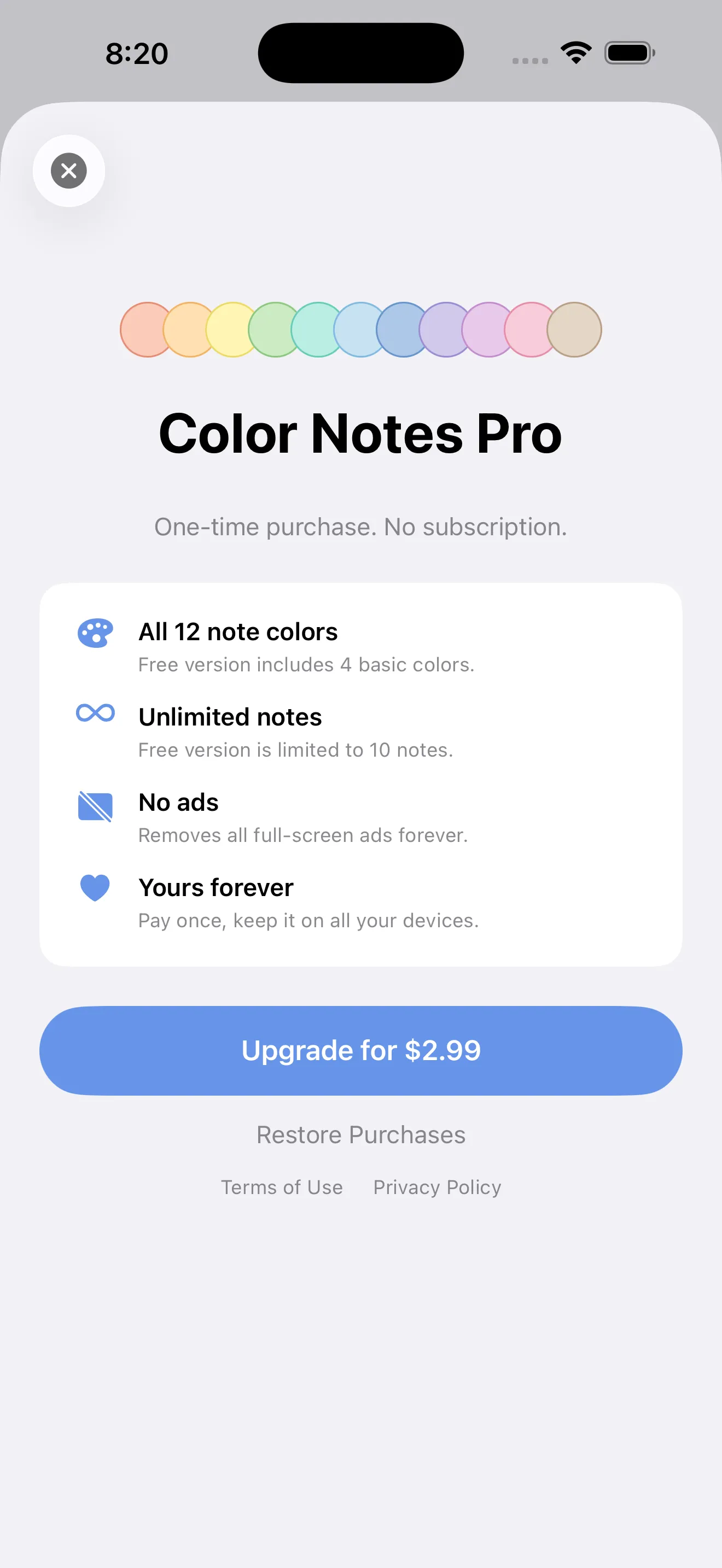
Color Notes is free to download and use, supported by Google AdMob ads. Upgrade to Pro with a single one-time purchase to unlock the full palette, write as many notes as you like and remove all ads — no subscription, pay once and it's yours on all your devices.
- ✓ All 12 note colors — the free version includes 4 basic colors
- ✓ Unlimited notes — the free version is limited to 10 notes
- ✓ No ads — removes all full-screen ads forever
- ✓ Yours forever — pay once, keep it on all your devices
One-time purchase, not a subscription. Already bought Pro on another device? Tap Restore Purchases on the upgrade screen to unlock it instantly. The free version stays fully functional with 4 colors and up to 10 notes.
Privacy Policy
Last updated: July 2026
1. Introduction
This Privacy Policy describes how Color Notes ("the App," "we," "our," or "us") handles information. The App lets you write, color-code and organise notes, all stored on your device.
We respect your privacy. This policy explains what data the App and its service providers process, and what stays on your device.
2. Your Notes & Content
The notes you write — their titles, text, colors, folders and pins — are stored locally on your device. We do not transmit your notes to our servers, and we do not have access to their contents.
- The App does not require an account or sign-in to create and organise notes.
- Deleting the App removes its locally stored notes from your device. Please back up anything important beforehand.
3. Advertising
The free version of Color Notes displays ads through Google AdMob. To serve ads, AdMob may collect and process certain information, such as a device advertising identifier, general device and usage data, and approximate location derived from your IP address. This data is used to deliver and measure advertising.
You can review Google's practices here: Google Ads & Privacy. Upgrading to Pro removes all ads.
4. App Tracking Transparency
Where required, the App asks for your permission via Apple's App Tracking Transparency prompt before any identifier is used to deliver personalized ads. If you decline, ads remain non-personalized. You can change this choice any time in Settings → Privacy & Security → Tracking.
5. In-App Purchase
Color Notes Pro is a one-time, non-consumable in-app purchase processed by Apple through the App Store. We do not receive or store your payment details. Purchase validation and restoration are handled by Apple's StoreKit, and you can restore a previous purchase at any time from the upgrade screen.
6. Children's Privacy
The App is not directed at children under 13 and does not knowingly collect personal information from them. The advertising described above is provided by third parties subject to their own policies.
7. Changes to This Privacy Policy
We may update this Privacy Policy periodically. Any updates will be reflected on this page with a new "Last Updated" date.
8. Contact Us
If you have any questions or concerns about this Privacy Policy, please contact:
Support
Need help with Color Notes? We're here to assist you.
For any questions, feedback, or support requests, please reach out to us at: