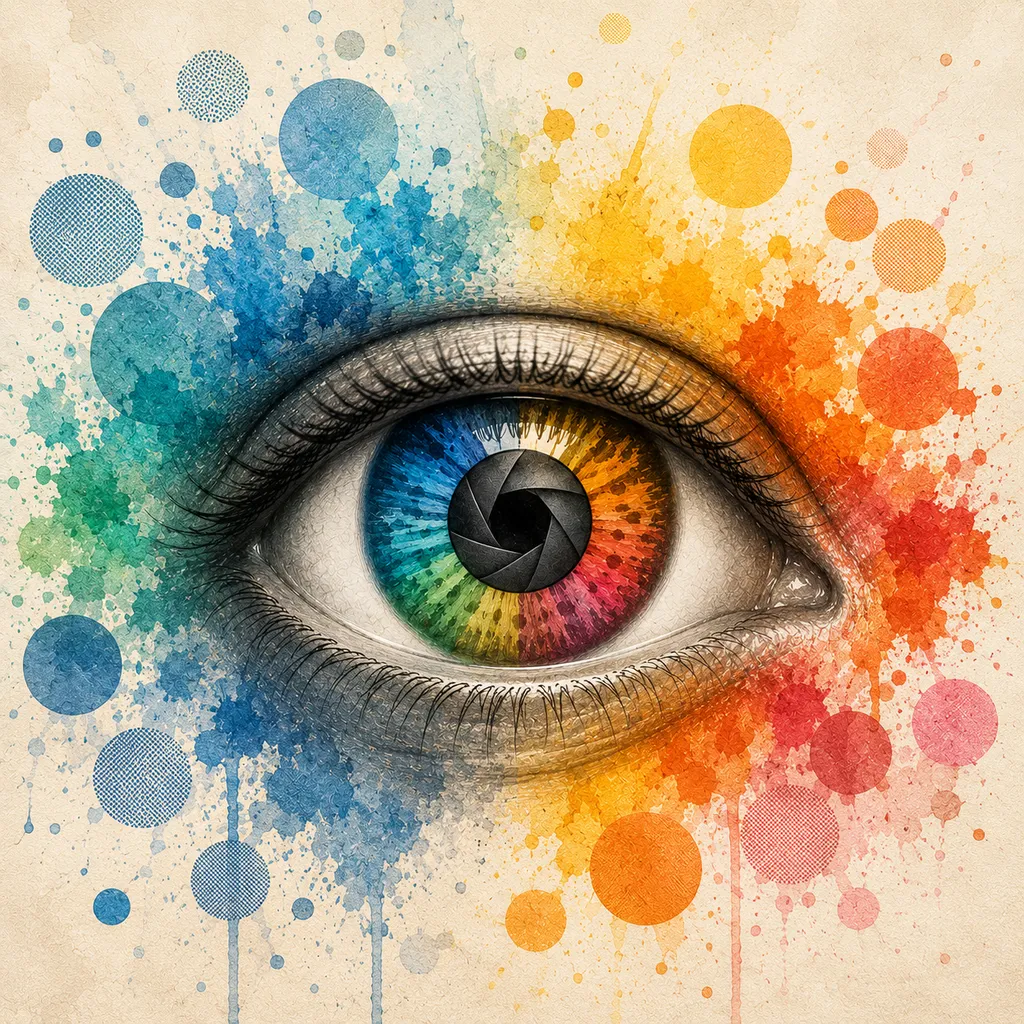
About Color Blind Cam
Color Blind Cam answers a question people ask constantly and almost never get a good answer to: what does the world actually look like to you? Point your iPhone or iPad at a chart, a wiring loom, a set of traffic lights, a plate of food, or a person's face, and the live camera feed is re-rendered as it would appear to someone with colour blindness — or with cataract, glaucoma, macular degeneration, diabetic retinopathy, astigmatism, or double vision.
There are nine simulations plus an untouched baseline. Three of them come from the cone cells in the retina and change which colours you can tell apart; vision stays perfectly sharp. The other six come from the optics and health of the eye, and change the clarity, shape, or completeness of the image instead of its colour. Every one has a severity slider, a side-by-side compare mode, and a page explaining the mechanism behind it.
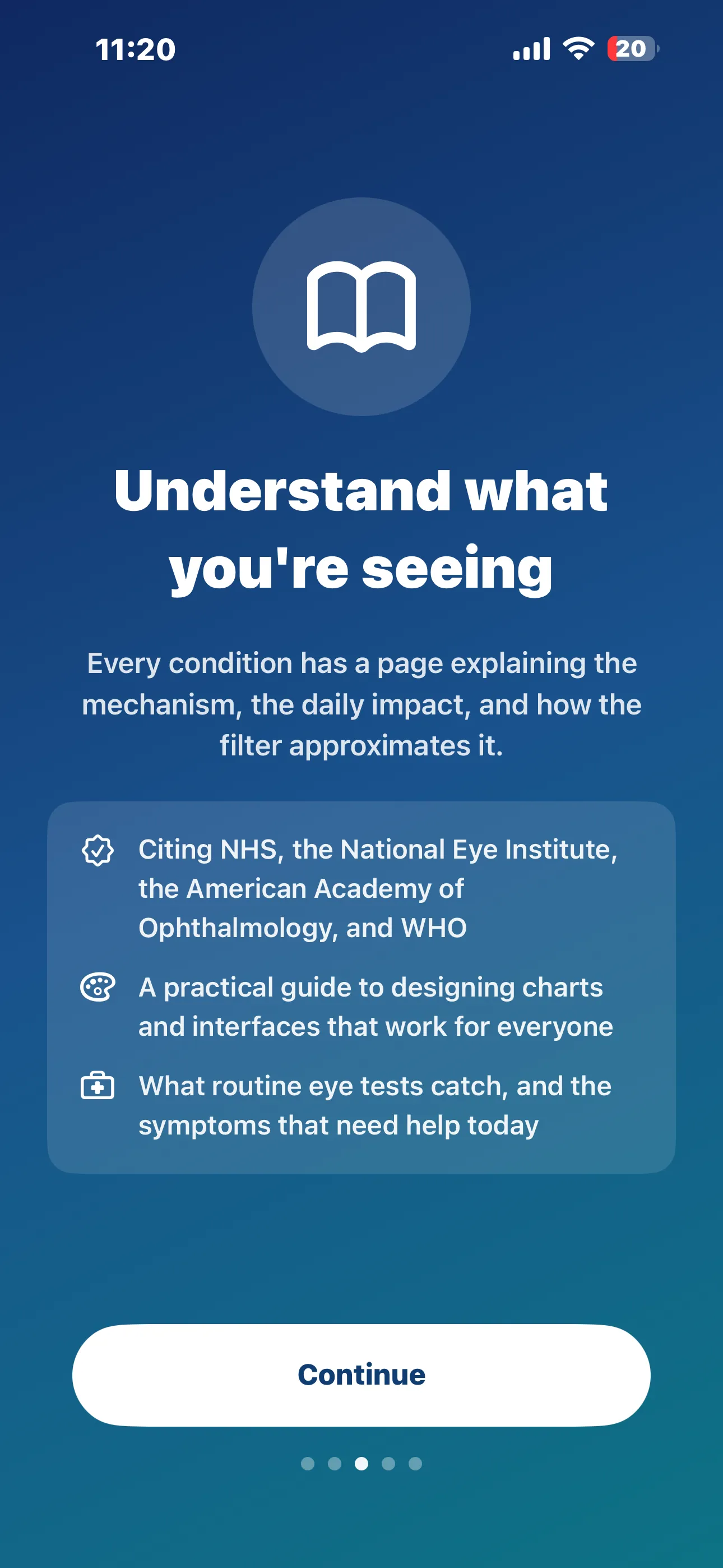
👁️ Three tabs, one idea: Camera renders the world live through any of the nine simulations. Learn explains each condition — mechanism, day-to-day impact, and exactly what the filter is approximating — citing the NHS, the National Eye Institute, the American Academy of Ophthalmology and WHO. Settings keeps the disclaimer, the privacy note, and the full source index one tap away.
Color Blind Cam is a paid app: one purchase of US$3.99 and everything is there. All ten filters, the severity slider, compare mode, the shutter, and every Learn page are included from the first launch. There is no advertising of any kind, nothing to unlock later, and nothing to subscribe to.
How It Works
From "I can't explain what I see" to a demonstration you can simply hand over:
Point the Camera at Anything
A chart, a dashboard, a game HUD, a slide deck, a printed label, a bowl of fruit. Everything runs live on your device — nothing is uploaded, and nothing is recorded unless you tap the shutter yourself.
Pick a Condition
Swipe the filter row along the bottom: Normal, Protan, Deutan, Tritan, Cataract, Glaucoma, Macular, Diabetic, Astigmatism, Double. The header names the condition and gives a one-line summary; the info button opens the full explanation.
Walk the Severity Slider
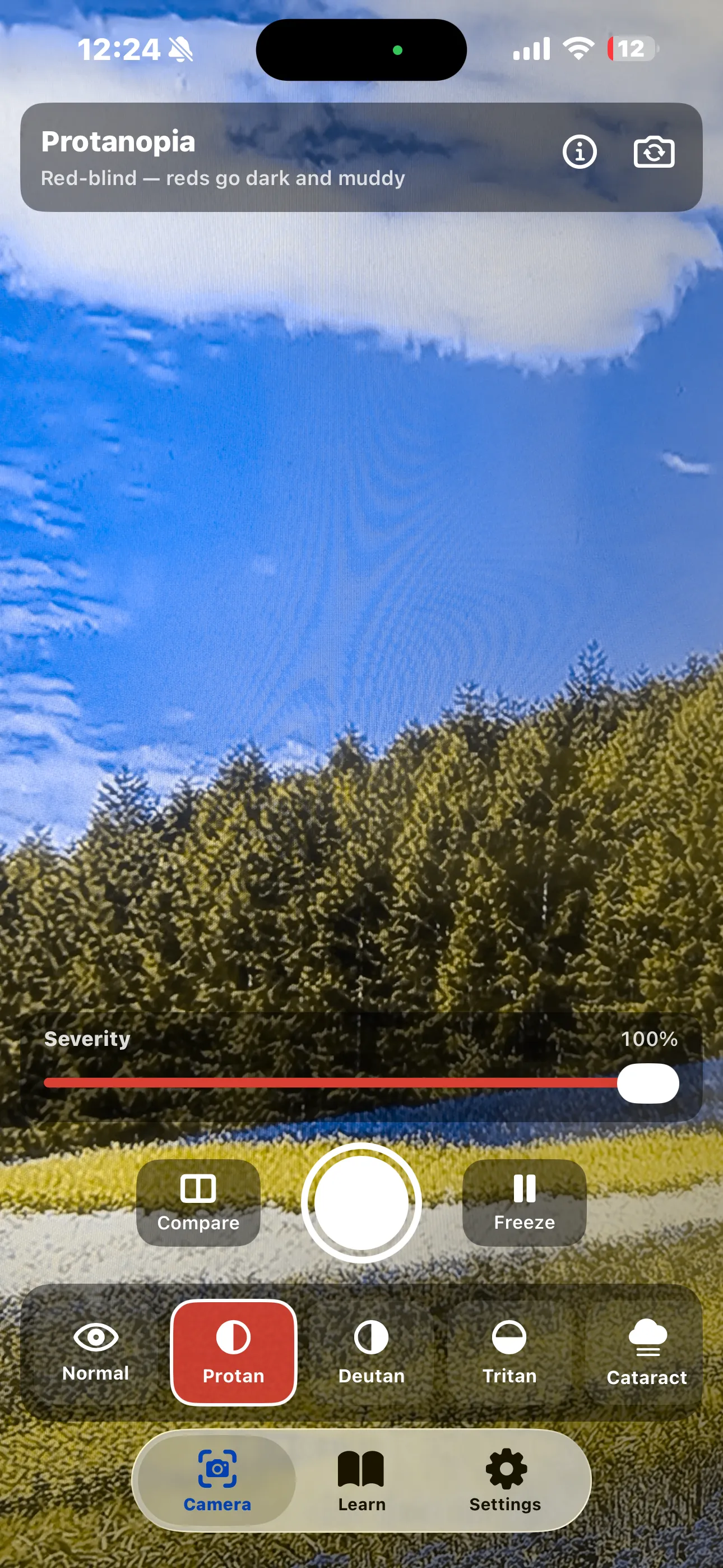
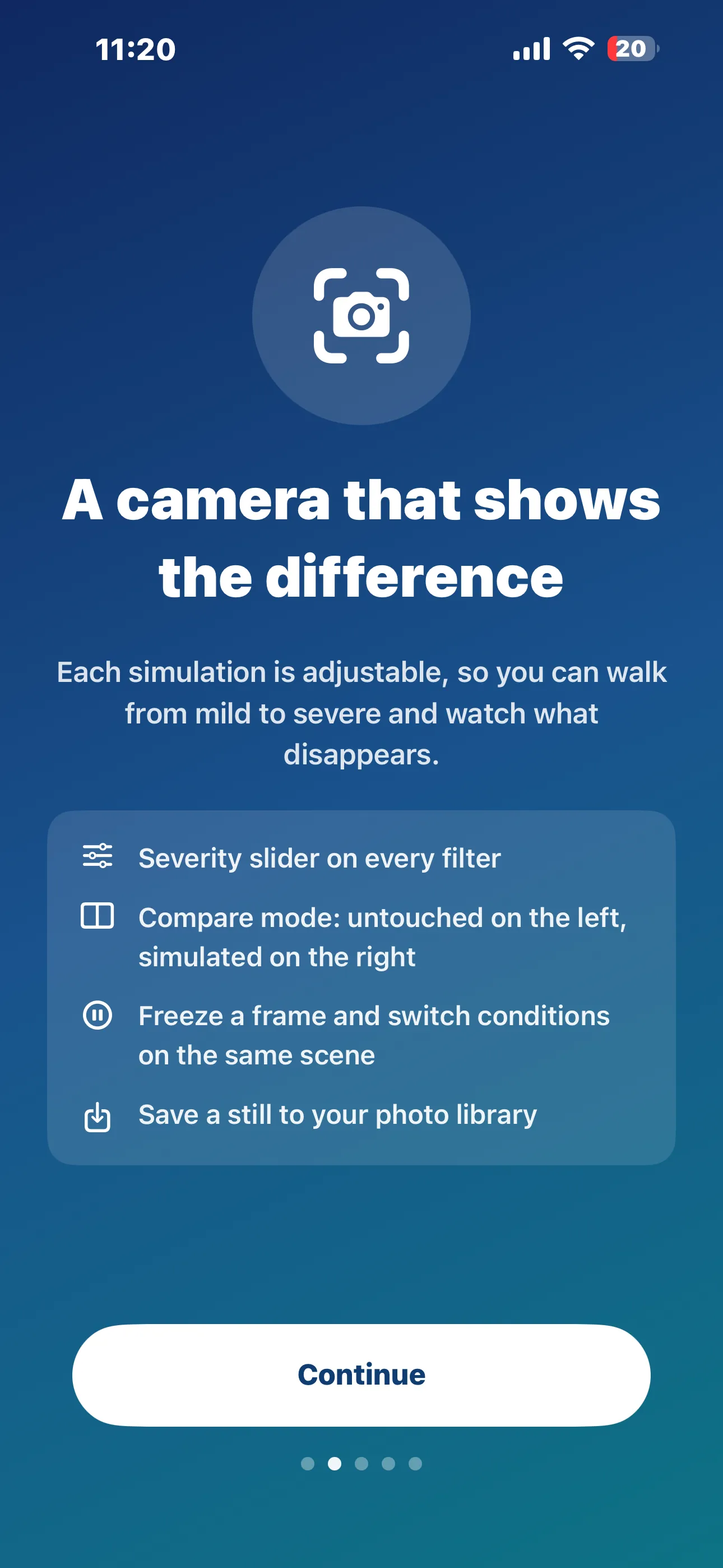
Every filter is adjustable from mild to complete, so you can watch what disappears and when. Below full severity the colour vision filters rename themselves — protanomaly, deuteranomaly, tritanomaly — because a partial deficiency is a different, and far more common, condition than full dichromacy.
Compare, Freeze, and Save
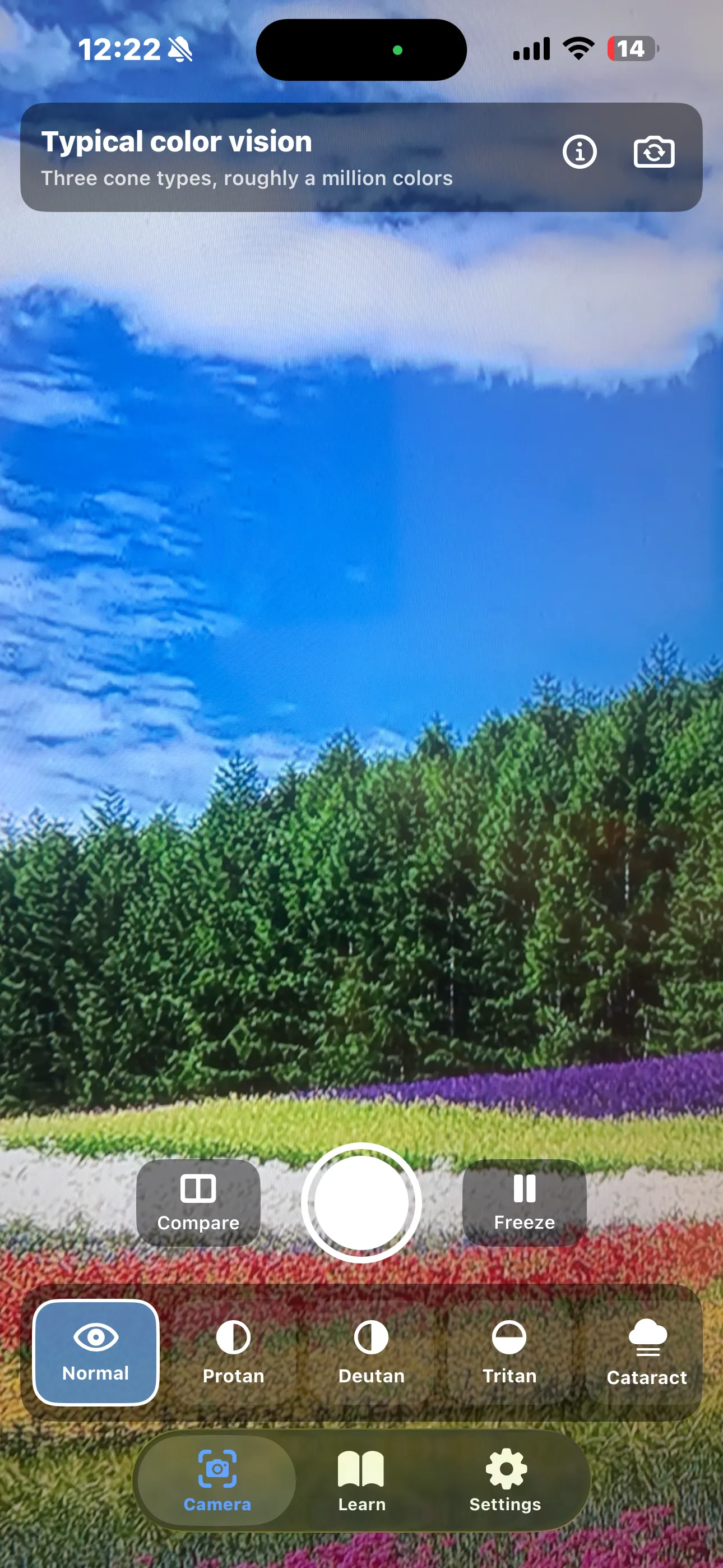
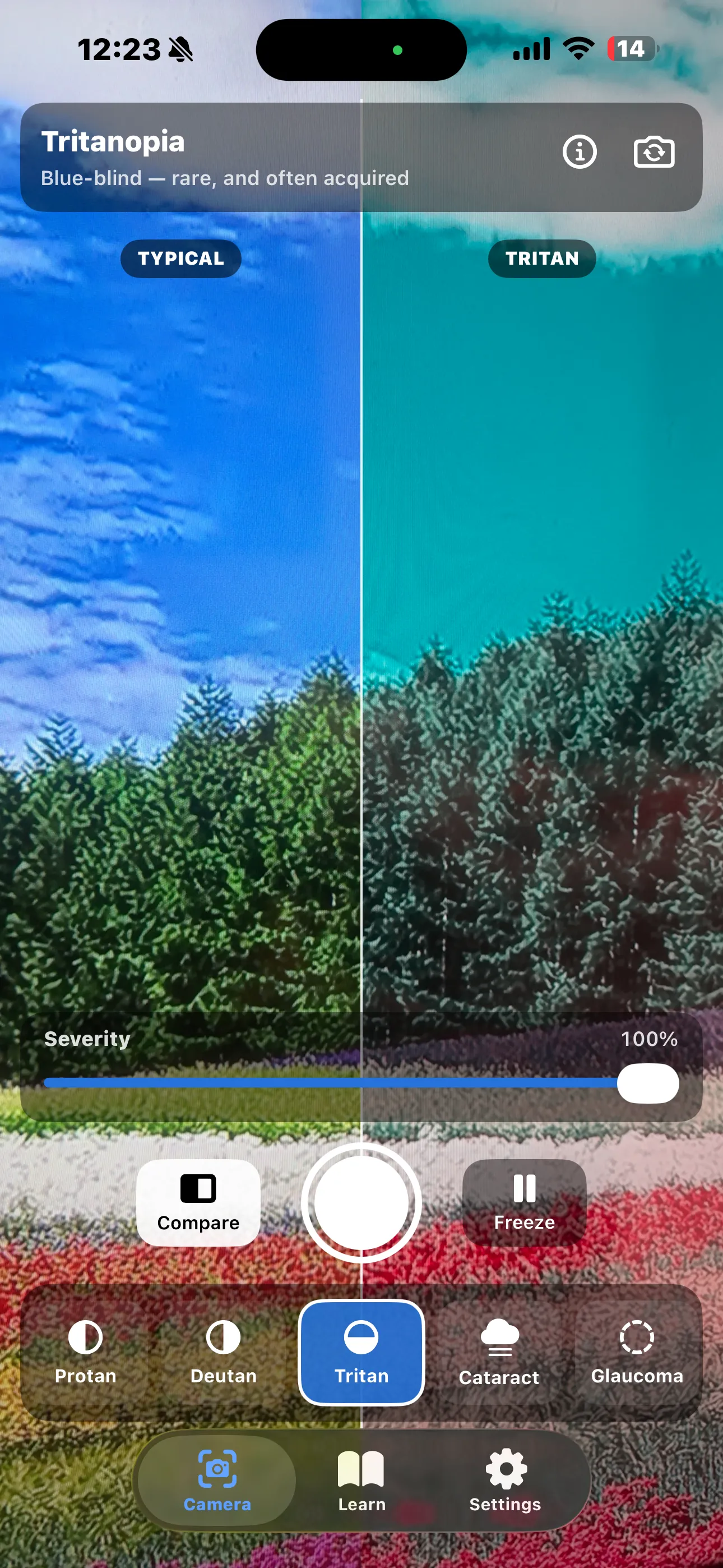
Compare mode splits the screen — untouched on the left, simulated on the right. Freeze holds a frame so you can switch conditions on exactly the same scene. The shutter saves a still to your photo library to send to someone.
Features
📷 Nine Live Simulations
Three colour vision deficiencies and six eye conditions, rendered on the live camera feed at full frame rate using Core Image and Metal.
🎚️ Severity on Every Filter
Drag from mild to complete and watch information vanish. The colour vision filters relabel themselves as the anomalous form at partial severity rather than mislabelling it.
◧ Side-by-Side Compare
A vertical split with the untouched scene on the left and the simulation on the right, labelled TYPICAL and PROTAN / DEUTAN / TRITAN so nobody has to take your word for it.
⏸️ Freeze the Frame
Hold a scene still and cycle conditions on exactly the same image — the only fair way to compare two filters.
💾 Save a Still
Tap the shutter to write the simulated frame to your photo library, ready to attach to a bug report, a design review, or a message to a colleague.
🔬 A Real Model, Not a Preset
The colour vision simulations implement the physiologically-based model published by Machado, Oliveira & Fernandes (2009), applied in linear light — the same model behind most professional accessibility tooling.
📖 A Sourced Page Per Condition
Prevalence, what you see, cause, daily impact, how it is managed, the science, one surprising verifiable detail, and an honest note on what the filter gets wrong — every source linked.
🔒 Entirely On-Device
Every frame is processed on your iPhone or iPad. Nothing is recorded, stored, or transmitted while the camera is running.
Honest About What a Simulation Can't Do
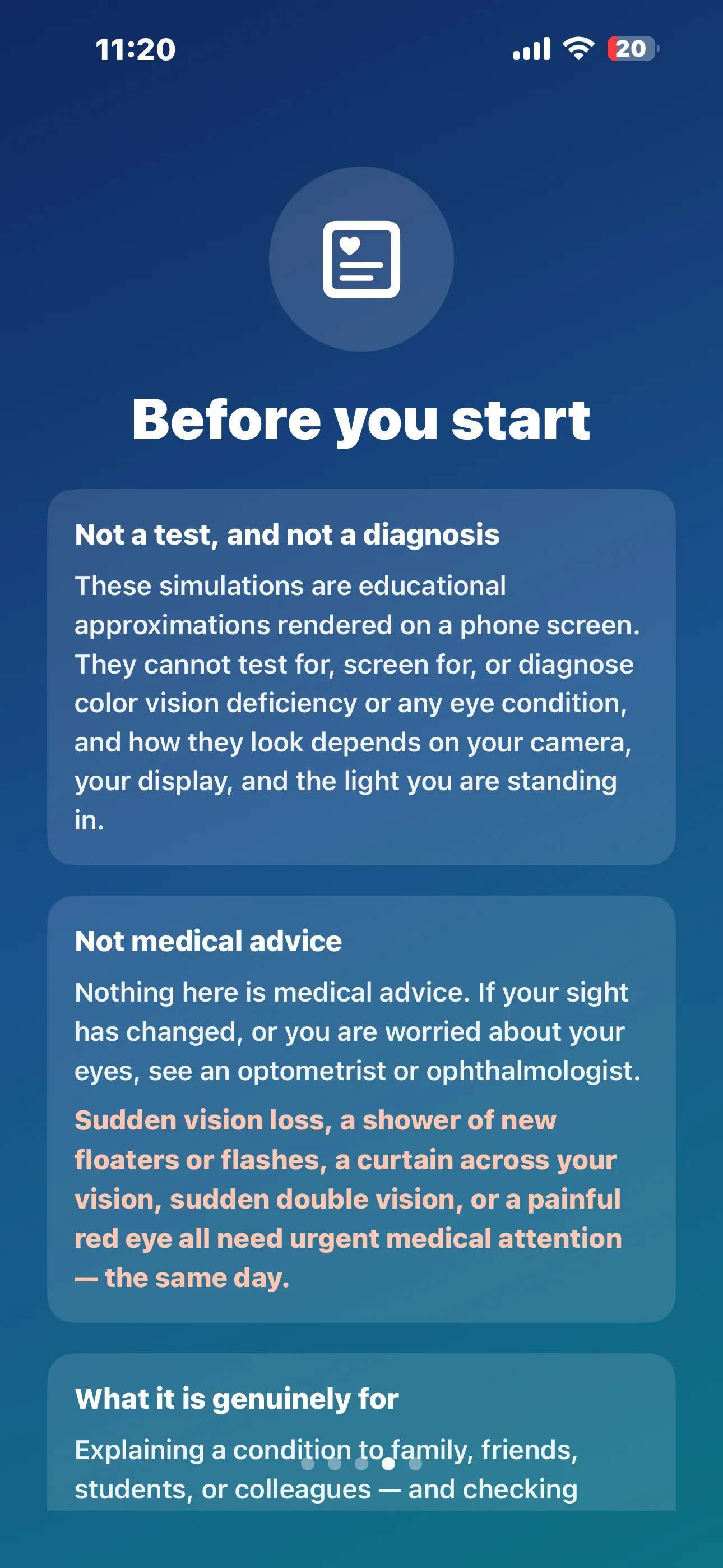
A simulation shown on a screen to someone with typical vision is not the same experience as living with a condition. Your brain has spent a lifetime learning what colour things are; a person with congenital colour vision deficiency has a coherent, lifelong colour world rather than a broken version of yours. A fixed rectangle of pixels cannot reproduce a scotoma that moves with your gaze and gets filled in by the visual system. And almost every condition here varies between people, between the two eyes of the same person, and from day to day. The app says all of this — in the app, before you ever reach the camera.
The Nine Simulations
Ten filters in total, counting the untouched baseline. All of them — the three colour vision deficiencies and the six eye conditions — are included in the one-time purchase.
Colour vision deficiency
Inherited differences in the retina's cone cells. Vision stays sharp — it is the range of distinguishable colours that shrinks.
Reds and greens collapse into the same band of dull yellows and khakis, and red loses much of its apparent brightness — a red rose against green leaves can look almost black. Around 1 in 100 men; roughly 2% counting the milder protanomaly.
Reds, greens, oranges and browns wash into one another as yellows and beiges, but brightness stays roughly normal. About 1 in 100 men — add deuteranomaly at roughly 5% of men and this is by far the most common colour vision deficiency.
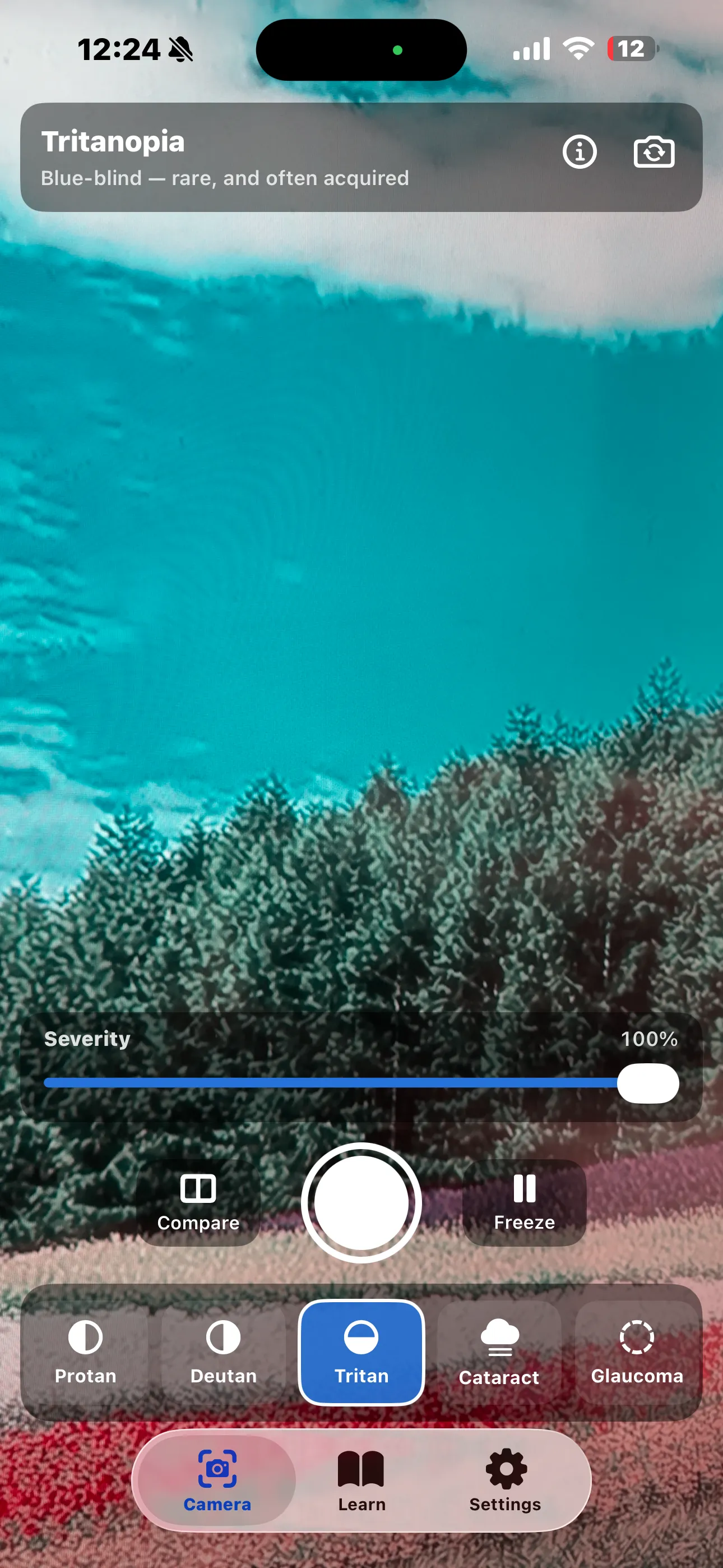
Blues turn green or teal, yellows fade toward pale pink, violet reads as red. Inherited tritanopia is rare — roughly 1 in 10,000, and equally common in men and women — but blue-yellow loss is more often acquired, and can be an early sign of retinal or optic nerve disease.
Eye conditions
Conditions that change the clarity, shape, or completeness of the image, rather than its colour.
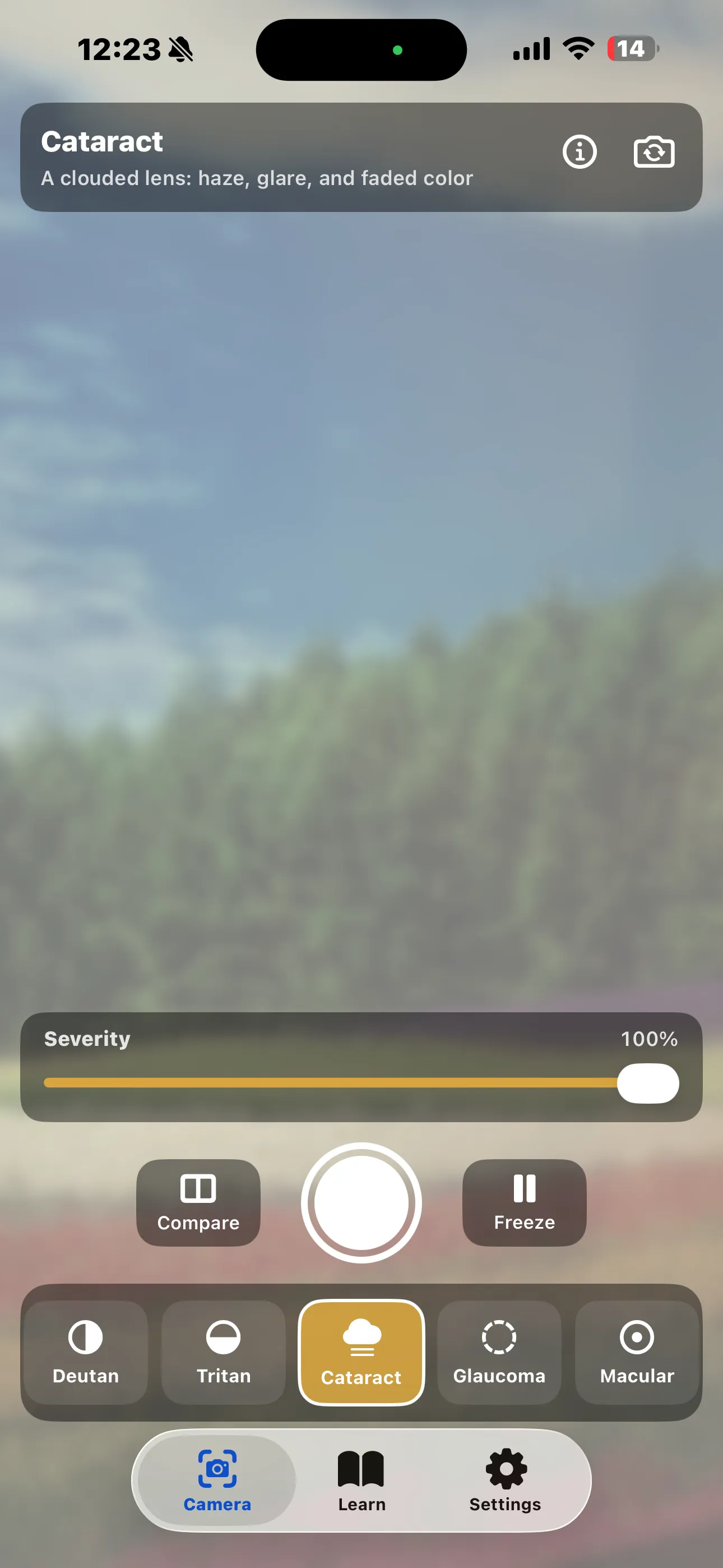
Blur, lifted blacks and bloom for forward light scatter, plus a yellow-brown tint and reduced saturation for the yellowed lens. The leading cause of blindness worldwide — and almost all of it treatable with surgery.
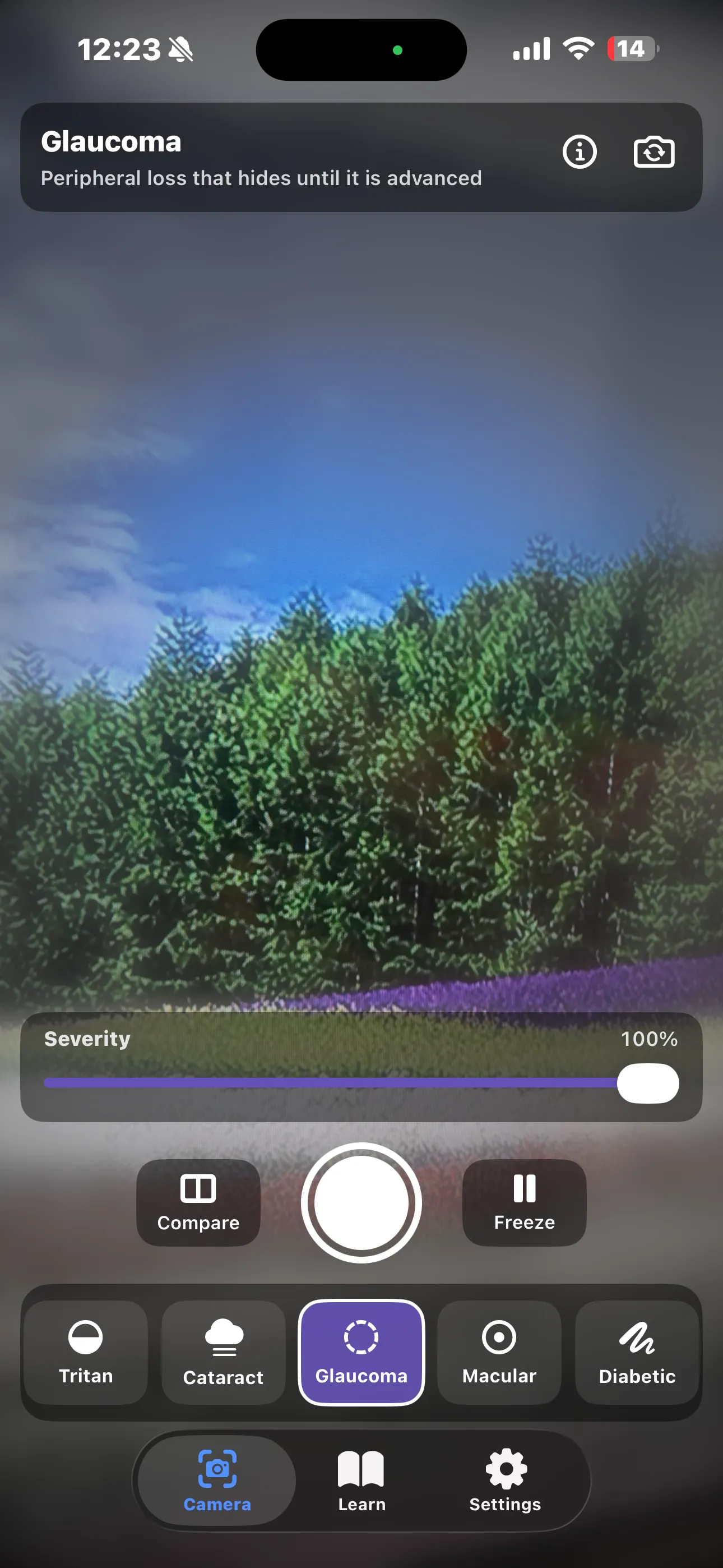
A soft, blurred, desaturated periphery creeping inward — deliberately not the tidy black tunnel of awareness posters, because patients describe blur, greyness and missing objects rather than a dark border. Around 80 million people worldwide; roughly half do not know.
A soft-edged central patch of heavy blur and desaturation, with gentle geometric distortion around its border for metamorphopsia — the reason straight lines bend near the patch. The leading cause of severe central vision loss in people over 50.
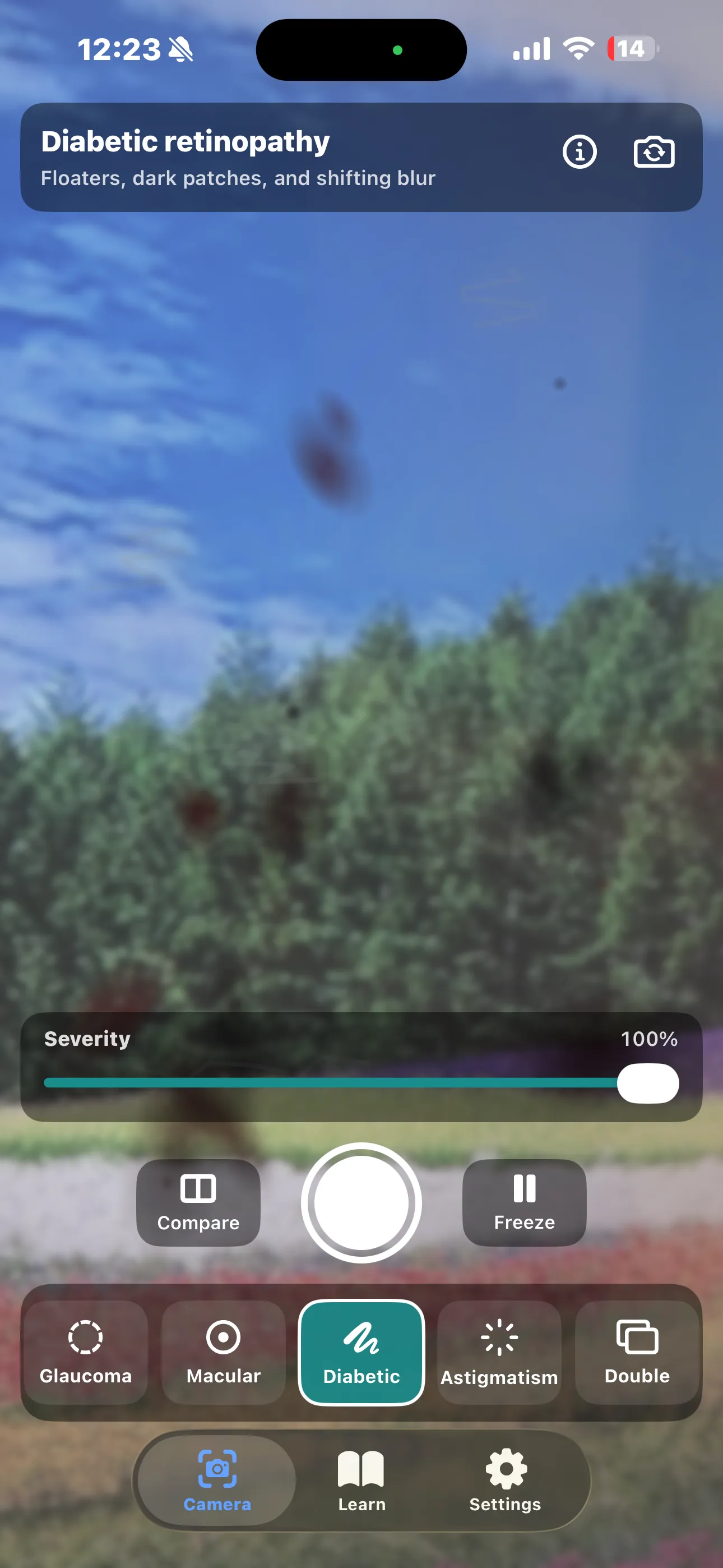
Mild blur and reduced contrast with drifting dark blotches and thread-like floaters over the top. The leading cause of sight loss in working-age adults — and symptomless in its most treatable stages, which is exactly what annual retinal screening is for.
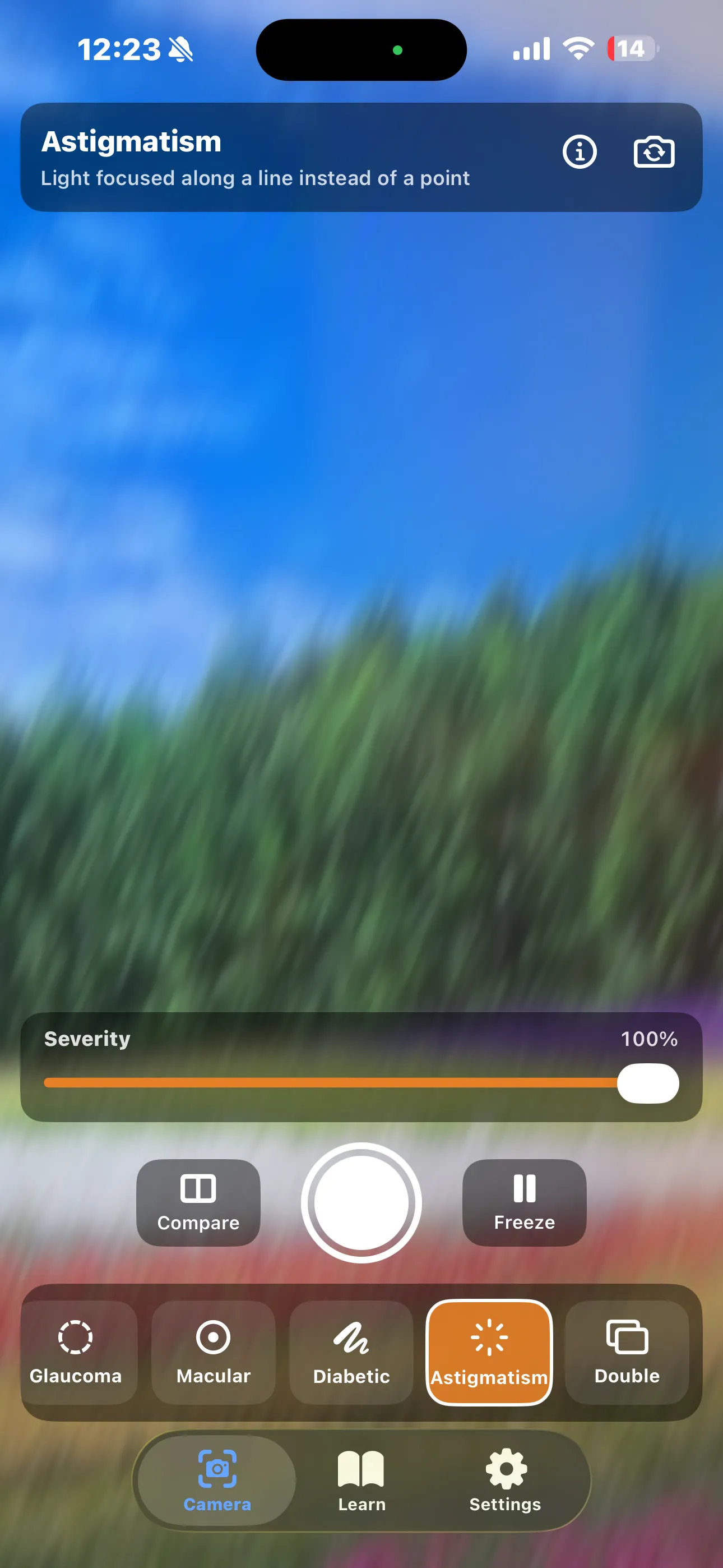
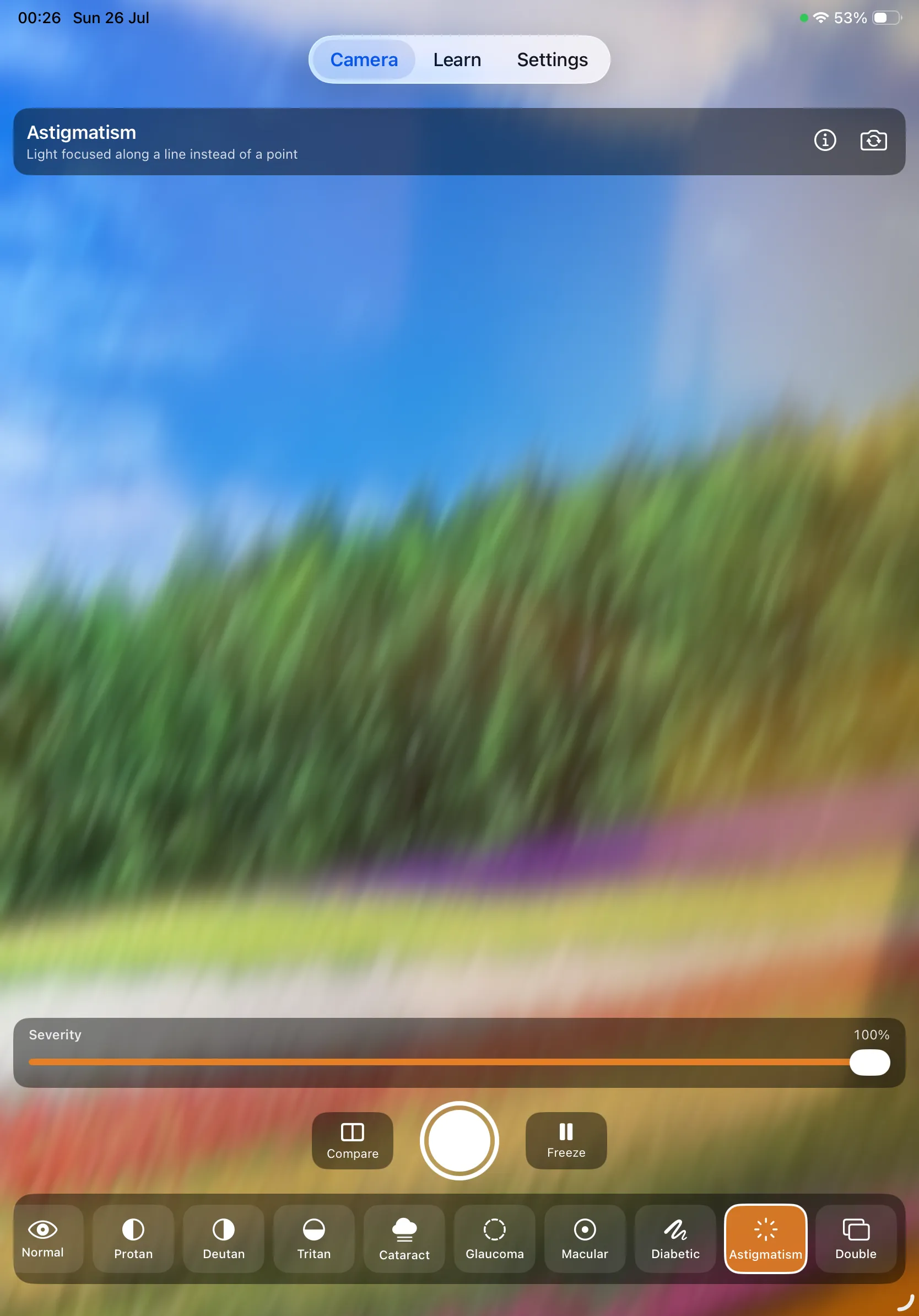
Directional motion blur along one axis, applied after a bloom so bright highlights stretch into streaks. Extremely common — a significant degree affects roughly one in three people — and fully correctable in its regular form.
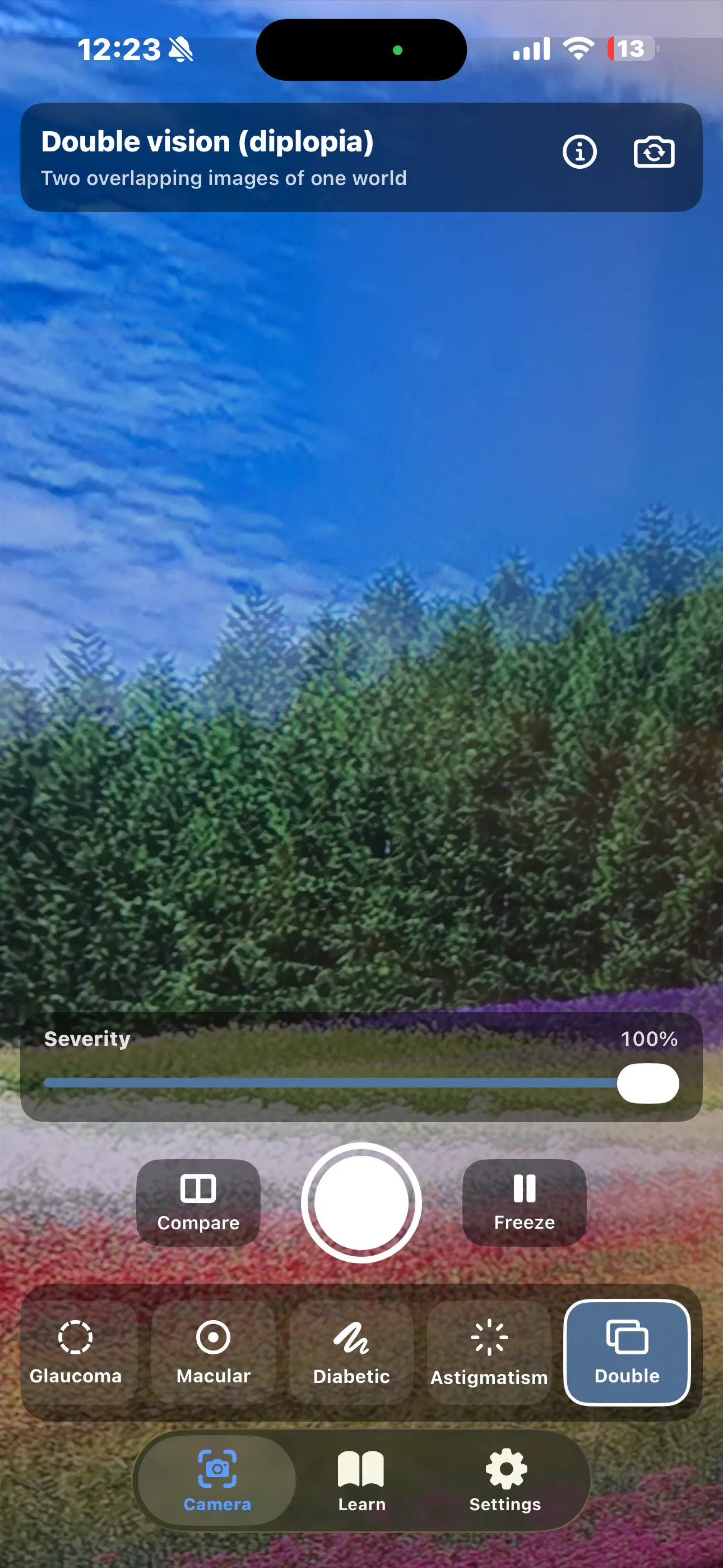
A second, semi-transparent copy of the image offset horizontally and slightly vertically. A symptom rather than a disease in its own right — and one where sudden onset, especially with headache or weakness, is an emergency.
These are approximations, not reproductions. The colour vision filters project each frame onto the two-dimensional colour space that remains when one cone type is missing: if two things look identical through the filter, they will look identical to that person. The eye-condition filters are a different kind of model — they reproduce the effects people consistently describe, because there is no single matrix for a cataract, whose effect depends on the type of opacity, its position in the lens, the lighting, and your pupil size.
Each condition page says where its own filter breaks down. Read that note before showing a simulation to someone as though it were their diagnosis.
Learn
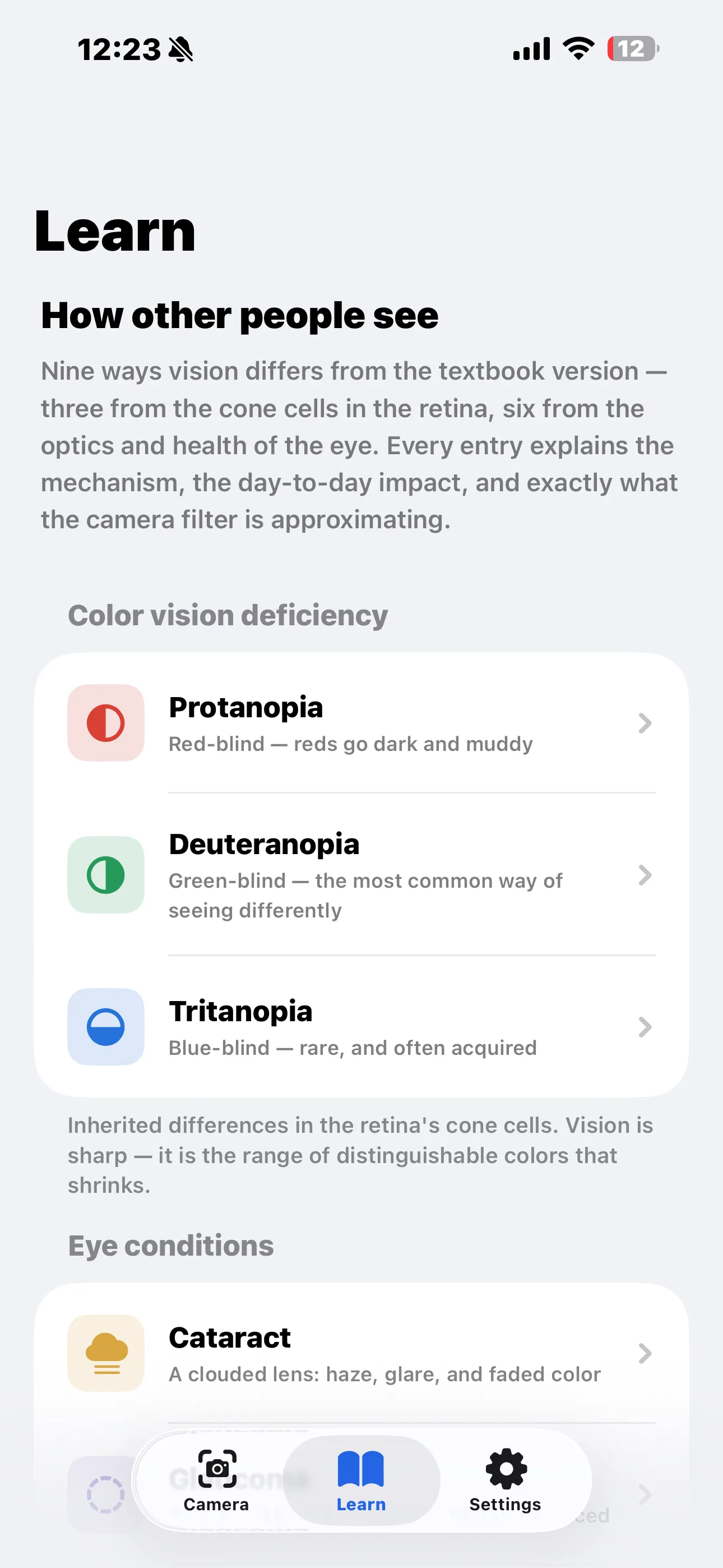
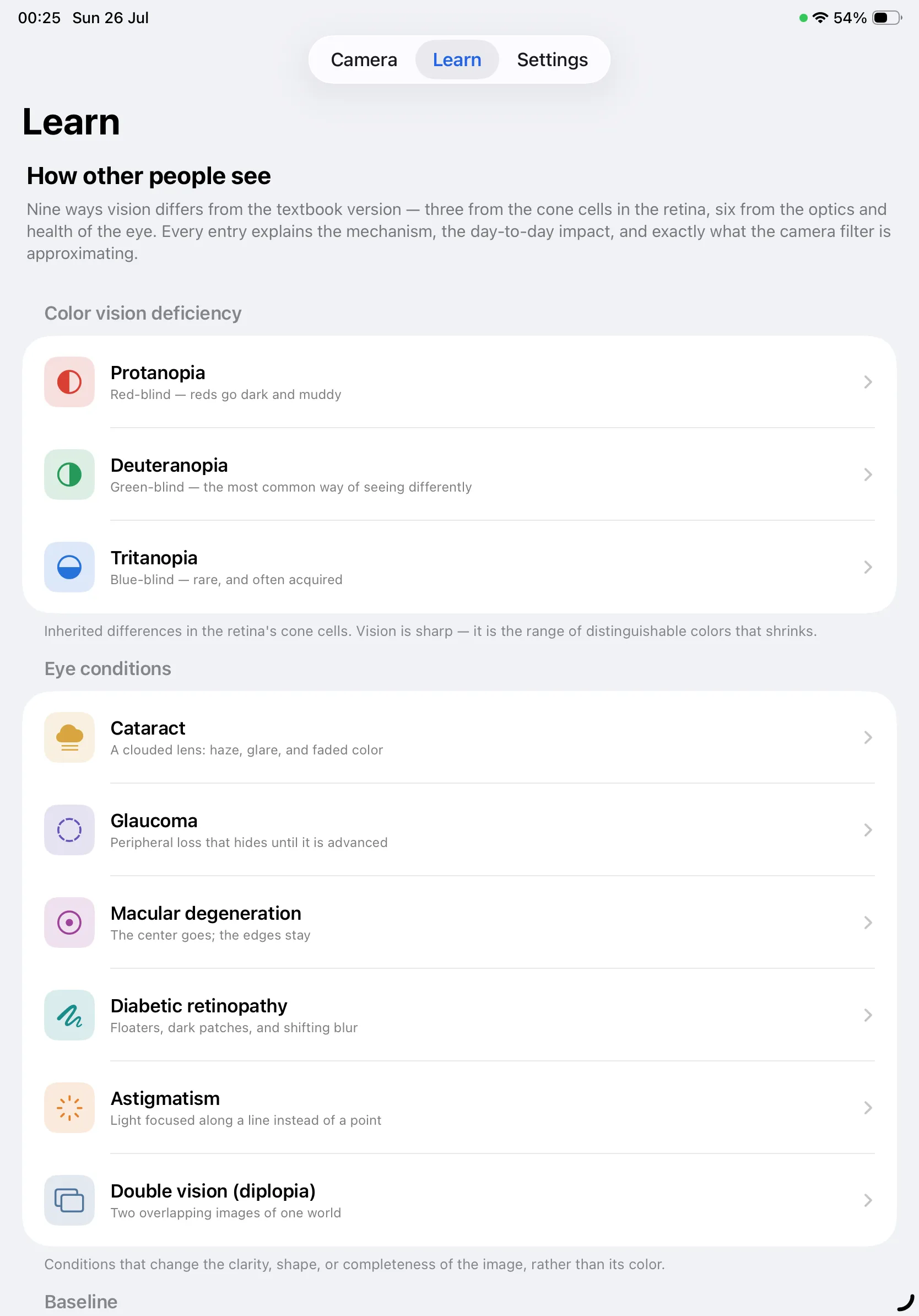
The Learn tab has a page for every one of the nine conditions, plus three standalone guides. Each condition page covers prevalence, what you see, the cause, the daily impact, how it is managed, the underlying science, one surprising verifiable detail, and an honest description of how the filter approximates it — followed by the sources it draws on.
The Three Guides
- How these simulations work — the Machado et al. model behind the colour filters, why the eye-condition filters are a different kind of model, the honest limitations, and what the app is genuinely good for.
- Designing so everyone can read it — never let colour be the only signal (WCAG 1.4.1), rely on lightness rather than hue, choose safer palettes, and test rather than guess.
- Looking after your eyes — why routine tests matter more than symptoms, what genuinely reduces risk, and the specific symptoms that mean go today rather than book something.
A Few Things the App Will Tell You
Where the Information Comes From
Color Blind Cam summarises publicly available patient education, accessibility standards, and one peer-reviewed simulation paper. It adds no medical opinion of its own, every page links back to its sources, and the full index is browsable under Settings → Sources.
- Colour vision deficiency (colour blindness)NHS (UK)
- Cataracts in adultsNHS (UK)
- GlaucomaNHS (UK)
- Age-related macular degeneration (AMD)NHS (UK)
- Diabetic retinopathyNHS (UK)
- AstigmatismNHS (UK)
- Double visionNHS (UK)
- Eye tests for adultsNHS (UK)
- Color blindnessNational Eye Institute (NIH)
- CataractsNational Eye Institute (NIH)
- GlaucomaNational Eye Institute (NIH)
- Age-related macular degenerationNational Eye Institute (NIH)
- Diabetic retinopathyNational Eye Institute (NIH)
- AstigmatismNational Eye Institute (NIH)
- Get a dilated eye examNational Eye Institute (NIH)
- What is color blindness?American Academy of Ophthalmology
- What is astigmatism?American Academy of Ophthalmology
- Double vision (diplopia)American Academy of Ophthalmology
- Blindness and vision impairmentWorld Health Organization
- Colour blindness — types and effectsColour Blind Awareness
- Understanding SC 1.4.1: Use of ColorW3C Web Accessibility Initiative
- Understanding SC 1.4.3: Contrast (Minimum)W3C Web Accessibility Initiative
- Accessibility — Color and effectsHuman Interface Guidelines
- A physiologically-based model for simulation of color vision deficiencyMachado, Oliveira & Fernandes (IEEE TVCG, 2009)
Color Blind Cam is not affiliated with, endorsed by, or sponsored by any of the organisations above. It links to their freely published information as a reader would. Health guidance changes over time — always check the original source.
Who It's For
🎨 Designers & Developers
Point the camera at your chart, dashboard, prototype, printed proof, or game HUD, switch to deuteranopia, and see whether the information survives. Roughly 1 in 12 men has some degree of colour vision deficiency — for most consumer products, a larger audience than several of the platforms you already support.
👨👩👧 Families & Friends
Explaining a condition to the people around you without medical jargon. Hand over the phone instead of trying to describe it from memory.
🏫 Teachers & Students
A working demonstration of trichromacy, opponent channels, and what happens when one cone pigment is missing — with the science written out underneath it.
🧑⚕️ Health Educators
An illustration of cataract scatter, glaucomatous field loss, macular scotoma, and retinopathy floaters that patients and relatives can actually look through.
Screenshots
Take a tour of Color Blind Cam — tap any screenshot to view it full size:
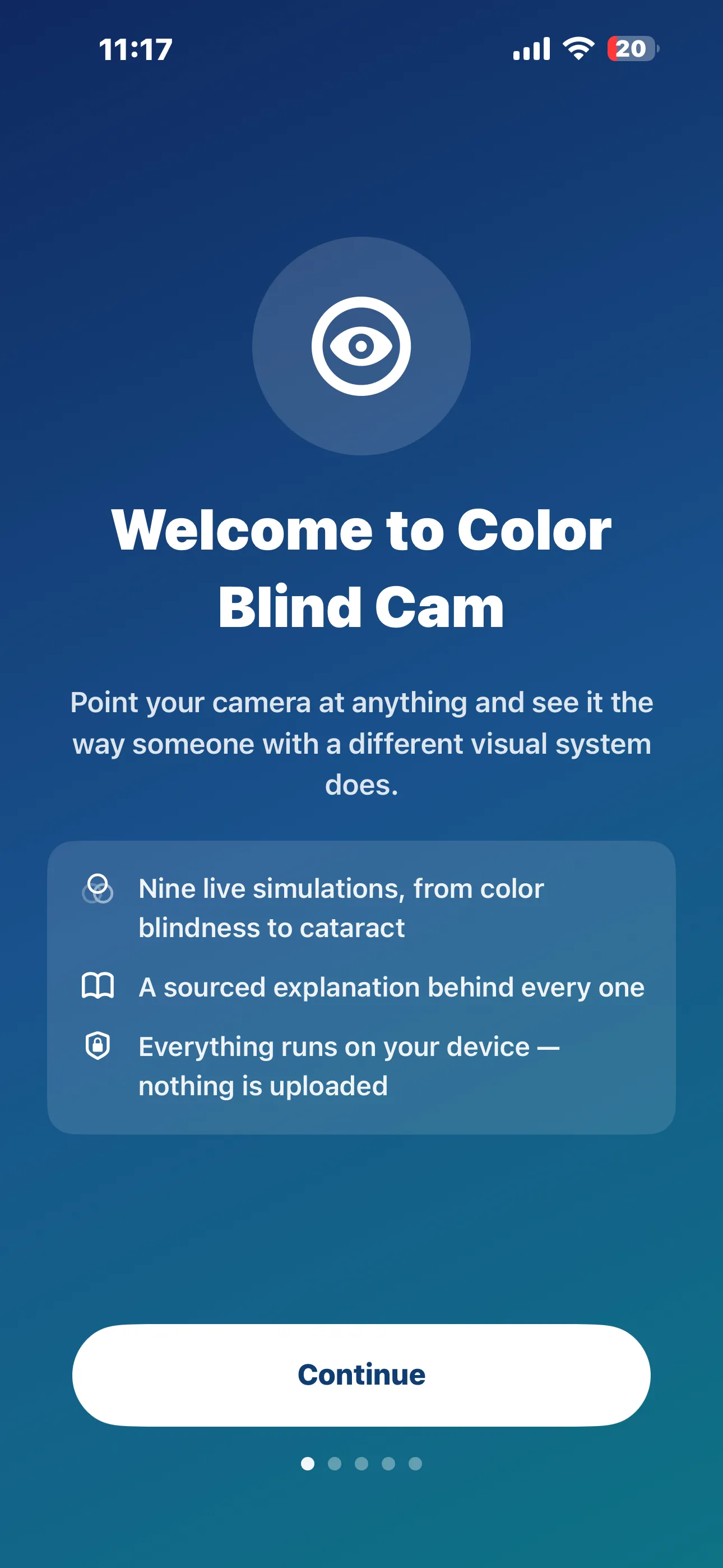
First Launch
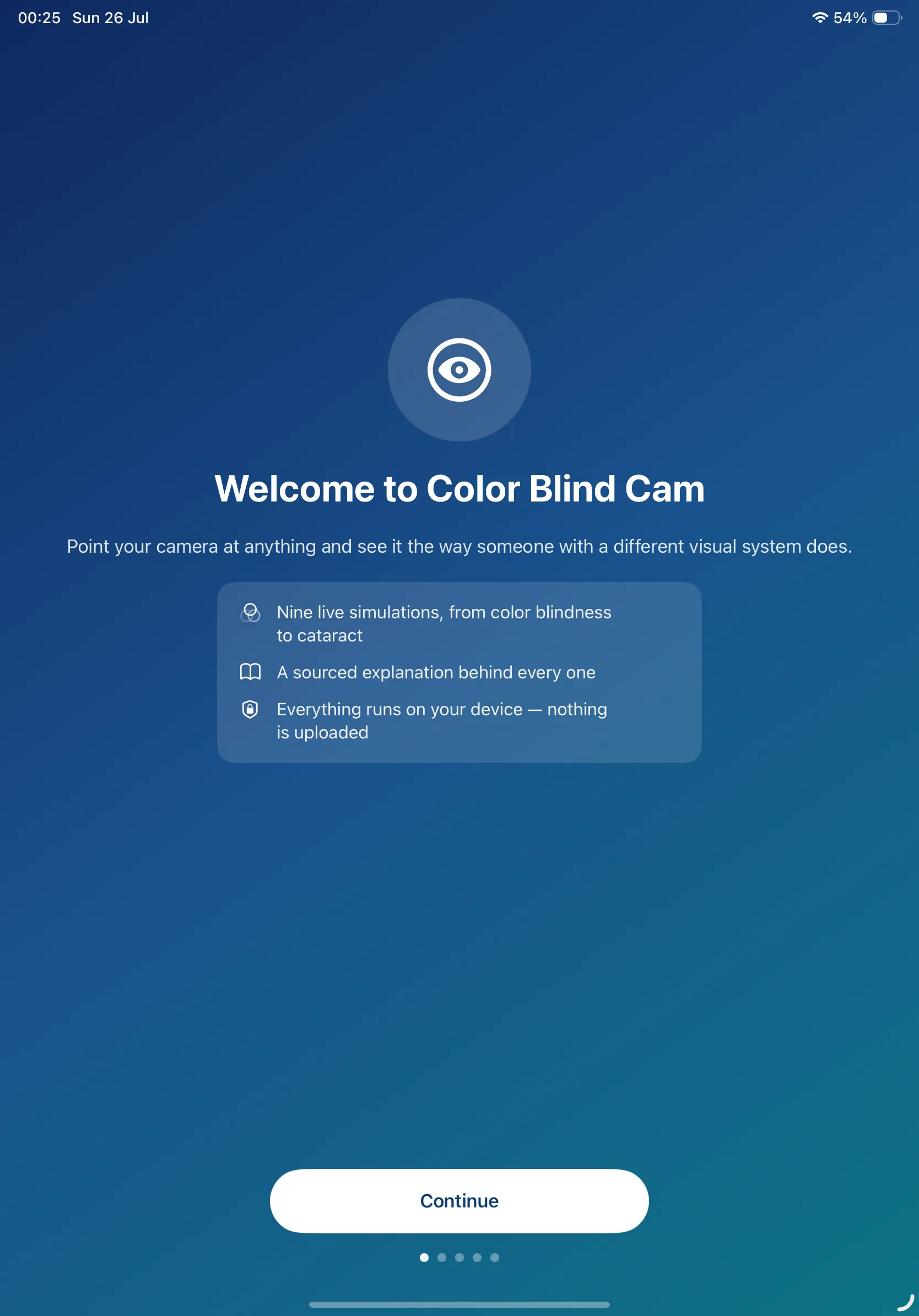
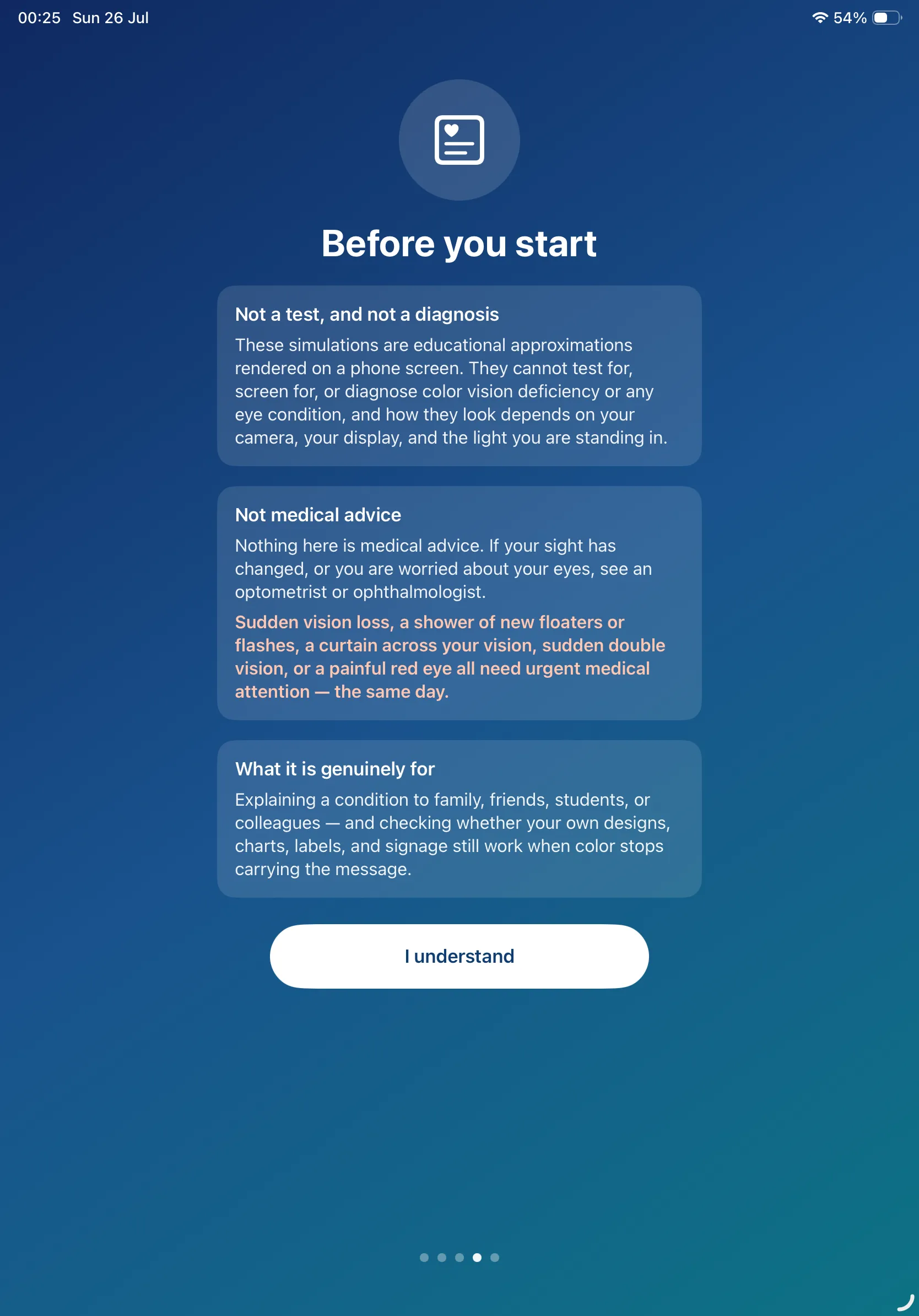
Color Blind Cam opens with a short introduction — and, before you reach the camera, a plain statement of what the app is and isn't:
On iPad
Color Blind Cam runs full-screen on iPad, with every one of the ten filters visible along the bottom at once:
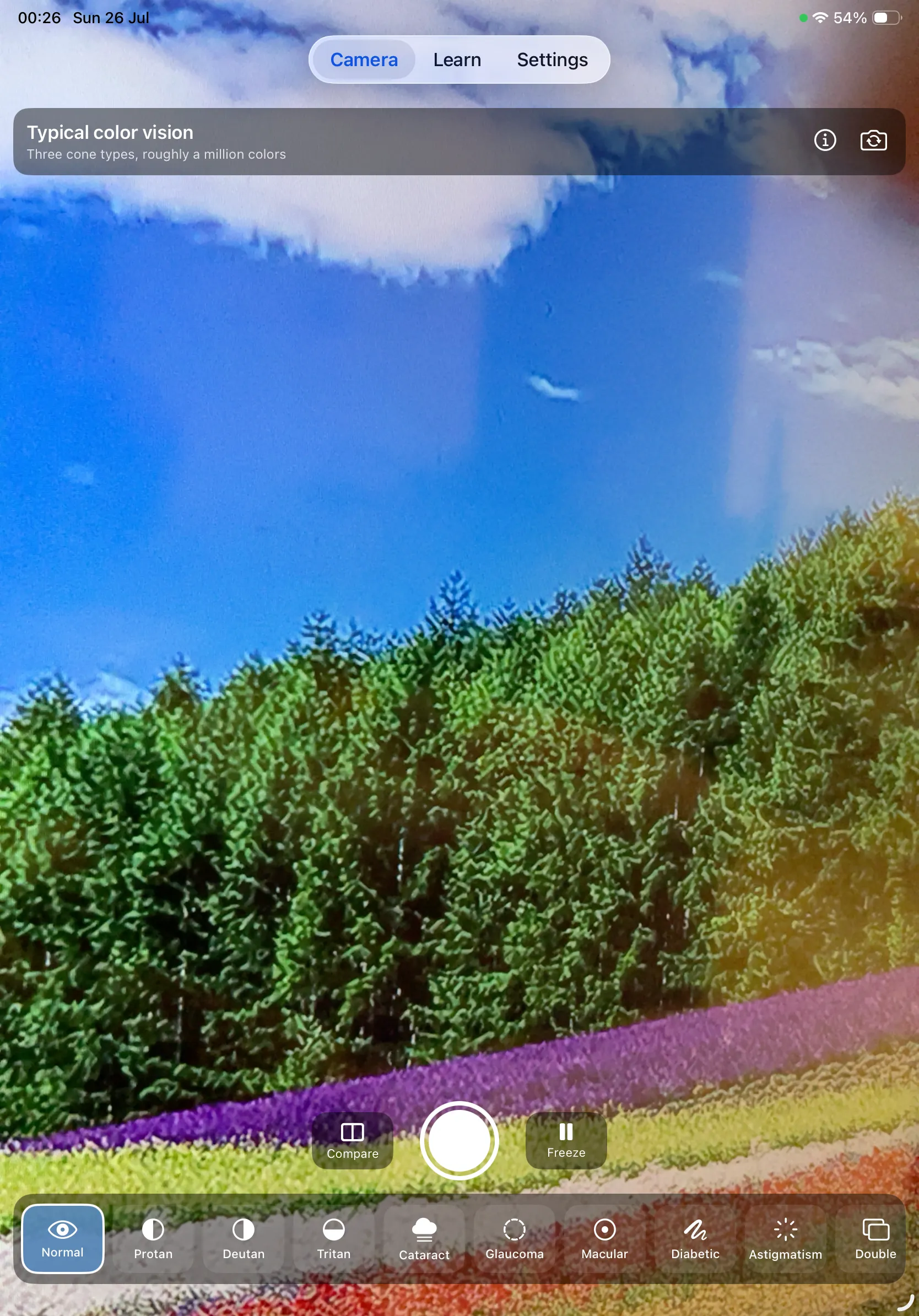
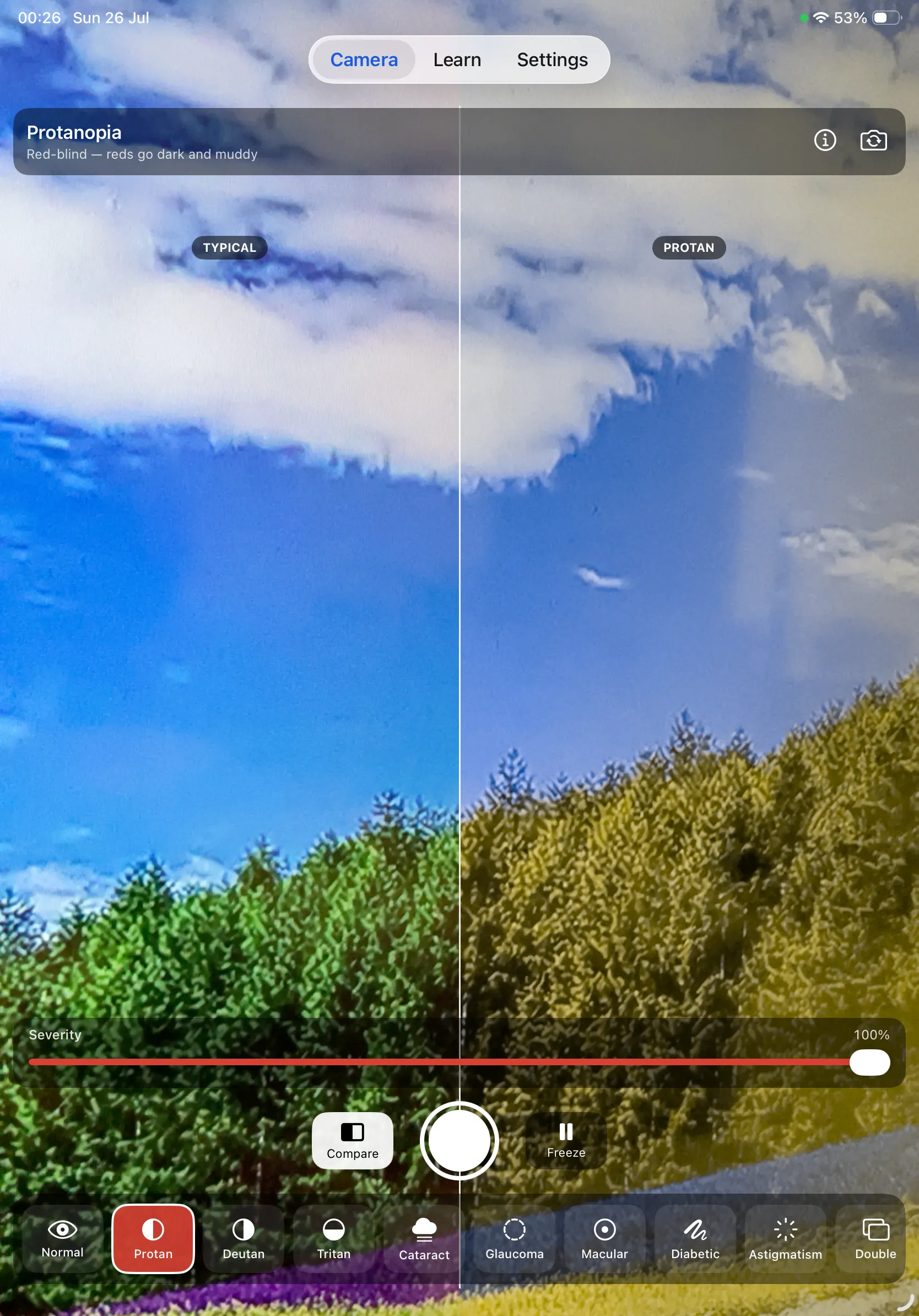
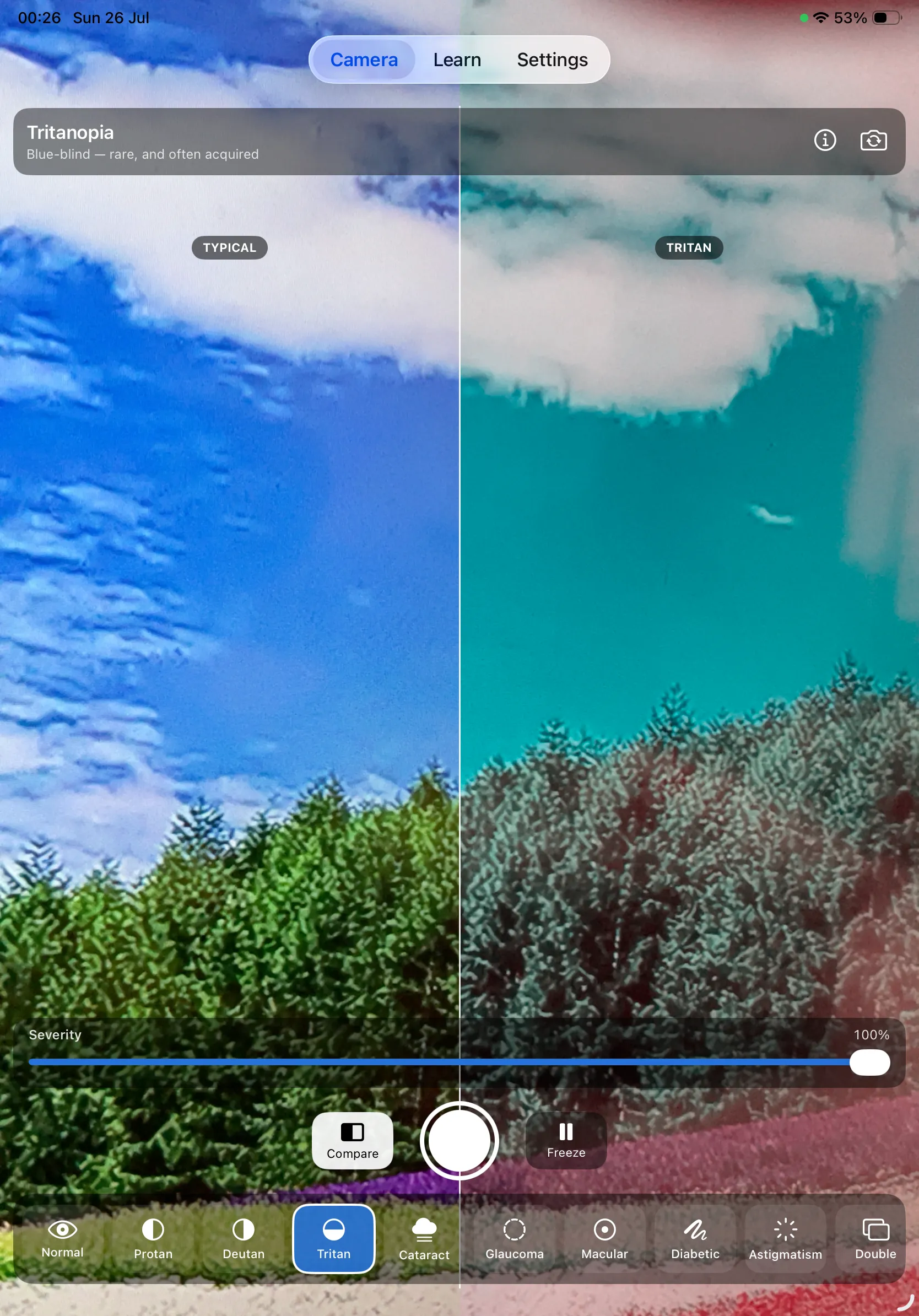
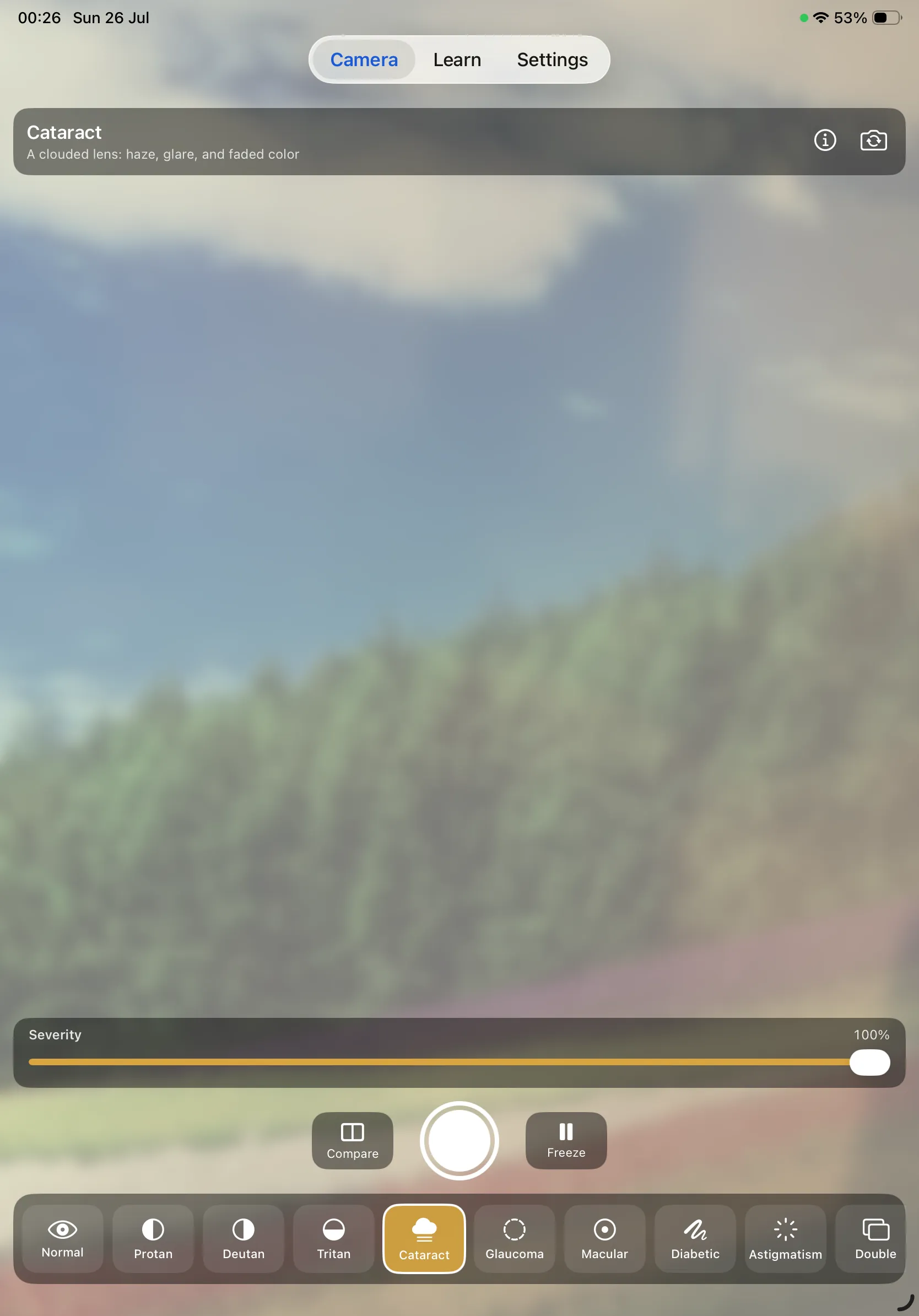
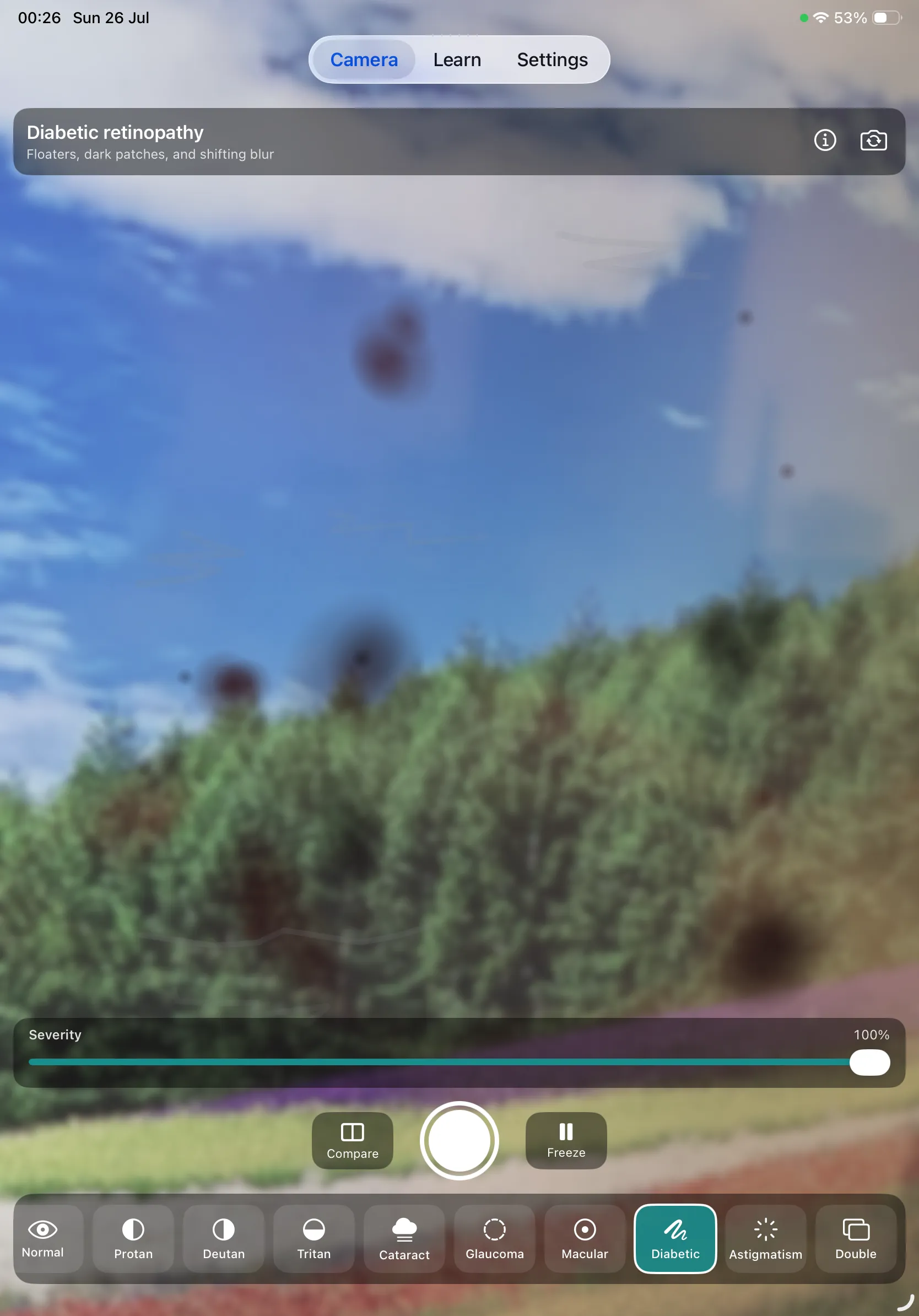
Note: the flower field seen through the camera in these screenshots is a stock photograph, displayed on a screen and filmed for preview purposes only — which is also why fine detail looks slightly moiré. Photo by Pixabay, via Pexels. In the app, the camera shows your own live view.
One Price, Everything Included
Color Blind Cam is a paid app. You buy it once from the App Store for US$3.99 and the whole app is yours — all ten filters at full severity, compare mode, freeze, the shutter, and every Learn page. There is nothing held back behind a second purchase and nothing to subscribe to.
- ✓ All ten simulations — the untouched baseline, protanopia, deuteranopia, tritanopia, cataract, glaucoma, macular degeneration, diabetic retinopathy, astigmatism, and double vision
- ✓ Severity control and side-by-side compare on every filter
- ✓ The complete Learn section — a sourced page for every condition, three standalone guides, and the full source index
- ✓ No advertising and no advertising SDK, no tracking, and no in-app purchases or subscriptions
Buy once, not a subscription. The app is tied to your Apple Account, so it can be re-downloaded at no extra cost on any device you own and shared through Family Sharing. There is nothing to renew and nothing to cancel.
Medical Disclaimer
Color Blind Cam is an educational and demonstration tool. It does not provide medical advice, diagnosis, or treatment, and it is not a medical device. It cannot test for, screen for, or diagnose colour vision deficiency or any eye condition, and nothing in it should be used to decide whether to seek, delay, or discontinue medical care. Always speak with a qualified clinician about your eyes.
Proper colour vision testing uses calibrated plates or arrangement tests under controlled lighting. A phone screen, a camera sensor, and ambient light make any at-home version unreliable — which is why this app deliberately does not offer one.
Get help the same day if vision is suddenly lost or dims, if a curtain or shadow moves across part of your field, if you suddenly see a shower of new floaters or flashes of light, if double vision starts suddenly (especially alongside headache, a drooping eyelid, weakness, numbness, confusion, or slurred speech), or if one eye becomes severely painful and red with haloes around lights and nausea. Any eye injury, chemical splash, or penetrating trauma also needs immediate care — rinse chemical splashes with plenty of water on the way.
About the simulations
What you see depends on your camera, your display, and the light around you. The simulations are approximations of a mechanism, not a reproduction of any individual's experience — every condition here varies between people, between the two eyes of the same person, and over time. The colour vision filters implement the Machado, Oliveira & Fernandes (2009) model in linear light; the six eye-condition filters are perceptual approximations built from how patients and clinical sources describe each one, and each condition page states exactly what its filter does and where the approximation breaks down.
About the education content
The Learn pages summarise publicly available information published by the NHS, the National Eye Institute (NIH), the American Academy of Ophthalmology, the World Health Organization, Colour Blind Awareness and the W3C Web Accessibility Initiative, plus one peer-reviewed simulation paper. Each page links to the sources it draws on. Color Blind Cam is not affiliated with, endorsed by, or sponsored by any of these organisations.
Privacy Policy
Last updated: July 2026
1. Introduction
This Privacy Policy describes how Color Blind Cam ("the App," "we," "our," or "us") handles information. The App provides live camera simulations of colour vision deficiency and several eye conditions, together with sourced educational content about them.
The short version: the App collects no personal data at all. Nothing you do in it is sent anywhere. This policy explains what the App asks permission for, and why.
2. Camera
The App requests camera access solely to display the live simulations. Every frame is processed on your device in real time using Core Image and Metal, and is never recorded, stored, or transmitted while you use the camera. No camera data is sent to us or to any third party. You can revoke camera access at any time in Settings → Privacy & Security → Camera.
3. Photos You Save
A photo is written to your photo library only when you tap the shutter yourself, and only after you grant permission. The App requests add-only access to the photo library, which lets it save the images you capture and does not let it read, browse, or open the photos already there. Saved images stay on your device unless you choose to share them.
4. No Account, No Personal Data
The App does not require an account or sign-in, and does not ask for your name, email address, or any other personal detail. Your chosen condition and severity settings, and whether you have seen the introduction, are stored locally on your device and are not sent anywhere.
5. No Advertising, No Tracking, No Analytics
Color Blind Cam contains no advertising and no advertising SDK. It does not track you, does not use the device advertising identifier, and does not show Apple's App Tracking Transparency prompt, because there is nothing to track. It contains no analytics or crash-reporting SDK and no third-party SDKs of any kind, and it does not build a profile of you or share information with anyone for advertising or measurement.
The App does not collect or transmit personal data. It makes no network requests of its own; the only network activity is the web links in the Learn and Sources pages, which open in your browser when you tap them and are then governed by those websites' own privacy policies.
6. Purchases
Color Blind Cam is a one-time paid app bought from the App Store. It contains no in-app purchases and no subscriptions. Payment is handled entirely by Apple — we never see or store your payment details, and the App itself holds no purchase or billing information.
7. Children's Privacy
The App is not directed at children under 13. It collects no personal information from anyone, children included.
8. Changes to This Privacy Policy
We may update this Privacy Policy periodically. Any updates will be reflected on this page with a new "Last Updated" date.
9. Contact Us
If you have any questions or concerns about this Privacy Policy, please contact:
Support
Need help with Color Blind Cam? We're here to assist you.
For any questions, feedback, or support requests, please reach out to us at:
Email: contactscienceaplus@gmail.com
Please note that we cannot answer medical questions or interpret what you see through the app. For anything about your own vision, diagnosis or treatment, speak with an optometrist or ophthalmologist.