About Invoices & Receipts
Invoices & Receipts turns your iPhone or iPad into a complete, pocket-sized billing studio. Set up your business once — logo, contact details and bank information — then build clean, professional invoices and receipts in seconds, straight from a reusable catalogue of your products and services.
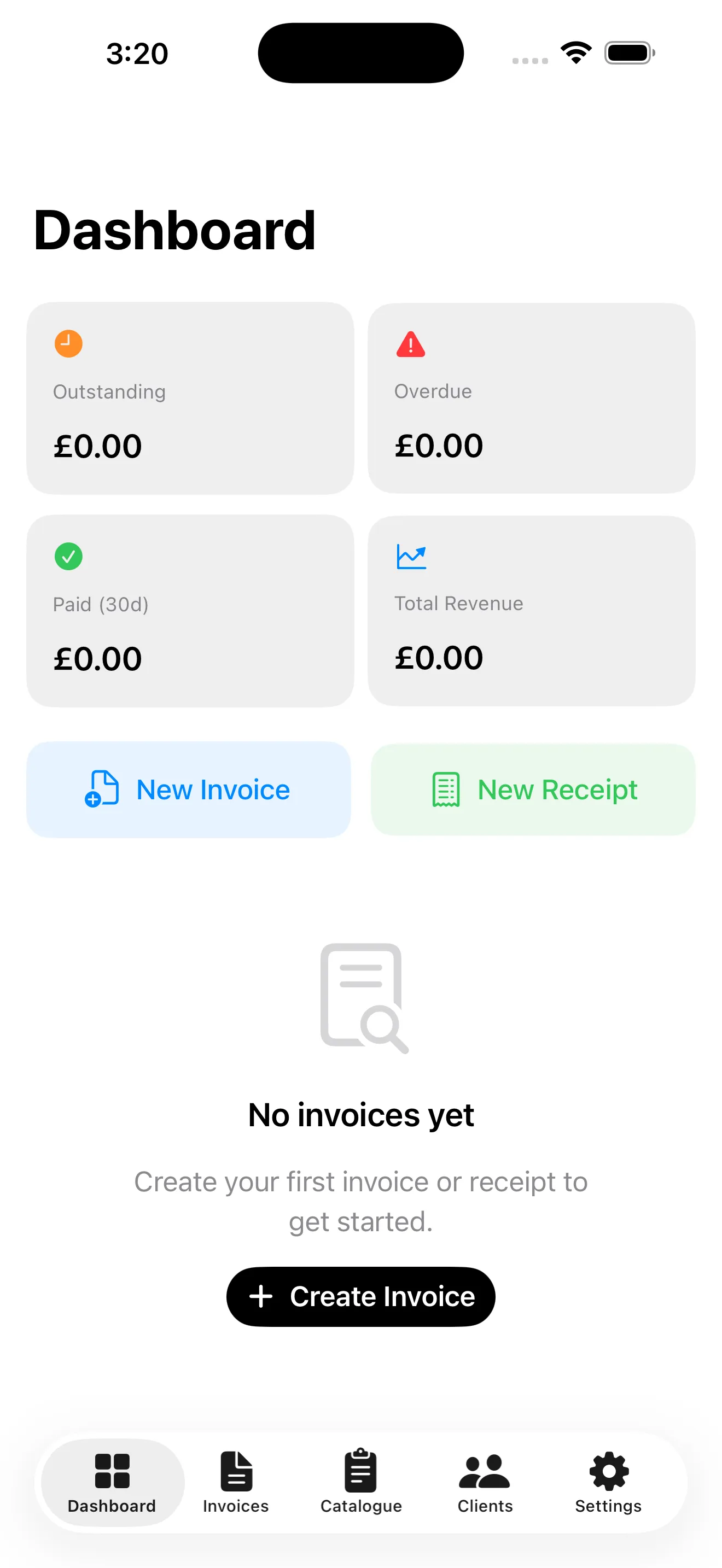
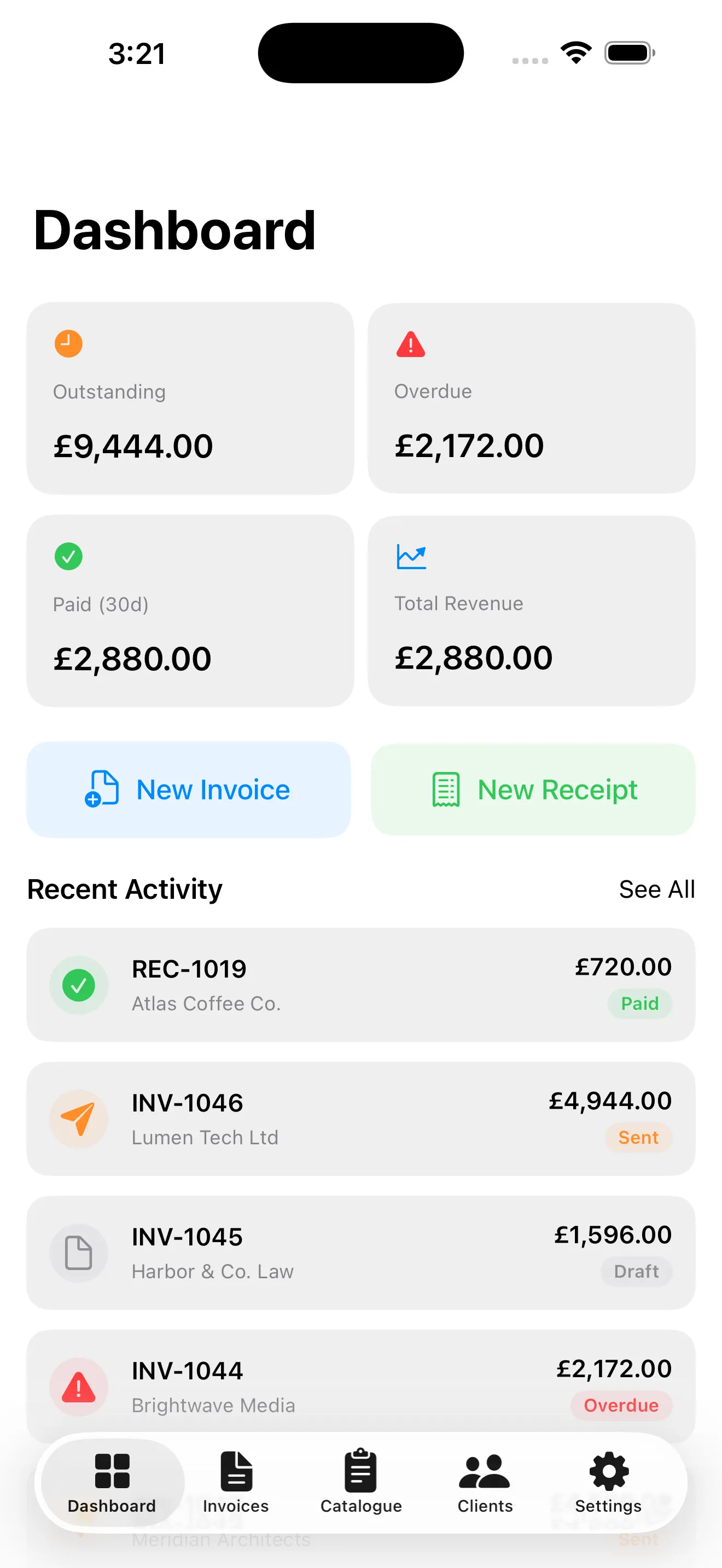
A live Dashboard shows exactly where your money is: what's outstanding, what's overdue, what you've been paid in the last 30 days and your total revenue. Every document tracks its own status — Draft, Sent, Paid, Overdue or Cancelled — so nothing slips through the cracks.
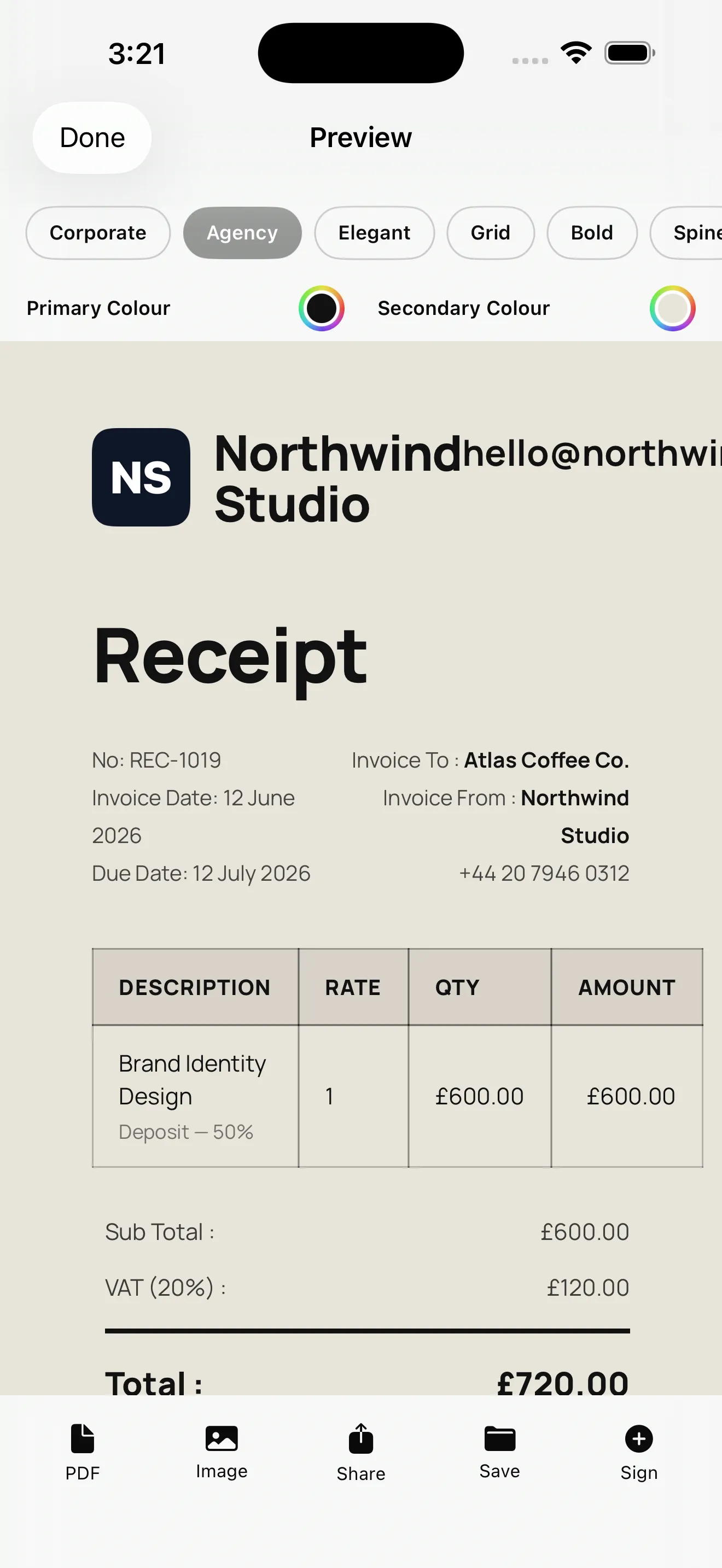
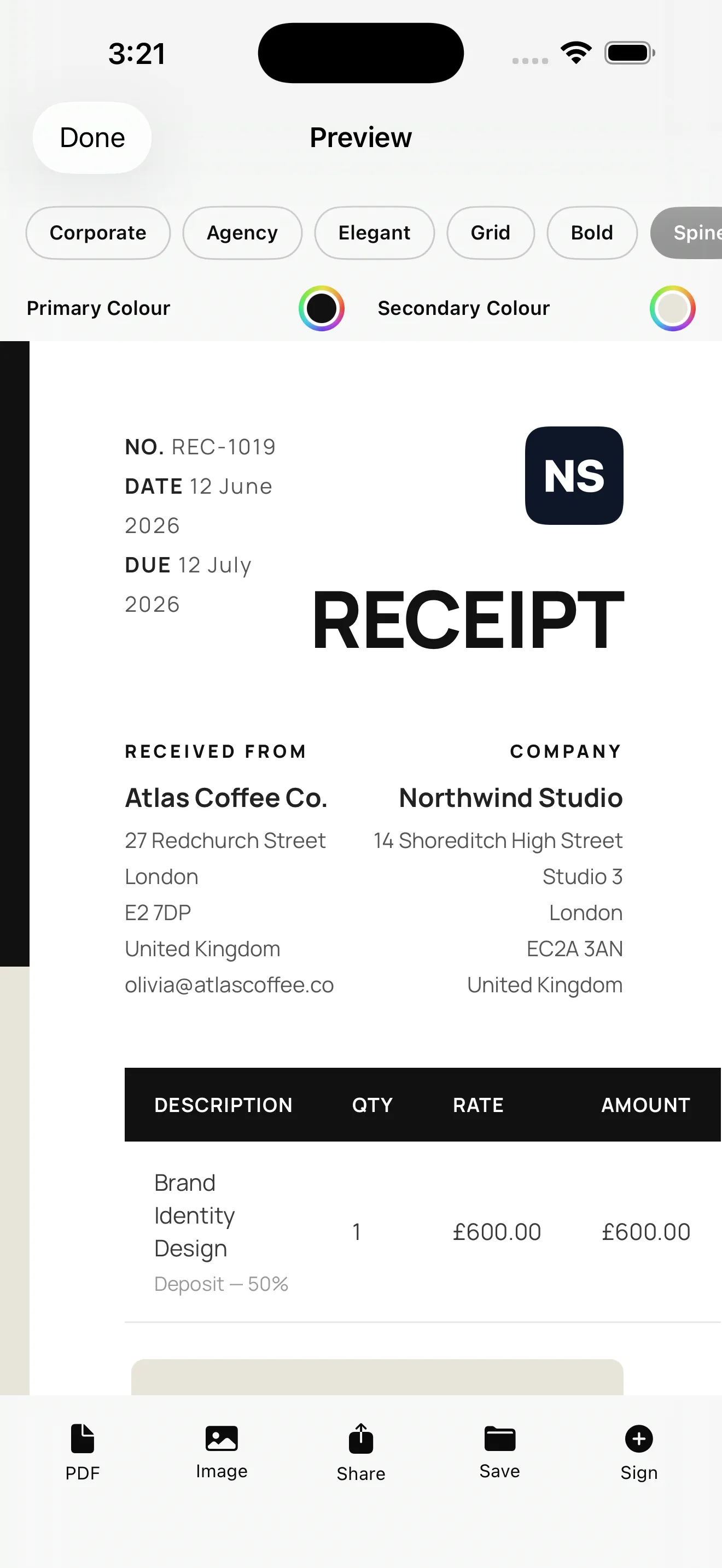
🎨 Designed to impress: Preview any document across six designer templates — Corporate, Agency, Elegant, Grid, Bold and Spine — tune your own primary and secondary brand colours, add a signature, then export a crisp PDF or image to share by email, message or anywhere else.
Built for freelancers, contractors, agencies and small businesses, the app works beautifully on iPhone and adapts to a full sidebar layout on iPad. It's free to use with ads, and a single Pro upgrade removes all ads, unlocks every premium template and custom colour, and lifts all limits on invoices, receipts, clients and catalogue items.
How It Works
From a blank slate to a sent invoice in under a minute:
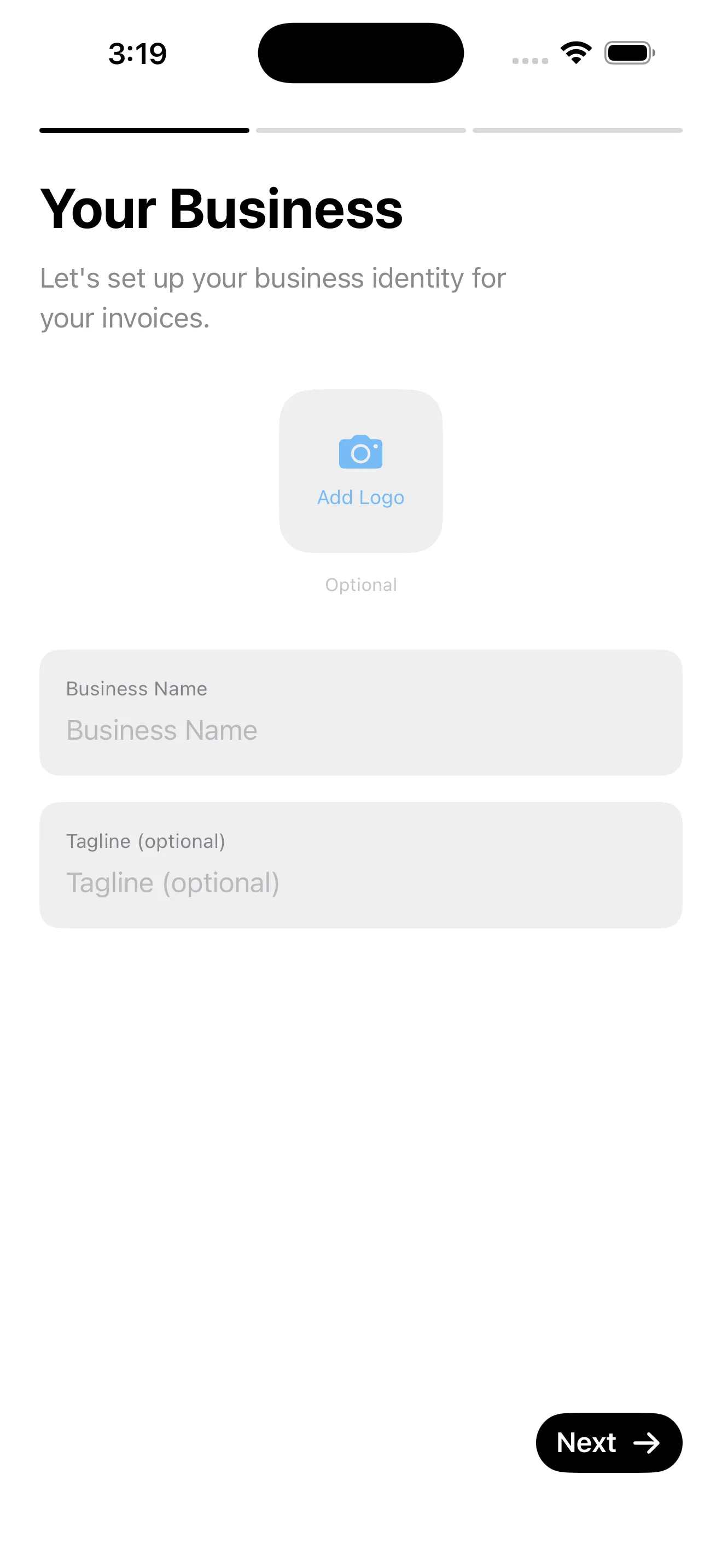
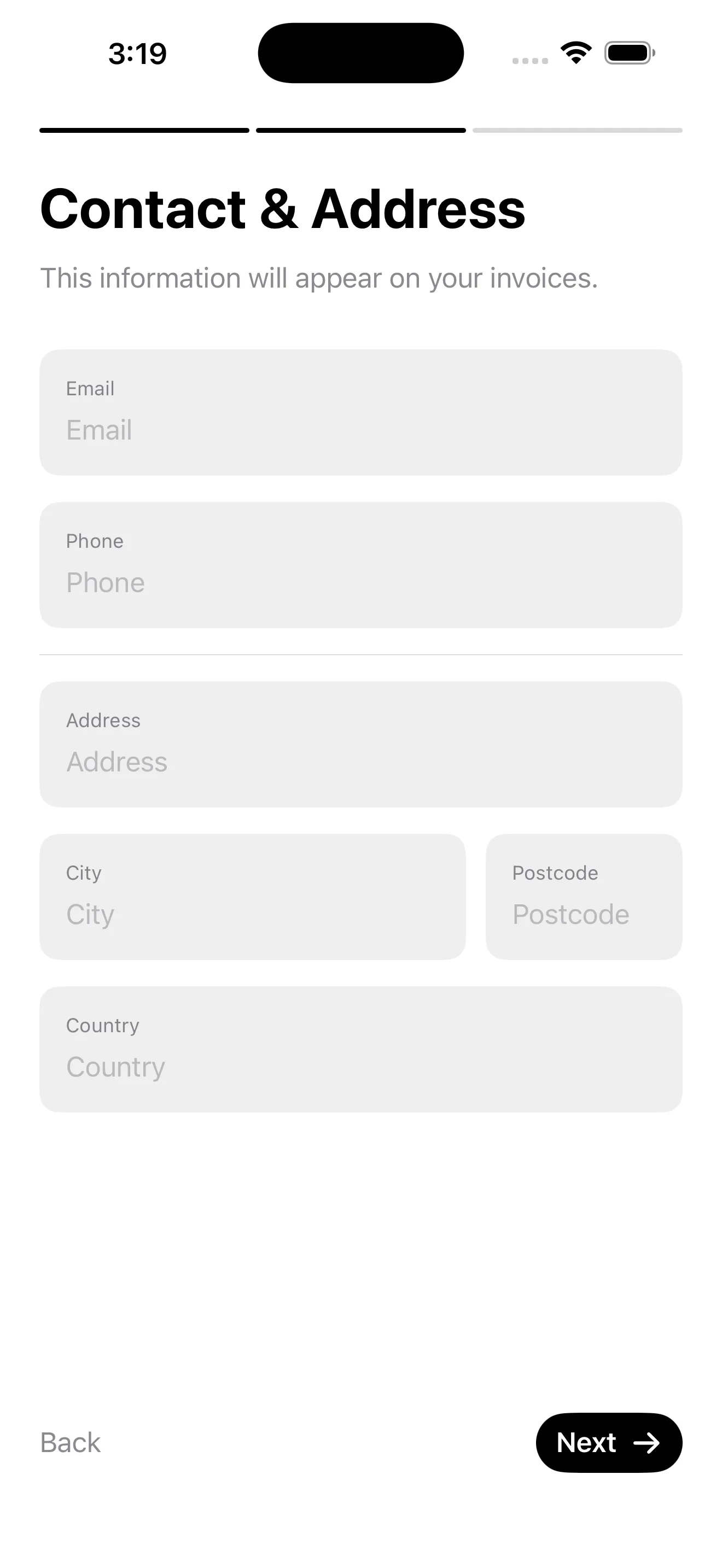
Set Up Your Business
Add your logo, business name, contact details and bank information once during onboarding — it flows onto every invoice and receipt automatically.
Add Clients & Catalogue Items
Save your clients and build a catalogue of reusable services and products with set prices — per hour, per project or per page — so line items are one tap away.
Create an Invoice or Receipt
Pick a client, drop in catalogue items, and the app calculates subtotals, VAT and totals for you. Set issue and due dates, add notes, and choose your currency.
Preview, Export & Get Paid
Choose a template, set your brand colours, sign it, then export a PDF or image and share it. Mark it Sent, then Paid — and watch your dashboard update in real time.
Features
🧾 Invoices & Receipts
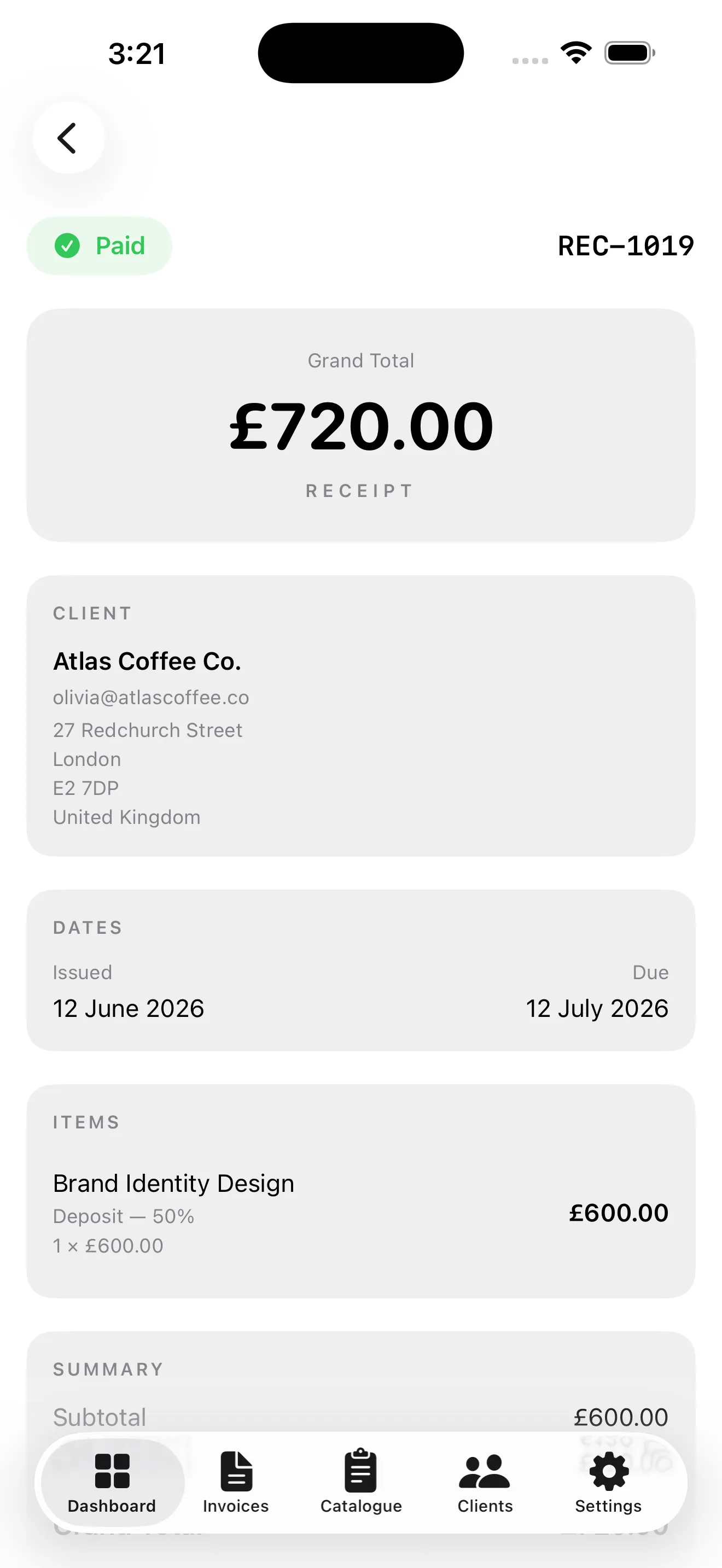
Create both invoices and receipts with automatic numbering, issue and due dates, notes, taxes and running totals — all in one place.
📊 Live Dashboard
See Outstanding, Overdue, Paid (30d) and Total Revenue at a glance, plus a Recent Activity feed of your latest documents and their status.
🎨 Six Designer Templates
Switch instantly between Corporate, Agency, Elegant, Grid, Bold and Spine layouts to find the look that fits your brand.
🖌️ Custom Brand Colours
Set your own primary and secondary colours so every document matches your identity — not a generic template.
📇 Clients & Catalogue
Store clients with colour-coded avatars and invoice counts, and keep a searchable catalogue of favourite, categorised line items.
✍️ Signature & Export
Add a signature, then export as PDF or image, share, or save — ready to send by email or message in seconds.
💷 Currency, VAT & Terms
Set your default currency, tax rate, payment terms, invoice prefix and next number, plus full bank details for payment.
📱 iPhone & iPad
A tab-bar layout on iPhone and a full sidebar on iPad, with a System, Light or Dark app theme to match your device.
Track Every Stage
Every invoice and receipt carries a clear status you can filter and sort:
Perfect For
- Freelancers & Contractors — bill clients by the hour, project or page and get paid faster with polished PDFs.
- Agencies & Studios — brand every document with custom colours, a logo and your choice of premium template.
- Small Businesses & Shops — issue receipts on the spot and keep a clean record of every sale.
- Anyone Who Invoices — track outstanding and overdue balances so you always know who owes what.
Screenshots
Take a tour of Invoices & Receipts — tap any screenshot to view it full size:
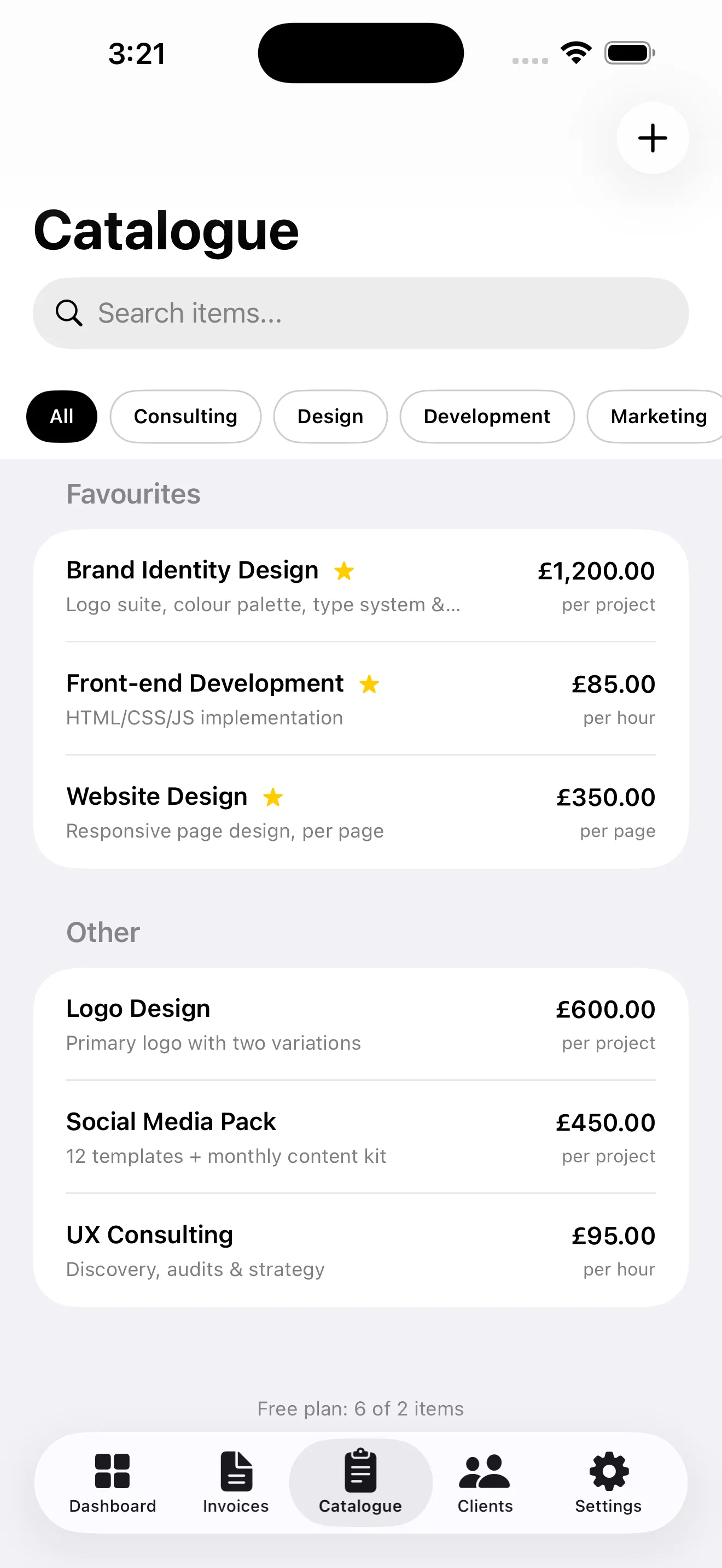
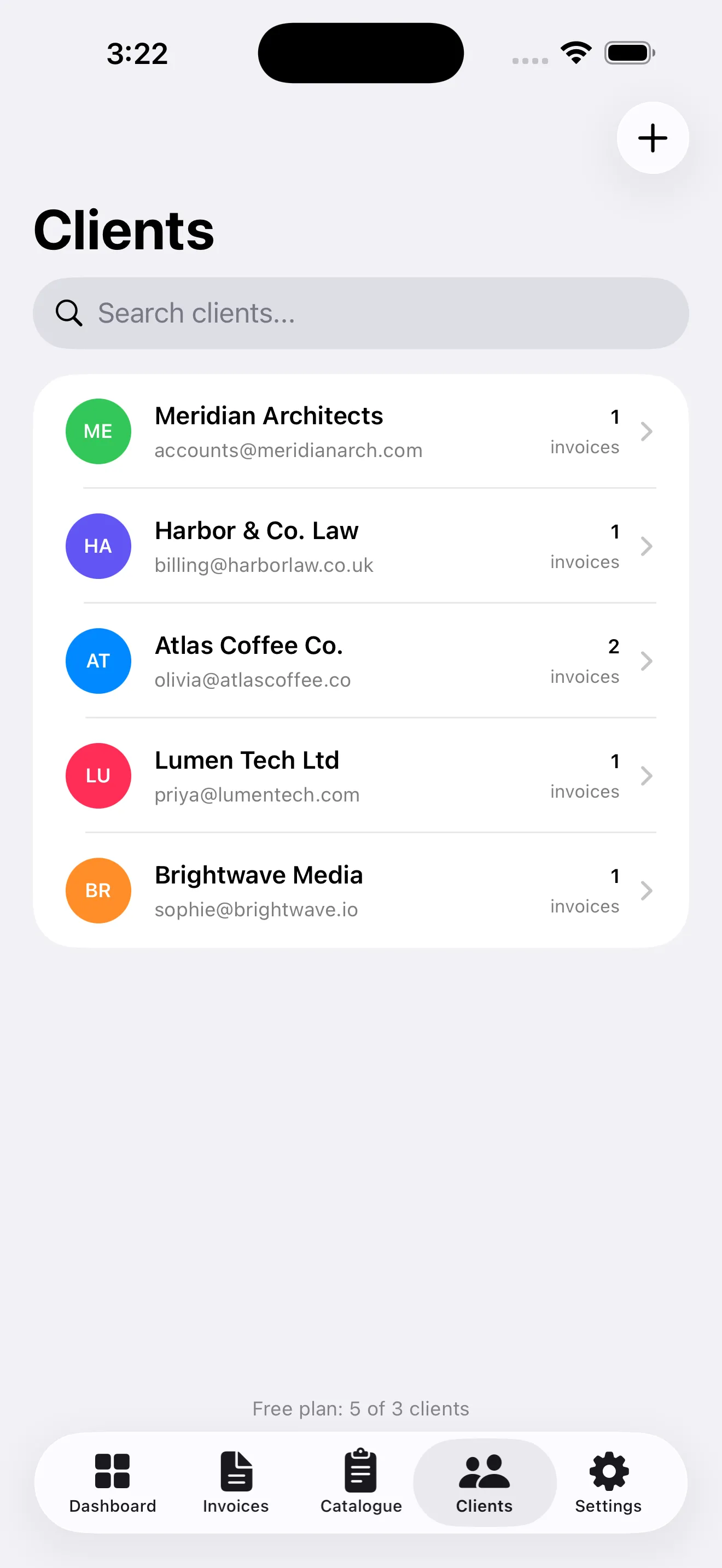
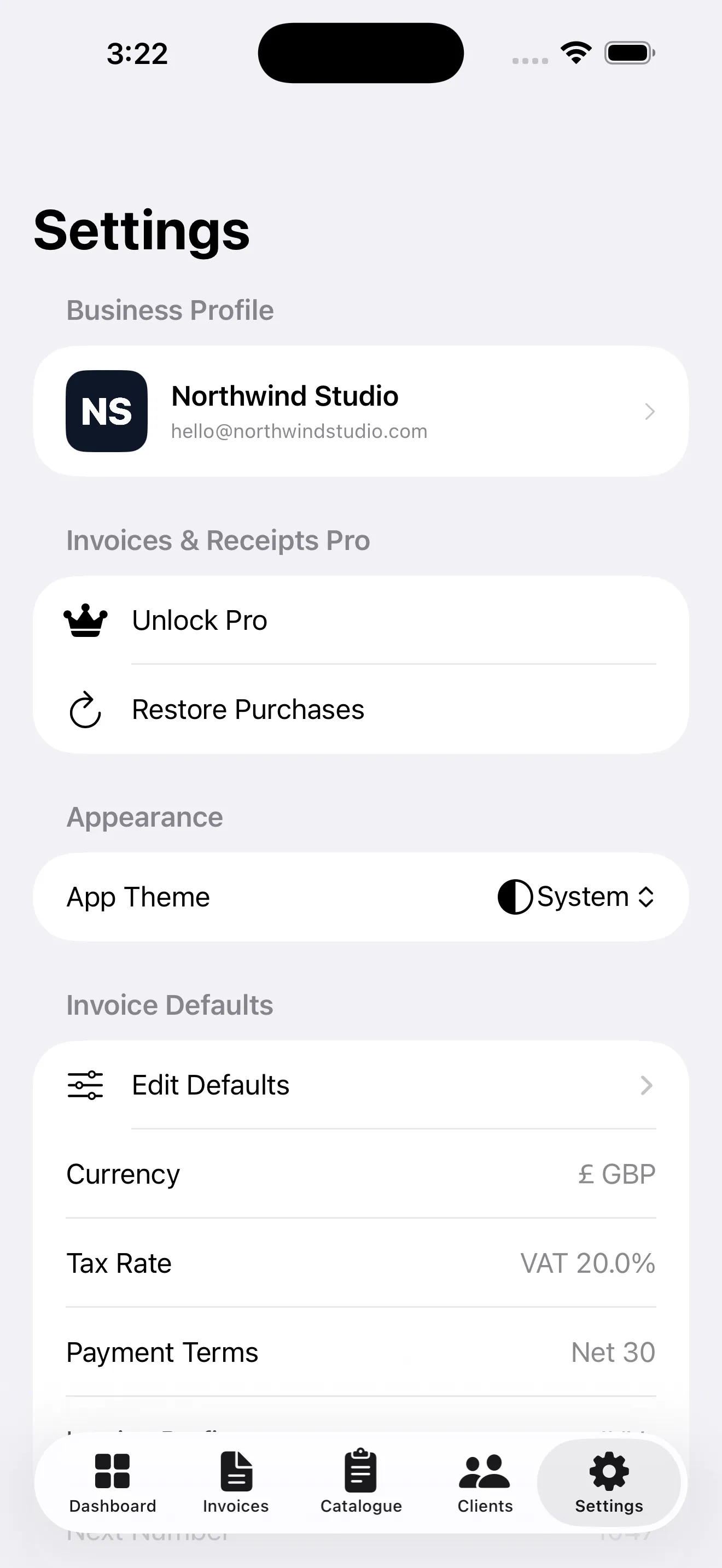
Invoices & Receipts Pro
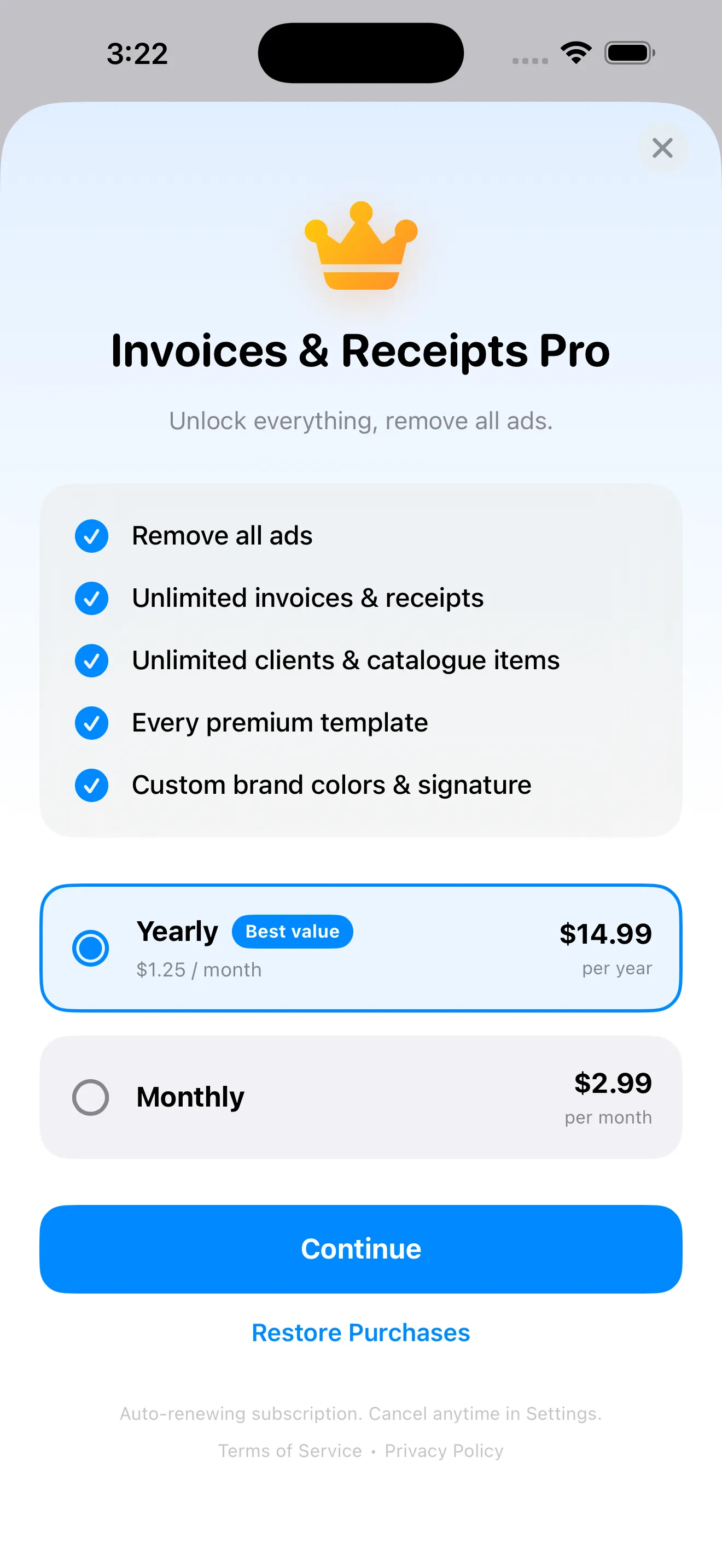
Invoices & Receipts is free to download and use, supported by Google AdMob ads. Upgrade to Pro to unlock everything, remove all ads and lift every limit. It's an auto-renewing subscription you can cancel anytime, and it applies to your Apple Account across the devices you sign in to.
- ✓ Remove all ads — a clean, distraction-free billing workspace
- ✓ Unlimited invoices & receipts — no cap on how much you bill
- ✓ Unlimited clients & catalogue items — grow your business without limits
- ✓ Every premium template — all six designer layouts unlocked
- ✓ Custom brand colours & signature — make every document unmistakably yours
Auto-renewing subscription. Cancel anytime in your Apple Account settings. Already subscribed on another device? Tap Restore Purchases on the Pro screen to unlock everything instantly. The free version stays fully functional within its limits.
Privacy Policy
Last updated: July 2026
1. Introduction
This Privacy Policy describes how Invoices & Receipts ("the App," "we," "our," or "us") handles information. The App helps you create, manage and export invoices and receipts on your iPhone and iPad.
We respect your privacy. This policy explains what data the App and its service providers process, and what stays on your device.
2. Your Business & Billing Data Stays on Your Device
The business details, clients, catalogue items, invoices and receipts you create are stored locally on your device.
- Your invoices, receipts, client records and business profile are not transmitted to us and we do not have access to them.
- Any logo or signature you add is saved only on your device and used solely to generate your documents.
- The App does not require an account or registration to use its core features.
3. Advertising
The free version of Invoices & Receipts displays ads through Google AdMob. To serve ads, AdMob may collect and process certain information, such as a device advertising identifier, general device and usage data, and approximate location derived from your IP address.
You can review Google's practices here: Google Ads & Privacy. Upgrading to Pro removes all ads.
4. App Tracking Transparency
Where required, the App asks for your permission via Apple's App Tracking Transparency prompt before any data is used to deliver personalized ads. If you decline, ads remain non-personalized. You can change this choice any time in Settings → Privacy & Security → Tracking.
5. Subscriptions & In-App Purchases
The Pro subscription is processed by Apple through the App Store. We do not receive or store your payment details. Purchase validation, renewal and restoration are handled by Apple's StoreKit. Subscriptions renew automatically unless cancelled at least 24 hours before the end of the current period, and can be managed or cancelled in your Apple Account settings.
6. Sharing Documents
When you export or share an invoice or receipt (as a PDF or image), you choose where it goes using the standard iOS share sheet. Any data in those documents is shared at your direction, to the recipients and services you select.
7. Children's Privacy
The App is not directed at children under 13 and does not knowingly collect personal information from them. The advertising described above is provided by third parties subject to their own policies.
8. Changes to This Privacy Policy
We may update this Privacy Policy periodically. Any updates will be reflected on this page with a new "Last Updated" date.
9. Contact Us
If you have any questions or concerns about this Privacy Policy, please contact:
Support
Need help with Invoices & Receipts? We're here to assist you.
For any questions, feedback, or support requests, please reach out to us at: