About Remember my sessions
If you live in Claude Code, you already know the problem: every meaningful conversation produces a claude --resume <uuid> command, and within a week you have a dozen of them scattered across terminal scrollback, sticky notes, and three different note apps. Switch Macs and the whole map disappears.
Remember my sessions is a tiny, privacy-first macOS utility that gives those resume IDs a proper home. Drop in a session, give it a name and a colour tag, paste the working directory, and write notes about where you left off and what to do next time. Everything stays on your Mac — nothing is uploaded to any server we run, because we don’t run any.
It works just as well for any other CLI session ID, build run, or shell command you want to remember — SSH hosts, tmux sessions, long-running training jobs, anything you’d otherwise lose to history.
Three keystrokes to a saved session: ⌘N to add, ⌘V to paste the resume command, ⌘S — nothing, it autosaves. Hit ⌘C on any session to copy its claude --resume line straight to your clipboard.
Features
A Real List, Not Scrollback
Every session you save shows up as a sidebar row with a title and a truncated preview of the full claude --resume command, so you can scan a dozen at a glance.
Nine-Colour Tagging
Blue, green, orange, red, purple, pink, yellow, teal, gray. Use the colours however you like — per project, per priority, per status. The dot stays visible everywhere.
One-Click Copy & Paste
The Resume Link panel has a giant Copy button (sends the full command to your clipboard) and a Paste button that grabs whatever’s on your clipboard and drops it in.
Optional Working Directory
Pin a session to a folder with the file picker or paste a path from clipboard — so you can open a Terminal in the right place before resuming.
Free-Form Notes
A roomy notes field for progress logs, follow-up checklists, blockers, design decisions — whatever future-you will need to pick the thread back up.
Modified Timestamps
Every session shows when you last touched its notes, so the freshest work is easy to spot and stale sessions are easy to retire.
iCloud Sync
CloudKit-backed sync across every Mac signed in to the same Apple ID — same sessions, same notes, same colours, end-to-end inside your private Apple container.
Privacy by Default
No accounts, no analytics, no crash SDK, no ads, no third-party network calls. The only outbound traffic is your own iCloud container, when iCloud is signed in.
Nine Colours, Your System
Remember my sessions ships with nine carefully picked tag colours. There’s no built-in meaning — pick a system that fits how you work. Common patterns:
Suggested systems
- By project — one colour per repo. Green for the main app, purple for the side project, blue for client work.
- By status — green = ready to resume, orange = waiting on me, red = blocked, gray = archived.
- By type of session — blue for feature work, teal for refactors, pink for spikes, yellow for code review.
- By priority — red = drop everything, orange = this week, gray = whenever.
Screenshots
A NavigationSplitView, a sidebar full of sessions, and a detail view that’s mostly the things you actually need: the resume command, the path, and the notes.
macOS 14.0+
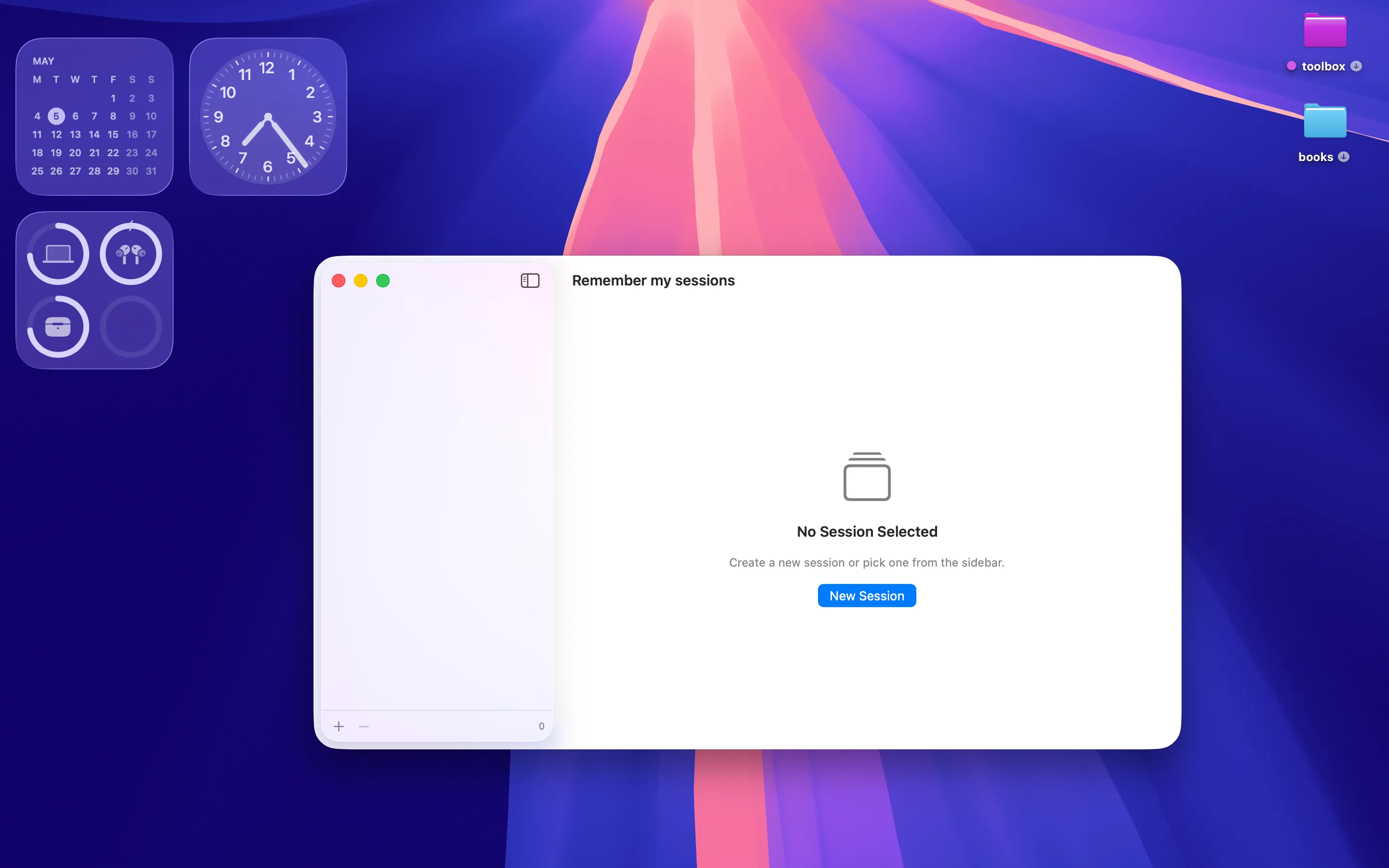
Empty state — one click to your first session
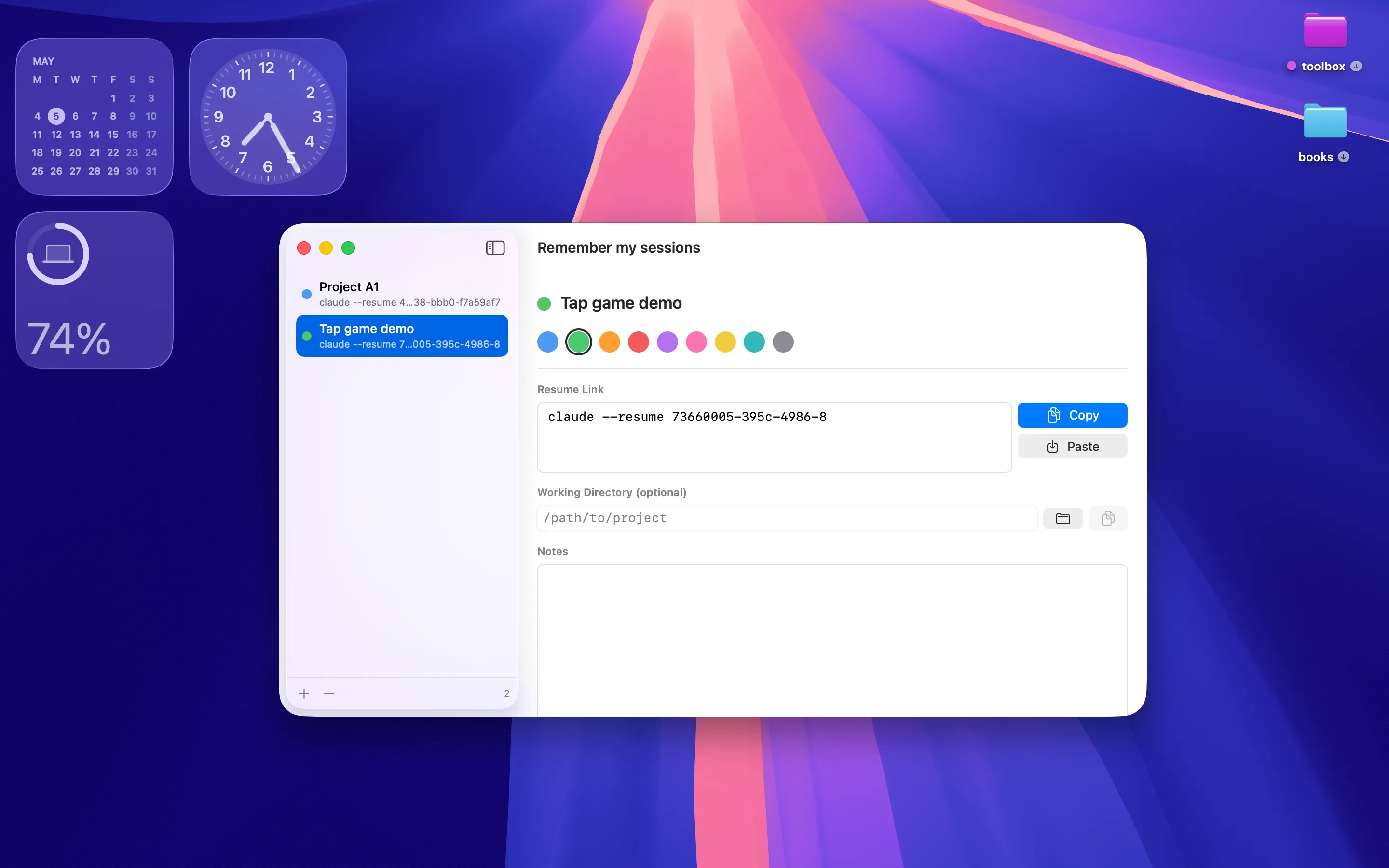
Pick a colour, paste a resume command, done
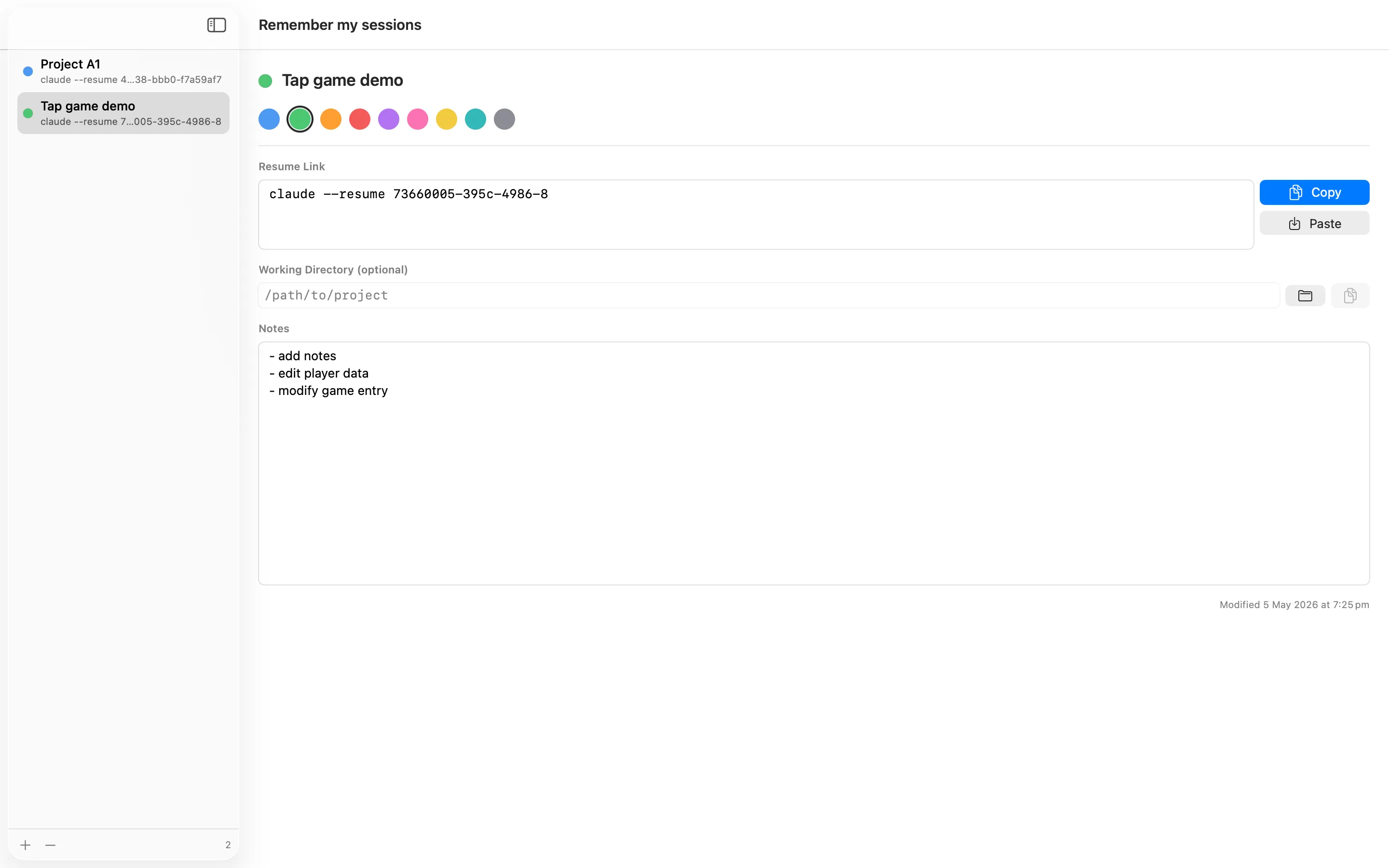
Notes that survive the next reboot
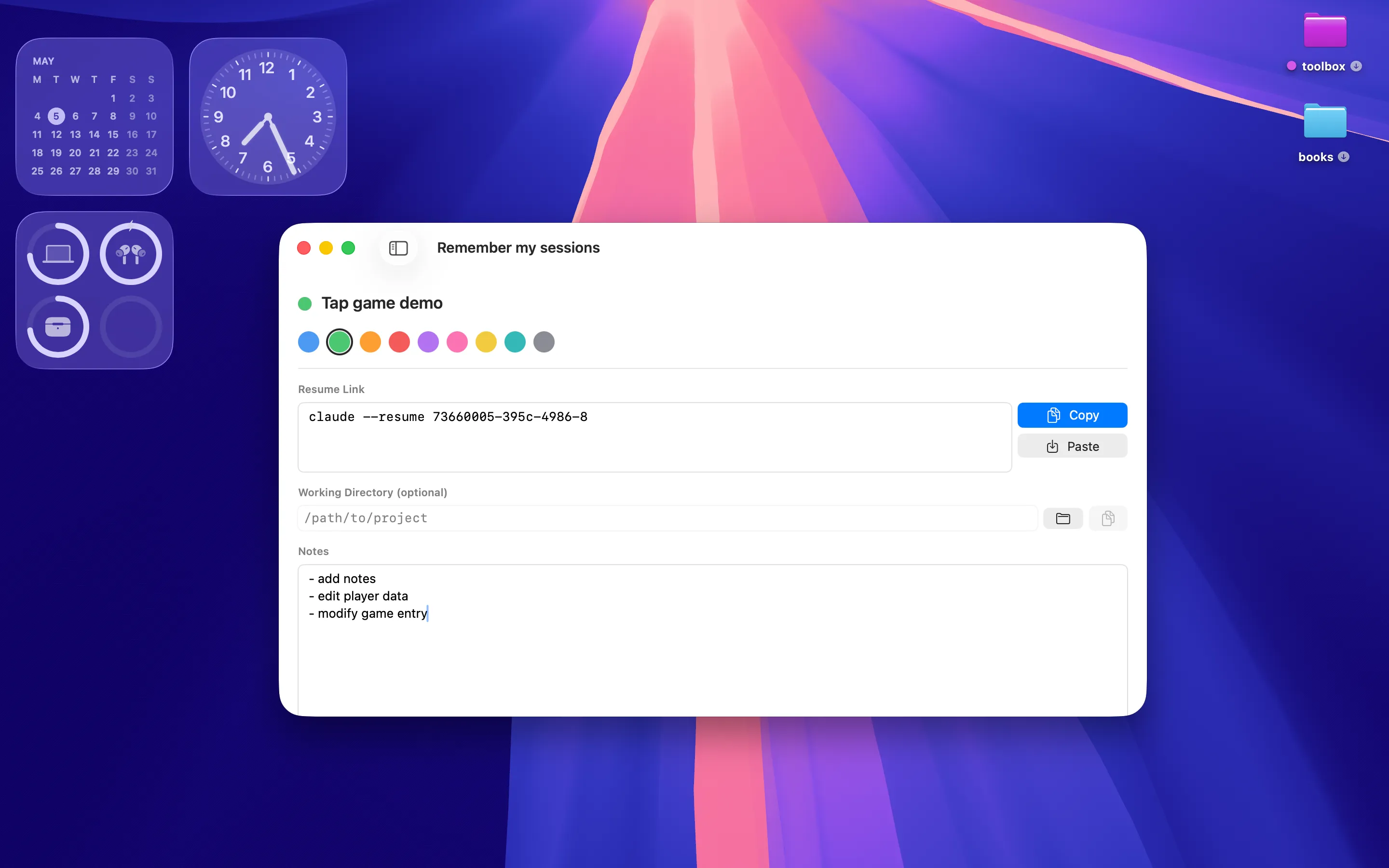
Collapse the sidebar — just you and the notes
Privacy Policy
Last updated: May 2026
1. Introduction
This Privacy Policy describes how Remember my sessions ("the App," "we," "our," or "us") handles information. The App is a macOS utility that stores Claude Code session resume IDs, working-directory paths, colour tags, and notes locally on your Mac.
We respect your privacy. This policy explains what the App does and does not do with information on your device.
2. Information We Collect
We do not collect any personally identifiable information. Remember my sessions does not require an account, does not ask for your name or email, and does not transmit any data to servers operated by us — we don’t run any.
- No sign-in, account, or registration.
- No analytics or crash reporting SDKs.
- No advertising SDKs of any kind.
- No location, contacts, microphone, camera, or full-disk access.
- Session data (titles, resume IDs, working directories, notes, colour tags, timestamps) is stored locally in the App’s sandboxed container.
- If you choose a working directory through the file picker, macOS grants the App a security-scoped bookmark to that folder so it can be remembered between launches.
3. iCloud Sync (Optional)
Your session library can be synced across your Macs using Apple’s CloudKit in your private iCloud container. Your data resides in your iCloud account and is governed by Apple’s privacy policy. We have no access to the contents of your container.
iCloud sync is enabled automatically when the macOS user is signed in to iCloud with iCloud Drive enabled. You can stop syncing at any time by signing out of iCloud or disabling Remember my sessions in System Settings → Apple ID → iCloud Drive → Apps Syncing to iCloud Drive.
4. App Store Purchase
Remember my sessions is a paid app sold through the Mac App Store. The purchase is processed entirely by Apple. We do not see your payment details. There are no in-app purchases, no subscriptions, and no recurring charges.
5. Clipboard Access
Remember my sessions reads from the system clipboard only when you tap the Paste button next to the Resume Link or Working Directory fields. Clipboard contents are never read in the background and never leave your Mac.
6. Network Activity
The App makes no network requests of its own. The only outbound network traffic comes from Apple system frameworks: CloudKit (your private iCloud container, when iCloud is signed in). We do not communicate with any third-party servers.
7. Data Sharing
We do not sell, rent, or otherwise share user data — we don’t have any to share. There are no third-party SDKs in Remember my sessions.
8. Children’s Privacy
The App is suitable for users of all ages and is not directed at children under 13. We do not knowingly collect personal information from children.
9. Changes to This Privacy Policy
We may update this Privacy Policy periodically. Any updates will be reflected on this page with a new "Last Updated" date.
10. Contact Us
If you have any questions or concerns about this Privacy Policy, please contact:
Terms of Use
Remember my sessions is provided as a productivity utility for personal and professional use. The App stores text and folder bookmarks you provide; it does not validate, execute, or verify the contents of any saved resume command. By installing the App you agree to Apple’s standard Licensed Application End User License Agreement, which governs all App Store apps.
Remember my sessions is a one-time paid app sold through the Mac App Store and tied to your Apple ID. There are no subscriptions and no in-app purchases. Refund requests are handled by Apple under their standard refund policy.
Claude and Claude Code are trademarks of Anthropic. Remember my sessions is not affiliated with, endorsed by, or sponsored by Anthropic. The App is a personal organiser for resume IDs you generate yourself; it does not contact, integrate with, or transmit data to any Anthropic service.