About Mark My Route
Mark My Route turns your iPhone into a simple GPS breadcrumb trail. Tap Start Tracking and your path is drawn live on the map as you walk, run, cycle or drive — no route planning, no directions, just an accurate record of exactly where you went.
When you're done, your route is saved with its distance, duration, average speed and every GPS point along the way, so you can open it later, see the start and end pins on the map, and retrace your steps with confidence.
📍 Built on live location tracking: Mark My Route uses your iPhone's GPS continuously while a recording is running — including in the background when your screen locks — so the trail never breaks. Your route data is stored on your device.
It's ideal for hikers marking a trail back to the car, dog walkers exploring a new neighbourhood, cyclists logging a ride or anyone who's ever wanted to find their way back to somewhere they can't quite describe. The app is free to use with ads, and a single one-time Pro purchase removes all ads and lifts the limit on saved routes.
How It Works
From tapping Start to a route you can revisit any time:
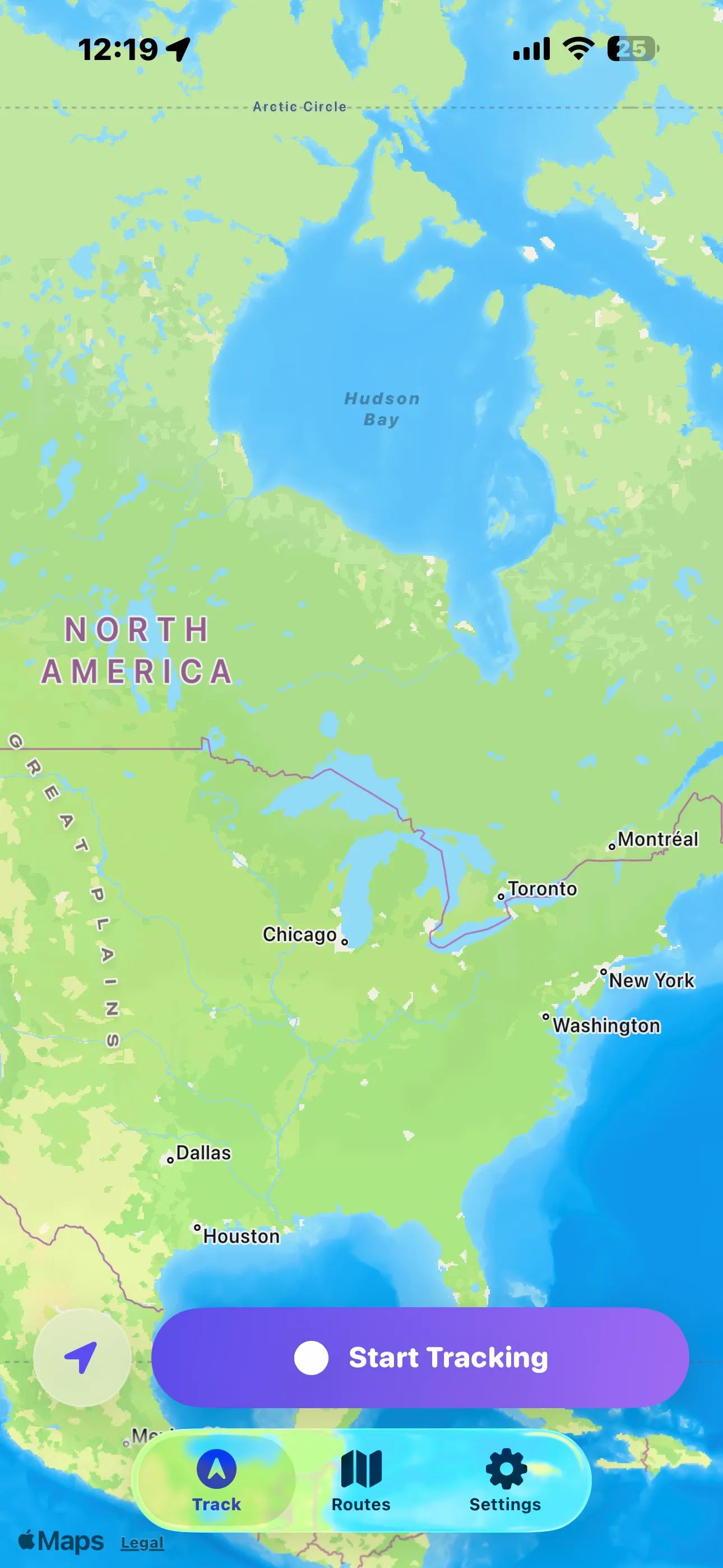
Open the Track Tab
See your current location on the map and tap Start Tracking to begin recording — allow location access when prompted so the app can follow you.
Go — Walk, Run, Cycle or Drive
Mark My Route plots your path live as a line on the map, continuing to record in the background even if the screen locks or you switch apps.
Stop & Save
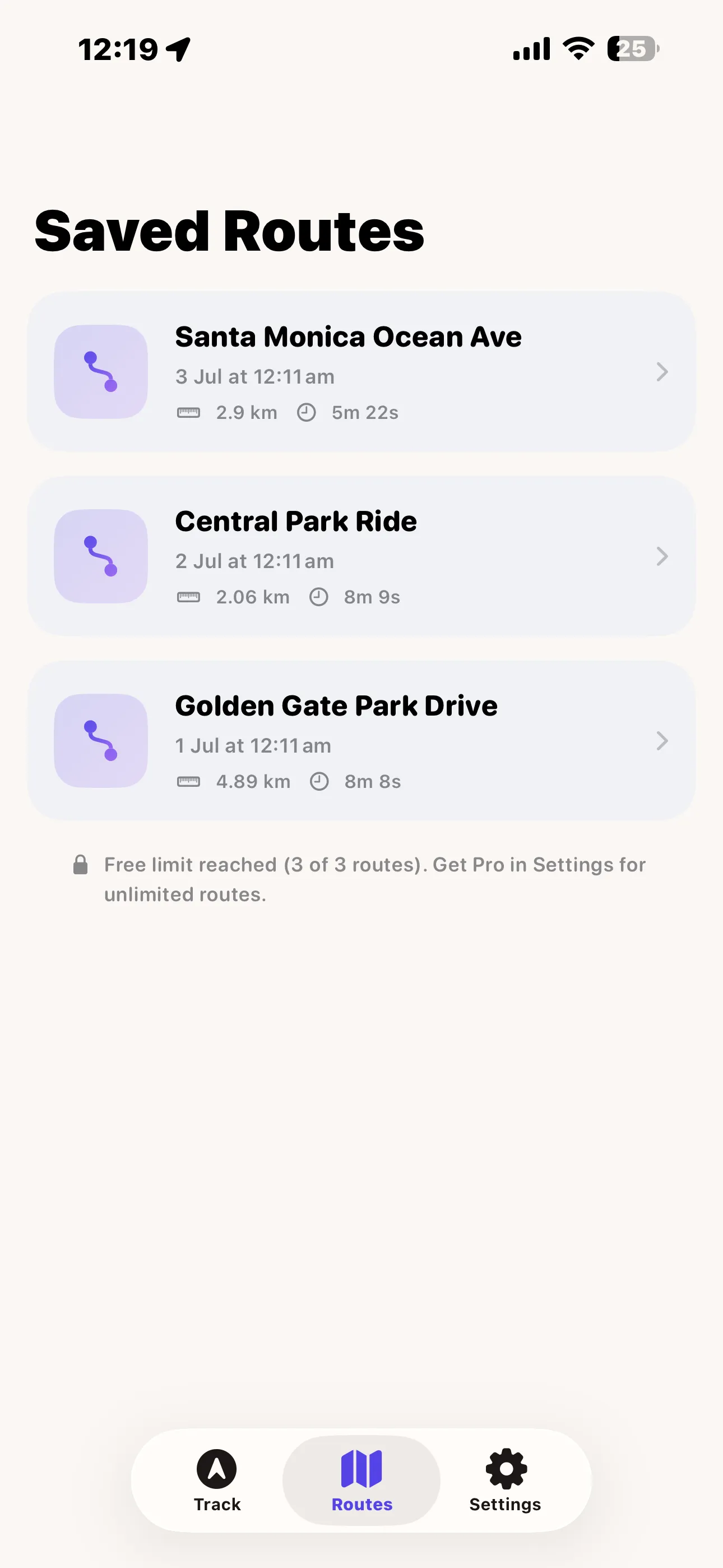
End the recording and give your route a name. It's added to your Saved Routes list with its distance and duration front and centre.
Revisit Any Route
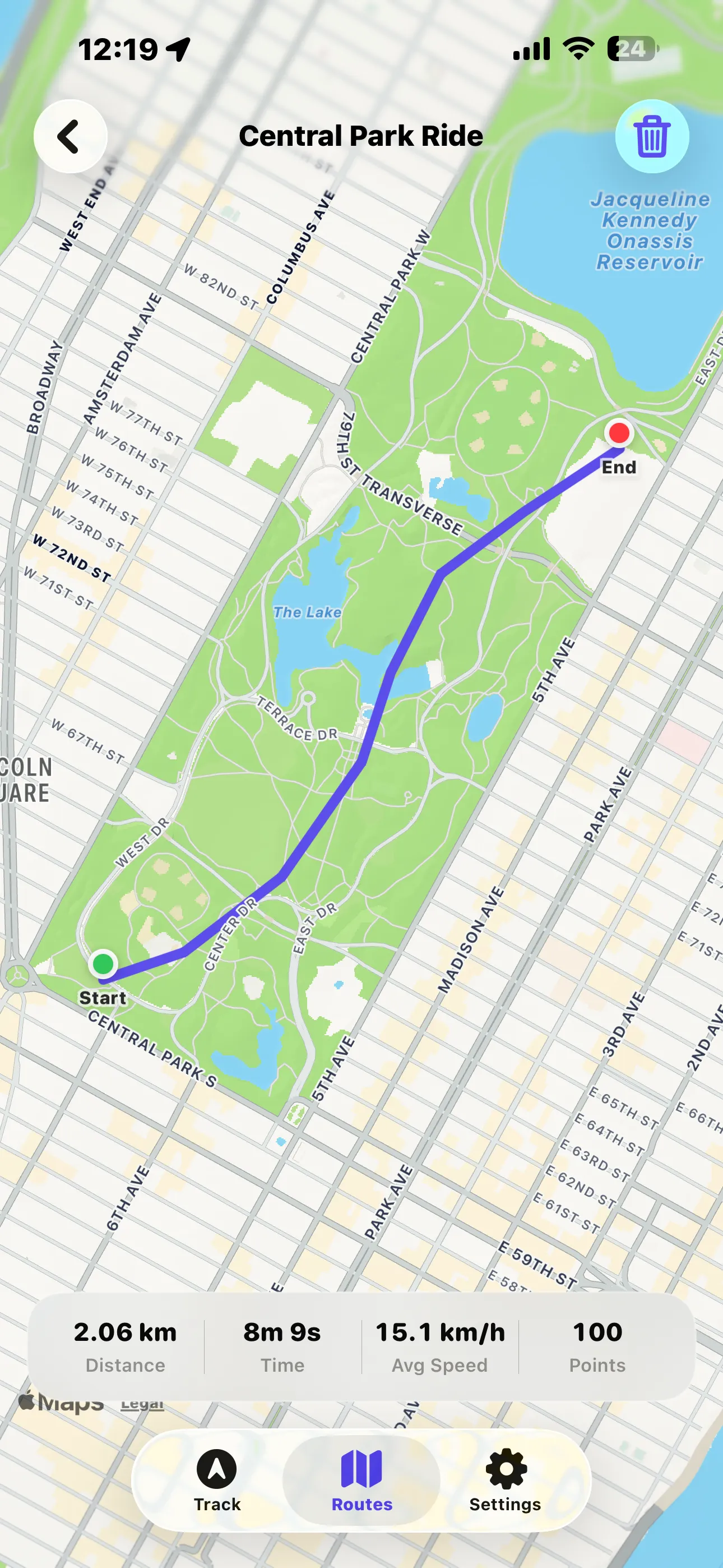
Open a saved route to see the full path with Start and End markers, plus distance, time, average speed and total points recorded.
Features
📍 Live GPS Tracking
Start Tracking with one tap and watch your path drawn on the map in real time, powered by Apple Maps and your iPhone's GPS.
🔄 Background Recording
Keeps recording your route when the screen locks or you switch apps, so a call or a pocketed phone never breaks the trail.
🗺️ Saved Routes
Every recording is saved with a name, date, distance and duration, ready to reopen whenever you need to retrace your steps.
📊 Route Stats
Each saved route shows total distance, time, average speed and the number of GPS points recorded along the way.
📌 Start & End Markers
Reopen any route to see it drawn on the map with clear Start and End pins, so you always know exactly where it began and ended.
🗑️ Manage Your Routes
Delete old or duplicate routes straight from the detail view to keep your Saved Routes list tidy.
🔒 On-Device Storage
Your recorded paths are stored locally on your iPhone — Mark My Route doesn't require an account or upload your routes anywhere.
📱 Built for iPhone
A focused, three-tab layout — Track, Routes and Settings — designed for quick access while you're on the move.
Perfect For
- Hikers & Walkers — mark the way back to the trailhead or car park before you set off.
- Runners & Cyclists — log a route once, then check the distance and average speed of every session.
- Explorers — wander a new city or neighbourhood freely, knowing your path back is recorded.
- Anyone Who Gets Turned Around — keep a simple, private record of exactly where you've been.
Screenshots
Take a tour of Mark My Route — tap any screenshot to view it full size:
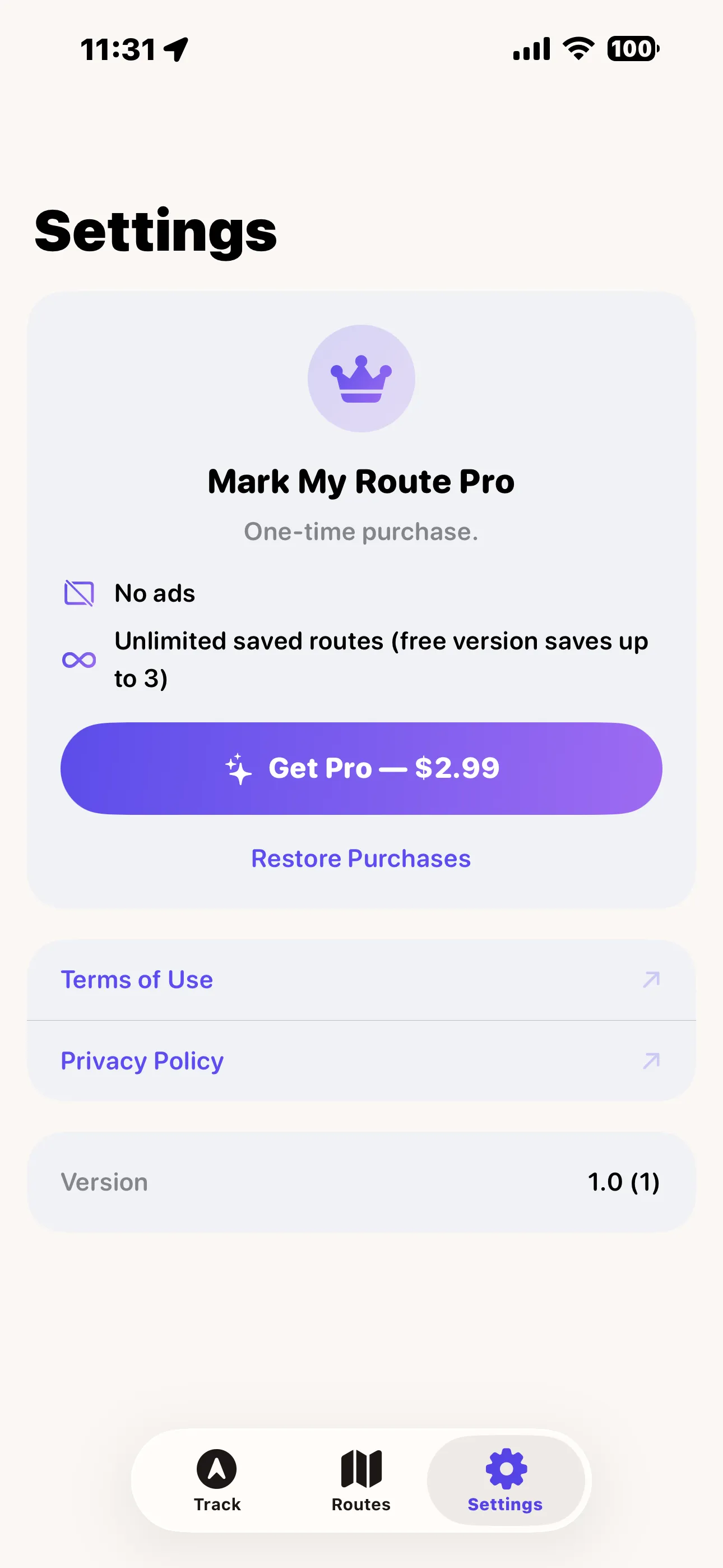
Mark My Route Pro
Mark My Route is free to download and use, supported by Google AdMob ads. Upgrade to Pro with a single one-time purchase to remove all ads and save unlimited routes — no subscription, pay once and it's yours.
- ✓ Remove all ads — a clean, distraction-free tracking experience
- ✓ Unlimited saved routes — the free version saves up to 3
One-time purchase, not a subscription. Already bought Pro on another device? Tap Restore Purchases in Settings to unlock it instantly. The free version stays fully functional up to 3 saved routes.
Privacy Policy
Last updated: July 2026
1. Introduction
This Privacy Policy describes how Mark My Route ("the App," "we," "our," or "us") handles information. The App records your GPS location while you walk, run, cycle or drive, and saves the resulting route on your iPhone.
We respect your privacy. This policy explains what data the App and its service providers process, and what stays on your device.
2. Location Data
Mark My Route's core feature — recording a route — depends on your device's location services.
- The App asks for "When In Use" location access to show your position on the map and begin tracking.
- The App may also ask for "Always" (background) location access so a route keeps recording when your screen locks or you switch to another app.
- Recorded GPS points, distances, durations and route names are stored locally on your device. We do not transmit your routes or location history to our servers, and we do not have access to them.
- You can grant, change or revoke location permission at any time in Settings → Privacy & Security → Location Services → Mark My Route. Denying or revoking access will prevent the App from recording new routes.
3. Advertising
The free version of Mark My Route displays ads through Google AdMob. To serve ads, AdMob may collect and process certain information, such as a device advertising identifier, general device and usage data, and approximate location derived from your IP address.
You can review Google's practices here: Google Ads & Privacy. Upgrading to Pro removes all ads.
4. App Tracking Transparency
Where required, the App asks for your permission via Apple's App Tracking Transparency prompt before any identifier is used to deliver personalized ads. If you decline, ads remain non-personalized. You can change this choice any time in Settings → Privacy & Security → Tracking.
5. In-App Purchase
Mark My Route Pro is a one-time, non-consumable in-app purchase processed by Apple through the App Store. We do not receive or store your payment details. Purchase validation and restoration are handled by Apple's StoreKit, and you can restore a previous purchase at any time from the Settings tab.
6. Children's Privacy
The App is not directed at children under 13 and does not knowingly collect personal information from them. The advertising described above is provided by third parties subject to their own policies.
7. Changes to This Privacy Policy
We may update this Privacy Policy periodically. Any updates will be reflected on this page with a new "Last Updated" date.
8. Contact Us
If you have any questions or concerns about this Privacy Policy, please contact:
Support
Need help with Mark My Route? We're here to assist you.
For any questions, feedback, or support requests, please reach out to us at: