About Migraine Cam
Migraine Cam is a free app about migraine — the neurological condition, not "just a headache." It does three things: it explains migraine in plain English using patient information published by trusted health organisations, it lets you keep a private symptom diary so patterns become visible over weeks, and it gives you an Aura Lens camera that simulates what visual migraine aura can look like — so you can finally show someone else.
That last part is the reason the app exists. Aura is notoriously hard to describe. A shimmering arc that grows across half your vision, a zigzag of coloured light, a hole in the middle of the world where a face should be — these are the things people try, and fail, to explain to partners, colleagues and doctors. Point the Aura Lens at the room and hand over your phone instead.
✨ Three tabs, one idea: Aura Lens shows what aura looks like through your camera. Learn summarises trusted patient education, with every source linked. Diary tracks headache days, aura symptoms and triggers, entirely on your device.
Migraine Cam is free to download and use, supported by Google AdMob ads. A single one-time Pro purchase unlocks the full migraine diary and removes every ad for good.
How It Works
From "I can't explain what I see" to a diary you can hand to your doctor:
Read Up on Migraine
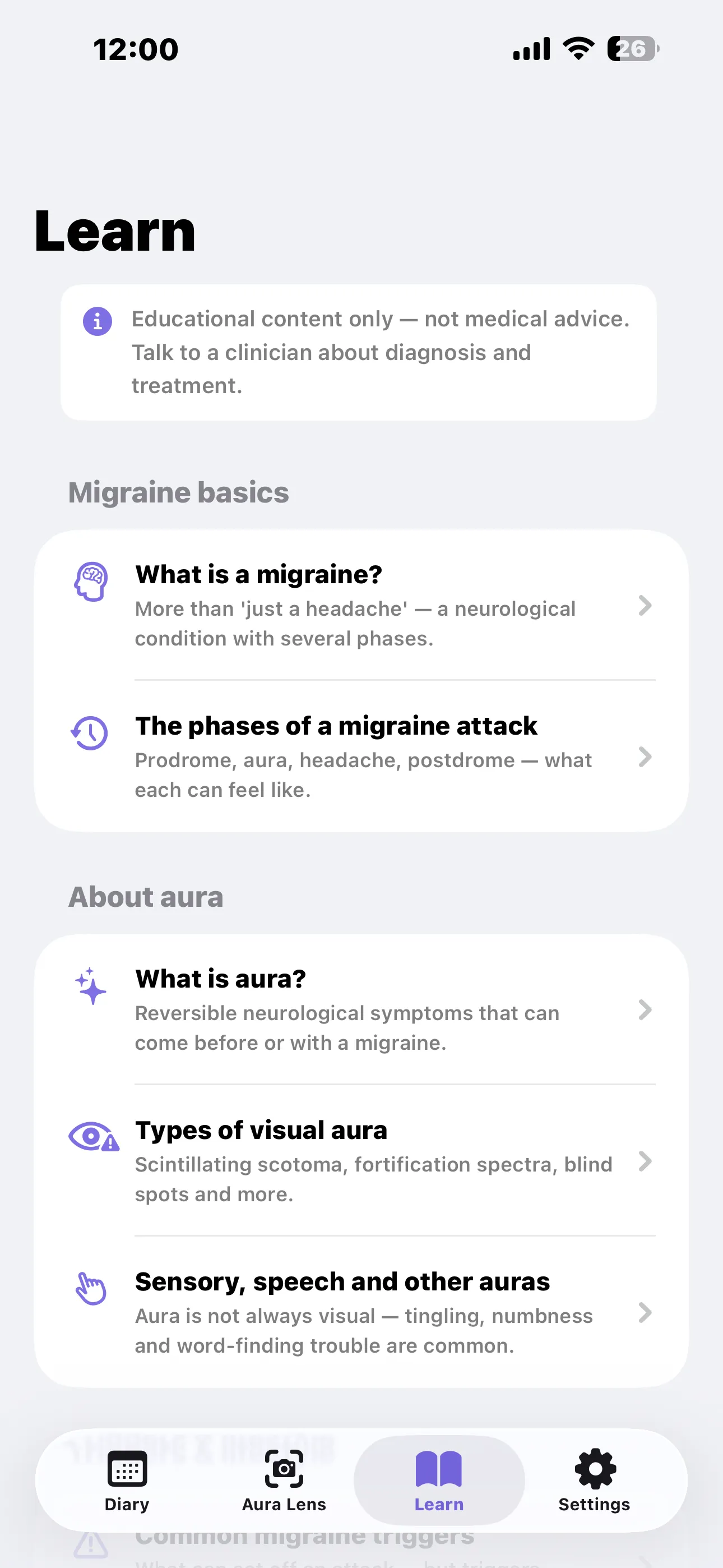
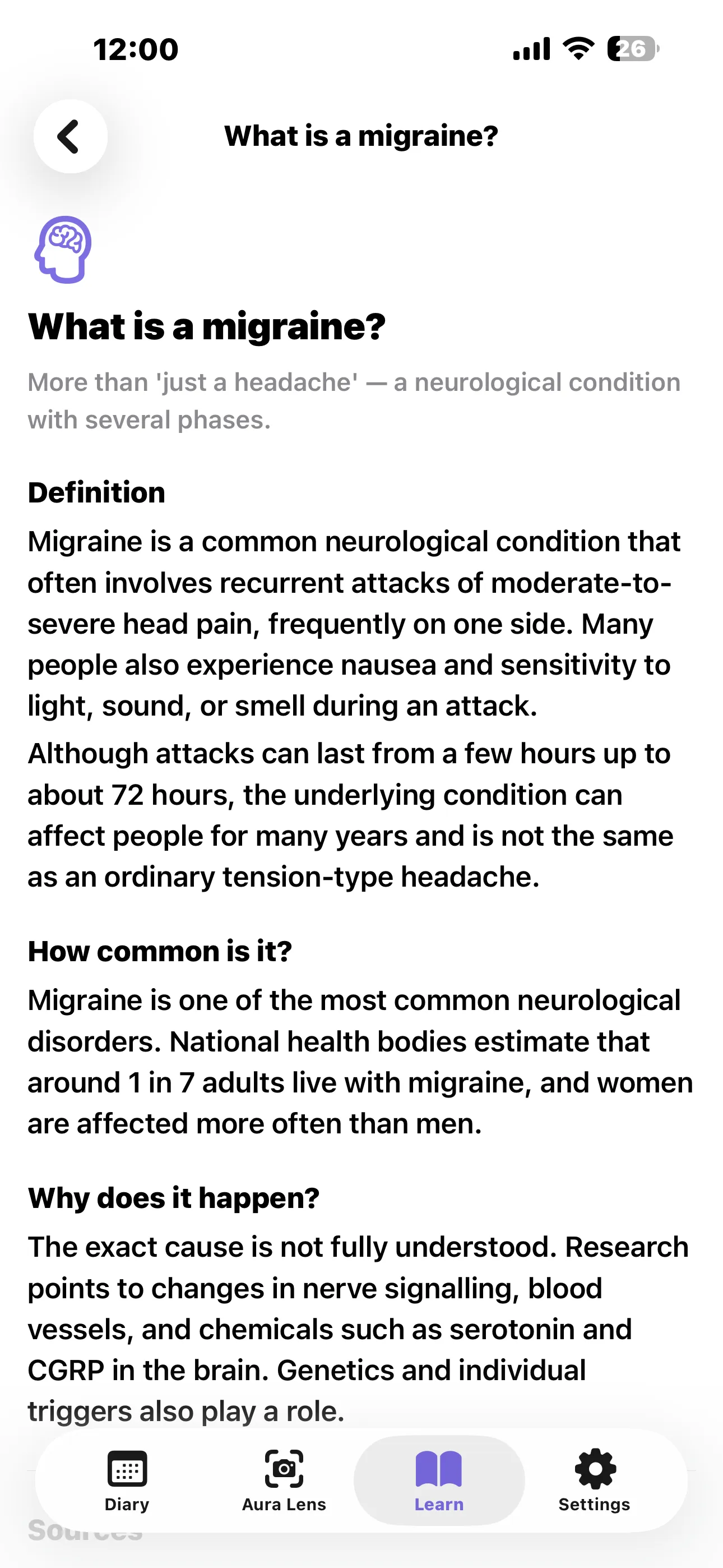
Nine short articles cover what migraine is, the four phases of an attack, what aura actually is, triggers, self-care and when to seek urgent help. Every article lists the sources it summarises.
Show Someone Your Aura
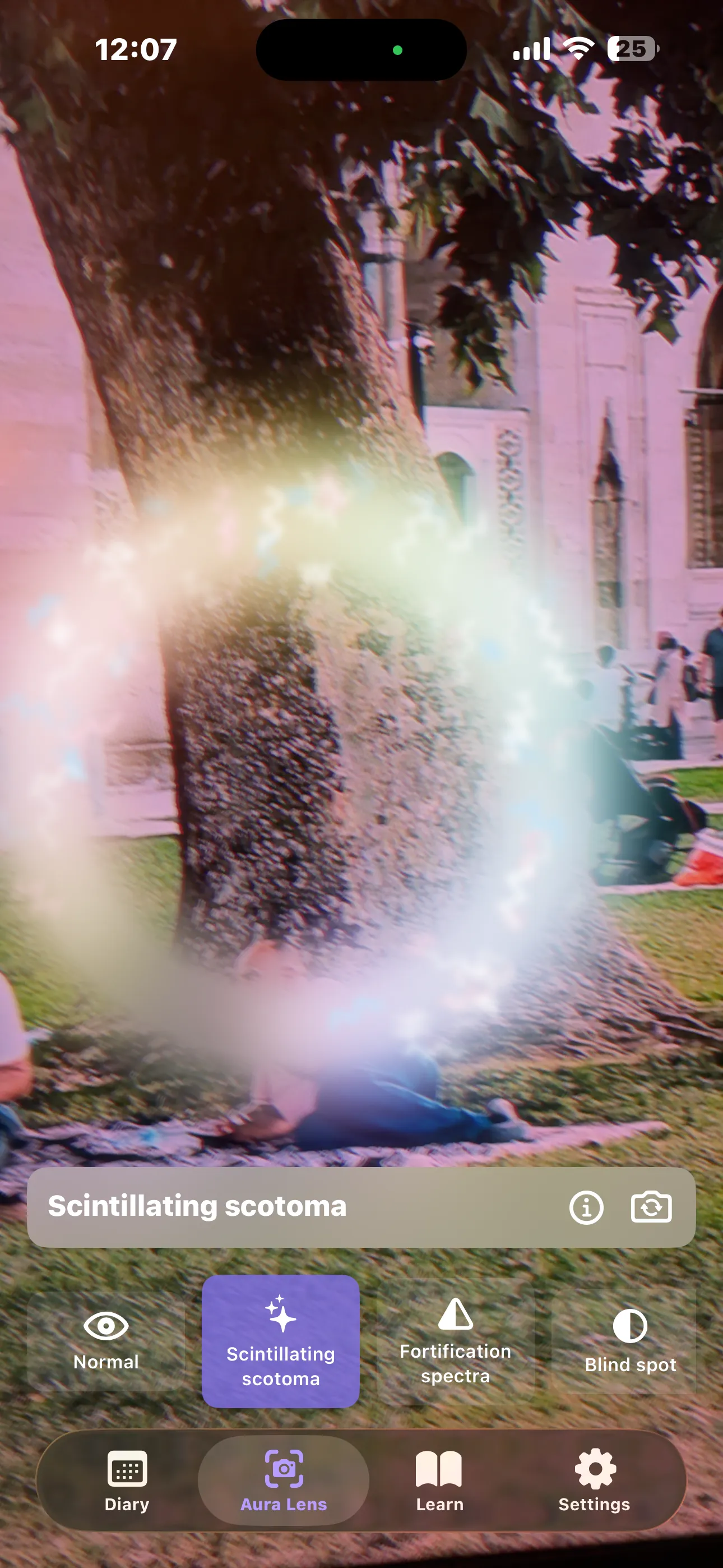
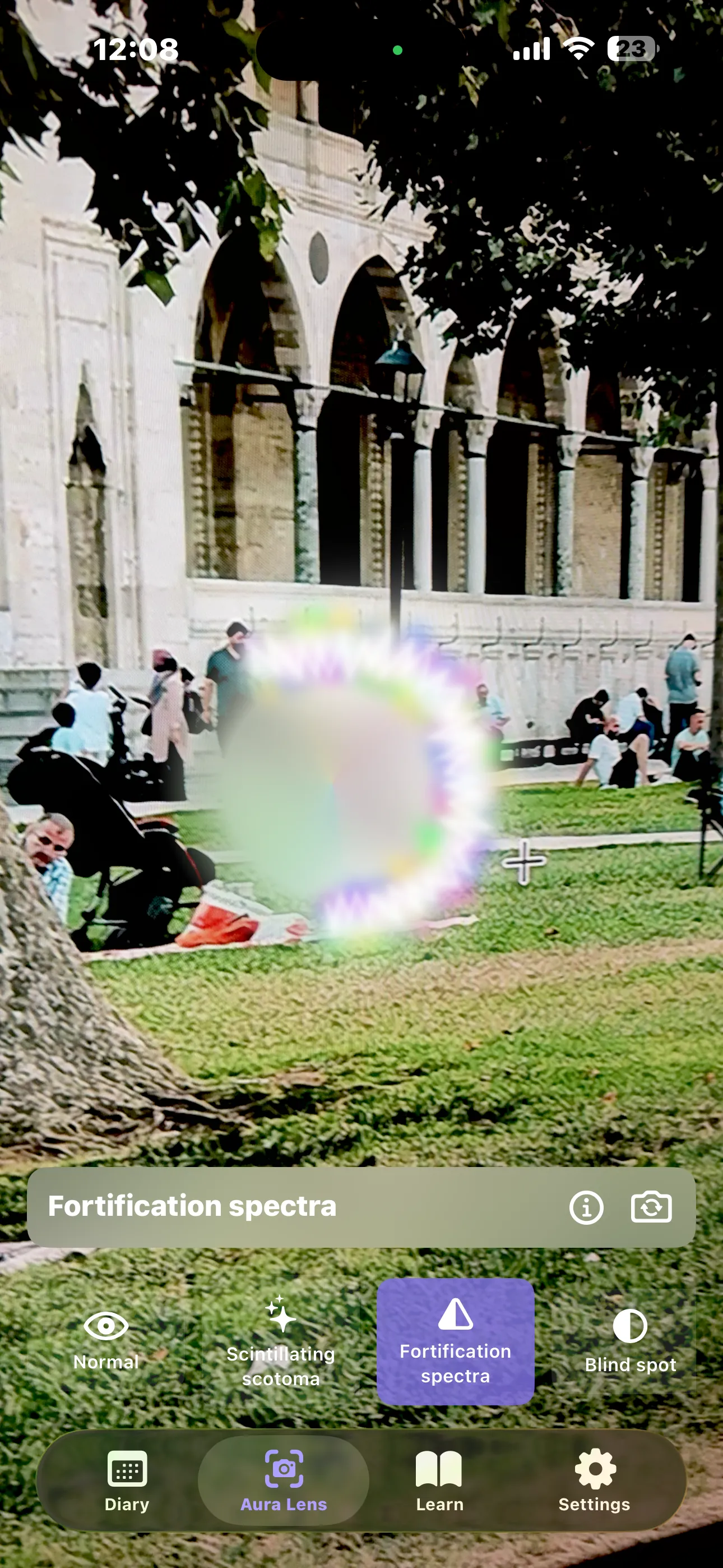
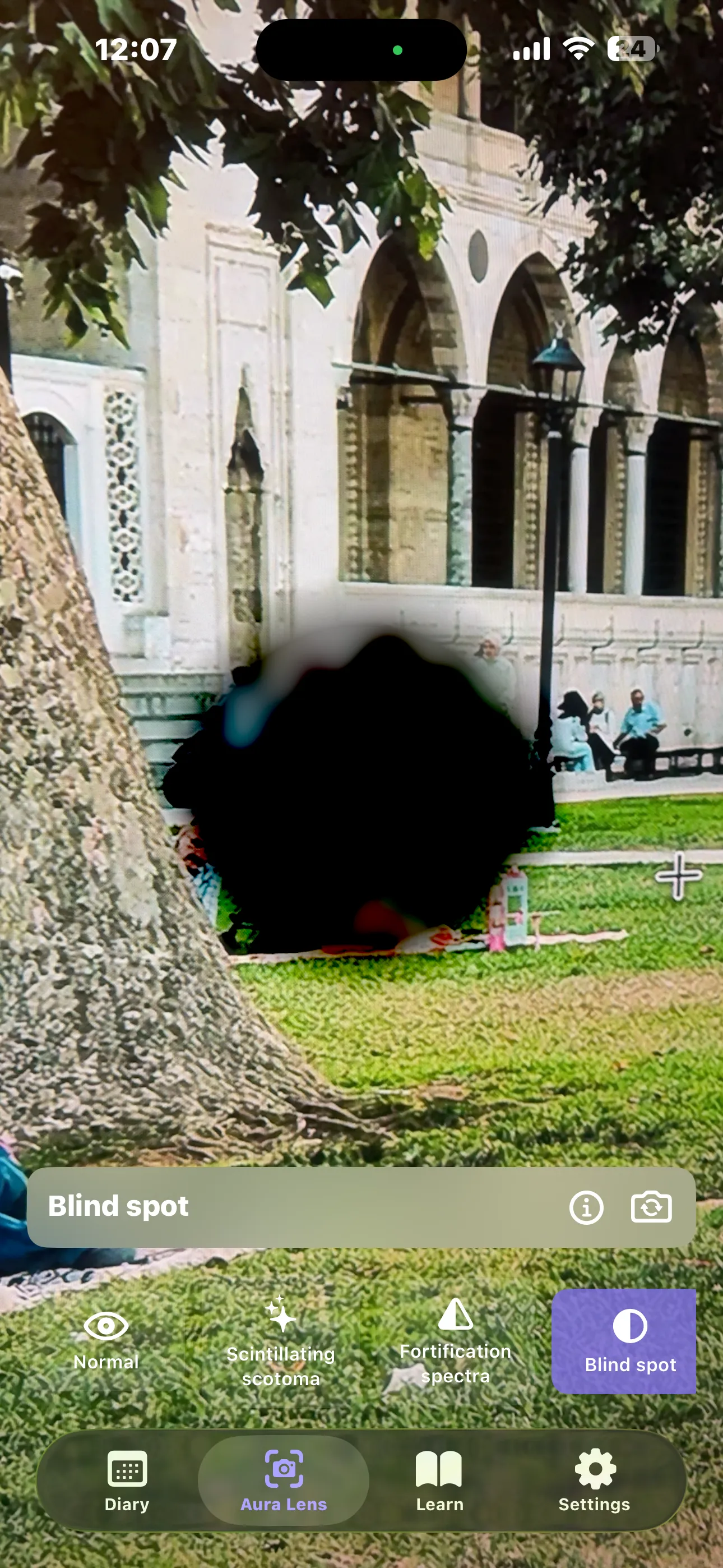
Open the Aura Lens tab, point your camera at anything, and swipe through ten simulated aura effects — scintillating scotoma, fortification spectra, blind spot, tunnel vision and more. Tap the info button for a plain-English explanation of each.
Log Each Day in Seconds
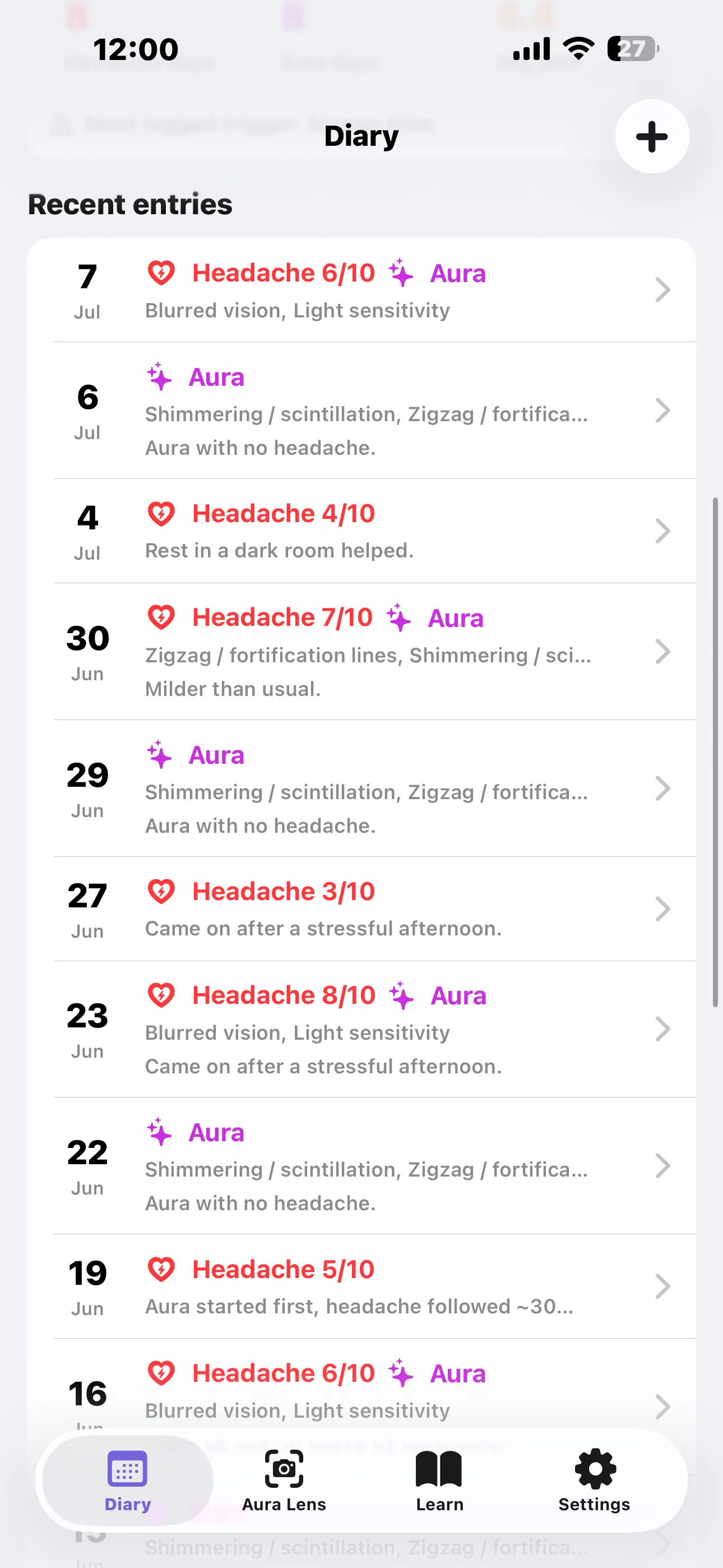
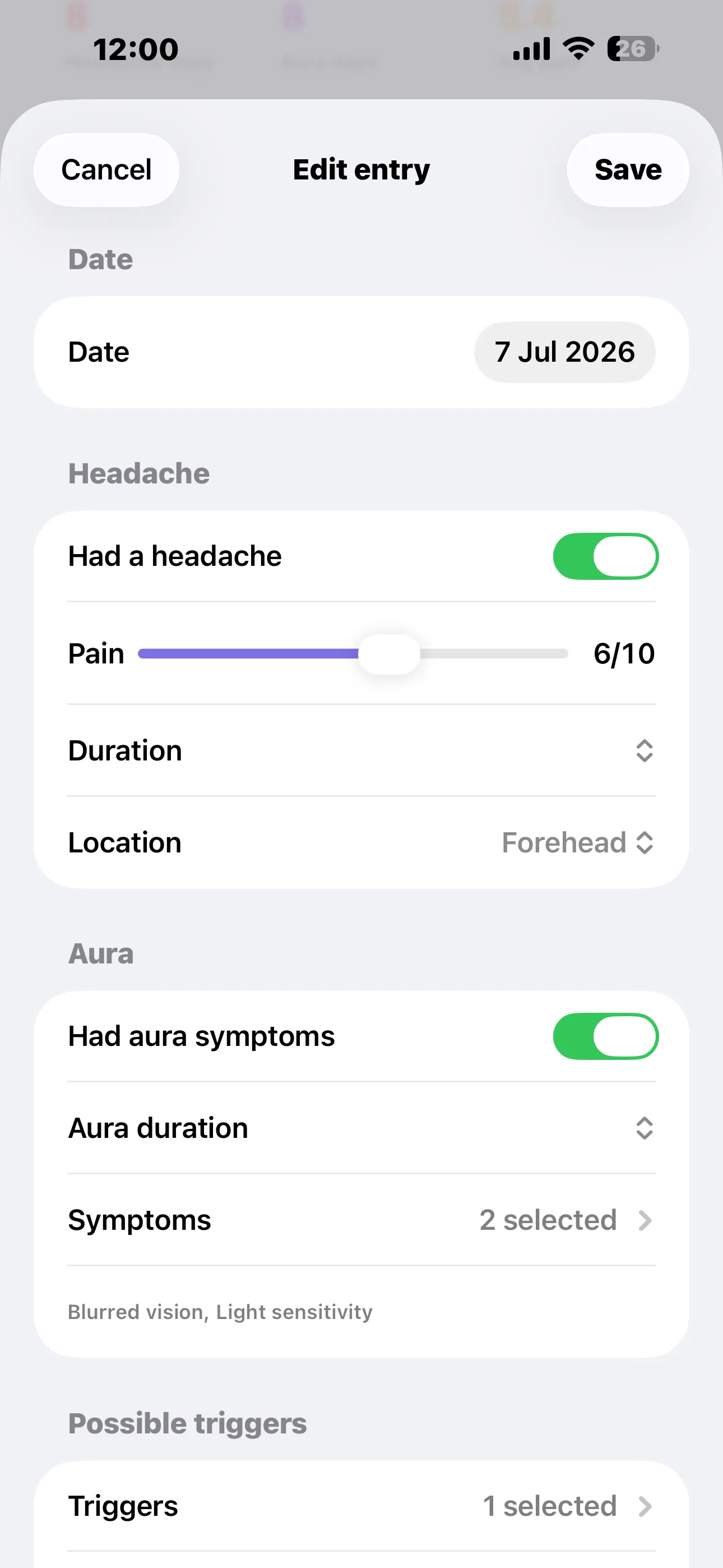
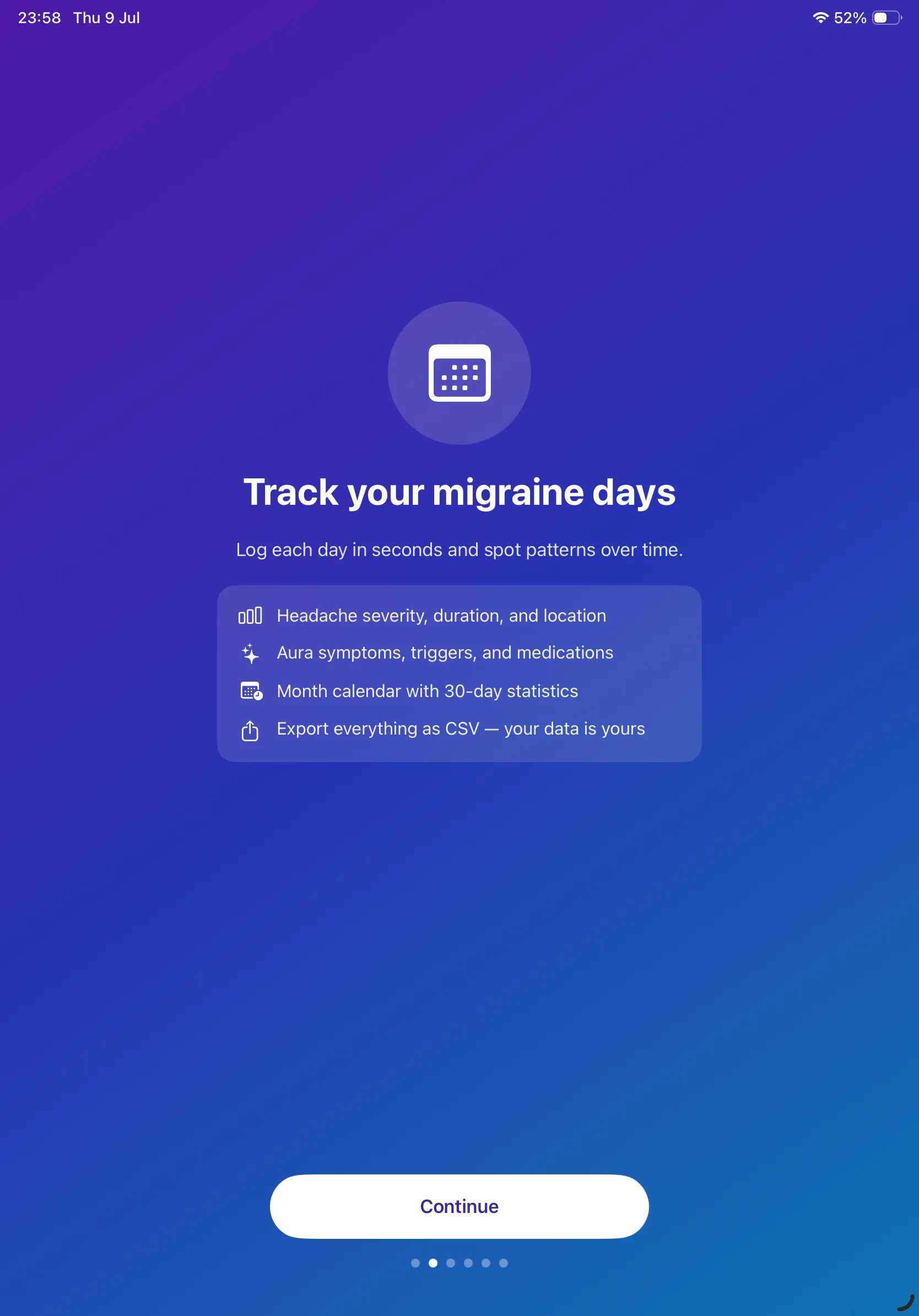
Record whether you had a headache, how bad it was, how long it lasted and where it hurt. Add aura symptoms, possible triggers, medications and a note.
See the Pattern
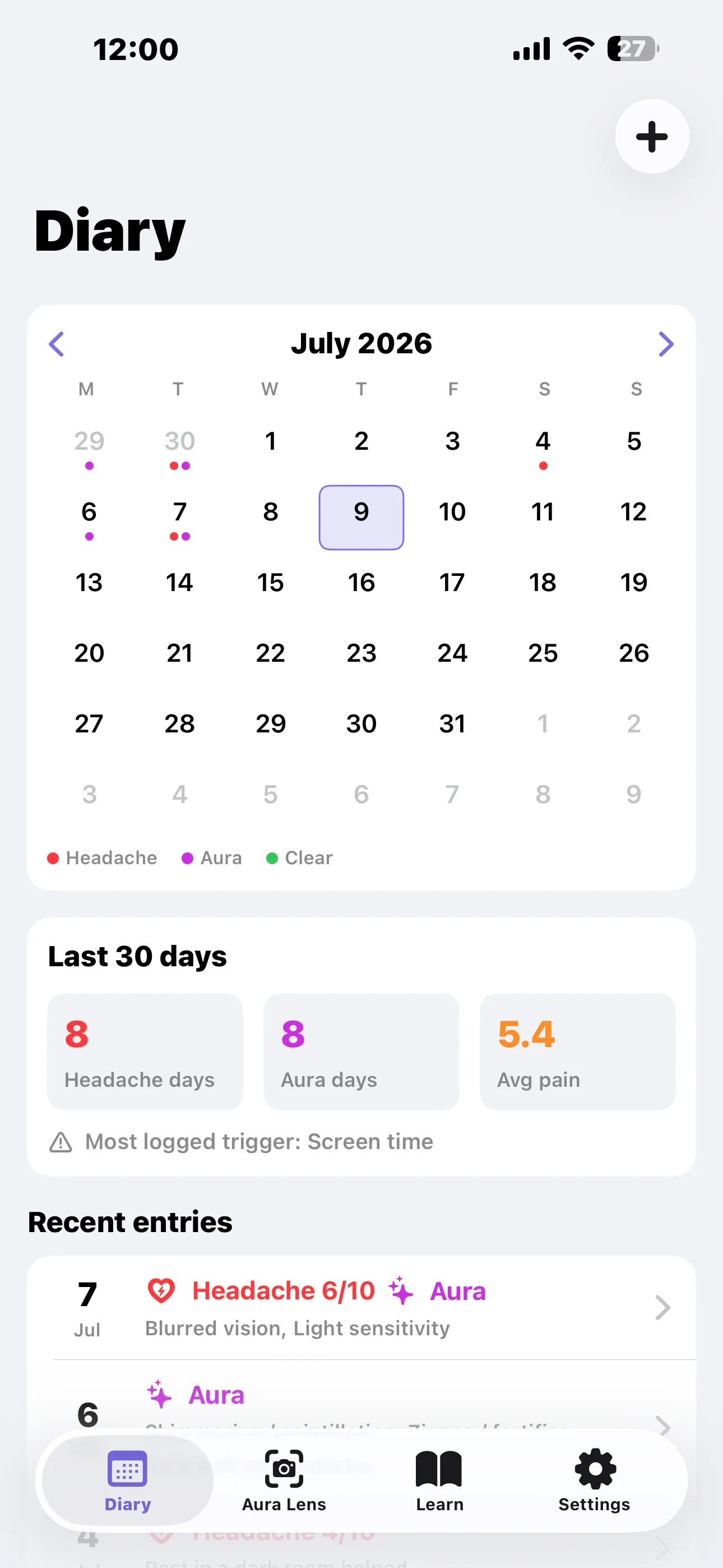
The month calendar dots your headache and aura days at a glance, and a 30-day summary shows headache days, aura days, average pain and your most-logged trigger. Export the lot as CSV whenever you want it.
Features
📷 Live Aura Lens
Ten simulated visual auras rendered live through your camera, so aura stops being something you have to describe from memory.
📖 Education You Can Trace
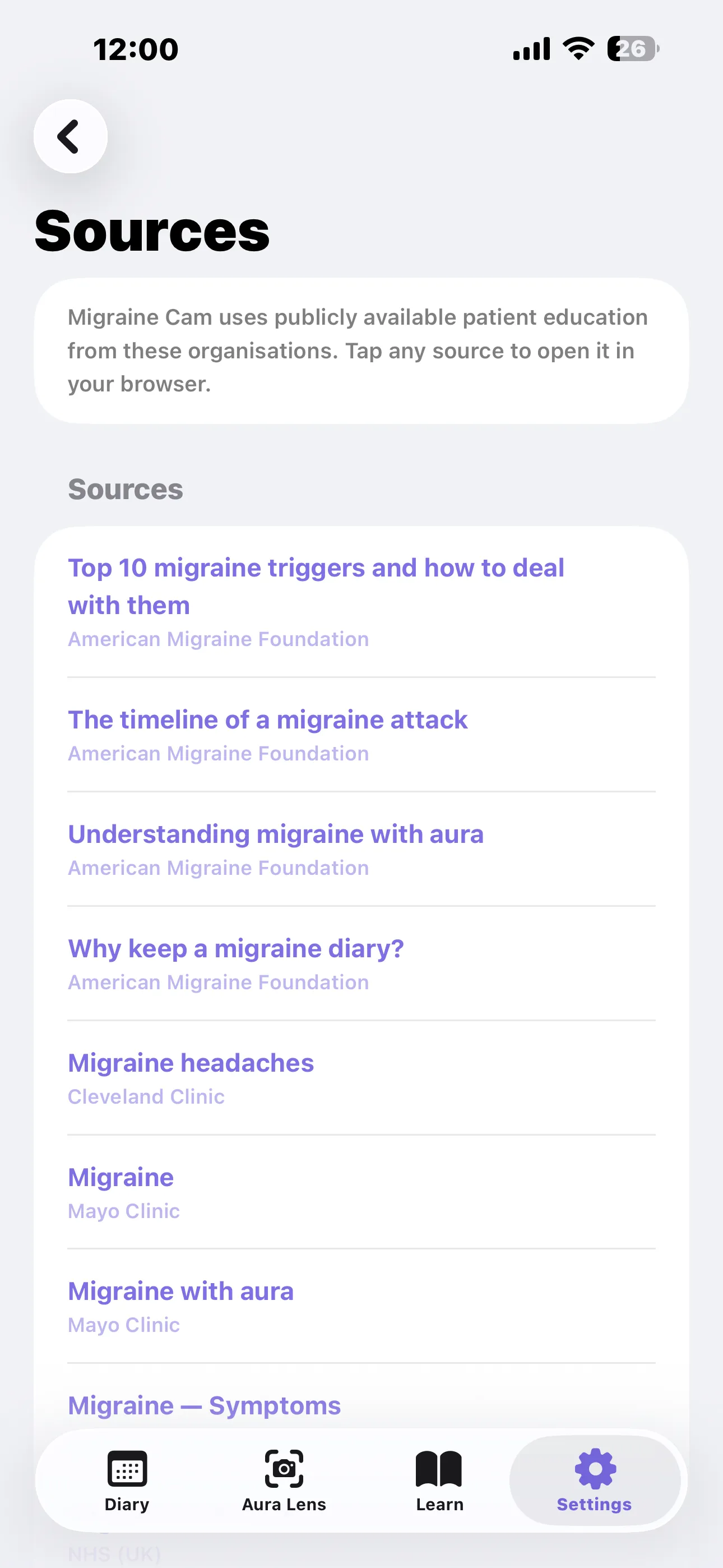
Nine articles summarising public patient information from the NHS, Mayo Clinic, NIH/NINDS, Cleveland Clinic, the American Migraine Foundation and The Migraine Trust — every source linked.
📅 Symptom Diary
Log headache severity, duration and location alongside aura symptoms, triggers, medications and free-text notes for any day.
📊 30-Day Statistics
Headache days, aura days, average pain and your most-logged trigger, summarised above a month calendar that dots every logged day.
⚠️ 18 Common Triggers
Tag each entry with the usual suspects — stress, sleep, screens, weather, hormones, caffeine, alcohol — and let the app surface which one keeps coming back.
📤 Export as CSV
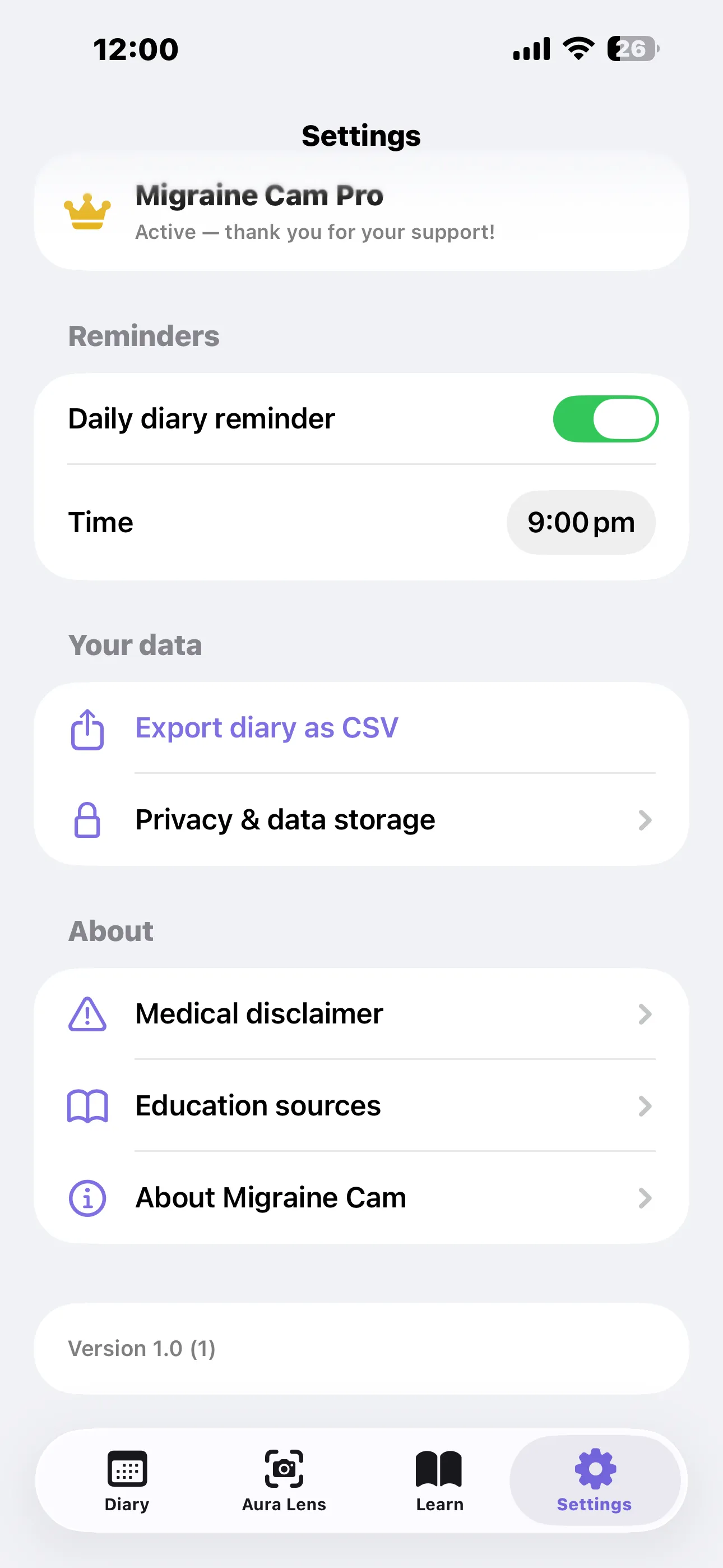
Your diary is your data. Export the whole thing as a CSV file to bring to an appointment or keep in your own records.
🔒 Private & On-Device
Diary entries never leave your phone. The camera feed is processed live and never recorded, saved or uploaded.
🔔 Daily Reminder
An optional nudge at a time you choose, because a diary only works if you actually fill it in.
Made With Photosensitivity in Mind
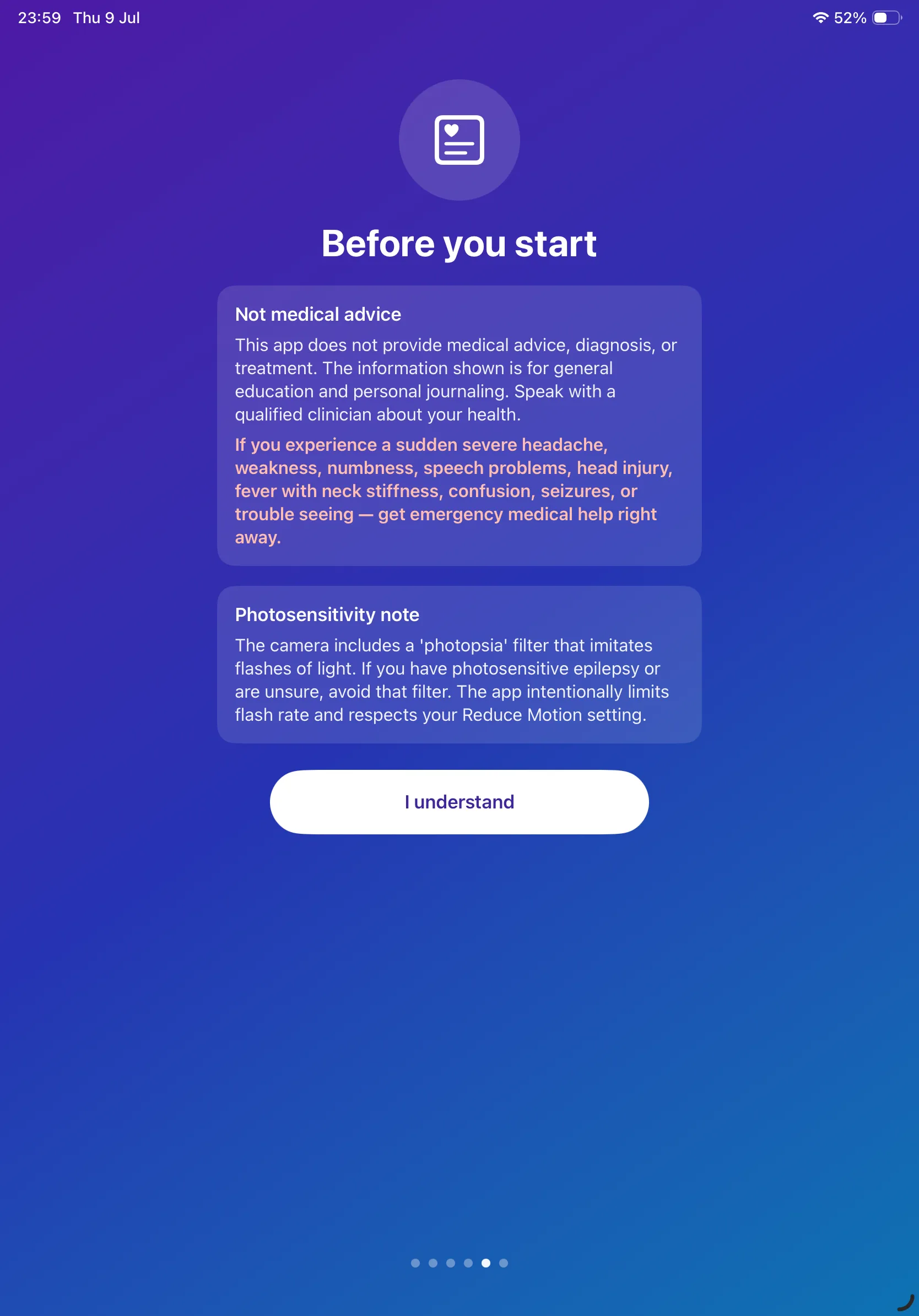
One of the aura filters, Photopsia, imitates brief flashes of light. Migraine Cam intentionally limits its flash rate and respects your system Reduce Motion setting. The app warns you about this filter before you ever reach the camera. If you have photosensitive epilepsy, or you are unsure, skip that filter.
The Aura Lens
Point your camera at the world and watch it change. Each filter is an educational illustration of a commonly described visual aura — not a clinical reproduction. Every person's aura is different, and yours may look nothing like any of these.
A shimmering, flickering arc that often grows and drifts across the visual field. The most commonly described migraine aura.
A slowly expanding zigzag pattern resembling the walls of a fortress, sometimes coloured. Also called teichopsia.
A blind or blurred spot in the middle of vision that makes it hard to read or recognise faces.
Reduced peripheral vision, so the world appears as if seen through a tunnel.
A general loss of sharpness, as if looking through fogged glass. Common during the aura or headache phase.
The visual scene appears broken into tile-like patches, sometimes called pixelation.
Vision fragments into mirrored, kaleidoscopic shapes. Less common, but reported by some people.
Brief flashes or sparks of light. This filter intentionally limits its flash rate to reduce photosensitive risk.
Wavy, shimmering distortion, as if looking across a hot road.
Colours appear washed out or unusually intense, sometimes preceding a headache.
Photosensitivity note. The Photopsia filter imitates flashes of light. If you have photosensitive epilepsy or are unsure, avoid that filter. The app limits flash rate and respects your Reduce Motion setting.
Nothing is recorded. The camera feed is filtered live on your device. Migraine Cam does not record, save or transmit video or photos.
Learn
Nine short, readable articles, grouped into five sections. Each one ends with the sources it summarises, so you can go and read the original.
- Migraine basics — What is a migraine? and The phases of a migraine attack (prodrome, aura, headache, postdrome).
- About aura — What is aura?, Types of visual aura, and Sensory, speech and other auras, because aura is not always visual.
- Triggers & lifestyle — Common migraine triggers, and why triggers are personal rather than universal.
- Tracking & journaling — Why keep a migraine diary?
- Self-care & when to seek help — Lifestyle and self-care, and When to seek medical help.
Where the Information Comes From
Migraine Cam summarises publicly available patient education from these organisations. It adds no medical opinion of its own, and every article links back to its sources — which you can also browse in one place under Settings → Education sources.
- Migraine — Overview, Symptoms & CausesNHS (UK)
- MigraineMayo Clinic
- Migraine with auraMayo Clinic
- Migraine information pageNIH / NINDS
- Migraine headachesCleveland Clinic
- Understanding migraine with auraAmerican Migraine Foundation
- The timeline of a migraine attackAmerican Migraine Foundation
- Top 10 migraine triggers and how to deal with themAmerican Migraine Foundation
- Why keep a migraine diary?American Migraine Foundation
- Migraine with auraThe Migraine Trust
- Common migraine triggersThe Migraine Trust
Migraine Cam is not affiliated with, endorsed by, or sponsored by any of the organisations above. It links to their freely published patient information as a reader would.
The Symptom Diary
A migraine diary works because patterns are far easier to see across weeks than within a single attack. Migraine Cam keeps one day per entry and asks only what's useful.
What You Can Log
- Headache — whether you had one, pain from 1 to 10, how long it lasted, and where it hurt (left side, right side, both sides, forehead, back of head, behind an eye, neck).
- Aura — whether you had aura symptoms, how long they lasted, and which ones.
- Triggers — anything you suspect set the attack off.
- Medications and notes — what you took, and anything worth remembering.
Aura Symptoms You Can Tick
Grouped into visual, sensory, speech and other — because aura is not always something you see:
The 18 Triggers
Tag an entry with anything you suspect. Over 30 days, the diary tells you which trigger you've logged most:
A logged trigger is a hunch, not a cause. Triggers are personal, and what sets off one person's attack does nothing to another's. The diary is there to help you and your clinician spot patterns worth discussing — it does not diagnose anything.
The full diary is part of Migraine Cam Pro. The Aura Lens and every Learn article are free.
Screenshots
Take a tour of Migraine Cam — tap any screenshot to view it full size:
First Launch
Migraine Cam opens with a short introduction — and, before you reach the camera, a plain statement of what the app is and isn't:
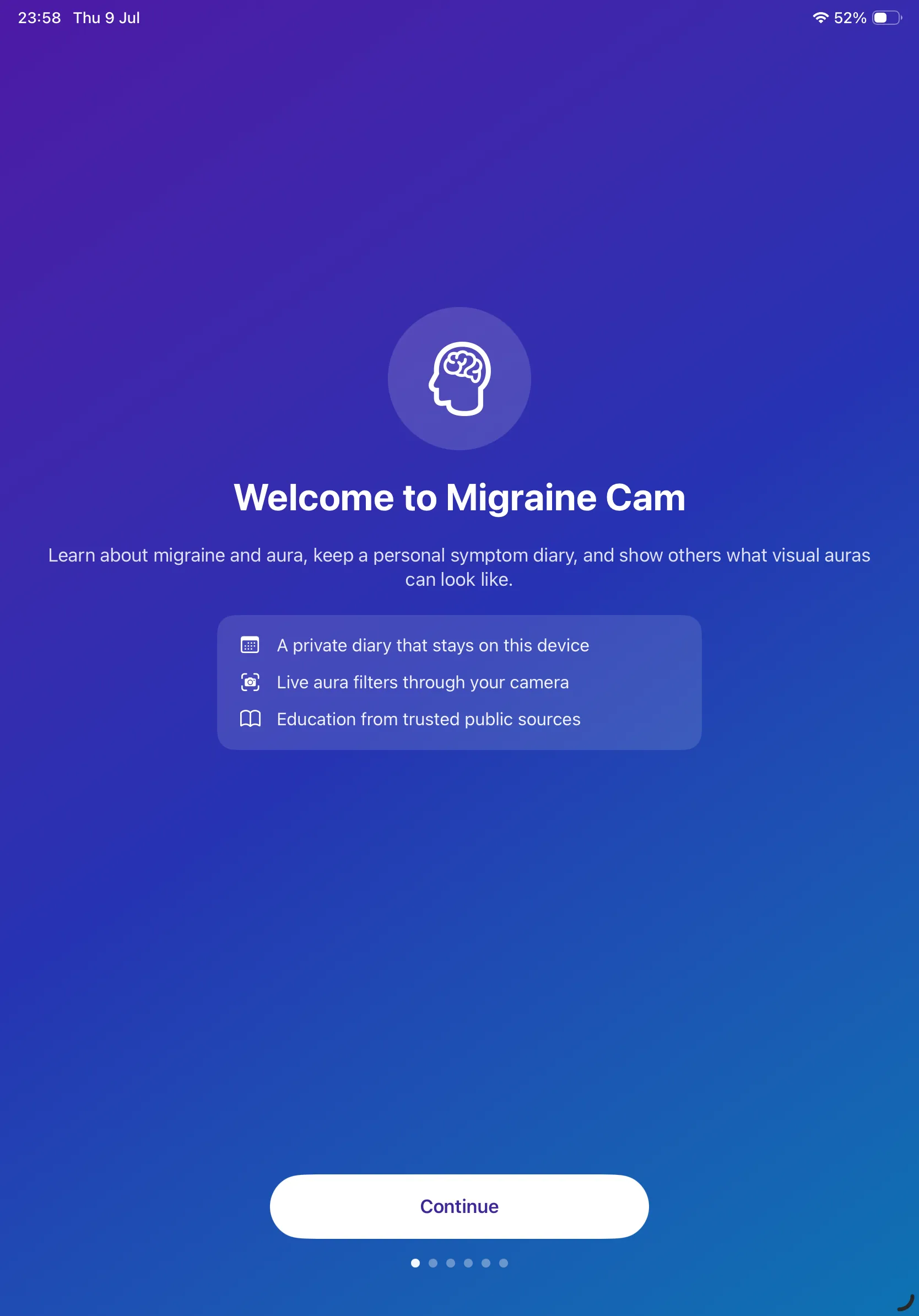
On iPad
Migraine Cam runs full-screen on iPad, with the same four tabs and a roomier Aura Lens:
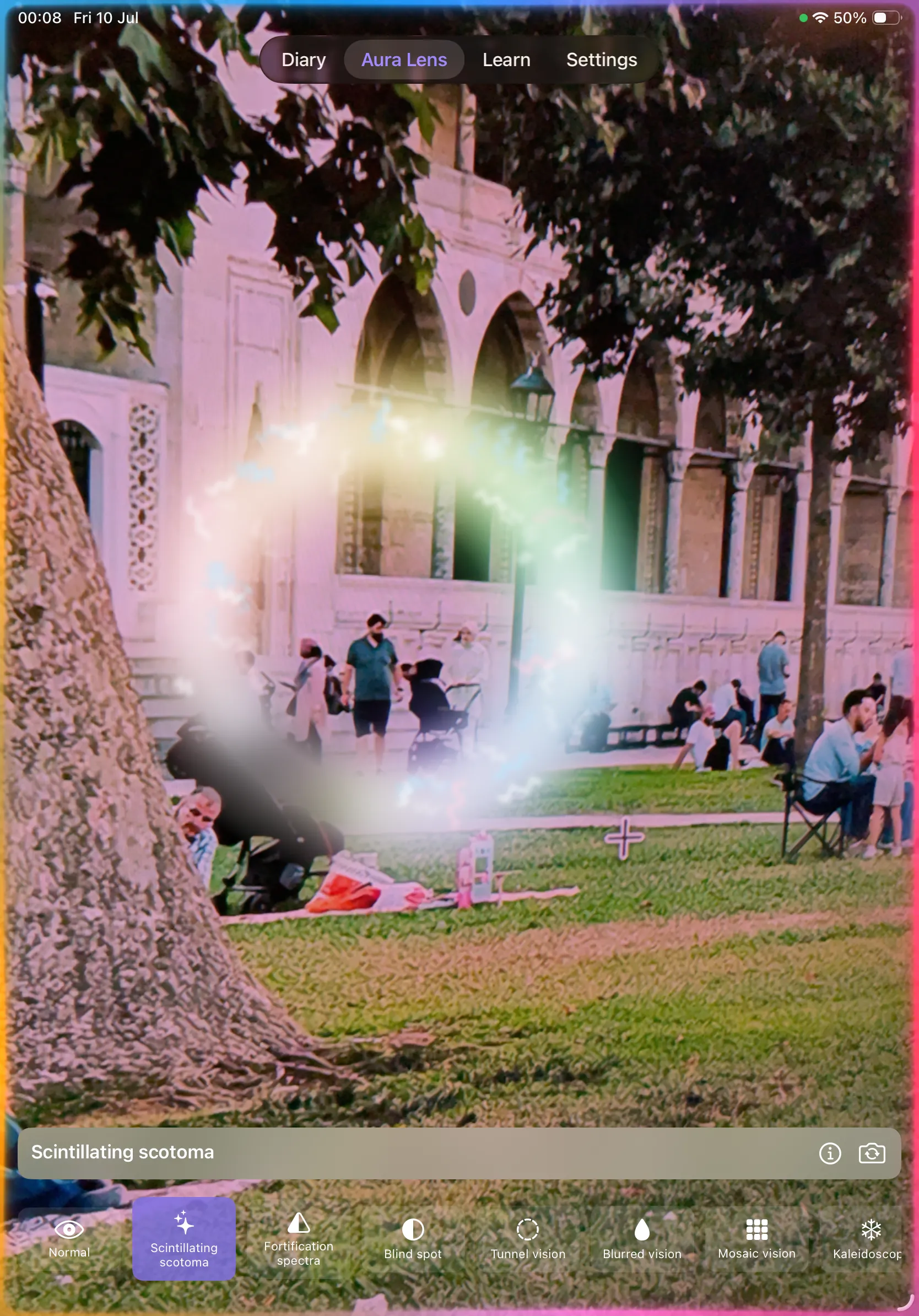
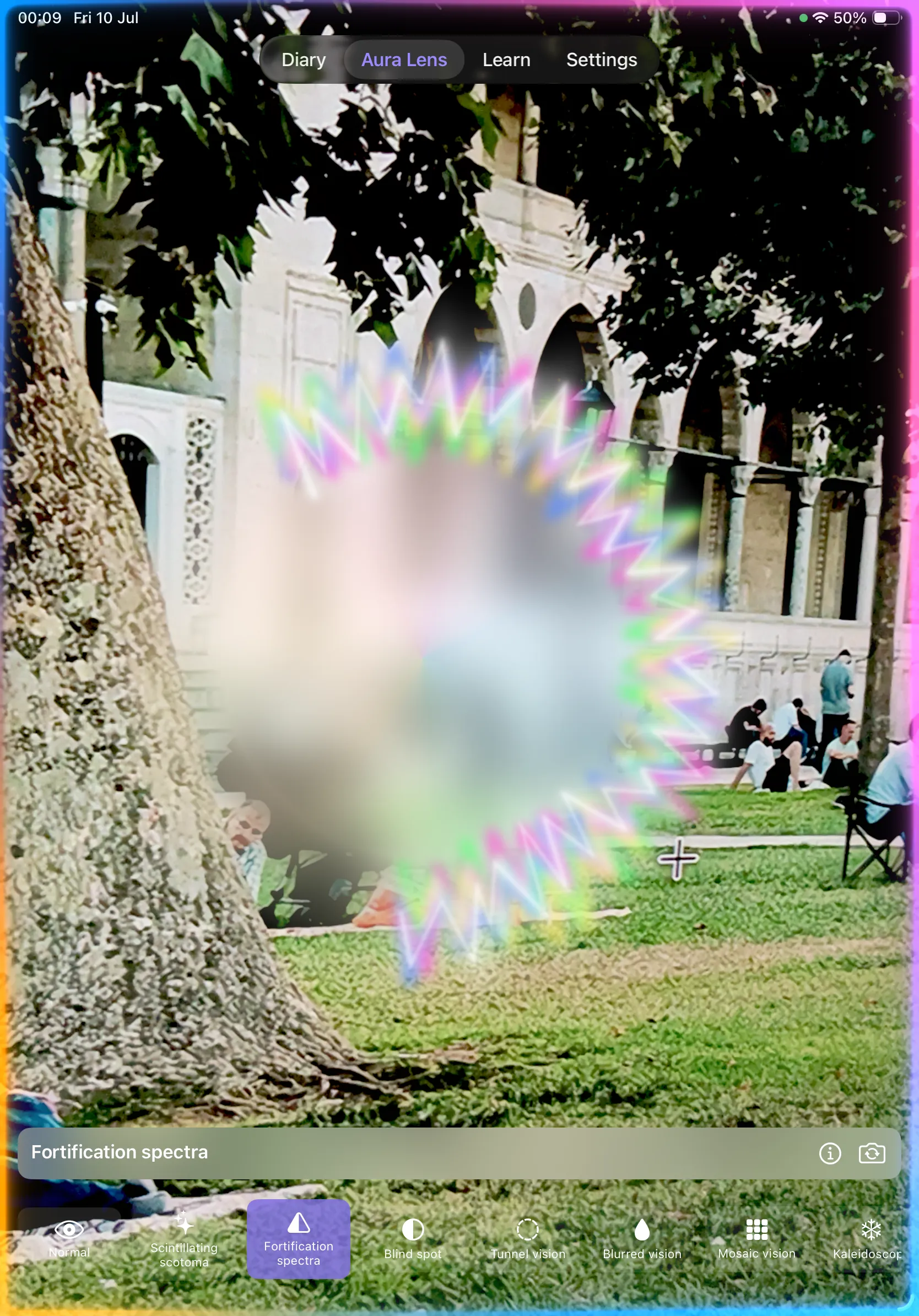
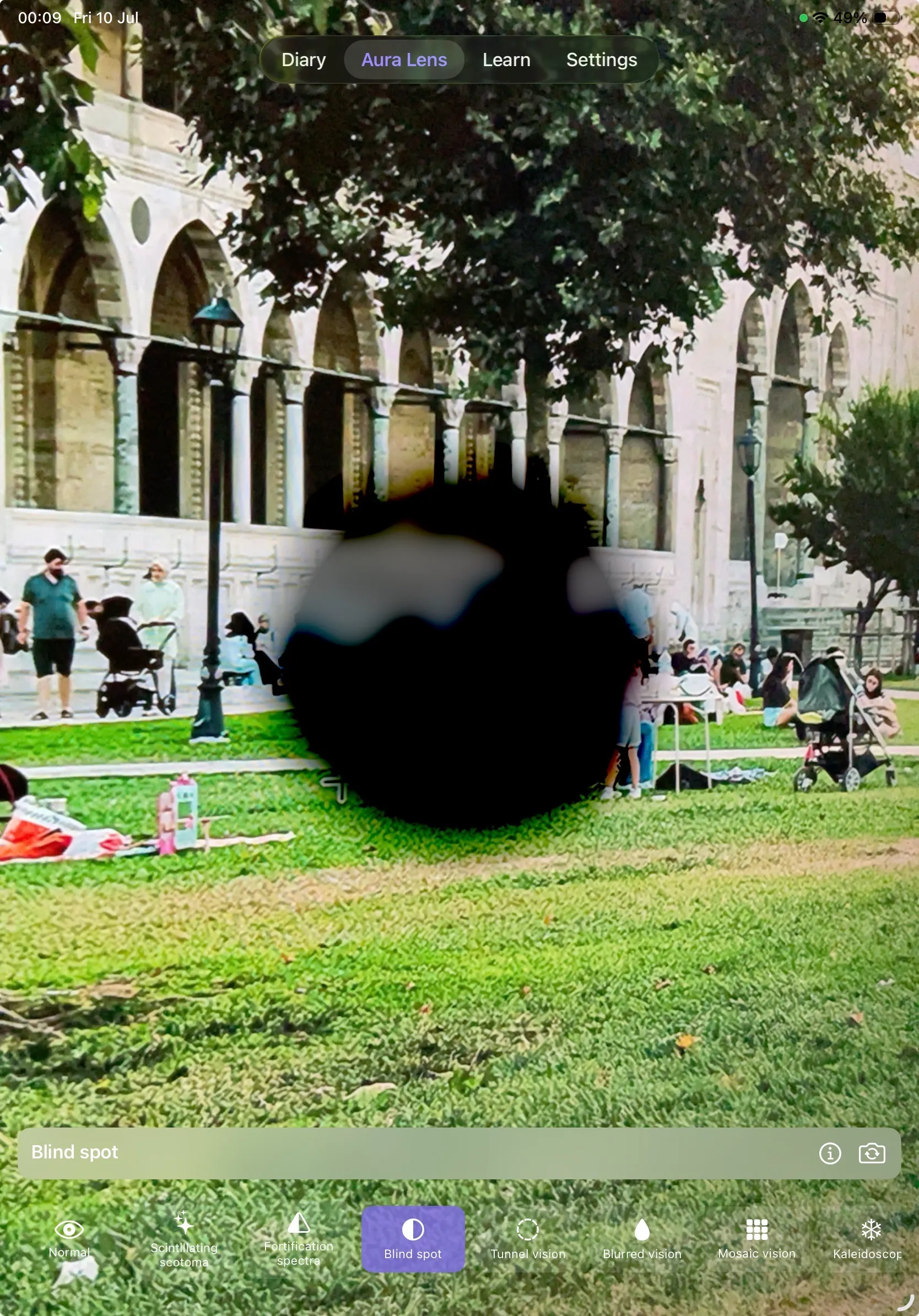
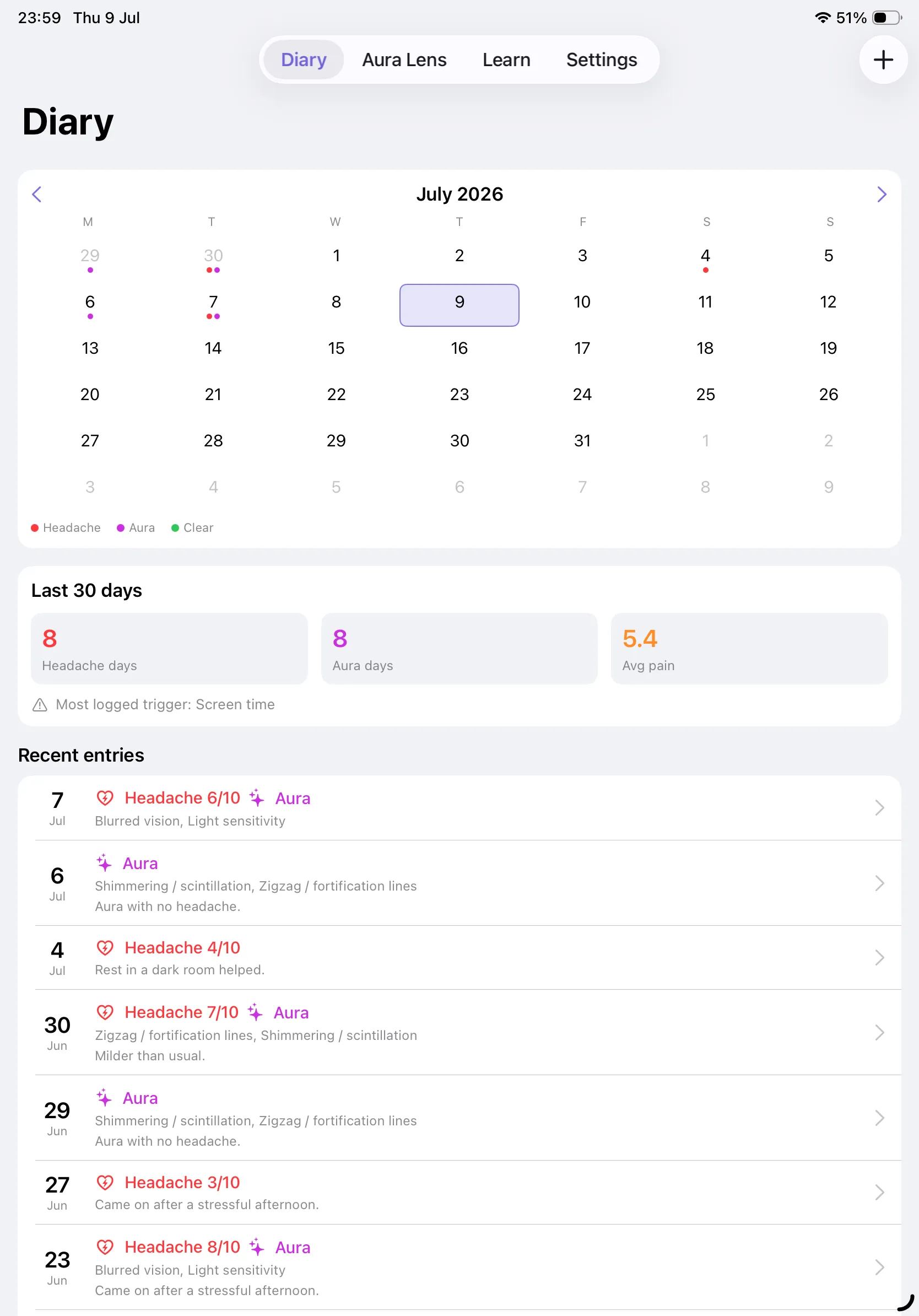
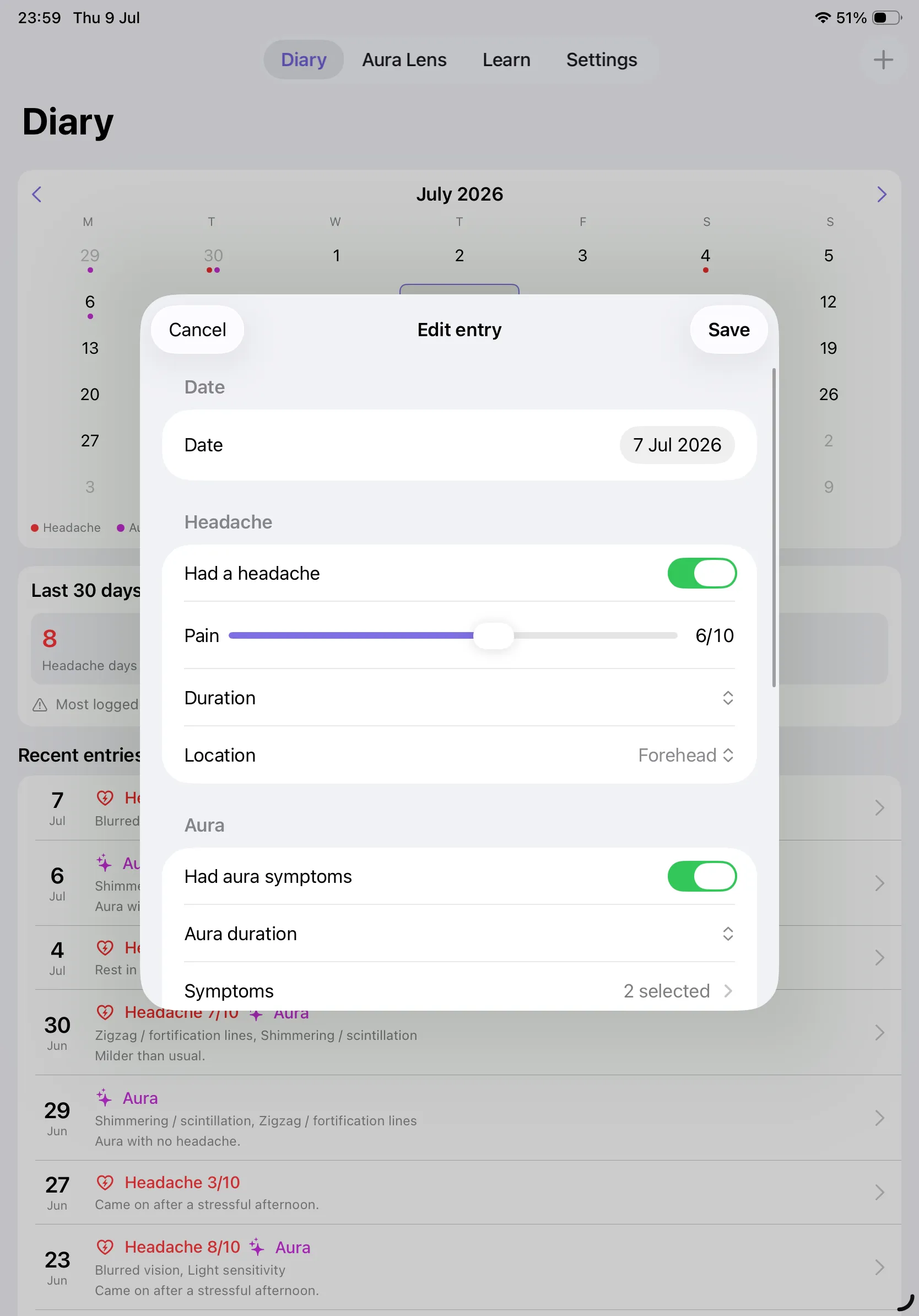
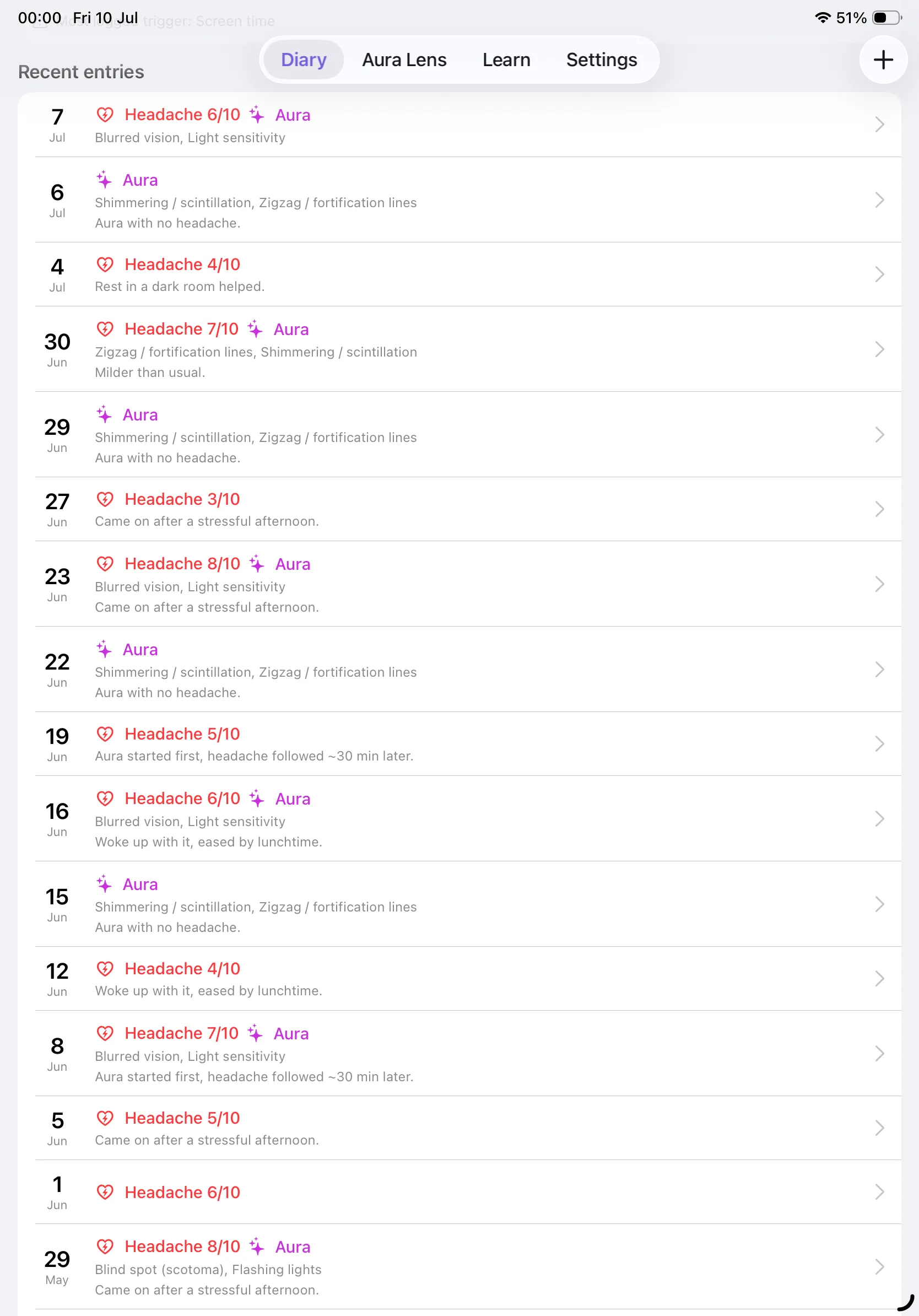
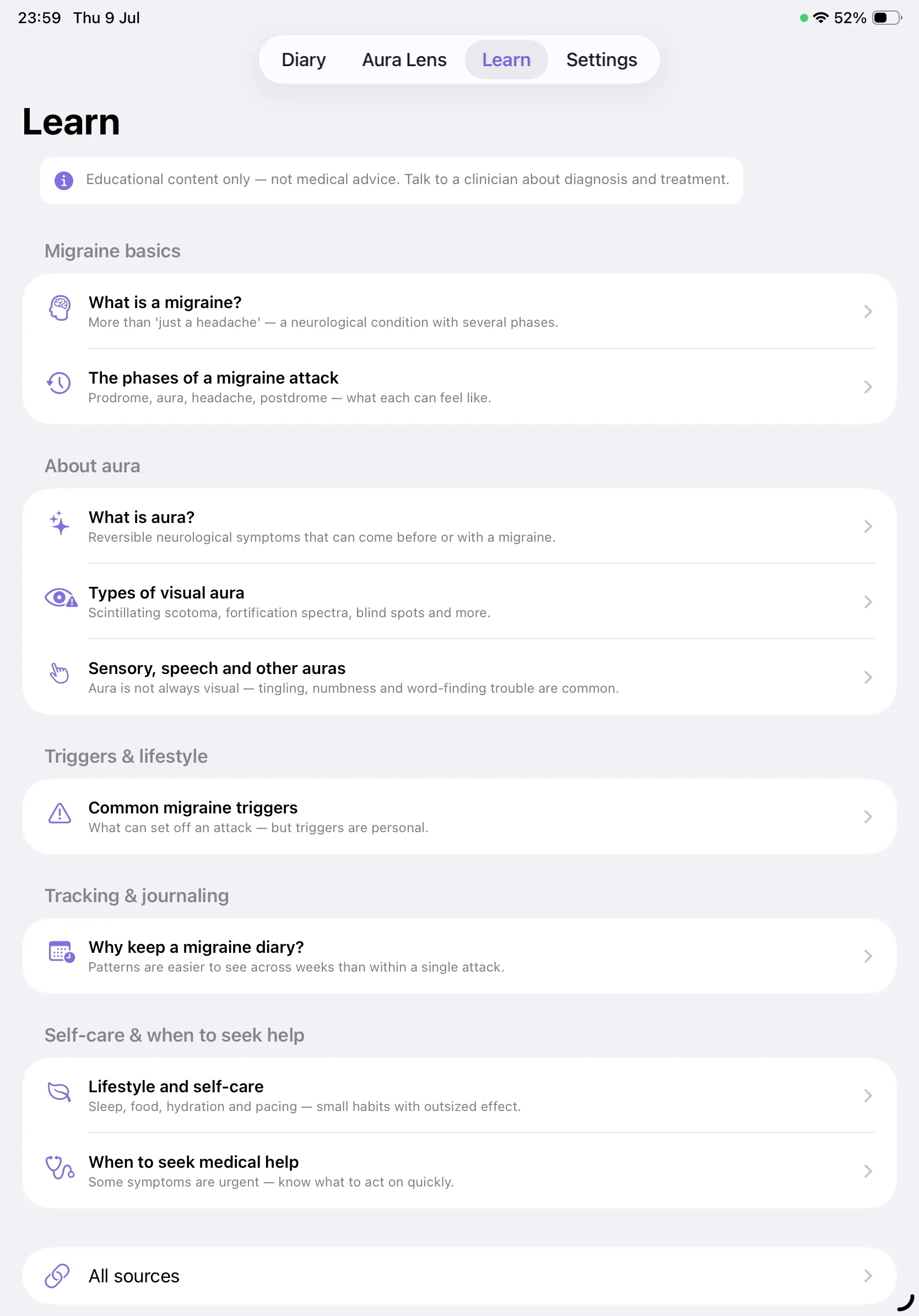
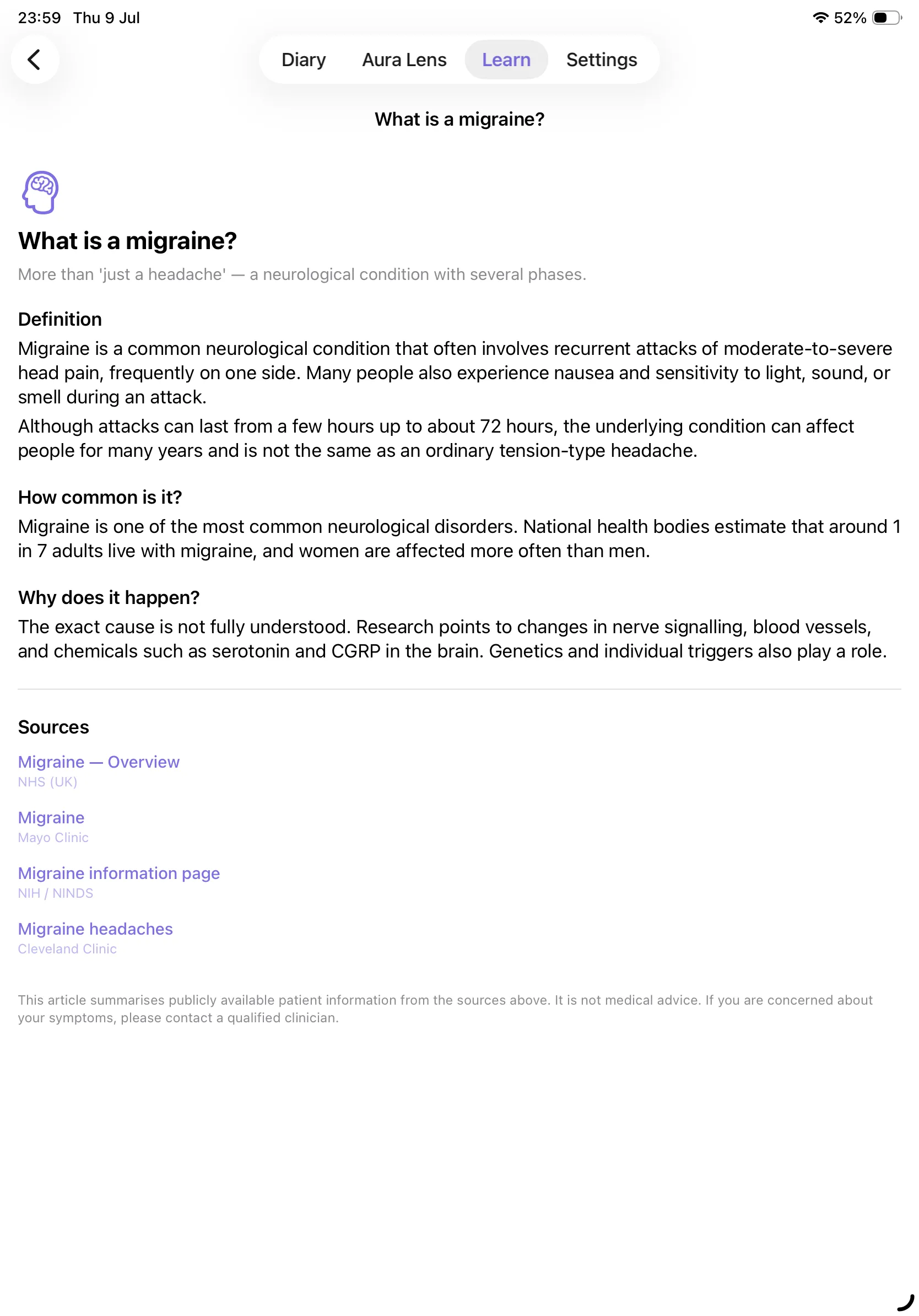
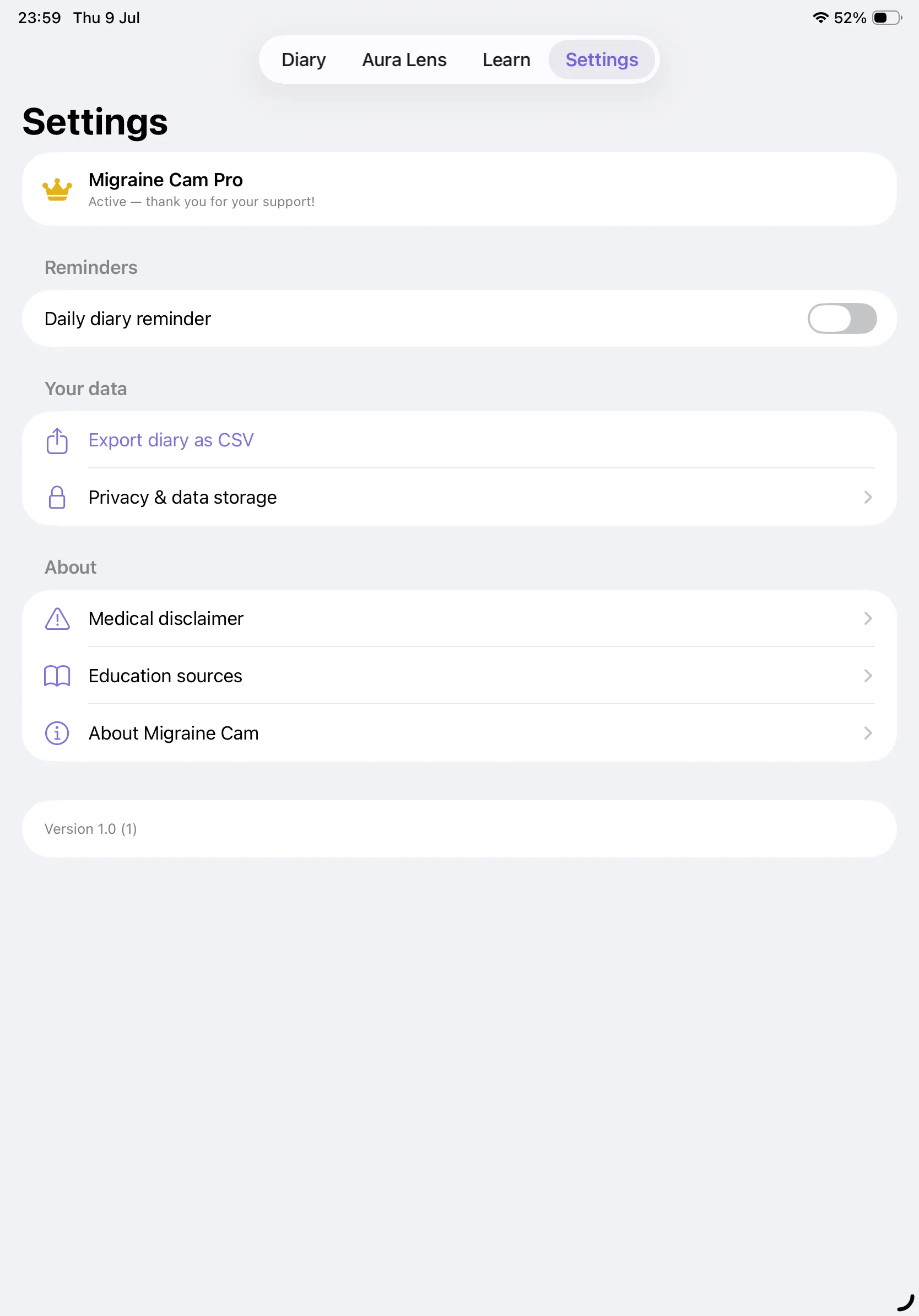
Note: the park scene visible through the Aura Lens in these screenshots is a stock photograph, used here for preview purposes only. Photo: People in Park by Suleymaniye Mosque, via Pexels. In the app, the Aura Lens shows your own live camera feed.
Migraine Cam Pro
Migraine Cam is free to download and use, supported by Google AdMob ads. The Aura Lens and all nine Learn articles are free, forever, with no limits. Upgrade to Pro with a single one-time purchase to unlock the full migraine diary and remove all ads — no subscription, pay once and it's yours.
- ✓ Unlock the full migraine diary — log every day, with the month calendar, 30-day statistics and CSV export
- ✓ Remove all ads, everywhere — no more full-screen ads between tabs
- ✓ One-time purchase, yours for life — not a subscription
- ✓ Supports new aura filters and features
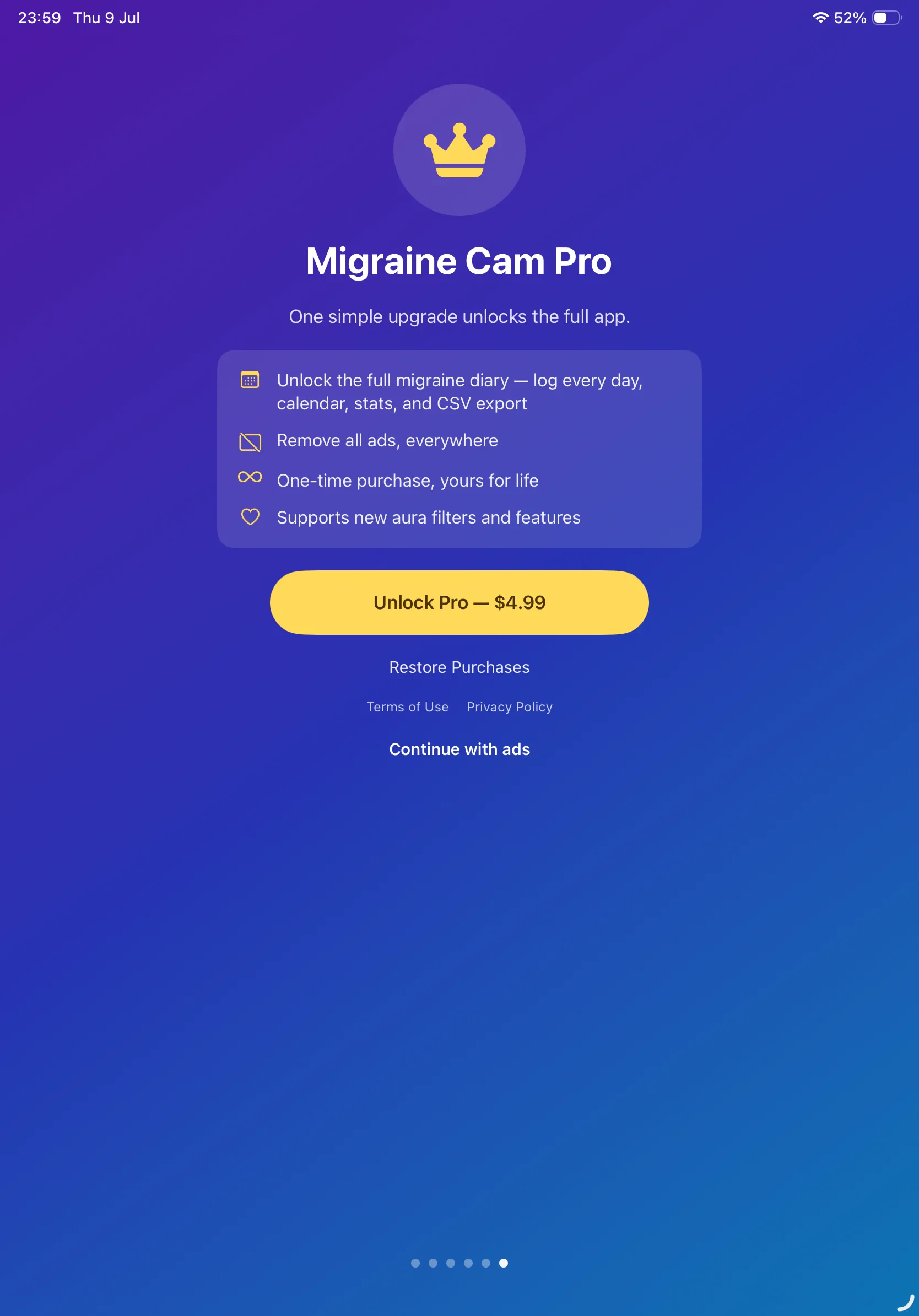
One-time purchase, not a subscription. Already bought Pro on another device? Tap Restore Purchases on the upgrade screen to unlock it instantly. The free version keeps the Aura Lens and every Learn article, in full.
Medical Disclaimer
Migraine Cam is an educational and personal journaling app. It does not provide medical advice, diagnosis, or treatment, and it is not a medical device. Nothing in the app — including the articles, the diary statistics, and the Aura Lens simulations — should be used to diagnose a condition or to decide whether to seek, delay, or discontinue medical care. Always speak with a qualified clinician about your health.
Seek emergency medical help right away if you experience a sudden severe headache, weakness, numbness, speech problems, head injury, fever with neck stiffness, confusion, seizures, or trouble seeing.
About the aura simulations
The Aura Lens filters are artistic, educational illustrations of commonly described visual auras. They are not clinical reproductions, they are not diagnostic, and they cannot tell you whether what you see is migraine aura. Every person's aura is different. The Photopsia filter imitates flashes of light; if you have photosensitive epilepsy or are unsure, do not use it.
About the education content
The Learn articles summarise publicly available patient information published by the NHS, Mayo Clinic, NIH/NINDS, Cleveland Clinic, the American Migraine Foundation and The Migraine Trust. Each article links to the sources it draws on. Migraine Cam is not affiliated with, endorsed by, or sponsored by any of these organisations, and health guidance changes over time — always check the original source.
Privacy Policy
Last updated: July 2026
1. Introduction
This Privacy Policy describes how Migraine Cam ("the App," "we," "our," or "us") handles information. The App provides migraine education, a personal symptom diary, and a camera that simulates visual migraine aura.
We respect your privacy. This policy explains what data the App and its service providers process, and what stays on your device.
2. Your Diary & Health Information
Everything you record in the diary — dates, headache severity, duration and location, aura symptoms, triggers, medications and notes — is stored locally on your device. We do not transmit your diary to our servers, and we do not have access to its contents.
- The App does not require an account or sign-in.
- Exporting your diary as CSV writes a file you choose where to send. Nothing is uploaded by the App itself.
- Deleting the App removes its locally stored diary from your device. Please export anything important beforehand.
3. Camera
The App requests camera access solely to display the live Aura Lens effects. The camera feed is processed on your device in real time and is never recorded, saved, or transmitted. No photos or video are captured by the App, and no camera data is sent to us or to any third party. You can revoke camera access at any time in Settings → Privacy & Security → Camera.
4. Advertising
The free version of Migraine Cam displays ads through Google AdMob. To serve ads, AdMob may collect and process certain information, such as a device advertising identifier, general device and usage data, and approximate location derived from your IP address. This data is used to deliver and measure advertising. Your diary content and camera feed are never shared with advertisers — the App does not have access to them for that purpose, and never transmits them.
You can review Google's practices here: Google Ads & Privacy. Upgrading to Pro removes all ads.
5. App Tracking Transparency
Where required, the App asks for your permission via Apple's App Tracking Transparency prompt before any identifier is used to deliver personalized ads. If you decline, ads remain non-personalized. You can change this choice any time in Settings → Privacy & Security → Tracking.
6. Notifications
If you turn on the daily diary reminder, the App schedules a local notification on your device at the time you pick. No notification data leaves your device, and the reminder can be switched off at any time in the App's Settings.
7. In-App Purchase
Migraine Cam Pro is a one-time, non-consumable in-app purchase processed by Apple through the App Store. We do not receive or store your payment details. Purchase validation and restoration are handled by Apple's StoreKit, and you can restore a previous purchase at any time from the upgrade screen.
8. Children's Privacy
The App is not directed at children under 13 and does not knowingly collect personal information from them. The advertising described above is provided by third parties subject to their own policies.
9. Changes to This Privacy Policy
We may update this Privacy Policy periodically. Any updates will be reflected on this page with a new "Last Updated" date.
10. Contact Us
If you have any questions or concerns about this Privacy Policy, please contact:
Support
Need help with Migraine Cam? We're here to assist you.
For any questions, feedback, or support requests, please reach out to us at:
Email: contactscienceaplus@gmail.com
Please note that we cannot answer medical questions. For anything about your own symptoms, diagnosis or treatment, speak with a qualified clinician.