
About Quick Paste Templates
Stop retyping the same lines on every site you visit. Quick Paste Templates is a tiny Safari toolbar popup that holds your reusable text — welcome messages, follow-up emails, hashtag bundles, saved captions, cover-letter paragraphs, support replies, daily check-ins — and pastes any of them with a single click on whatever page you’re on.
It’s a Mac app + Safari Web Extension. The Mac app is the welcome window that walks you through enabling the extension; the real work happens in the Safari toolbar popup, where you build a colour-coded library of folders and templates and grab the snippet you need without leaving the page.
The possibilities are limitless: welcome messages, job-hunt outreach, daily conversations, hashtags for posts, saved captions, support replies, code snippets, anything you find yourself typing more than twice.
One click to copy, ⌘V to paste. No accounts, no analytics, no page-content scraping — the extension never reads or alters the pages you visit. Your library lives inside Safari’s extension storage on your device.
Features
Folders, Not Lists
Group templates into colour-coded folders so the right snippet is one click away — Emails, Social Media, Notes, Job Hunt, Hashtags, anything you like.
Nine Folder Colours
Purple, pink, blue, yellow, orange, red, green, teal, dark blue. Use them however you like — per topic, per priority, per workflow.
One-Click Copy
Tap a template and the full body lands on your clipboard, ready to paste into Gmail, LinkedIn, X, Reddit, Notion, support portals — anywhere.
Instant Search
Type a few letters in the popup and the list filters by name and content, so a library of fifty templates still feels small.
Edit Anytime
Open any template, change the title or the body, hit Save. Edits stay with you across browser restarts — no re-export, no sync button.
Persists Across Sessions
Templates live in Safari’s built-in extension storage, so they’re still there after a quit, a reboot, or a full Safari clear.
Share Across Devices
Flip on Safari’s “Share across devices” toggle and the same library shows up on every Mac, iPhone, and iPad signed in to your Apple ID.
Privacy by Default
No accounts, no analytics, no crash SDK, no ads. The extension declares no host permissions and never reads or transmits page content.
Nine Folder Colours, Your System
Quick Paste Templates ships with nine folder colours. There’s no built-in meaning — pick a system that fits how you work. Common patterns:
Suggested systems
- By topic — Emails (blue), Social Media (pink), Notes (green), Hashtags (purple), Job Hunt (orange).
- By tone — warm welcomes in green, formal replies in dark blue, playful captions in yellow.
- By workflow — Outreach, Follow-ups, Replies, Closers — one colour per stage of your funnel.
- By priority — red for templates you reach for daily, gray-blue for the “every now and then” ones.
Screenshots
A small Mac welcome window that walks you through Safari setup, and a Safari toolbar popup that does the actual work — folders, templates, search, and a one-click copy.
macOS App 14.0+
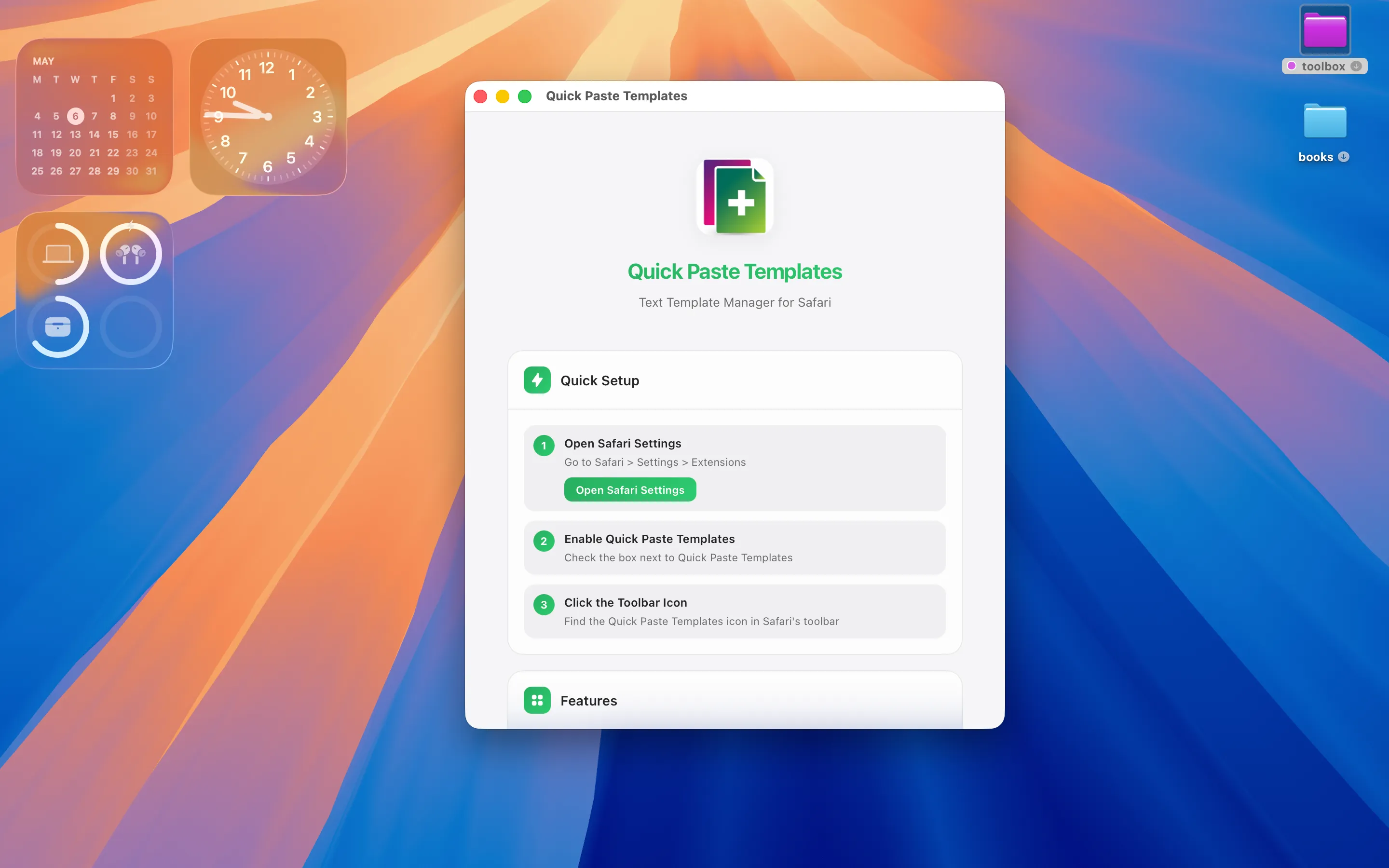
Quick Setup — three steps to a working extension
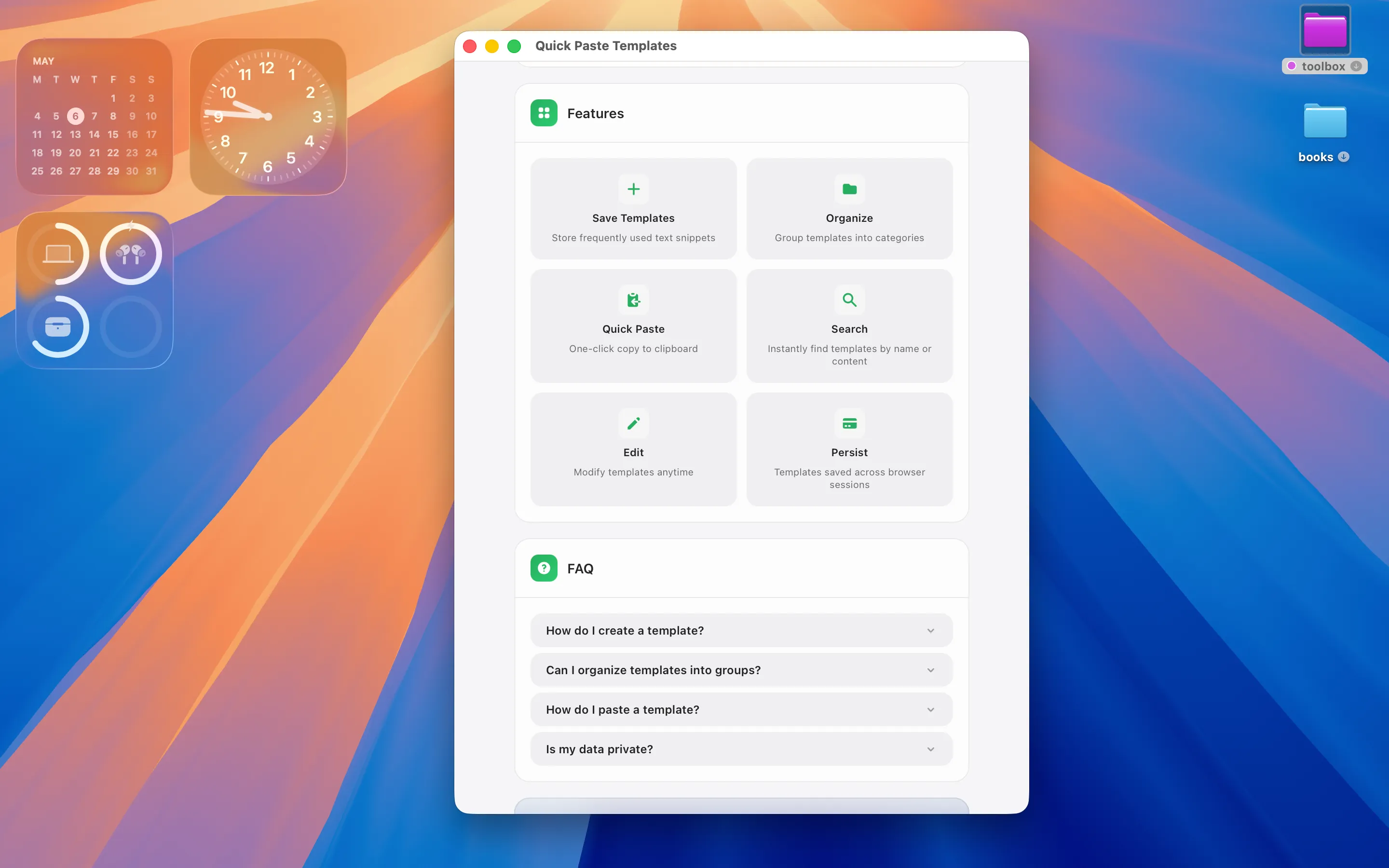
Features grid & FAQ in the welcome window
Safari Extension Toolbar
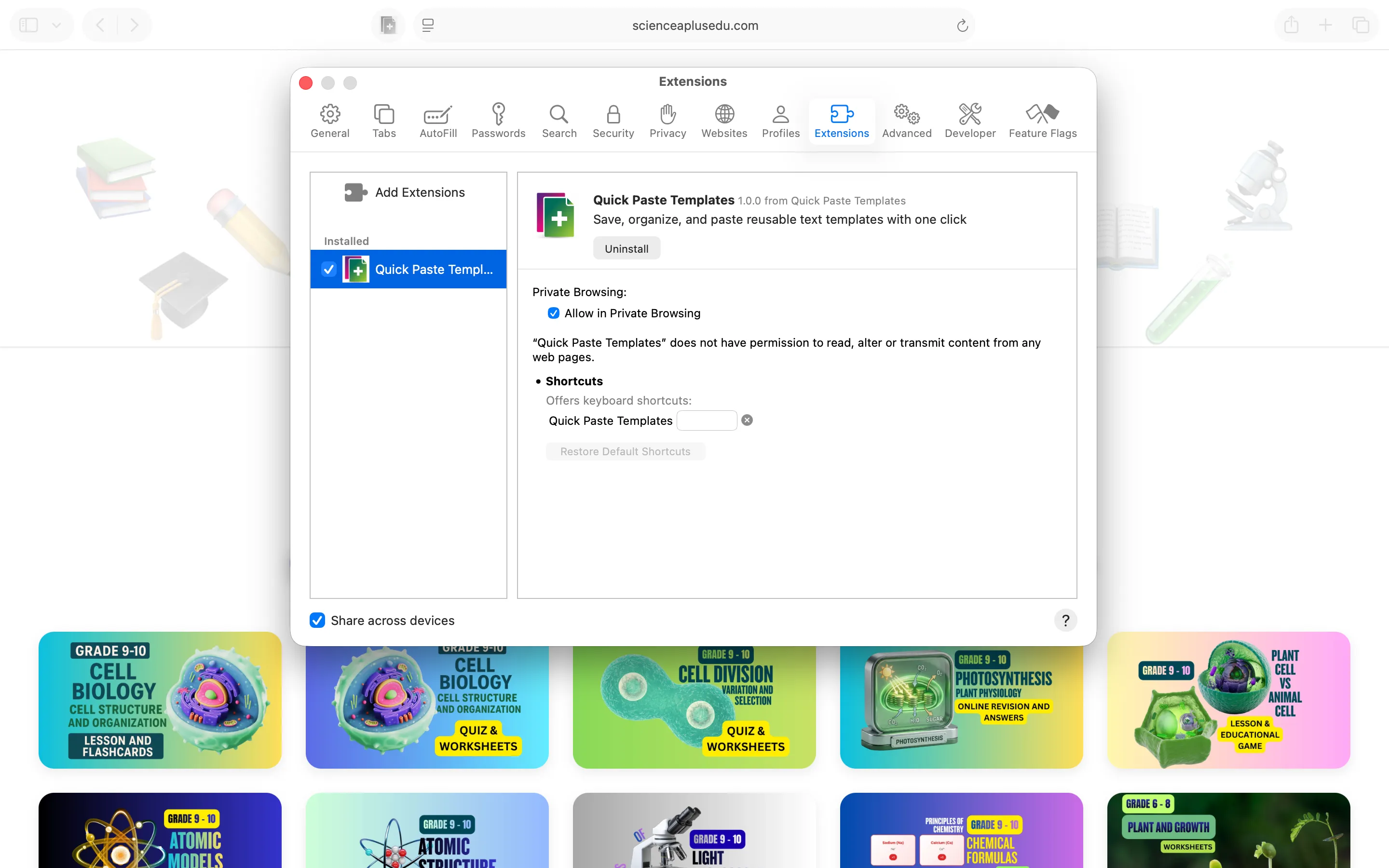
Enable in Safari → Extensions, optionally turn on Share across devices
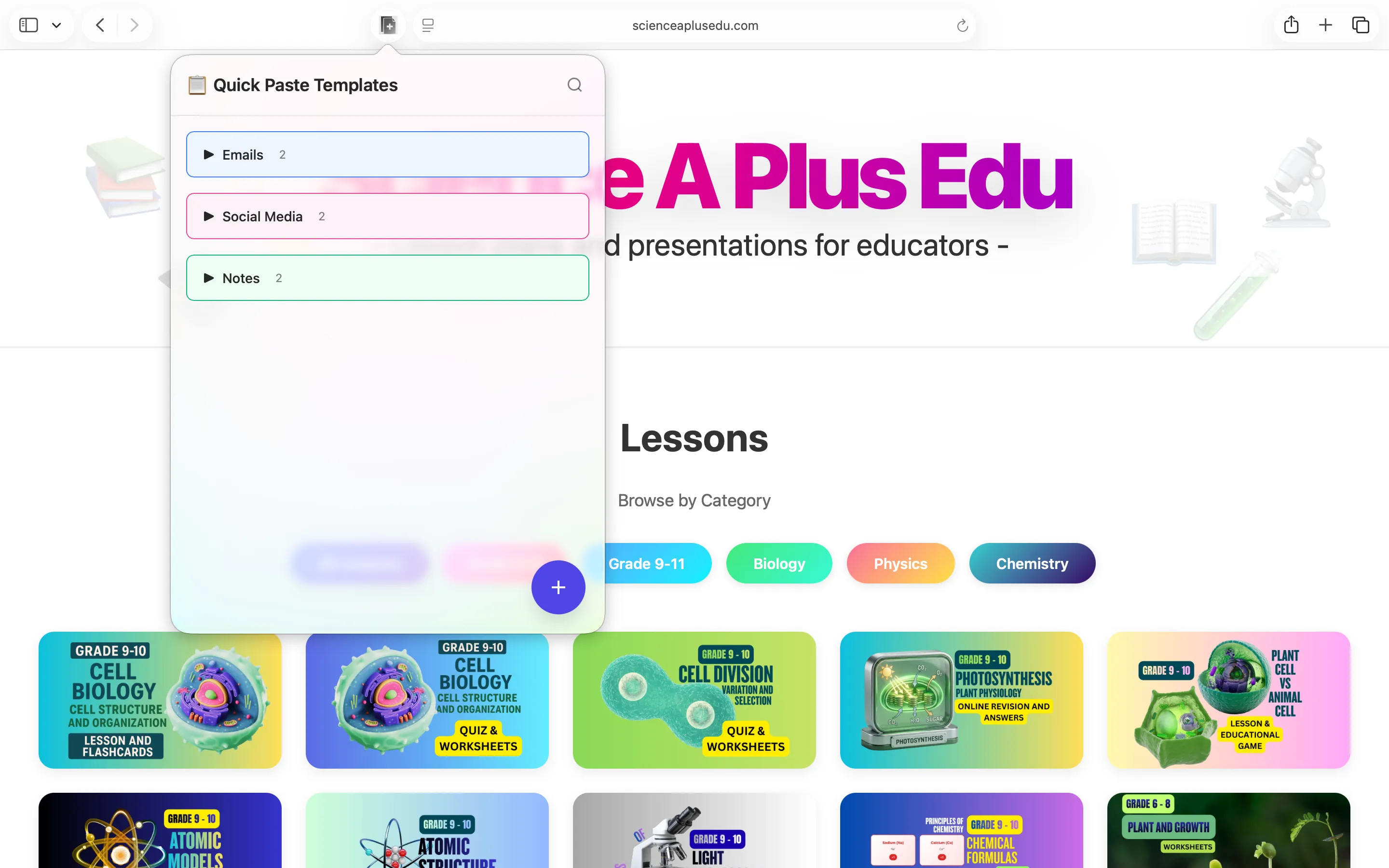
Colour-coded folders in the Safari toolbar popup
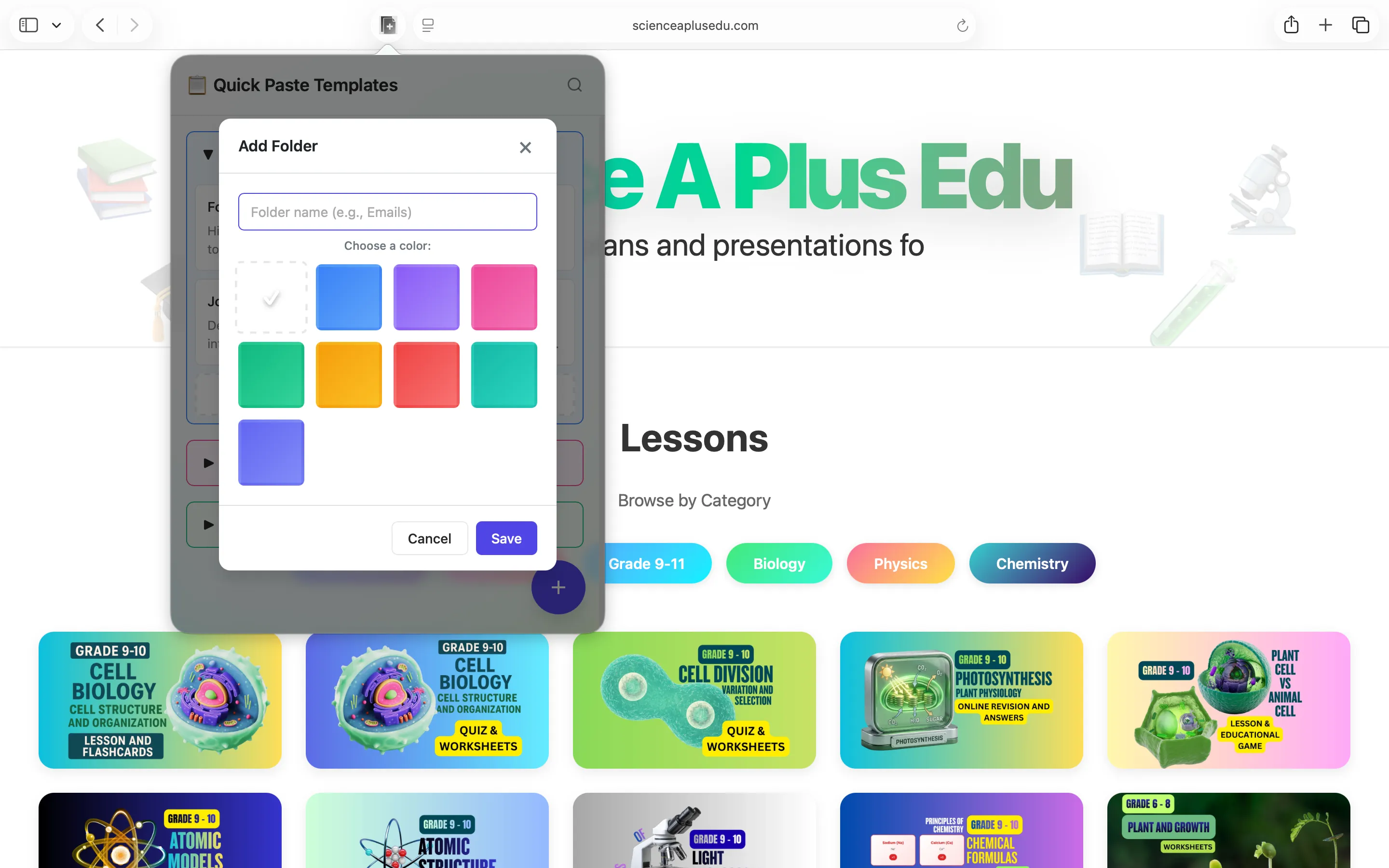
Add a folder, pick one of nine colours
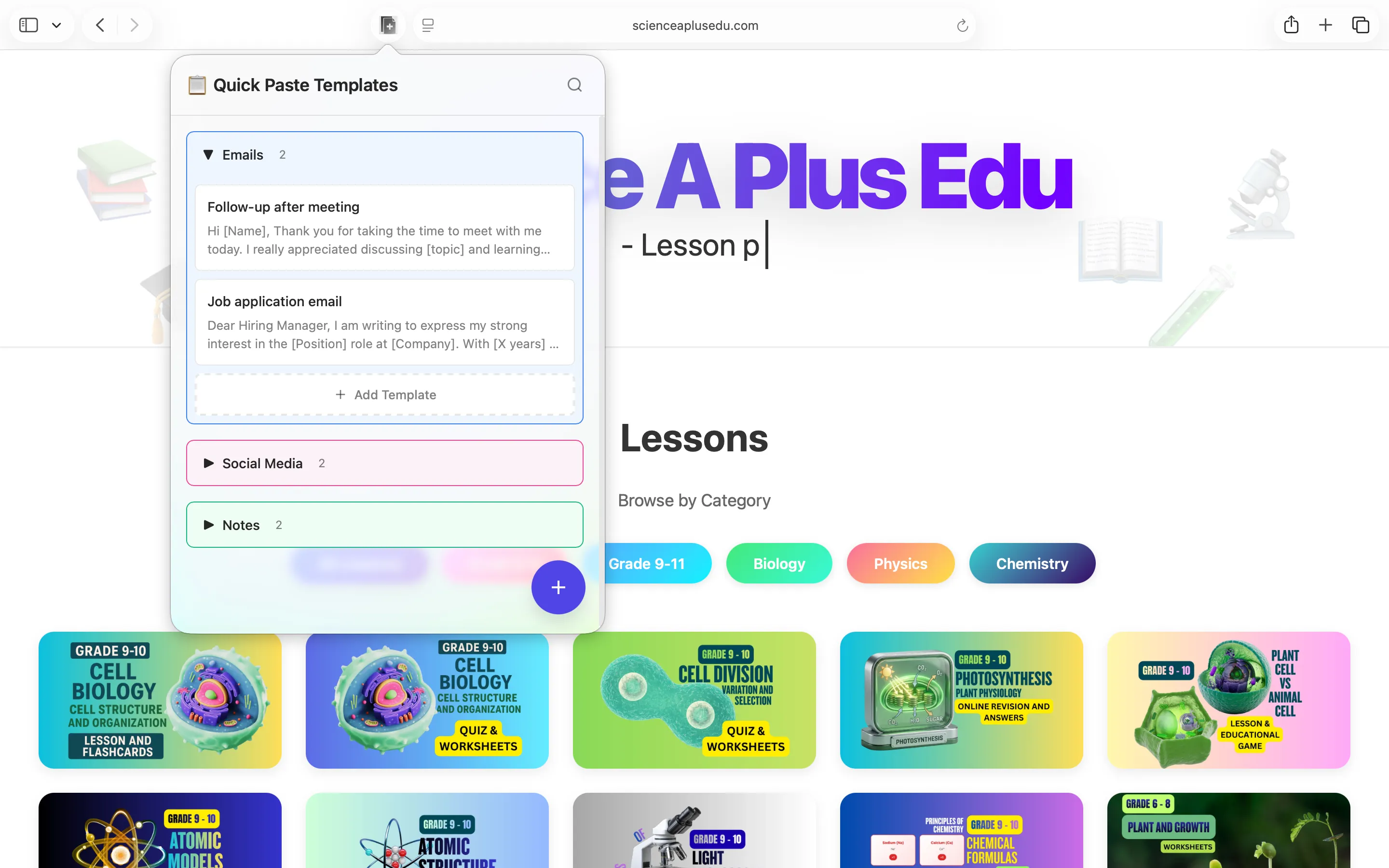
Open a folder — templates with name & preview
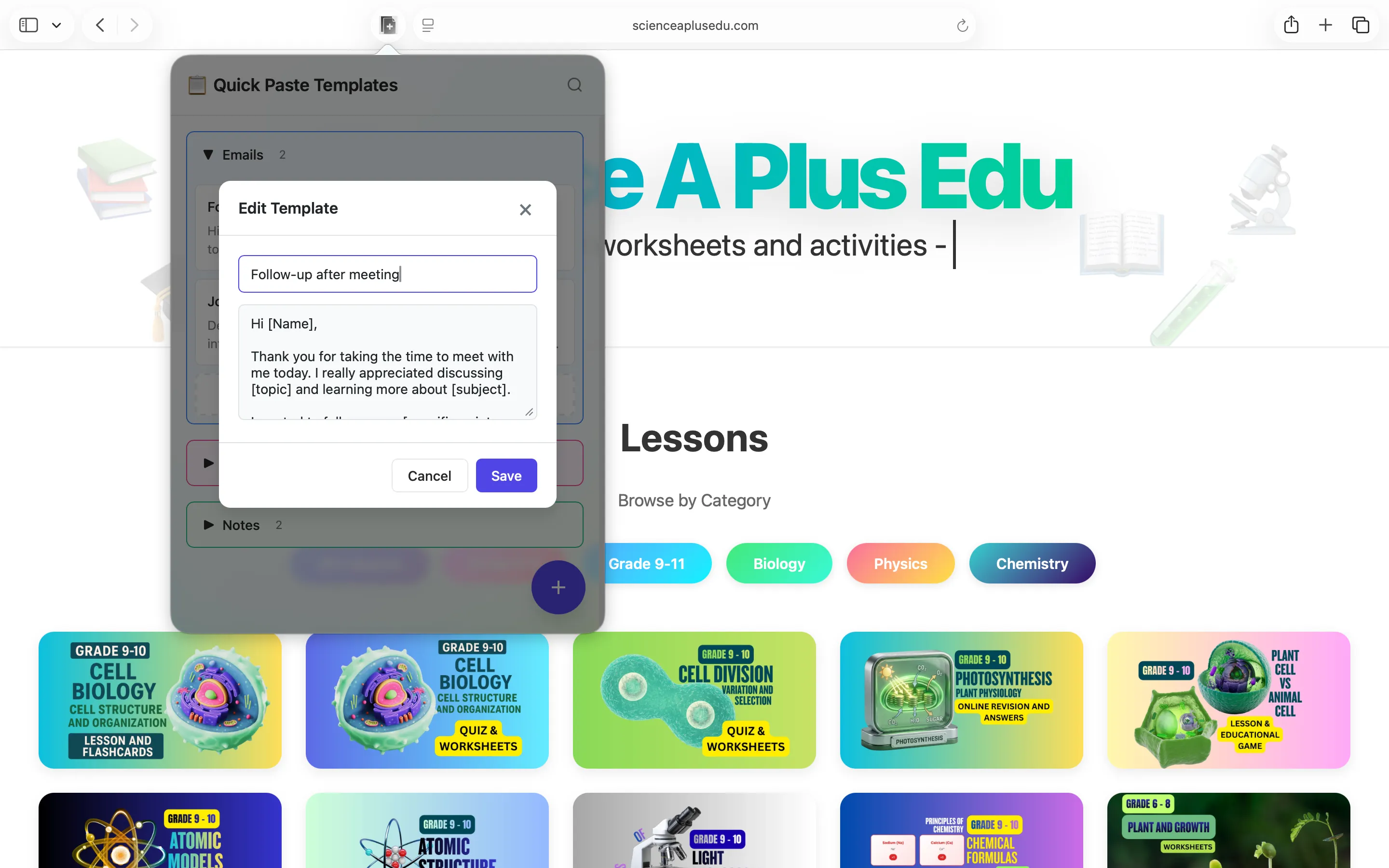
Edit a template — title plus a roomy body field
Privacy Policy
Last updated: May 2026
1. Introduction
This Privacy Policy describes how Quick Paste Templates (“the App,” “we,” “our,” or “us”) handles information. The App is a macOS application bundled with a Safari Web Extension. The extension stores text templates, folder names, and folder colours locally inside Safari’s extension storage on your Mac.
We respect your privacy. This policy explains what the App does and does not do with information on your device.
2. Information We Collect
We do not collect any personally identifiable information. Quick Paste Templates does not require an account, does not ask for your name or email, and does not transmit any data to servers operated by us — we don’t run any.
- No sign-in, account, or registration.
- No analytics or crash reporting SDKs.
- No advertising SDKs of any kind.
- No location, contacts, microphone, camera, or full-disk access.
- The Safari extension declares no host permissions and does not read or alter content from web pages you visit.
- Template data (folder names, folder colours, template titles, template bodies) is stored locally inside Safari’s extension storage.
- The clipboard is written to only when you tap a template row or the Copy button. The App never reads clipboard contents in the background.
3. iCloud / Share Across Devices (Optional)
Safari includes a built-in “Share across devices” toggle for Web Extensions. When you enable it for Quick Paste Templates in Safari → Settings → Extensions, Apple syncs the extension’s storage across the Apple devices signed in to your iCloud account. Your data resides in your iCloud account and is governed by Apple’s privacy policy. We have no access to the contents of your sync.
You can stop syncing at any time by turning “Share across devices” off in Safari Settings or by signing out of iCloud.
4. App Store Purchase
Quick Paste Templates is a paid app sold through the Mac App Store. The purchase is processed entirely by Apple. We do not see your payment details. There are no in-app purchases, no subscriptions, and no recurring charges.
5. Clipboard Access
Quick Paste Templates writes to the system clipboard only when you tap a template (to copy it) or use the Copy button in the editor. Clipboard contents are never read in the background and never leave your Mac.
6. Network Activity
The App and its extension make no network requests of their own. The only outbound network traffic comes from Safari’s built-in “Share across devices” sync (when you enable it), which is handled by Apple. We do not communicate with any third-party servers.
7. Data Sharing
We do not sell, rent, or otherwise share user data — we don’t have any to share. There are no third-party SDKs in Quick Paste Templates.
8. Children’s Privacy
The App is suitable for users of all ages and is not directed at children under 13. We do not knowingly collect personal information from children.
9. Changes to This Privacy Policy
We may update this Privacy Policy periodically. Any updates will be reflected on this page with a new “Last Updated” date.
10. Contact Us
If you have any questions or concerns about this Privacy Policy, please contact:
Terms of Use
Quick Paste Templates is provided as a productivity utility for personal and professional use. The App stores text snippets you author yourself; it does not validate, execute, or verify the contents of any saved template. By installing the App you agree to Apple’s standard Licensed Application End User License Agreement, which governs all App Store apps.
Quick Paste Templates is a one-time paid app sold through the Mac App Store and tied to your Apple ID. There are no subscriptions and no in-app purchases. Refund requests are handled by Apple under their standard refund policy.
Safari is a trademark of Apple Inc. Quick Paste Templates is an independent product and is not affiliated with, endorsed by, or sponsored by Apple beyond its distribution through the Mac App Store.