About Darker Modes
Darker Modes is a small Safari Web Extension for Mac with one job: make the page you're reading easier on your eyes, without waiting on the site's own dark mode or squinting through a glaring white background at night.
Click the moon icon in Safari's toolbar and pick a reading mode. Dark Mode smart-inverts bright pages into a comfortable dark theme while photos and videos keep their natural colors. Blue Tones lays a cool, calming tint over the page for focused daytime reading. Warm Night shifts the page toward amber, cutting harsh blue light in the evening — like Night Shift, but per website. An intensity slider dials each mode from a whisper of tint to a full shade, and you choose whether it applies to just that site or everywhere you browse.
One-time purchase. No ads, no analytics, no accounts, and no server involved — every reading mode is rendered locally on your Mac.
Enable the extension once, then click the toolbar icon on any page. Pay once, $1.99. Done.
Features
Dark Mode
Smart inversion turns bright pages into a comfortable dark theme while photos and videos keep their natural colors.
Blue Tones
A cool, calming blue tint over the page — a gentler, more focused look for long reading sessions.
Warm Night
A warm amber overlay that reduces harsh blue light in the evening, like Night Shift for individual websites.
Intensity Slider
Dial each reading mode from a whisper of tint to a full shade — find the exact comfort level for your eyes.
Per-Site Memory
Shade the sites that need it and leave the rest alone. Choose "Only this site" or "All websites" and Darker Modes remembers.
No Reload Needed
Click the toolbar icon, choose a mode, and the page recolors instantly — open tabs update live too.
Built-In Reading Guide
The placeholder app explains why shading your screen helps — the eye strain and blue-light science behind each mode.
100% On-Device
No accounts, no analytics, no ads, no third-party trackers. Everything happens on your Mac, inside Safari.
How It Works
Enable the extension in Safari
- Open Safari and choose Safari → Settings… → Extensions.
- Tick “Darker Modes Extension”.
- Click the moon icon in Safari's toolbar on any page and pick a reading mode.
From there
- Click the toolbar icon, choose Dark Mode, Blue Tones, or Warm Night, and the page recolors immediately — no reload needed.
- Drag the Intensity slider to dial the effect from a subtle tint to a full shade.
- Choose Only this site to shade just the page you're on, or All websites for one setting everywhere — Darker Modes remembers per-site preferences.
- Everything happens on your Mac, inside Safari. Nothing about your browsing is ever sent anywhere.
Screenshots
Enable the extension once, then click the toolbar icon on any page to pick a reading mode that suits your eyes.
macOS 11+
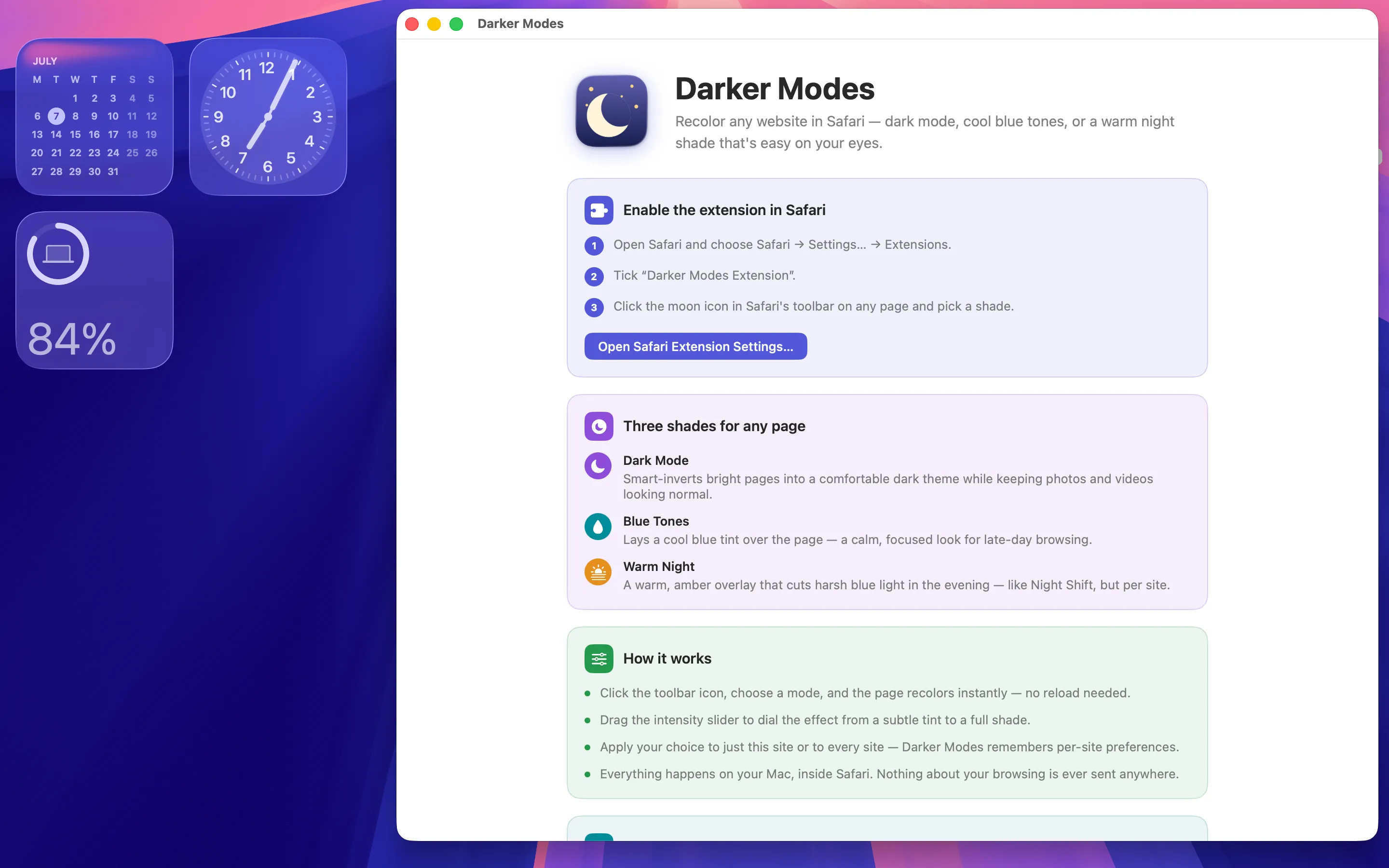
Enable the extension and see the three modes
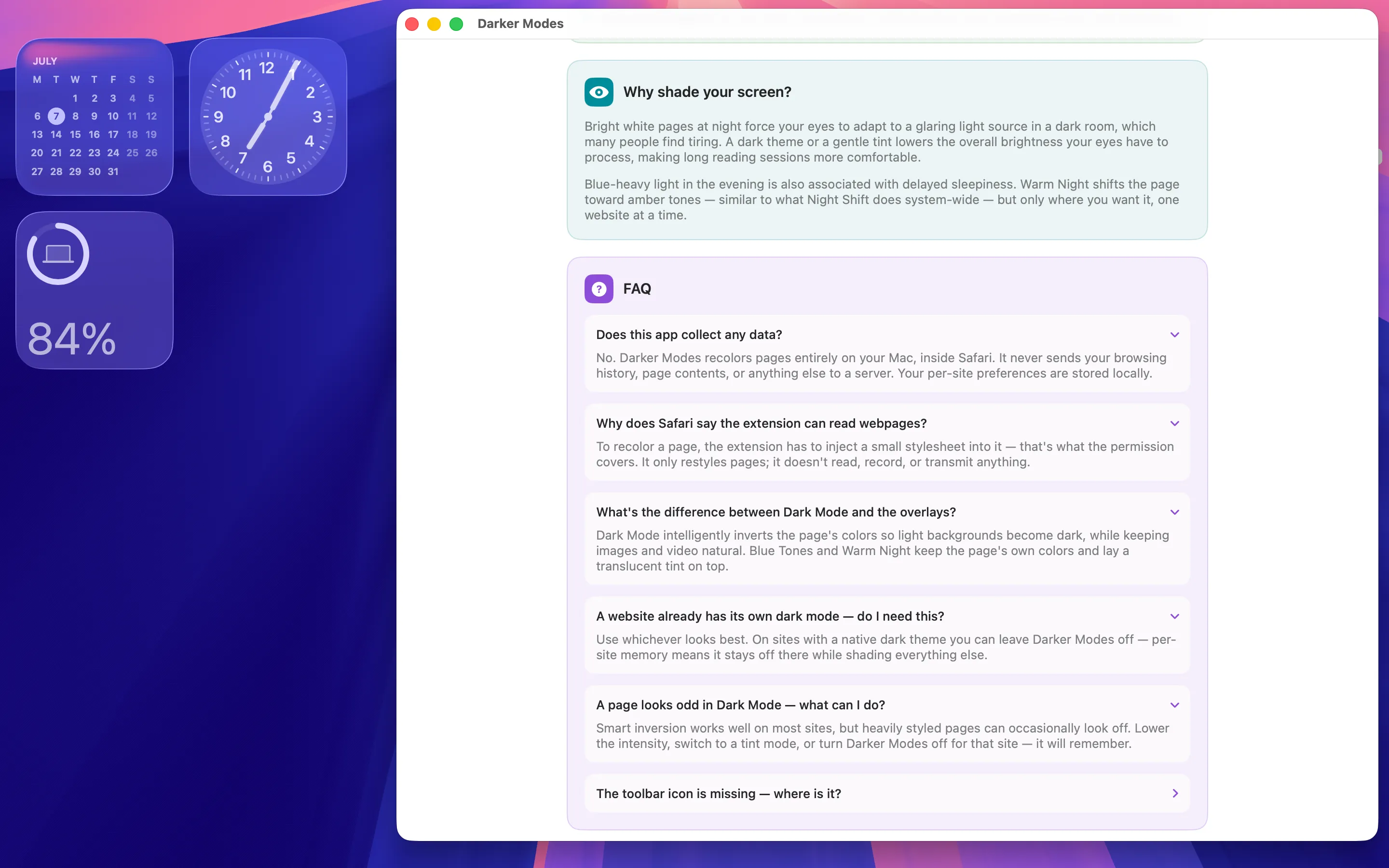
Why shading helps, and answers to common questions
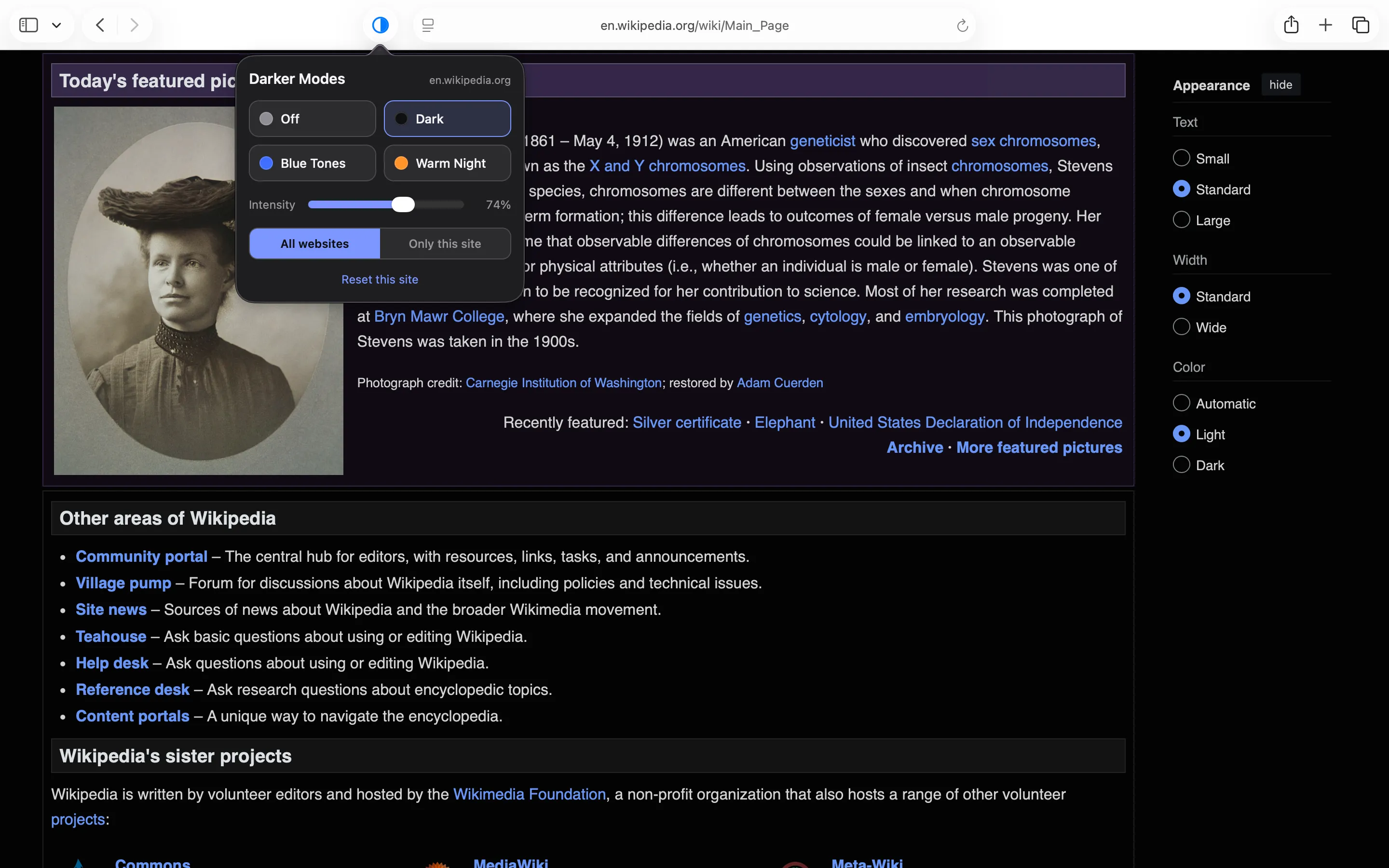
Dark Mode — a comfortable dark theme, photos untouched
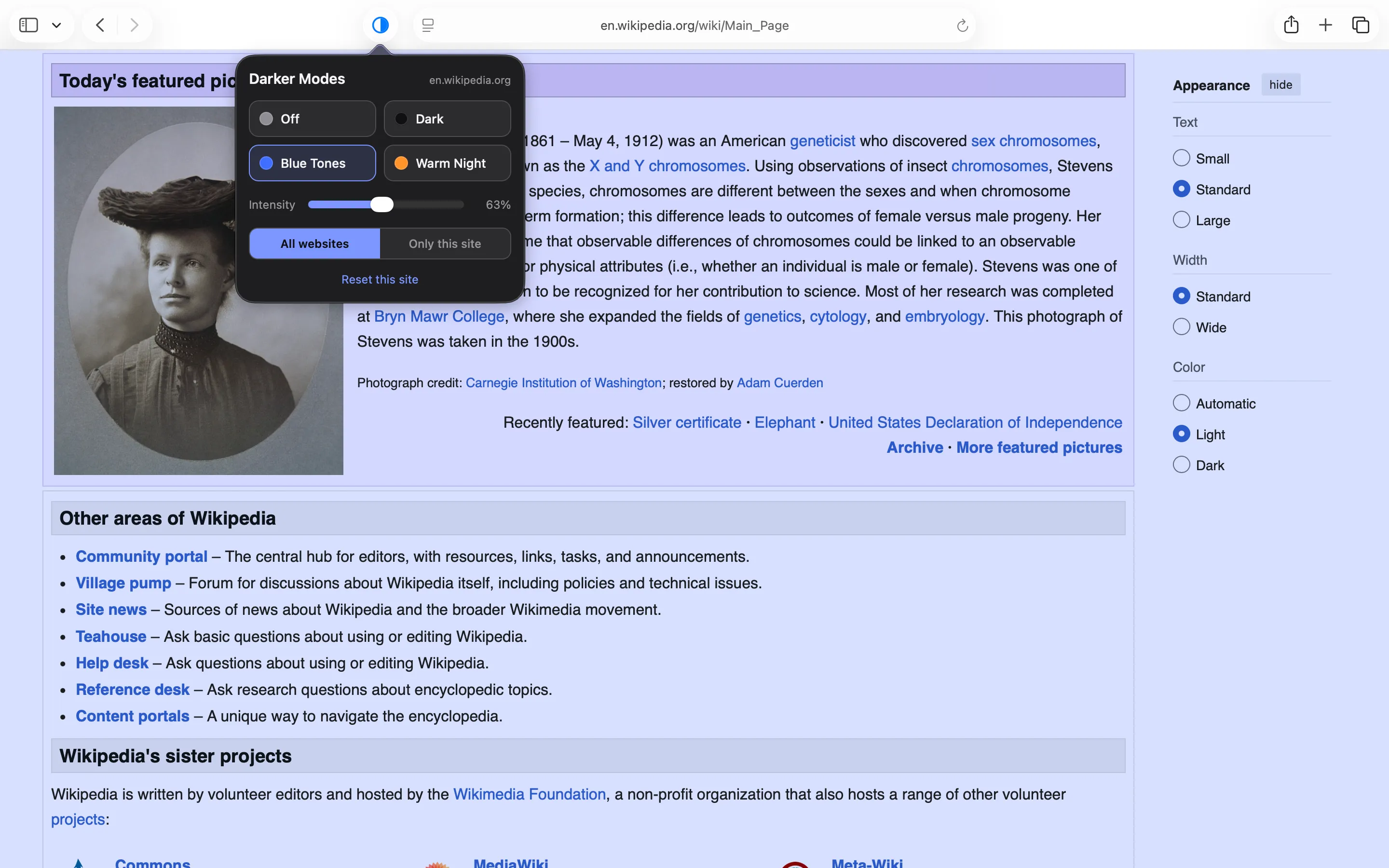
Blue Tones — a cool, calming tint for focused reading
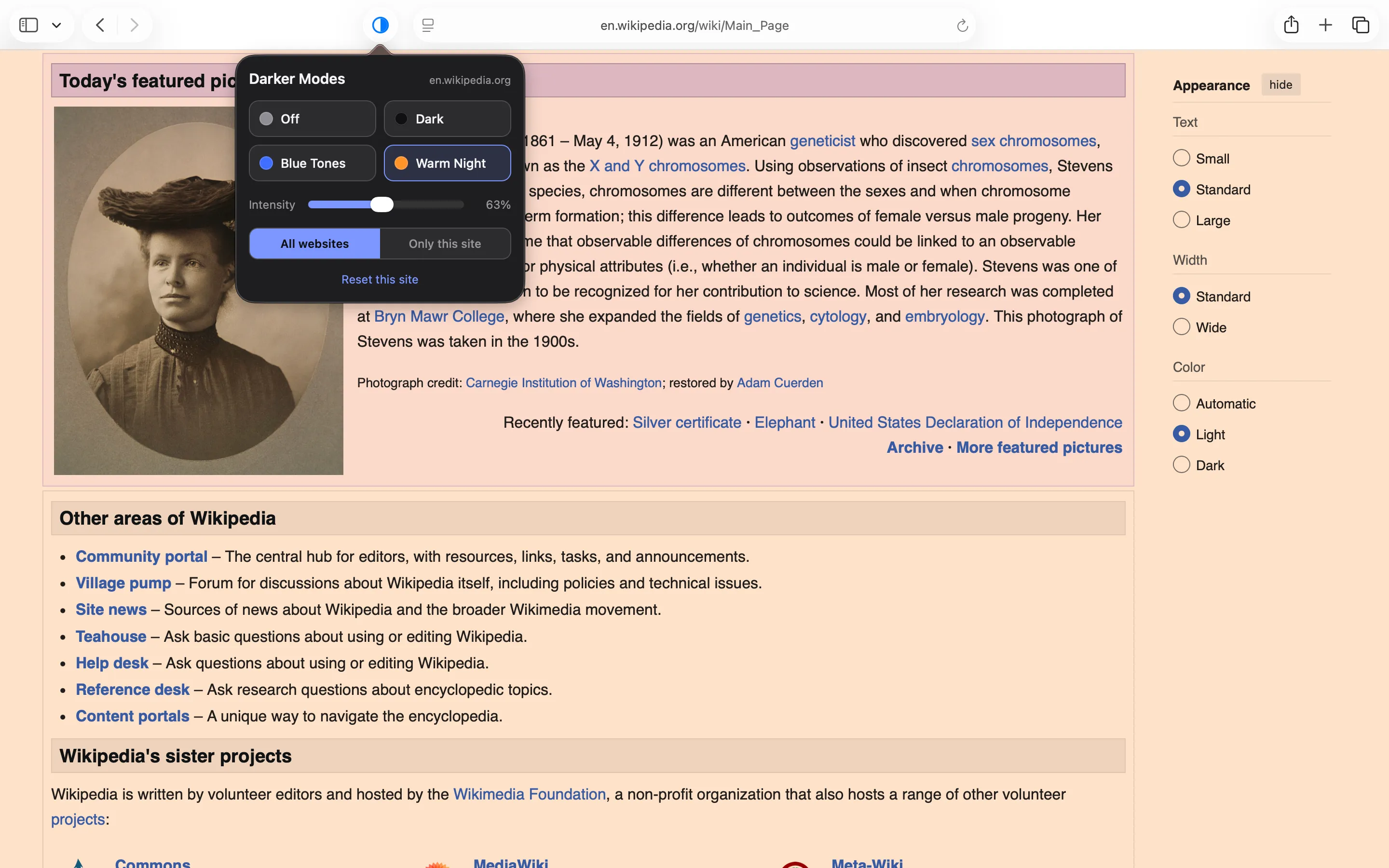
Warm Night — amber tones that ease evening blue light
Why Shade Your Screen?
Bright white pages at night force your eyes to adapt to a glaring light source in a dark room, which many people find tiring. A dark theme or a gentle tint lowers the overall brightness your eyes have to process, making long reading sessions more comfortable.
Blue-heavy light in the evening is also associated with delayed sleepiness. Warm Night shifts the page toward amber tones — similar to what Night Shift does system-wide — but only where you want it, one website at a time.
FAQ
Does this app collect any data?
No. Darker Modes recolors pages entirely on your Mac, inside Safari. It never sends your browsing history, page contents, or anything else to a server. Your per-site preferences are stored locally.
Why does Safari say the extension can read webpages?
To recolor a page, the extension has to inject a small stylesheet into it — that's what the permission covers. It only restyles pages; it doesn't read, record, or transmit anything.
What's the difference between Dark Mode and the overlays?
Dark Mode intelligently inverts the page's colors so light backgrounds become dark, while keeping images and video natural. Blue Tones and Warm Night keep the page's own colors and lay a translucent tint on top.
A website already has its own dark mode — do I need this?
Use whichever looks best. On sites with a native dark theme you can leave Darker Modes off — per-site memory means it stays off there while shading everything else.
A page looks odd in Dark Mode — what can I do?
Smart inversion works well on most sites, but heavily styled pages can occasionally look off. Lower the intensity, switch to a tint mode, or turn Darker Modes off for that site — it will remember.
The toolbar icon is missing — where is it?
Open Safari → Settings… → Extensions and make sure “Darker Modes Extension” is ticked. You can also pin it to the toolbar from the same screen.
Privacy Policy
Last updated: July 2026
1. Introduction
This Privacy Policy describes how Darker Modes ("the App," "we," "our," or "us") handles information. The App is a macOS container for a Safari Web Extension that recolors the page you're viewing with a choice of reading modes.
We respect your privacy. This policy explains exactly what the App does and does not do with information on your device.
2. Information We Collect
We do not collect any personally identifiable information. Darker Modes does not require an account, does not ask for your name or email, and does not transmit any data to servers operated by us — we don’t run any.
- No sign-in, account, or registration.
- No analytics or crash reporting SDKs.
- No advertising SDKs of any kind.
- No tracking, no fingerprinting, no third-party SDKs at all.
- No location, contacts, microphone, or camera access.
- The extension only injects a stylesheet into the active page to recolor it — it does not read, record, or transmit page contents.
3. Your Browsing Stays on Your Mac
Every reading mode is rendered entirely on your Mac. The App makes no network requests, performs no server uploads, and contacts no third-party services. There is no telemetry and no auto-update beacon. Your browsing and per-site preferences never leave your Mac.
4. Extension Permissions
The Safari extension requests permission to inject styling into web pages so it can recolor them. Your per-site mode and intensity choices are stored locally using Safari's extension storage. It cannot see your browsing history beyond the sites you've chosen to shade.
5. App Store Purchase
Darker Modes is a paid app sold through the Mac App Store. The purchase is processed entirely by Apple. We do not see your payment details. There are no in-app purchases, no subscriptions, and no recurring charges.
6. Data Sharing
We do not sell, rent, or share user data — we don’t have any to share. There are no third-party SDKs in Darker Modes.
7. Children’s Privacy
The App is suitable for users of all ages and is not directed at children under 13. We do not knowingly collect personal information from children.
8. Changes to This Privacy Policy
We may update this Privacy Policy periodically. Any updates will be reflected on this page with a new "Last Updated" date.
9. Contact Us
If you have any questions or concerns about this Privacy Policy, please contact:
Terms of Use
Darker Modes is provided as a utility for recoloring the pages you view in Safari. The App restyles the page you're viewing; it does not analyse, scan, or transmit the page's contents. By installing the App you agree to Apple’s standard Licensed Application End User License Agreement, which governs all App Store apps.
Darker Modes is a one-time paid app sold through the Mac App Store and tied to your Apple ID. There are no subscriptions and no in-app purchases. Refund requests are handled by Apple under their standard refund policy.
Support
Questions, bug reports, or feature requests? Drop us a line.