One Long Screenshot, Not Five Awkward Ones
Some things do not fit on one screen. A long chat thread. A recipe. An order confirmation. A terms page you need to send to someone. So you take four screenshots, and now you have four images with the same header repeated four times and no obvious way to read them as one thing.
Stitch Screens fixes that. Pick the shots, and the app compares them pixel by pixel to work out exactly where each one overlaps the next – then joins them into a single, continuous image with the repeated bits removed. No duplicated status bars, no visible seam, no manual dragging.
Everything runs on your iPhone. Your screenshots are analysed on device and never uploaded anywhere.
How It Works
Take overlapping shots
Screenshot, scroll a little less than a full screen, screenshot again. The overlap is what the app matches on.
Pick or let it find them
Choose 2–10 shots yourself, or tap Scan My Screenshots and let the app find stitchable sets already sitting in your camera roll.
Check the seams
Each join gets a badge. Tap one to flip between the matched join and the full images, and fine-tune with per-image crop if you want.
Save or share
Save straight to Photos, or share the result as a PNG or a single long PDF page.
It Finds the Sets For You
Tap Scan My Screenshots and the app reads through the screenshots in your camera roll, groups the ones taken back to back in the same session, and tests each group to see how well it stitches. You get a list of ready-made candidates with a plain-English verdict on each.
✅ Stitchable
Every seam in the set matched cleanly. Tap it and you have your long image.
⚠️ Partly stitchable
Some seams matched, some did not – usually because you scrolled too far between shots. Still worth opening.
⚡ Force stitch
No overlap found, but you can still join the images end to end and trim them by hand.
All of the scanning happens on device, on small grayscale copies of your images, so it stays fast and nothing is sent anywhere.
What People Stitch
Anything taller than the screen. A few of the usual suspects:
Chat threads
Whole conversations in one image
Long web pages
Articles, listings, comparison tables
Receipts & orders
The whole itemised list, top to bottom
Terms & statements
Long documents that will not fit on one screen
Bug reports
Long logs and settings screens for support tickets
Key Features
Automatic Seam Detection
The app compares the bottom of each image against the top of the next and picks the join with the lowest difference – so repeated headers and status bars disappear instead of stacking up.
Camera Roll Scanner
Finds runs of screenshots you already took and tells you which ones will stitch, before you pick anything.
Seam Badges
Every join is labelled. Tap a badge to switch between the matched join and the full untrimmed images, so you can see exactly what was removed.
Per-Image Crop
Top and bottom sliders for each source image – useful for cutting a floating toolbar or a banner out of the middle of a stitch.
Reorder & Force Stitch
Shots out of order? The app reorders them. No overlap at all? Force the join and trim it yourself.
PNG & PDF Export
Save to Photos, share a full-resolution PNG, or export a single long PDF page for email and printing.
Up to 10 Screenshots
Stitch as many as ten shots into one image – enough for a very long page. Three per stitch on the free version.
Fully On Device
No account, no upload, no server. Your screenshots are processed on your iPhone and stay there.
Works Offline
Nothing about stitching needs a connection. It works the same on a plane as it does at home.
Private by Design
Screenshots are personal. They contain conversations, addresses, order numbers and account details. Stitch Screens is built so none of that ever leaves your phone.
All stitching runs on device
No sign-up, no account
Nothing uploaded, ever
We operate no servers
Photo access is used for two things only: reading the screenshots you pick or ask the app to scan, and saving your finished stitch back to your library. Nothing else is read, and nothing is transmitted.
Free to Use. Pro Is a One-Time $2.99.
Stitch Screens is free to download and supported by ads. The free version stitches 3 screenshots at a time – enough for most chats and receipts. If you pick more than three, the app stitches the first three and tells you what it left out.
Free
Unlimited stitches, 3 screenshots per stitch, the camera roll scanner, per-image crop, and PNG and PDF export.
Stitch Screens Pro
Stitch up to 10 screenshots at once and remove every ad. No subscription, no renewal.
What Stitch Screens Pro Unlocks
Up to 10 Screenshots
Ten shots in a single stitch, instead of three
No Banner Ads
The banner on the home screen disappears
No Full-Screen Ads
No interruptions between stitches
Yours Forever
A one-time purchase, not a subscription
Purchase terms. Stitch Screens Pro is a one-time, non-consumable in-app purchase of $2.99 (prices may vary by region). It is not a subscription and does not renew. Payment is charged to your Apple Account when you confirm the purchase, and the unlock is tied to that Apple Account – tap Restore Purchases in Settings to reinstate it on a new device or after reinstalling. See the Terms of Use and Privacy Policy below.
Screenshots
See Stitch Screens in action on iPhone. Tap any image to view it full screen.
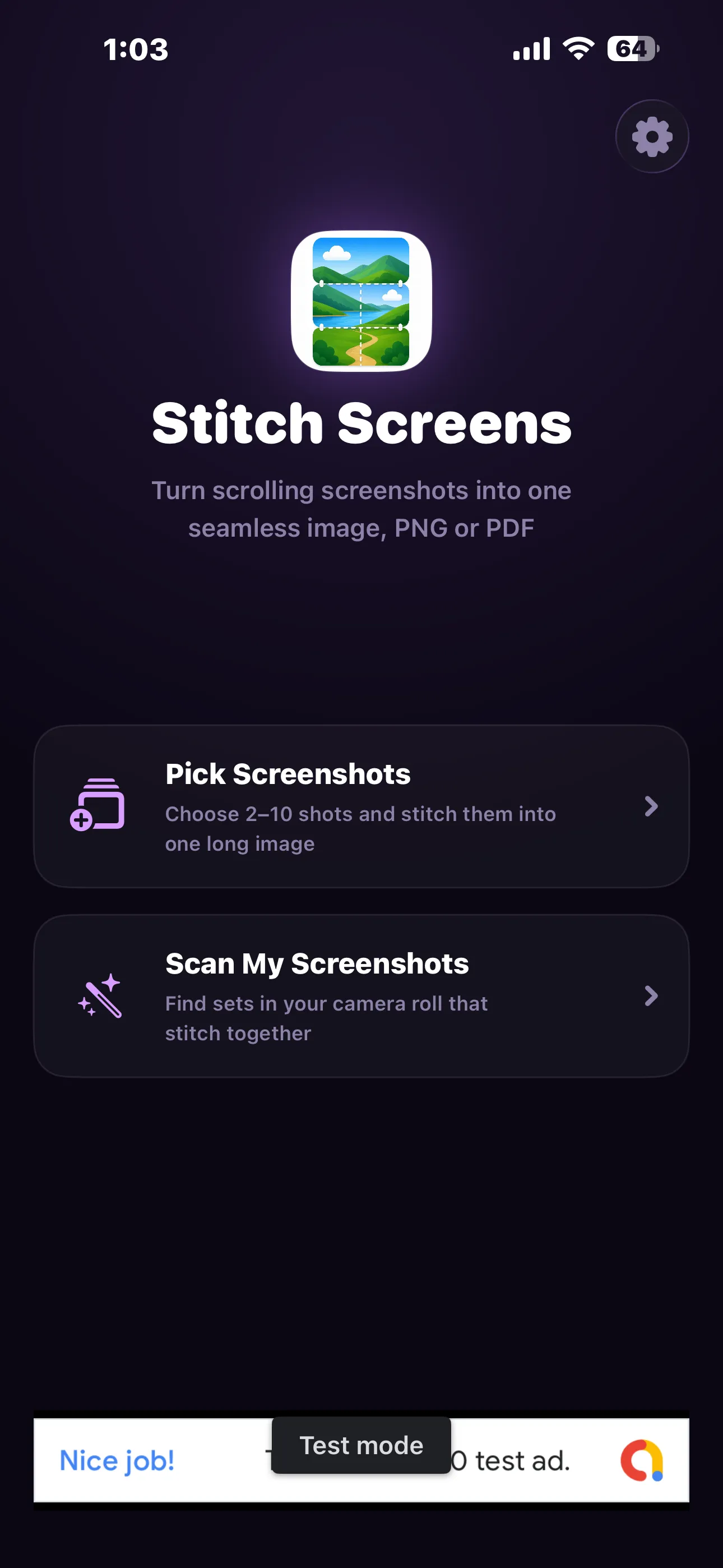
Home — pick or scan
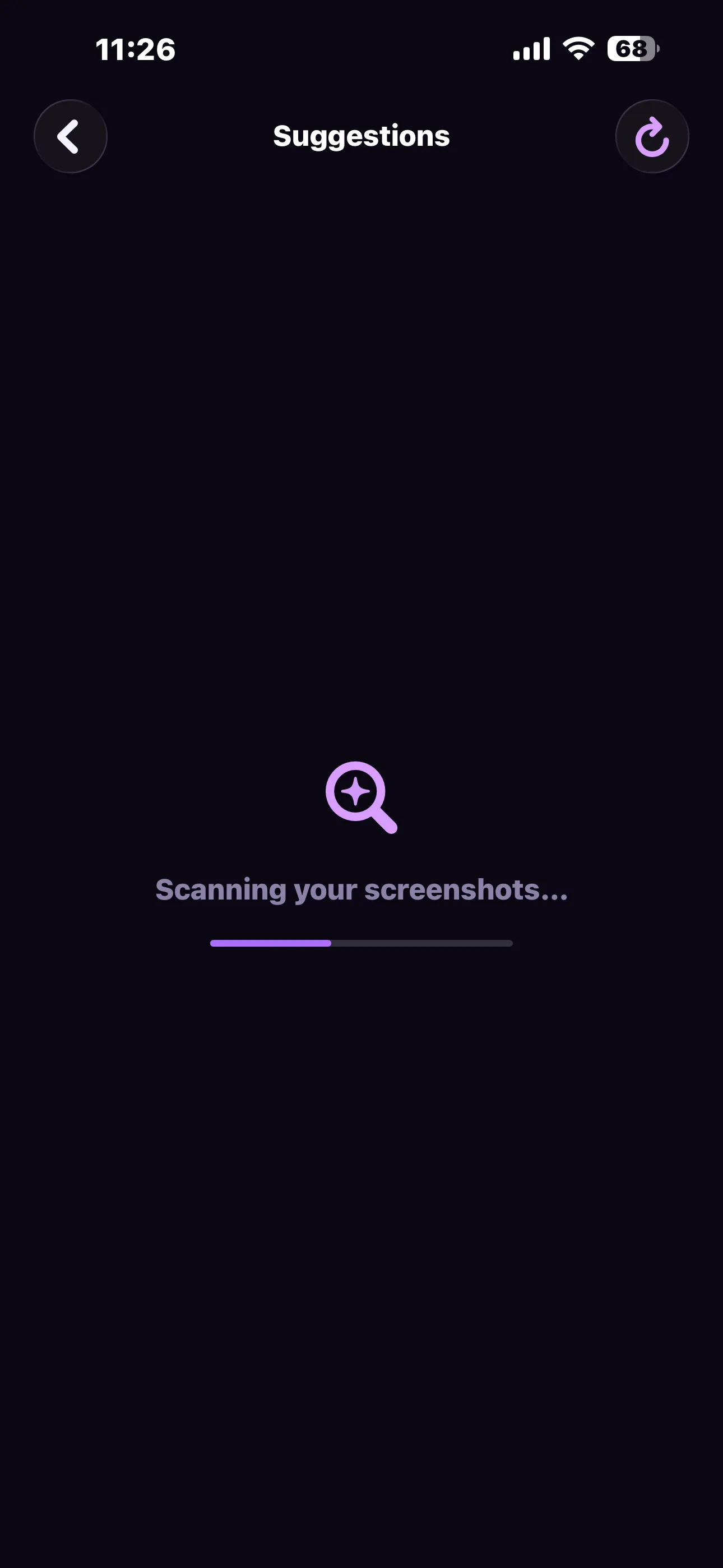
Scanning your camera roll
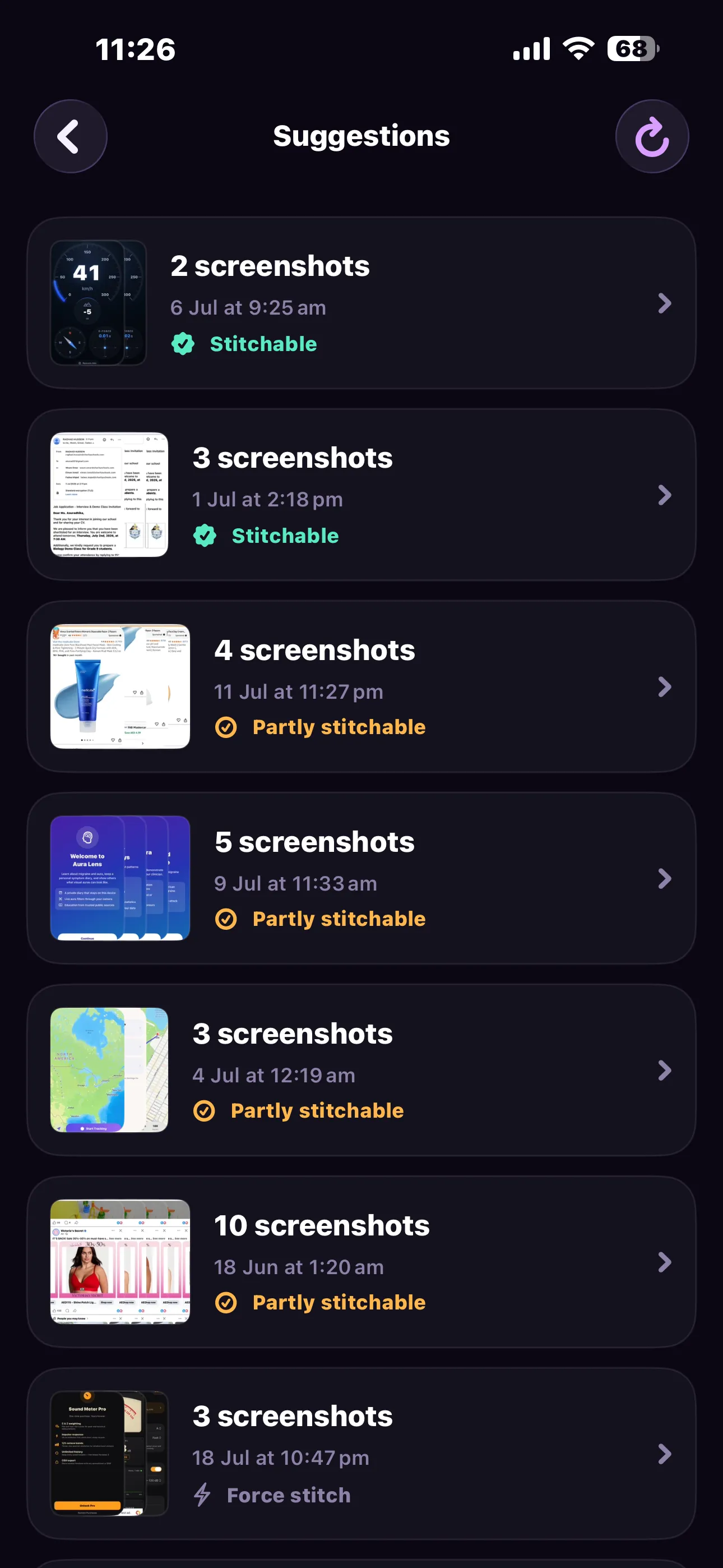
Suggested sets, already scored
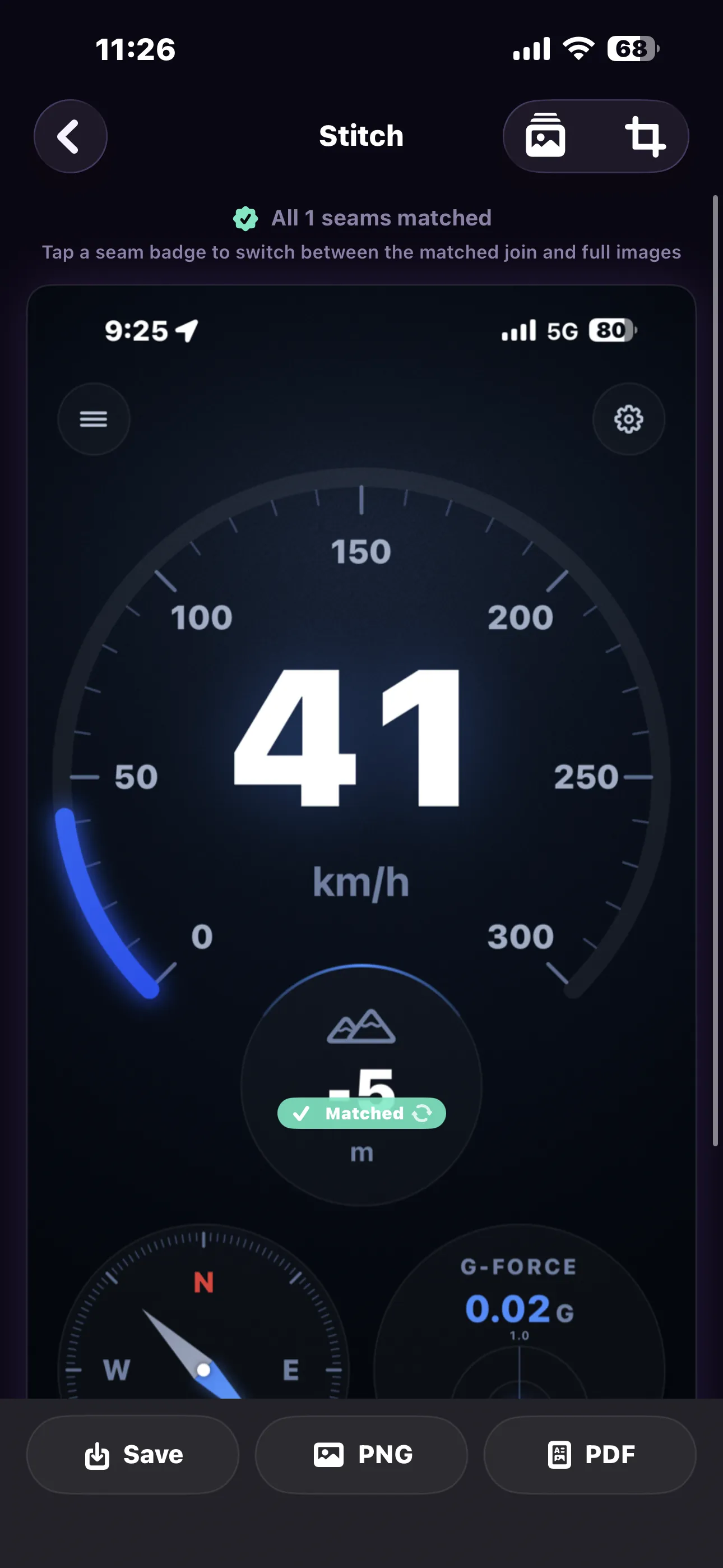
All seams matched — save, PNG or PDF
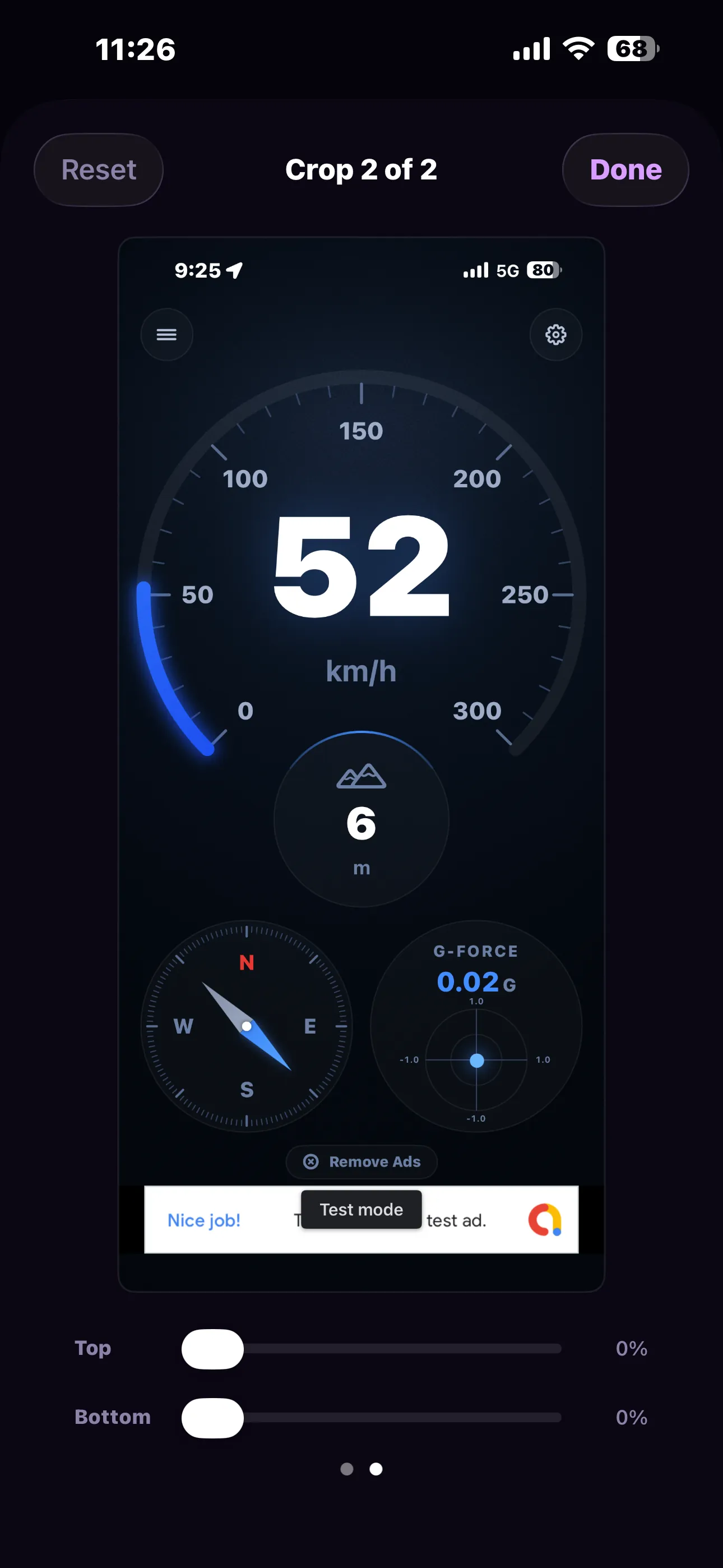
Per-image top and bottom crop
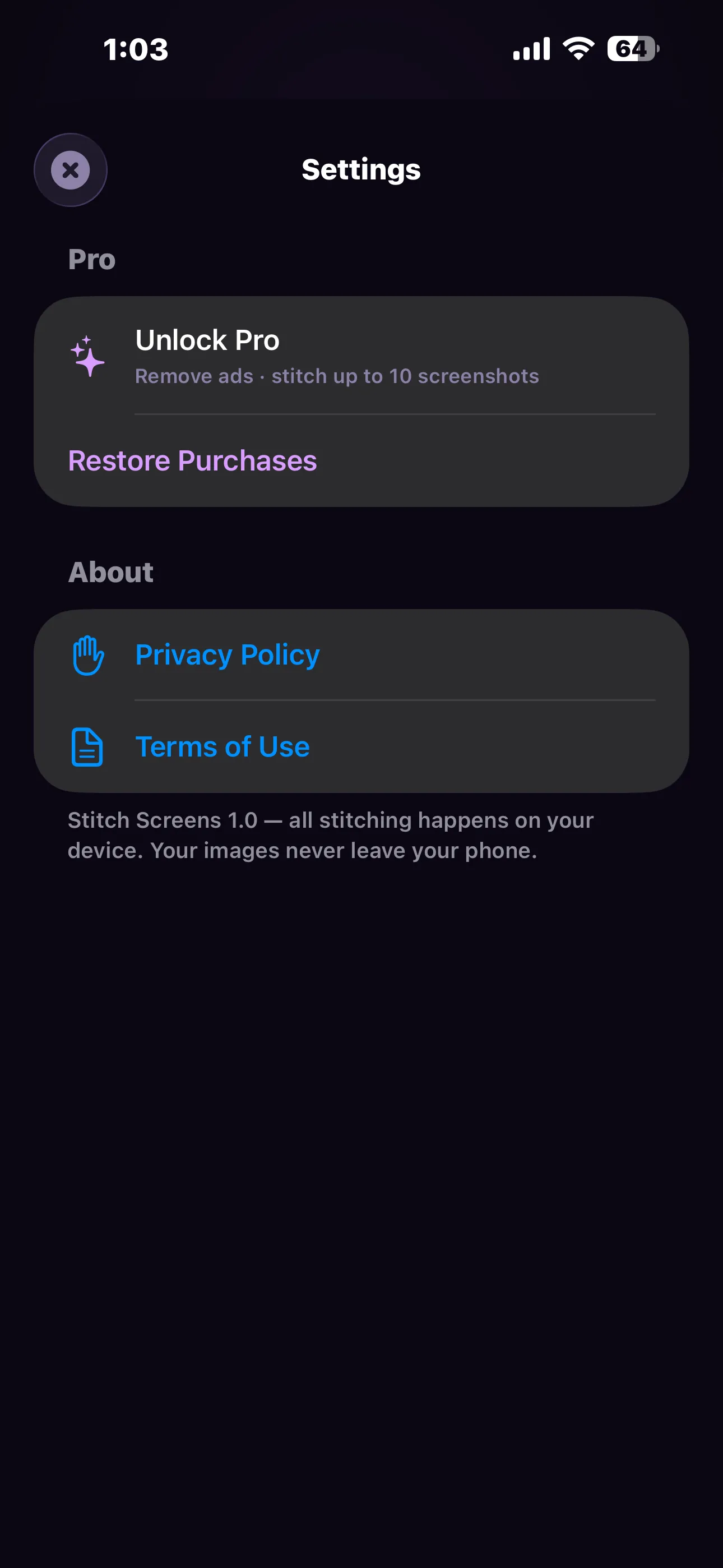
Settings
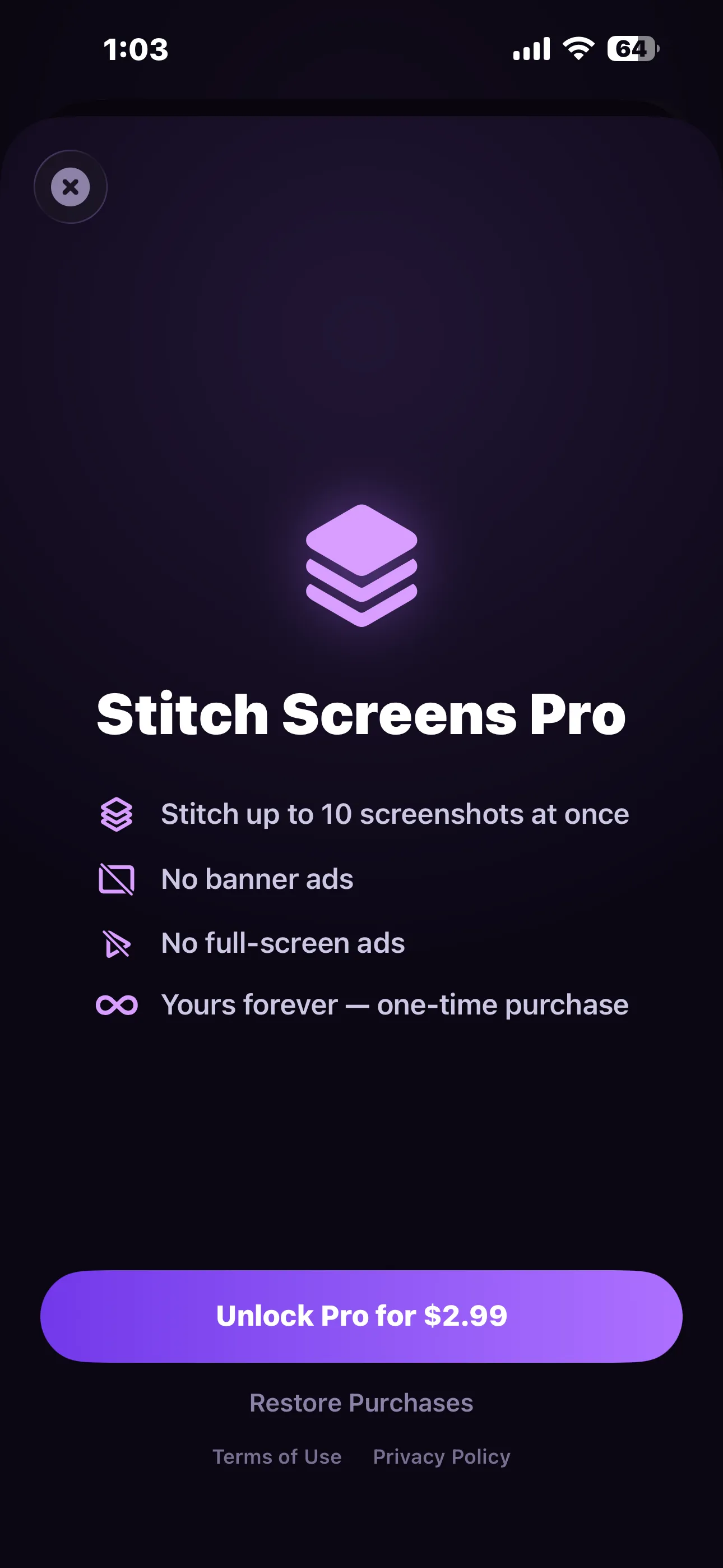
Pro — a one-time $2.99
Frequently Asked Questions
How much should the screenshots overlap?
Scroll a little less than a full screen between shots – roughly a fifth of the screen of shared content is plenty. Too little overlap and there is nothing for the app to match on, which is when you will see “force stitch” instead of a clean seam.
What if a seam does not match?
You can still stitch. The app joins the images end to end, and you can use the top and bottom crop sliders on each one to remove the repeated part yourself.
Does it work with photos, not just screenshots?
You can pick any images from your library, and they will stitch as long as they overlap. The camera roll scanner, though, only looks at screenshots.
How many screenshots can I stitch?
Three at a time on the free version, and up to ten with Pro. If you select more than the free limit, the app stitches what it can and shows you how many were left out.
Is Pro a subscription?
No. Stitch Screens Pro is a single $2.99 purchase that never renews. If you reinstall the app or move to a new iPhone, tap Restore Purchases in Settings.
Are my screenshots uploaded anywhere?
No. Every step – scanning, matching, stitching and exporting – happens on your iPhone. We run no servers and never see your images.
Why does the app ask for photo access?
To read the screenshots you pick or ask it to scan, and to save your finished stitch back to your library. You can grant limited access to selected photos if you prefer.
Does the PDF keep full quality?
The PDF is one long page at letter width. Very long stitches are scaled to stay within the 200-inch page limit that some PDF viewers enforce; for maximum resolution, export a PNG instead.
Privacy Policy
Last updated: July 2026
1. Introduction
This Privacy Policy describes how Stitch Screens ("the App," "we," "our," or "us") handles information. The App merges overlapping screenshots into a single long image on your device.
We respect your privacy and are committed to protecting it.
2. Information We Collect
We do not collect your images. Stitch Screens does not require an account. The screenshots you pick, the sets it scans, and the stitched results are processed entirely on your device.
- We operate no servers of our own and cannot see your screenshots.
- Nothing you stitch is uploaded, backed up to us, or shared with anyone.
- The App does not access your contacts, location, microphone or camera.
- We do not operate our own analytics servers.
- Some limited data may be processed by our third-party advertising provider, as described below.
3. Photo Library Access
The App requests access to your photo library for two purposes: to read the screenshots you select or ask it to scan, and to save your finished stitched image back to your library. Analysis is performed on small on-device copies of your images. You may grant access to selected photos only, and you can change or revoke this permission at any time in Settings → Privacy & Security → Photos.
4. Advertising
The free version of Stitch Screens displays advertisements through Google AdMob – a banner on the home screen and an occasional full-screen ad, rate limited so it cannot appear more than once every couple of minutes. To serve ads, Google may collect and process certain information, such as a device advertising identifier, general device information and app interaction data. This is used to deliver and measure ads, including (where permitted) personalised advertising.
Your screenshots are never shared with the advertising provider.
You can learn how Google uses this information at policies.google.com/technologies/partner-sites.
On iOS, the App uses Apple's App Tracking Transparency framework to ask for your permission before any tracking across other companies' apps and websites takes place. If you decline, you will still see ads, but they will be non-personalised. You can change this choice at any time in Settings → Privacy & Security → Tracking.
Purchasing Stitch Screens Pro removes all advertising from the App.
5. Purchases
Stitch Screens is free to download. An optional one-time in-app purchase, Stitch Screens Pro ($2.99), raises the limit from 3 to 10 screenshots per stitch and removes ads. It is not a subscription. All purchases are processed securely by Apple through the App Store. We do not receive or store your payment information.
6. Children's Privacy
We are committed to complying with the Children's Online Privacy Protection Act (COPPA), the UK Age Appropriate Design Code, and similar regulations. We do not knowingly collect personal information from children. Advertising is handled in line with the App's App Store age rating and the consent mechanisms described above.
7. Data Sharing
We do not sell your data. The only third party that may process information through the App is our advertising provider (Google AdMob), solely to serve and measure ads in the free version.
8. Changes to This Privacy Policy
We may update this Privacy Policy periodically. Any updates will be reflected on this page with a new "Last Updated" date.
9. Contact Us
If you have any questions or concerns about this Privacy Policy, please contact:
Terms of Use
Last updated: July 2026
1. Purchase Terms
Stitch Screens is free to download and is supported by advertising. An optional one-time in-app purchase, "Stitch Screens Pro," is available for $2.99 (prices may vary by region) and unlocks stitching up to 10 screenshots at once while removing all advertising.
Stitch Screens Pro is a non-consumable purchase. It is not a subscription, does not renew, and carries no recurring charge. Payment is charged to your Apple Account at confirmation of purchase. The unlock is associated with the Apple Account used to buy it and can be restored on any device signed into that account using Restore Purchases in Settings.
2. Refunds
Refund requests are handled by Apple in accordance with the App Store refund policy. To request a refund, visit reportaproblem.apple.com.
3. Your Images
You are responsible for the images you stitch and for how you use and share the results. The App processes them on your device only; we hold no copy and cannot recover a stitch you did not save. Only stitch and share images you have the right to use.
4. Disclaimer
Seam detection is automatic and works by comparing overlapping regions of your images. It is not guaranteed to find a correct join in every case – results depend on how much your screenshots overlap and how repetitive their content is. Always check the finished stitch before you share it.
5. Contact
For questions about these terms, contact: contactscienceaplus@gmail.com
Download Now
Stop sending four screenshots when one will do. Stitch Screens is free to download on iPhone – unlock ten shots per stitch and remove every ad with a one-time $2.99 purchase.
Need help? Contact us at contactscienceaplus@gmail.com